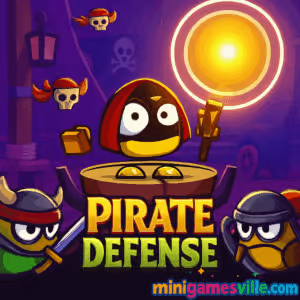
Play Pirate Defense now on Minigamesville and jump straight into wave after wave of swashbuckling tower defense fun. Pirate Defense is a fast, strategic browser game where you deploy units, upgrade your defenses, and hold the line against raiding corsairs. If you love online strategy with quick decisions and satisfying upgrades, this unblocked tower defense experience is ready for you. Hit Play above to start Pirate Defense on minigamesville.com, then come back here for tips, controls, and pro strategies that help you win more rounds and unlock bigger firepower.
About Pirate Defense
Pirate Defense blends classic tower defense rules with a snappy, modern layout that feels great in a browser. Drag and place units on highlighted tiles, route enemies through kill zones, and manage coins to upgrade damage, range, and rate of fire. Level-by-level difficulty ramps up with tougher pirate waves, mini bosses, and tighter maps that reward clever placement. Whether you are grinding for perfect clears or chasing higher scores, Pirate Defense keeps the challenge fresh with smart wave design and crisp game feel.
History of Pirate Defense
Built with mobile-friendly HTML5 and designed for instant play, Pirate Defense follows the long-running tradition of accessible tower defense games that run right in your browser. Many players first discovered it on web portals, then brought it to their personal favorites on desktop and phone browsers for quick strategic sessions any time of day.
Style & Vibe
Pirate Defense has a clean, modern design with bright colors and sharp visuals that make it easy to follow enemy paths and unit placements. The game features punchy sound effects and satisfying animations that enhance the strategic gameplay. The interface is intuitive, with clear indicators for upgrades and wave progress, ensuring a smooth experience whether you’re playing on mobile or desktop.

Gameplay in Pirate Defense
Each round opens with a clear path and limited placement tiles. You drag units into position, then start the wave and react to what the pirates bring. Coins drop as enemies fall, letting you upgrade damage, range, splash, or utility based on your lineup. The physics are snappy and the pacing is brisk, so strong fundamentals matter: funnel enemies into overlapping fire, stagger your upgrade timing, and always bank a little for emergencies. Expect 15 tightly tuned levels across multiple regions with escalating enemy health, resistances, and speed. Finishing a region feels great, and replaying with sharper openings can shave seconds and boost your end-of-level results.
Game Modes
- Campaign: Progress through hand-built stages with increasing difficulty and new enemy types.
- Score Chase: Optimize routes and upgrades to clear waves faster and with fewer leaks.
- Replay Practice: Re-run completed levels to test different builds and master early-wave economy.
How to Play
- Press Play above to load Pirate Defense on minigamesville.com.
- Drag a unit from the bottom bar and drop it on a highlighted tile near the path.
- Start the wave, then place more units or upgrade between waves using earned coins.
- Prioritize chokepoints, layer damage types, and keep a reserve for clutch upgrades.
- Clear all waves to finish the level and move on to the next map.
Controls
- Mouse or Touch: drag to place units, tap/click units to upgrade or sell.
- UI Buttons: start wave, pause, speed toggle, and upgrade confirmations.
- Keyboard: most play happens with mouse or touch, though Esc or on-screen icons handle pause.
Device Compatibility & Browser Support
Pirate Defense runs directly in modern browsers without downloads. It performs smoothly in the latest versions of Chrome, Edge, Firefox, and Safari on Windows, macOS, iOS, Android, and Chromebooks.
Mobile vs. Desktop Gameplay
- Mobile: tap-friendly UI, perfect for quick sessions and wave replays.
- Desktop: bigger view, finer placement control with mouse, stronger for late-wave micromanagement.
Can I Play Offline?
No. Pirate Defense is an online browser game, so you need an active internet connection to load and play.
Can I Play Unblocked?
Yes in most cases. Because Pirate Defense runs in-browser on minigamesville.com, it often works on school or work networks that allow gaming sites. If your network blocks games, try a personal device and home Wi-Fi.
- Browser: Play free on minigamesville.com in your desktop or mobile browser.
- Official mobile stores for Pirate Defense: no official App Store or Google Play release at this time.
Want a full mobile tower defense with offline play? Try Bloons TD 6 here:
Tips & Tricks
Beginner Tips
- Open strong: place first units at a long straight or bend to maximize time on target.
- Two beats one: two basic units often outperform an early expensive upgrade.
- Upgrade timing: save coins until a wave starts spawning tougher pirates, then invest.
- Coverage first: build overlapping arcs so enemies spend more time under fire.
- Scout the path: pre-plan a second line of defense near the exit for leaks.
Advanced Strategies
- Chokepoint layering: alternate high DPS with splash to punish clustered waves.
- Sell to pivot: if a flank goes quiet late, sell and reinforce the hot lane.
- Banking: keep a small coin float to react instantly to surprise rushes.
- Wave control: time upgrades between mini waves to avoid missing damage windows.
- Synergy lines: pair slow or armor shred with your heaviest hitters for huge gains.
Features
- 🏴☠️ Pirate-themed enemies with unique movement and health profiles
- 🧭 15 handcrafted levels across multiple regions
- 🛡️ Smart upgrade tree for range, damage, splash, and utility
- ⚡ Quick sessions, perfect for browser play on any device
- 🎯 Tight controls with drag-and-drop placement
- 📈 Replay-friendly design for faster clears and higher scores
- 🔊 Crisp hits and visual feedback that make every wave satisfying
- 🌐 Runs online with zero downloads
Unlockables & Secrets
Expect incremental power growth from upgrades and a few map-specific placements that feel like secret tech. Mastering early economy is the real unlock, since better openings lead to stronger mid-game spikes.
Cheats & Mods
There are no official cheats or mods for Pirate Defense. Third-party hacks can break saves or trigger blocks. Stick to safe strategies and repeat runs to improve your openers and wave timings.
Walkthrough Summary
Start each map with two basic units at a bend, add a third at mid-lane, then upgrade range on the first line to keep enemies under fire longer. From wave 4 onward, add splash near corners and keep a 100–200 coin reserve to plug leaks. Final waves favor layered arcs and one clutch high-tier upgrade at your best chokepoint.
Scoring, Records & Progression
Your performance improves as you learn coin curves, upgrade breakpoints, and enemy resistances. Track your clean clears, fewer leaks, and faster finishes. Replaying early levels with stronger openings is the fastest way to push personal bests.
Why Play Pirate Defense
Pirate Defense is easy to start, hard to put down, and perfect for a quick strategic hit. It loads instantly, plays beautifully in a browser, and delivers satisfying wins in short sessions. If you crave tactical placement, smart upgrades, and unblocked online play, this tower defense is a great pick.
Pros & Cons of Pirate Defense
- Pros: fast-loading browser gameplay, clean UI, strong difficulty ramp, great for short sessions.
- Cons: limited level count compared to premium TDs, online connection required, no official mobile app.
- Keep your browser updated for the best frame pacing and touch support.
- Enable hardware acceleration in settings for smoother effects.
- Close unused tabs, then reload the game before tough late waves.
- On mobile, switch to landscape and disable Low Power Mode during long runs.
Similar games to Pirate Defense
- Base Defense 2 — classic defend-your-base escalation with fresh enemy mixes.
- Base Defense — streamlined early-game economy and tight chokepoints.
- Stick Defenders — cartoony visuals meet layered defensive upgrades.
- Archer Castle — precision placement and range upgrades rule the endgame.
- Blumgi Castle — physics-powered sieges with satisfying skill shots.
- Tower Merge — merge strategy plus lane defense for an addictive loop.
FAQ
Is Pirate Defense free to play?
Yes, Pirate Defense is free to play in your browser on minigamesville.com.
Does Pirate Defense work on my phone?
Yes, it runs in mobile browsers. For the best view, rotate to landscape and use full screen.
Is Pirate Defense unblocked at school or work?
Many networks allow it since it runs in-browser, but access depends on local policies.
How many levels are in Pirate Defense?
There are 15 hand-tuned levels across multiple regions, each with escalating challenge.
Can I play Pirate Defense offline?
No, you need an internet connection to load and play this browser game.
What is the best early-game build?
Open with two basics at a bend, then add splash and range upgrades to create a strong first chokepoint.
Are there official cheats or mods?
No, there are no official cheats or mods. Focus on smarter placements and better upgrade timing.
Conclusion
Pirate Defense nails the pick-up-and-play strategy loop, from crisp placements to punchy upgrades and clean wave design. It is a perfect online tower defense to enjoy on a lunch break or to grind for a cleaner no-leak run.
Ready to test your tactics against the raiders? Press Play above to start Pirate Defense on minigamesville.com, master your chokepoints, and send every last pirate back to the sea.

 Loading...
 English
 Shqip
Shqip
 বাংলা
বাংলা
 Български
 简体中文
简体中文
 Hrvatski
 Čeština
 Dansk
Dansk
 Nederlands
 Suomi
Suomi
 Ελληνικά
 हिन्दी
 Magyar
 Bahasa Indonesia
 日本語
日本語
 한국어
한국어
 Lietuvių
 Bahasa Melayu
 Norsk
Norsk
 Polski
 Português do Brasil
 Română
 Slovenčina
 Slovenščina
 Svenska
 ไทย
ไทย
 Türkçe
 Українська
 اردو
اردو
 Tiếng Việt
 isiZulu
 Español
 Français
 Deutsch
 العربية
 Italiano
 فارسی
فارسی
 Русский