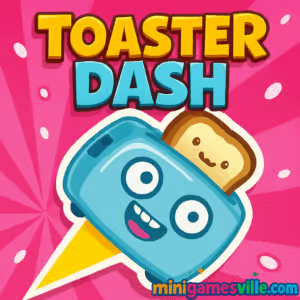
Tap Play and jump into Toaster Dash on MiniGamesVille right now. Toaster Dash is a fast, snackable arcade platformer made for quick sessions and big smiles. This online browser game drops you into a sugar-sprinkled kitchen where a feisty toaster bounces, dashes, and wall-slides through pastry-packed obstacle courses. If you enjoy quick-reflex challenges, time trials, and crisp physics, you will love chasing high scores here. Play Toaster Dash unblocked in your browser on minigamesville.com, no downloads or logins needed. Beat levels, unlock cute skins, and master buttery-smooth movement, all in a lightweight experience that runs great on desktop or mobile.
About Toaster Dash
Toaster Dash blends one-swipe momentum with precision platforming. You ricochet off donuts, avoid prickly forks, slip through portals, and grab bread slices to keep your toast-meter charged. Course design rewards clean lines and short, smart bursts, so each round feels like a mini speedrun. Whether you are setting PBs or exploring new routes, Toaster Dash stays crisp, colorful, and easy to learn.
History of Toaster Dash
Breakfast-themed jumpers have long been a fan favorite, and Toaster Dash captures that spirit with bright visuals, simple inputs, and a focus on arcade-style mastery. The result is a modern browser game that feels instantly familiar yet fresh, perfect for short breaks or long score chases.
Style & Vibe
Playful, candy-colored, and oddly endearing. From the chrome gleam of the toaster to the jelly-gloss pastry platforms, every element supports clear readability at speed. UI and sound cues are clean, giving you just enough feedback to commit to the next dash.

Gameplay in Toaster Dash
Each run is a vertical climb through bite-sized levels or an endless lane. You swipe or click-drag to set direction, then release to dash. Bounce off walls, chain short hops across pastries, and thread tight gaps between hazards. Coffee and jam boosts spike your speed or recharge, while portals open slick shortcuts. The physics encourage micro-adjustments, so shaving seconds becomes a satisfying loop.
Game Modes
- Levels: Hand-crafted stages with escalating hazards and optional objectives.
- Endless: Survive as long as you can while the pace tightens and obstacles stack.
- Time Targets: Beat par times to earn bragging rights and push your routing skills.
How to Play
- Press Play on MiniGamesVille and wait for the game to load.
- Drag or swipe to aim your toaster, then release to dash.
- Bounce off pastries, collect bread slices, and avoid forks and spikes.
- Use walls for quick direction changes and portals for faster climbs.
- Chain short, controlled dashes to keep momentum and beat the timer.
Controls
- Mouse: Click and drag to aim, release to dash.
- Touch: Swipe to aim, lift to dash.
- Keyboard optional: Some browsers support arrow/WASD for slight midair nudges. Timing still comes from your swipe or drag release.
Device Compatibility & Browser Support
Toaster Dash runs in modern browsers on Windows, macOS, Linux, and Chromebooks. It works great in the latest versions of Chrome, Edge, Safari, and Firefox. No plugins required, just an internet connection.
Mobile vs. Desktop Gameplay
- Mobile: Natural swipe aiming, perfect for quick sessions.
- Desktop: Precise mouse drags on a larger screen, ideal for routing and time trials.
Can I Play Offline?
This is an online browser game, so you need an active connection to play.
Can I Play Unblocked?
Yes, Toaster Dash is an unblocked browser game on MiniGamesVille. It loads over HTTPS and requires no installation, which helps it run on school or work networks that allow gaming sites.
- Play free in your browser: MiniGamesVille.com
- iOS: A closely related mobile version is available as Toaster Swipe on the App Store: Download on the App Store
- Android: No official Google Play link is available at this time.
- Suggested mobile alternative: If you want a similar vertical jumper on both stores, try Doodle Jump: App Store | Google Play
Tips & Tricks
Beginner Tips
- Favor short, quick dashes over long launches to maintain control.
- Use wall bumps to pivot and correct your line.
- Scan ahead for forks and spikes. Commit to safe pastry chains.
- Grab coffee or jam boosts when they are on route, not off line.
- Restart fast after mistakes. Consistent reps build timing.
Advanced Strategies
- Route planning: Learn two lines per section, a safe route and a PB route.
- Micro-stalls: Feather tiny dashes to adjust height without losing pace.
- Portal optimization: Enter dead center to keep outbound velocity straight.
- Par-times: Stack pastry-to-wall-to-pastry triples to skip platforms.
- Score farming: In endless, prioritize bread clusters while staying center-lane.
Features
- ⚡ One-swipe, easy-to-learn dashing
- 🍩 Pastry platforms, portals, and clever hazards
- ☕ Speed and recharge boosts for stylish plays
- 🎯 Level goals and time targets for replay value
- 🏁 Endless mode for high-score chasers
- 🎨 Cute skins and cosmetics to unlock
- 📈 Satisfying physics tuned for short sessions
- 🔊 Crisp audio cues for timing and feedback
Unlockables & Secrets
Complete levels under par time, perfect sections without hits, and collectables to unlock skins and bonus cosmetics. Keep an eye out for hidden pastry chains that let you skip large chunks of a stage.
Cheats & Mods
There are no built-in cheats. Community mods are not supported in the browser version. Your best path to faster times is clean routing and consistent micro-dashes.
Walkthrough Summary
Early stages teach bounce control and wall pivots. Mid-game introduces forks and moving pastry belts. Later levels add portals and tighter gaps that reward short, centered dashes. If a section feels messy, switch to a safer line, bank a completion, then return for time attacks.
Scoring, Records & Progression
Score comes from speed, clean chains, and collectables. In endless, survival depth plus bread streaks push your totals. Track PBs per level, then revisit with refined lines to climb the local leaderboard.
Why Play Toaster Dash
It is quick to learn, catchy to master, and perfect when you want a polished arcade burst inside your browser. Whether you are filling a two-minute break or grinding for a gold time, Toaster Dash keeps the feedback loop snappy and satisfying.
Pros & Cons of Toaster Dash
- Pros: Fast loading, intuitive swipe controls, crisp physics, replay-friendly levels, great for both desktop and mobile.
- Cons: Precision routes take practice, and offline play is not available.
- Use the latest Chrome, Edge, Safari, or Firefox for best performance.
- Enable hardware acceleration in browser settings.
- Close heavy tabs, then reload the game for a smooth first run.
- On laptops, plug in or switch to high-performance mode.
- On mobile, disable low-power mode and use a stable connection.
Similar games to Toaster Dash
FAQ
Is Toaster Dash free to play?
Yes, you can play Toaster Dash online for free on MiniGamesVille in your browser.
Do I need to download anything to play Toaster Dash?
No, the game runs in-browser with no downloads or plugins.
Does Toaster Dash work on phones and tablets?
Yes, it supports mobile touch controls in modern mobile browsers.
Can I pause or save my progress?
Level completions and best times are tracked per session. For long runs, finish a stage before closing the tab.
Why is my game lagging?
Update your browser, close background tabs, and ensure hardware acceleration is on. On mobile, disable low-power mode.
Is there a mobile app for Toaster Dash?
An iOS version titled Toaster Swipe is available. If you want a similar experience on both iOS and Android, try Doodle Jump.
Conclusion
Toaster Dash is quick, colorful, and endlessly replayable, the perfect arcade platformer for bite-sized sessions or marathon time attacks. The physics feel great, the level design rewards practice, and the browser performance makes jumping in fast and easy.
Ready to bounce between pastries and set a new PB? Hit Play above and enjoy Toaster Dash on MiniGamesVille today. Share your best times with friends and keep climbing. Your next clean run is one short dash away.

 Loading...
 English
 Shqip
Shqip
 বাংলা
বাংলা
 Български
 简体中文
简体中文
 Hrvatski
 Čeština
 Dansk
Dansk
 Nederlands
 Suomi
Suomi
 Ελληνικά
 हिन्दी
 Magyar
 Bahasa Indonesia
 日本語
日本語
 한국어
한국어
 Lietuvių
 Bahasa Melayu
 Norsk
Norsk
 Polski
 Português do Brasil
 Română
 Slovenčina
 Slovenščina
 Svenska
 ไทย
ไทย
 Türkçe
 Українська
 اردو
اردو
 Tiếng Việt
 isiZulu
 Español
 Français
 Deutsch
 العربية
 Italiano
 فارسی
فارسی
 Русский