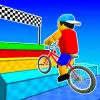
Introduction to Obby On a Bike
Obby On a Bike is a fast, physics flavored obstacle course browser game where precision balance meets parkour style creativity. Ride, hop, and wheelie through colorful tracks loaded with ramps, gaps, spinning traps, and moving platforms, then race for a spotless time. If you want a quick hit of two wheeled adrenaline online, this stunt driven bike challenge delivers. Hit Play above, test your balance, and see how many checkpoints you can clear without wiping out. Whether you are searching for an unblocked option at school or a low friction time trial on desktop or mobile, Obby On a Bike is ready to roll.
About Obby On a Bike
This game blends classic obby design, tight bike controls, and arcade speedrunning. Each level asks for accuracy, timing, and just enough risk to keep your heart rate up. Expect compact stages that reward replay and route optimization.
History of Obby On a Bike
While obby courses began in user generated worlds, bike based obstacle runs took off as creators layered physics, momentum, and balance into compact levels. Obby On a Bike continues that trend with lighter assets for faster loads, friendlier mobile input, and score chasing loops built for modern browsers.
Style & Vibe in Obby On a Bike
The vibe is bright, clean, and readable. Minimalist platforms, bold hazard colors, and clear silhouettes help you judge speed and landing angles. Sound effects pop when you stick a landing or clip a bumper, and short level lengths keep the pace high.
Gameplay in Obby On a Bike
At its core, Obby On a Bike focuses on momentum management. Build speed on ramps, feather the brakes before tricky seesaws, then commit to jumps with smooth tilt control. Hazards include spinning beams, collapsing floors, swinging hammers, slippery surfaces, and narrow rails that punish over steering. Checkpoints reduce frustration while time targets push mastery.
Game Modes
- Time Trial: Beat the level clock to earn medals and climb local leaderboards.
- Checkpoint Rush: Limited retries, more pressure, bigger rewards.
- Challenge Packs: Curated obstacle sets with unique twists like low gravity or tiny wheels.
- Practice: Instant restarts, perfect for learning tricky sections and experimenting with lines.
How to Play
- Start the level and scan the route for ramps, rails, and moving hazards.
- Roll forward gently, then build speed on safe straights.
- Before a jump, level the bike, preload your tilt, and commit to a clean landing.
- Use brakes on downhills to avoid overshooting checkpoints.
- Repeat sections to discover faster lines and safer angles.
Controls for Obby On a Bike
- Desktop: Arrow keys or WASD to accelerate, brake, and lean. R to quick restart, Space for jump if supported, Esc to pause.
- Mobile: On screen pedals for speed and brake, left and right tilt buttons to balance, tap pause in the corner.
- Controller: Left stick for lean, right trigger for gas, left trigger for brake, A to restart if enabled.
Device Compatibility & Browser Support for Obby On a Bike
This online bike game runs in modern browsers with WebGL support. For best results, use Chrome, Edge, Firefox, or Safari on updated devices.
Mobile vs. Desktop Gameplay
- Mobile: Quick sessions, tap friendly UI, shorter reaction windows. Great for practicing lines.
- Desktop: Finer tilt control with keys, smoother frame rates on capable hardware, ideal for record runs.
Can I Play Offline?
Obby On a Bike is a browser game that streams assets, so an active internet connection is typically required. Some browsers may cache levels, but plan to play online for full features.
Can I Play Unblocked?
Many players access unblocked versions of Obby On a Bike on school or workplace networks, but availability depends on local filters. If gaming sites are restricted, try using an approved educational games portal or play on a personal connection.
Tips & Tricks for Obby On a Bike
Beginner Tips
- Feather the throttle, small inputs keep balance under control.
- Brake before ramps, not while airborne.
- Line up jumps early, center your bike before takeoff.
- Use practice mode to learn hazard timing without pressure.
- Watch your rider’s shadow to judge landings on floating platforms.
Advanced Strategies
- Micro wheelies reduce ground friction and hold speed over bumps.
- Bunny hop off the edge of ramps to extend distance and clear traps.
- Manuals on flat sections can chain momentum into taller jumps.
- Brake tap midair to drop the front wheel for precision landings.
- Route optimization: cut corners on wide platforms and use hazard cycles to slingshot forward.
- Reset fast after a mistake, many short attempts beat one long sloppy run.
- Chase a ghost time if available to learn better lines.
- Warm up on an easier level to lock in timing before record attempts.
Features of Obby On a Bike
- 🎯 Tight physics that reward clean inputs and confident timing.
- 🛣️ Compact levels designed for quick retries and speedruns.
- 🚴 Multiple bikes and cosmetic styles to unlock.
- 🧩 Hazard variety, from spinning beams to collapsing paths.
- 💾 Checkpoints and instant restarts for low frustration runs.
- 📱 Smooth play on mobile or desktop, no download needed.
- 🏆 Time medals and local records that encourage mastery.
- 🔊 Crisp audio cues that telegraph danger and clean landings.
Rules in Obby On a Bike
- Reach the finish without falling off the bike or leaving the track.
- Pass all checkpoints in order, skipping may invalidate the run.
- Colliding with hazards triggers a restart from the last checkpoint.
- Time medal thresholds require clean, fast routes with minimal resets.
Unlockables & Secrets in Obby On a Bike
Earn coins or medals to unlock new bike frames, wheel trails, and rider outfits. Keep an eye out for hidden side platforms that shave seconds or secret boosters tucked behind props. Some challenge packs require a set number of medals before they open.
Cheats & Mods for Obby On a Bike
There are no built in cheats, and third party mods can break saves or cause bans on leaderboards. For a fair advantage, tune your settings, learn hazard cycles, and practice with instant restarts. If you experiment with community tweaks, back up your progress first and avoid installing untrusted files.
Walkthrough Summary for Obby On a Bike
Start by rolling into a gentle ramp, brake tap at the lip, then level out for a smooth landing. Time the rotating beam, slip past while it swings away, and hold a light wheelie over the bump strip. On the seesaw, stop near the pivot, let it tilt, then accelerate. Finish with a clean rail ride, brake feather at the end, and sprint through the banner for a bronze or better.
Scoring, Records & Progression in Obby On a Bike
Your best times earn bronze, silver, and gold. Fewer resets means better ranks and more currency for cosmetics. Progression unlocks harder tracks, new hazards, and advanced challenge packs that test precise tilt control and route memory.
Why Play Obby On a Bike
If you enjoy quick, high skill loops, this online obstacle course nails the sweet spot between accessible and demanding. It is perfect for coffee break runs, classroom leaderboard rivalries, or late night medal hunts.
Pros & Cons of Obby On a Bike
- Pros: Snappy physics, instant restarts, short levels, great for speedrunning, smooth on most devices.
- Cons: Precision learning curve, touch controls can feel twitchy on tiny screens, limited narrative.
- Enable hardware acceleration in your browser settings for steadier frame rates.
- Close heavy tabs, streaming video, or background downloads to reduce stutter.
- Use an up to date browser and clear cached data if levels stop loading.
- On mobile, switch to performance mode and disable battery savers during play.
Similar Games to Obby On a Bike
- Moto X3M: A classic stunt bike browser game with explosive tracks, tight time trials, and dozens of levels perfect for online speedruns and unblocked play.
- Happy Wheels: Physics based obstacle carnage that turns every run into slapstick, great for quick replays and creative routes.
- Moto Maniac 3: Forest and cave courses with moving logs, collapsing bridges, and sharp balance challenges made for precision riders.
- Wheelie Bike: Hold balance for as long as possible on a single wheel, a simple mechanic that becomes a tense high score chase.
- Trials Ride: Technical bike trials with realistic physics, narrow beams, and steep climbs that reward throttle control.
- Dirt Bike Stunts 3D: Big ramps, trick scoring, and flowing lines for players who love airtime and smooth combos in an online setting.
- Short Ride: A darker, comedic physics runner with deadly traps, perfect for fans of hazard heavy courses.
- Bike Trials Winter 2: Ice and snow surfaces change traction, turning every hop into a slippery puzzle in your browser.
- Moto Quest: Campaign style levels with star ratings, unlockable bikes, and time goals that push clean execution.
- BMX Online: Street flavored park courses with manuals, hops, and grind style lines for freestyle minded riders.
- Moto Rush: Fast arcade sprints built for medal hunting and quick online sessions, balanced for desktop and mobile.
- Parkour GO: First person obstacle runs that scratch the obby itch with vaults, wall runs, and precise timing.
- G-Switch 3: Gravity flipping runner that sharpens reflexes for any obstacle course fan chasing unblocked thrills.
- Slope: Speedy downhill survival with razor sharp controls, great for warming up reaction time before bike time trials.
- Moto Trial Racing: Head to head trial stages with technical climbs and balance tests for competitive players.
FAQ
What is Obby On a Bike?
It is an online obstacle course bike game where you balance, jump, and time hazards to reach the finish as fast as possible.
Is Obby On a Bike free to play?
Yes, it runs as a free browser game, no download required.
Can I play Obby On a Bike unblocked at school?
Many players can, but it depends on local network rules. If gaming sites are blocked, try an approved learning games portal or a home connection.
Does Obby On a Bike support controllers?
Some browsers map controllers to keyboard inputs. If your gamepad is recognized, you can use triggers for gas and brake and the stick to lean.
How do I get better times in Obby On a Bike?
Memorize hazard cycles, brake before ramps, use micro wheelies to keep momentum, and restart quickly after mistakes.
Can I change bikes or skins?
Yes, you can unlock cosmetic options by hitting medal goals or collecting in game currency.
Is there multiplayer in Obby On a Bike?
Direct racing is uncommon, but ghost times and local records let you compete with friends.
Why does the game feel laggy on my phone?
Close background apps, switch to a modern browser, enable performance mode, and make sure your connection is stable.
Does Obby On a Bike save my progress?
Progress usually saves in your browser storage. Clearing cache or using private windows can reset it.
Are there cheats for Obby On a Bike?
There are no official cheats. Unofficial mods can harm performance or erase saves, so use practice mode to improve safely.
Conclusion: Ready to Master Obby On a Bike?
Obby On a Bike packs crisp physics, clean visuals, and replay friendly stages into a snappy browser experience. Whether you are hunting gold medals or just want a quick online challenge, its obstacle design rewards patience, timing, and fearless commitment.
Strap in, pick your line, and chase that perfect run. Hit Play above, start with a warm up level, then come back to crush your personal records in Obby On a Bike.

 Loading...
 English
 Shqip
Shqip
 বাংলা
বাংলা
 Български
 简体中文
简体中文
 Hrvatski
 Čeština
 Dansk
Dansk
 Nederlands
 Suomi
Suomi
 Ελληνικά
 हिन्दी
 Magyar
 Bahasa Indonesia
 日本語
日本語
 한국어
한국어
 Lietuvių
 Bahasa Melayu
 Norsk
Norsk
 Polski
 Português do Brasil
 Română
 Slovenčina
 Slovenščina
 Svenska
 ไทย
ไทย
 Türkçe
 Українська
 اردو
اردو
 Tiếng Việt
 isiZulu
 Español
 Français
 Deutsch
 العربية
 Italiano
 فارسی
فارسی
 Русский