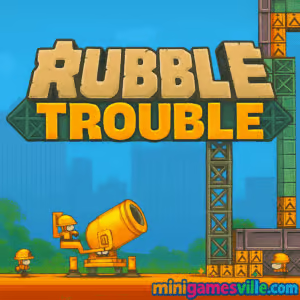
Play Rubble Trouble now on Minigamesville.com and jump straight into a clever physics demolition browser game that scratches the same itch as your favorite destruction puzzlers. This online title blends strategy, chain reactions, and a splash of slapstick as you topple buildings while protecting nearby structures. If you love unblocked, instant-play fun with crisp controls, hit Start, blow stuff up, and chase the perfect run.
About the Game
This is a bite-sized physics puzzle where you use a limited toolkit to demolish specific targets and keep collateral damage to a minimum. Each level teaches timing and finesse, from perfectly placed dynamite to a well-aimed wrecking ball. Smart planning matters, because ammo and cash are capped and every misstep can dent your payout.
History of Rubble Trouble
Born from the golden age of web games, this fan-favorite demolition series became known for charming pixel art, wry humor, and brainy level design. Modern HTML5 tech keeps the experience accessible in your browser without downloads, which means quick sessions, quick retries, and quick satisfaction.
Style & Vibe
Expect playful construction-site chaos, cheeky sound cues, and crunchy physics that make each collapse feel earned. The art reads instantly on both large and small screens, and the UI stays out of the way so you can focus on that perfect chain reaction.

Gameplay in Rubble Trouble
Each stage gives you a goal, a budget, and a specific toolkit. Place charges, angle cannons, drag a wrecking ball, or guide a missile into weak points. Debris physics drive the puzzle, so removing a single support can bring the whole structure down. The best clears use the fewest tools for the biggest payoff.
Game Modes
- Main Levels: A curated set of demolition puzzles with escalating tools and hazards.
- Challenge Runs: Replay levels to beat tighter cash targets or tool limits.
- Speed Clears: Race your personal best times by planning chains in advance.
How to Play
- Study the structure, noting supports, explosives, and protected zones.
- Select a tool, then position or aim for maximum structural impact.
- Trigger the action and watch how debris falls, adjusting next steps.
- Protect civilians and neighboring buildings to avoid cash penalties.
- Hit the target earnings to unlock the next level.
Controls
- Mouse or touch, tap to place explosives and utilities.
- Click or press, hold, and drag to aim cannons or swing wrecking balls.
- Press the on-screen action buttons to detonate or confirm placement.
Device Compatibility & Browser Support
Plays in modern browsers like Chrome, Edge, Firefox, and Safari. No install required. For the smoothest performance, keep one tab for the game, close heavy background apps, and ensure hardware acceleration is on in your browser settings.
Mobile vs. Desktop Gameplay
Desktop offers pixel-perfect aiming with a mouse and a larger view of the structure. Mobile touch is great for quick sessions and intuitive placement. Both are excellent for short, satisfying attempts.
Can I Play Offline?
This browser game requires an internet connection to load and run.
Can I Play Unblocked?
The game runs in-browser with no downloads, so it often works on networks that allow gaming sites. Access depends on local filters. If your connection blocks it, try a different network or contact your administrator about allowing Minigamesville.com to load Rubble Trouble.
- Browser: Play instantly on Minigamesville.com.
- Mobile app stores: There are no official iOS or Android releases for this exact title.
- Prefer a mobile-friendly alternative with similar physics destruction? Try Angry Birds 2:
Beginner Tips
- Work from the bottom. Removing supports multiplies collapse damage.
- Chain your tools. A small blast that shifts weight can set up a perfect wrecking-ball swing.
- Avoid protected zones. Fines stack fast and can cost a win.
- Count ammo. Save one tool for unexpected braces or steel beams.
- Restart quickly. Early mistakes are cheaper to reset than to fix.
Advanced Strategies
- Pre-plan fall paths so debris crushes lower floors for extra value.
- Stagger detonations to keep momentum going and prevent wasted force.
- Use splash damage to nick multiple weak points with a single shot.
- Bank safes gently. Lower valuables to the ground before the final collapse.
- Learn material behavior. Wood crumples, concrete resists, metal redirects blasts.
Features
- 💥 Satisfying physics-driven demolition
- 🧰 Varied tools like dynamite, cannons, and wrecking balls
- 🧠 Puzzle-first level design with multiple clear solutions
- 🏆 Cash targets and replay goals for mastery
- 📱 Smooth play on mobile and desktop browsers
- 🔁 Quick restarts for learn-by-doing experimentation
- 🎧 Playful audio and snappy visual feedback
- ⏱ Short-session friendly challenges
Unlockables & Secrets
Progress introduces new demolition toys and trickier materials. Keep an eye out for bonus safes or hidden weak points that convert a tough puzzle into a one-turn collapse.
Cheats & Mods
Third-party cheats or modded clients can harm performance and risk your device. Stick to the official browser version for a stable and fair experience.
Walkthrough Summary
Scan the level, choose a weak column, and prime it with a precise first tool. Use the second tool to steer debris into stubborn supports. Finish with a cleanup action, then pocket the target cash. If anything goes off-script, restart fast and adjust the order of operations.
Scoring, Records & Progression
Your payout depends on how much structure you destroy, how safely you handle valuables, and how little you damage protected areas. Efficient clears unlock later stages sooner, and replaying earlier levels is a great way to refine routes and set personal bests.
Why Play Rubble Trouble
It nails that just-one-more-try loop with short, punchy puzzles and grainy-satisfying physics. Whether you love destruction, strategy, or clean browser performance, it’s a perfect coffee-break game that still rewards mastery.
Pros & Cons of Rubble Trouble
- Pros: Clever physics chains, clean difficulty curve, instant-play in browser.
- Pros: Tool variety encourages creative routes and smart resource use.
- Cons: Limited offline options, and later levels can be unforgiving without retries.
- Use a current browser version for best input latency and physics stability.
- Enable hardware acceleration in browser settings.
- Close heavy tabs, especially video or large docs, before launching the game.
- On mobile, switch Battery Saver off while playing to prevent throttling.
- If input feels laggy, clear cache and reload the page.
Similar games to Rubble Trouble
- Blumgi Castle — launch projectiles to topple quirky structures with stylish effects.
- Mini Train — physics puzzler about completing tracks so the train reaches the goal.
- Breakoid — arcade brick-breaker with juicy power-ups and crunchy impact.
- Arrower — grid-based logic where directional arrows solve movement puzzles.
- Drive Mad — vehicle physics challenges that reward balance and throttle control.
- Big Tower Tiny Square — precision platforming with tight controls and tricky layouts.
- Village Builder — relaxing build-and-balance gameplay with satisfying placement rules.
FAQ
Is this a free online game?
Yes, you can play in your browser with no installation.
Does the game have multiple solutions?
Most stages support different tool orders and placements, which is why replays are so engaging.
Why did I fail even after big explosions?
Collateral damage fines or missed safes can reduce your earnings below the target. Refine tool order and aim.
What browsers work best?
Chrome, Edge, Firefox, and Safari run the game well as long as they are up to date.
Can I use a controller?
The game is optimized for mouse and touch. A controller is not required.
Conclusion
If crisp physics, clever puzzles, and spectacular collapses are your thing, this browser game delivers. Short levels make it perfect for quick breaks, and mastering cash targets keeps you coming back.
Ready to bring the house down with style and smarts? Hit Play on Minigamesville.com and enjoy Rubble Trouble today.

 Loading...
 English
 Shqip
Shqip
 বাংলা
বাংলা
 Български
 简体中文
简体中文
 Hrvatski
 Čeština
 Dansk
Dansk
 Nederlands
 Suomi
Suomi
 Ελληνικά
 हिन्दी
 Magyar
 Bahasa Indonesia
 日本語
日本語
 한국어
한국어
 Lietuvių
 Bahasa Melayu
 Norsk
Norsk
 Polski
 Português do Brasil
 Română
 Slovenčina
 Slovenščina
 Svenska
 ไทย
ไทย
 Türkçe
 Українська
 اردو
اردو
 Tiếng Việt
 isiZulu
 Español
 Français
 Deutsch
 العربية
 Italiano
 فارسی
فارسی
 Русский