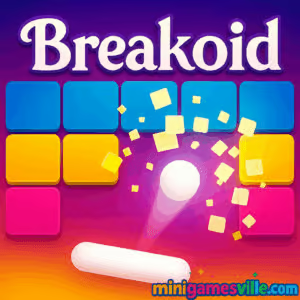
About Breakoid
Breakoid takes the timeless block-smashing loop you know and gives it a polished, high-impact upgrade. Your goal is simple, clear every brick by keeping the ball in play with a responsive paddle. What makes it sing is the tight feel, clever layouts, and a steady drip of surprises that keep you leaning forward. Whether you’re new to brick breakers or returning for that nostalgic hit, Breakoid lands right in the sweet spot for a quick browser game fix.
History of Breakoid
Breakoid traces its roots to the arcade era, when paddle-and-ball brick breakers became a global obsession. Fast forward to today and HTML5 has revived the genre on the web, letting you play instantly on desktop or mobile. Breakoid carries that legacy with crisp inputs, readable brick patterns, and modern quality-of-life touches that make it perfect for pick-up-and-play sessions.
Style & Vibe
Expect neon-bright effects, crunchy brick pops, and clean UI that stays out of your way. Levels ramp up with new obstacles, brick health values, and clever angles that reward precision and ball control.

Gameplay in Breakoid
The loop feels instantly familiar. Move the paddle to redirect the ball, target weak spots, and chain clean clears. Bricks may have different hit points, some drop power-ups like multi-ball, wide paddle, or laser shots, and occasional hazards force smarter aim. Physics are snappy, so micro-adjustments matter. Survive, score, and clear the board. Then do it again, faster.
Game Modes
- Levels: Tackle handcrafted stages with escalating patterns and brick types.
- Endless: A survival marathon where speed and difficulty climb the longer you last.
- Challenges: Short, high-pressure scenarios that test accuracy and resource management.
- Time Attack: Beat the clock by routing efficient angles and power-up timing.
How to Play
- Press Play and wait for the first serve.
- Move the paddle to meet the ball and change its angle.
- Aim for high-value or hard-to-reach bricks first to open the board.
- Collect power-ups that drop from broken bricks to gain an edge.
- Clear all bricks to finish the level and push your score higher.
Controls
- Desktop: Move with mouse or trackpad. Some keyboards support arrow or A/D movement.
- Mobile: Tap or drag near the paddle to slide it horizontally.
- Pause/Restart: Use on-screen buttons.
Device Compatibility & Browser Support
Breakoid runs smoothly in modern browsers like Chrome, Edge, Firefox, and Safari. It’s optimized for both mouse and touch, so you can play on laptops, Chromebooks, iPhones, iPads, and Android devices in your browser.
Mobile vs. Desktop Gameplay
On desktop, mouse control offers pixel-perfect placement, great for expert angles. On mobile, touch feels natural and quick, perfect for short, on-the-go sessions. Both play great, so pick what feels best to you.
Can I Play Offline?
Breakoid is an online browser game. You need an internet connection to load the game. Some browsers may keep a session cached for a short time, but full offline play is not supported.
Can I Play Unblocked?
Breakoid on minigamesville.com is a lightweight HTML5 title that often works on school and work networks where gaming sites are permitted. If your network restricts games, access will depend on local policies. Always follow your organization’s rules.
- Browser: Play Breakoid right here on minigamesville.com.
- Mobile apps: There are no official App Store or Google Play apps for Breakoid at this time.
- Want a similar mobile app? Try Bricks Breaker Quest by Mobirix:
Tips & Tricks
Beginner Tips
- Control the return angle. Hit the ball with the paddle’s edges for sharper trajectories.
- Open the board. Clear low, central bricks first to reduce random ricochets.
- Prioritize power-ups that widen the paddle or slow time when you’re learning.
- Watch the ball, not the paddle. Your eyes should track the ball’s arc.
- Use short, steady mouse movements to avoid over-correcting.
Advanced Strategies
- Route planning. Pre-visualize two to three bounces to tunnel into hard corners.
- Combo economy. Let multi-ball shred clusters while you guide the “lead” ball to targets.
- Edge trapping. Bounce along side walls to snipe vertical stacks efficiently.
- Risk vs reward. Skip low-impact drops if they pull you out of a safe position.
- Brick health math. Focus multi-hit bricks early so your late game is clean.
Features
- 🎯 Tight, responsive paddle physics that reward precision
- 🧱 Varied brick types with different hit points and behaviors
- 💥 Satisfying power-ups like multi-ball, widen paddle, and lasers
- ⏱️ Multiple modes for short bursts or long sessions
- 📈 Score chasing with high-replay boards
- 📱 Plays great on desktop and mobile browsers
- 🔊 Clean visual effects and crisp impact sounds
- 🕹️ Unblocked style HTML5 arcade experience, no installs
Unlockables & Secrets
While Breakoid focuses on pure arcade action, keep an eye out for rare power-up chains and hidden angles that let you clear tough pockets fast. Mastering these routes feels like discovering a secret path through a level.
Cheats & Mods
There are no official cheats for Breakoid. Browser mods or extensions can cause performance issues or corrupt saves. For fair play and stability, stick to the standard web version on minigamesville.com.
Walkthrough Summary
Start by controlling angles and building safe lanes through low bricks. Mid-run, prioritize multi-hit blocks and open side channels to reach isolated clusters. When speed ramps up, keep calm, track the ball’s arc, and secure catches before going for risky shots. Consistency beats flashy plays.
Scoring, Records & Progression
Score comes from brick clears, fast finishes, and smart power-up usage. Keep an eye on streaks, since avoiding misses tends to snowball your run. Many browsers will retain your progress locally, so returning sessions feel rewarding as you push to a new personal best in Breakoid.
Why Play Breakoid
It loads instantly, feels great from the first hit, and scratches that classic arcade itch without clutter. If you want a clean, skill-first brick breaker online, Breakoid delivers.
Pros & Cons of Breakoid
- Pros: Snappy controls, readable layouts, satisfying power-ups, zero install.
- Cons: High speeds can be punishing, and some layouts demand patient routing.
- Close heavy background tabs to reduce input lag.
- Enable hardware acceleration in your browser settings.
- If something feels off, refresh the page to reset timing and audio.
- On mobile, lock screen rotation and raise brightness for visibility.
Similar games to Breakoid
FAQ
Is Breakoid free to play?
Yes, Breakoid is a free online browser game on minigamesville.com.
Do I need to download anything to play Breakoid?
No, just press Play in your browser and start smashing bricks.
Does Breakoid work on school Chromebooks?
In many cases yes, because it is an HTML5 unblocked style game, but access depends on your school’s network rules.
What browsers are best for Breakoid?
Chrome, Edge, Firefox, and Safari all run Breakoid well when up to date.
Can I use a controller?
Breakoid is designed for mouse or touch. Some setups may map controllers, but native support is not required to enjoy it.
Why did my progress reset?
Progress is typically stored locally in your browser. Clearing cookies or switching devices can reset local data.
Is there an official Breakoid app?
No official mobile app exists right now. If you want a similar mobile experience, try Bricks Breaker Quest on Android or iOS.
How do I improve performance?
Close extra tabs, enable hardware acceleration, and refresh the page before a long session.
Conclusion
Breakoid is classic arcade energy distilled into a modern browser game. The feedback is crisp, clears are satisfying, and every run tempts you to go again for a cleaner route and bigger score.
Ready to test your angles and reflexes? Hit Play and enjoy Breakoid on minigamesville.com. Keep the ball alive, chain those power-ups, and claim your high score while the bricks are still standing.

 Loading...
 English
 Shqip
Shqip
 বাংলা
বাংলা
 Български
 简体中文
简体中文
 Hrvatski
 Čeština
 Dansk
Dansk
 Nederlands
 Suomi
Suomi
 Ελληνικά
 हिन्दी
 Magyar
 Bahasa Indonesia
 日本語
日本語
 한국어
한국어
 Lietuvių
 Bahasa Melayu
 Norsk
Norsk
 Polski
 Português do Brasil
 Română
 Slovenčina
 Slovenščina
 Svenska
 ไทย
ไทย
 Türkçe
 Українська
 اردو
اردو
 Tiếng Việt
 isiZulu
 Español
 Français
 Deutsch
 العربية
 Italiano
 فارسی
فارسی
 Русский