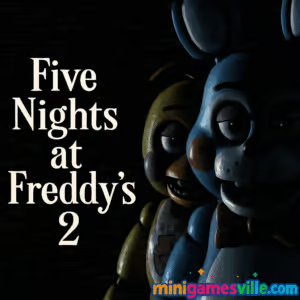
Play Five Nights at Freddy’s 2 online now on MiniGamesVille.com. Slip on the Freddy mask, wind the music box, and survive each shift in this iconic survival horror browser game. Five Nights at Freddy’s 2 blends point-and-click tension with razor‑fast reactions, perfect for quick scares or marathon sessions. If you want unblocked thrills and instant access in your browser, hit Play and try not to blink. Your security desk is waiting.
About Five Nights at Freddy’s 2
Five Nights at Freddy’s 2 is a nerve-jangling survival horror classic where you monitor cameras, manage limited tools, and outsmart a growing lineup of animatronics. The sequel ditches door controls for a flashlight, vents, and the signature Freddy mask, creating constant tradeoffs between safety and time. Whether you are chasing stars or just testing your courage, Five Nights at Freddy’s 2 online delivers a faithful experience with quick load times and crisp audio for those unforgettable jumpscares.
History of Five Nights at Freddy’s 2
Released in 2014 as a prequel to the original, this chapter introduced Toy versions of the cast, the winding music box that keeps The Puppet calm, and a faster, more aggressive nightly rhythm. It became a staple in the franchise thanks to its multitasking design and the iconic Custom Night challenges that reward true mastery.
Style & Vibe
Expect dim hallways, flickering cams, and audio stingers that ratchet up the dread. Five Nights at Freddy’s 2 keeps the retro pizzeria feel but layers in glossy Toy animatronics and eerie ambient sounds. The mood is equal parts playful and terrifying, perfect for streaming or late-night scares.

Gameplay in Five Nights at Freddy’s 2
Each night ramps difficulty by introducing new behaviors and faster attack windows. You will juggle three core tasks: checking cameras for movement, flashing the hallway to reset Foxy, and wearing the Freddy mask when threats breach the office. Meanwhile, you must constantly wind the music box or face The Puppet. It is a high-pressure loop where timing and route memory matter more than raw reflexes. Survive until 6 a.m. and you progress, chasing stars and unlocking Custom Night. As a browser game, it loads fast and plays great with a mouse or touch, making Five Nights at Freddy’s 2 unblocked sessions perfect for quick breaks.
Game Modes
- Main Nights: Night 1 to Night 5 teach core mechanics and enemy patterns.
- Night 6: A tougher victory lap that demands tight music box control and instant mask flips.
- Custom Night: Mix-and-match difficulty with themed presets like Ladies’ Night, Freddy’s Circus, or Golden Freddy, then tweak AI levels to chase bragging rights.
How to Play
- Open the camera monitor and locate high-traffic rooms, vents, and the Prize Corner for the music box.
- Keep the music box wound. Tap or click and hold to wind whenever it dips.
- Flash the hallway to deter Foxy, then quickly recheck vents.
- If an animatronic appears in the office, immediately put on the Freddy mask. Hold for a beat until the threat withdraws.
- Repeat the cycle, balancing camera checks, mask timing, and flashlight usage until 6 a.m.
Controls
- Mouse or Touch: Look left and right, open the monitor, interact with UI buttons.
- Left Click or Tap: Select cameras, wind music box, toggle monitor.
- Flashlight: On desktop, Space or Ctrl are common. On mobile or touch, use the on‑screen light button.
- Freddy Mask: Click or tap the mask icon. Some setups also map M.
- Mute Call or Pause: Use the on‑screen icons when available.
Note: Key mappings can vary slightly by browser build. On MiniGamesVille, all essential actions are available via on‑screen UI so you can play comfortably with mouse or touch.
Device Compatibility & Browser Support
Five Nights at Freddy’s 2 runs smoothly in modern Chromium-based browsers and the latest versions of Firefox and Safari. For best results, enable hardware acceleration, close heavy background tabs, and keep your audio unmuted to hear hallway cues.
Mobile vs. Desktop Gameplay
Desktop offers precise mouse control, great for rapid mask flips and fast monitor cycles. Mobile touch controls are intuitive for winding and mask timing, ideal for short, on the go sessions. Either way, Five Nights at Freddy’s 2 online feels responsive and scary.
Can I Play Offline?
In browser, you need an active internet connection to load and play. After downloading the official mobile app, you can enjoy it offline on your device.
Can I Play Unblocked?
Many networks allow MiniGamesVille. If your school or workplace restricts gaming sites, access may vary by policy. Check locally and play Five Nights at Freddy’s 2 unblocked wherever it is allowed.
Tips & Tricks
Beginner Tips
- Learn the rhythm: wind, flash, check vents, mask. Repeat.
- Prioritize the music box. A late wind costs the whole run.
- Do short, frequent camera peeks to save time between threats.
- When in doubt, mask. It is better to lose a second than a life.
- Keep the hallway flashed before dropping the monitor to avoid Foxy surprises.
Advanced Strategies
- Route your camera path to minimize travel time to the Prize Corner.
- Use audio cues to predict hallway and vent arrivals without overchecking cams.
- Mask pre‑emptively after closing the monitor on later nights to catch Withered attacks.
- Practice controlled flashlight bursts to conserve time between cycles.
- For Custom Night, raise only a few AIs at a time to master each pattern.
Features
- 🎭 Signature Freddy mask mechanic for last-second saves
- 🔦 Flashlight and vent checks that reward smart timing
- 📹 Fast camera system with high‑risk Prize Corner management
- 👾 Large cast of Toy and Withered animatronics
- 🕕 Nightly progression with escalating difficulty
- 🎯 Custom Night presets and adjustable AI levels
- 📈 Lightweight, quick-loading browser gameplay
- 🔊 Hair‑raising sound design for perfect jumpscares
Unlockables & Secrets
Earn stars for completing Night 5, Night 6, and Custom Night. Keep an eye out for rare events like unusual visitors, odd paper pals, or blink‑and‑you‑miss‑it cameos that superfans love to chase.
Cheats & Mods
There are no official cheats for the browser version on MiniGamesVille. Mods are a PC community thing and are not supported here. For a fair challenge, play vanilla and master the core loop.
Walkthrough Summary
Nights 1–3 teach fundamentals while introducing Toy animatronics. Nights 4–5 stress-test your cycle timing. Night 6 demands near-perfect mask instincts and rapid music box winds. Custom Night lets you refine patterns and go for high‑difficulty bragging rights.
Scoring, Records & Progression
Progress is marked by stars and cleared nights, not a numeric score. Track your best streaks by how consistently you reach 6 a.m. and which Custom Night presets you conquer. Many players aim to beat every preset with higher AI levels for personal records.
Why Play Five Nights at Freddy’s 2
It is the perfect blend of strategy and panic, designed for bite‑size sessions in your browser. Five Nights at Freddy’s 2 on MiniGamesVille.com offers instant access, no installs, and unblocked fun where allowed. The tension curve keeps veterans engaged and gives newcomers a fair learning ramp.
Pros & Cons of Five Nights at Freddy’s 2
- Pros: Tight mechanics, iconic scares, quick browser load, great Custom Night replayability.
- Cons: High pressure can feel punishing, late-night randomness may spike difficulty.
- Updates: Mobile editions receive ongoing fixes and polish. In-browser builds aim for stable performance and fast startup.
- Performance: Keep one tab for the game, enable hardware acceleration, and avoid heavy downloads during play.
- Audio: Wear headphones to catch subtle cues that help you mask at the right moment.
Similar games to Five Nights at Freddy’s 2
FAQ
Is Five Nights at Freddy’s 2 free to play in the browser?
Yes, you can play the browser version here on MiniGamesVille with no install required.
Does Five Nights at Freddy’s 2 support mobile devices?
Yes, it plays well on modern mobile browsers, and there are official Android and iOS apps for offline play.
How many times is the Freddy mask needed?
You should mask the moment an animatronic appears in the office, then wait a second or two until it leaves.
What is the best way to handle Foxy?
Flash the hallway in short bursts, then quickly check vents and the music box before resuming your cycle.
How do I unlock Custom Night?
Beat the main nights to access Custom Night, then try themed presets or your own AI combinations.
Can I play Five Nights at Freddy’s 2 unblocked at school?
Access depends on local network policies. If gaming sites are blocked, ask your administrator about allowed use.
Does the browser version save progress?
Most browsers keep local progress. Clearing cache or switching devices may reset your nights.
Conclusion
Ready to face the night shift again? Five Nights at Freddy’s 2 brings fast, frightening gameplay and smart resource management to your browser, perfect for jump‑in sessions or all‑night marathons.
Hit Play on MiniGamesVille.com to dive into Five Nights at Freddy’s 2 online, keep that music box wound, and try to last until 6 a.m. Good luck, guard. You will need it.

 (3 votes, average: 4.33 out of 5)
 Loading...
 English
 Shqip
Shqip
 বাংলা
বাংলা
 Български
 简体中文
简体中文
 Hrvatski
 Čeština
 Dansk
Dansk
 Nederlands
 Suomi
Suomi
 Ελληνικά
 हिन्दी
 Magyar
 Bahasa Indonesia
 日本語
日本語
 한국어
한국어
 Lietuvių
 Bahasa Melayu
 Norsk
Norsk
 Polski
 Português do Brasil
 Română
 Slovenčina
 Slovenščina
 Svenska
 ไทย
ไทย
 Türkçe
 Українська
 اردو
اردو
 Tiếng Việt
 isiZulu
 Español
 Français
 Deutsch
 العربية
 Italiano
 فارسی
فارسی
 Русский