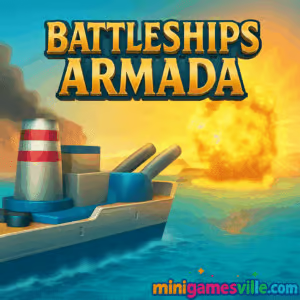
Ready to command the fleet? Click Play to launch Battleships Armada right here on minigamesville.com and sink every last ship. Battleships Armada is a fast, tactical online browser game that reimagines the classic board game with crisp visuals, smart AI, and snappy turns. Whether you are looking for an unblocked naval strategy fix at school or a quick duel at home, this grid-based sea battle delivers. Place, predict, and pummel your opponent’s fleet, then come back to climb to harder difficulties. Tap or click to start your next skirmish and enjoy Battleships Armada on minigamesville.com today.
About Battleships Armada
Battleships Armada blends the timeless Battleship formula with user-friendly HTML5 design, so it loads fast on desktop and mobile without downloads. You arrange a hidden fleet, trade shots by coordinates, and use deduction to locate enemy vessels. Each match is short, punchy, and perfect for coffee breaks or a study pause. Expect clean animations, satisfying hit feedback, and difficulty settings that make every round feel fresh.
History of Battleships Armada
The paper-and-peg version of Battleship dates back to the early 20th century, evolving into board and digital adaptations across decades. Battleships Armada arrived as a modern HTML5 take in the late 2010s, optimized for in-browser play and touch controls. Its goal is simple: preserve the classic guess-and-check tension while smoothing UX for phones and laptops.
Style & Vibe
Bright UI, clean grids, and crisp audio cues create a satisfying naval skirmish vibe. Hit markers, ship silhouettes, and subtle effects keep the action readable even on small screens.

Gameplay in Battleships Armada
The flow is classic and quick. You drop a fleet on a 10×10 grid, rotate ships for optimal coverage, then take turns firing at coordinates. Early on, you are probing to find any hull. Once you tag a hit, you switch to surgical strikes to confirm the ship’s axis and finish it off. Smart shot spacing, corner checks, and micro-patterns separate lucky captains from consistent winners. AI difficulty options keep the pressure rising and the win streaks satisfying.
Game Modes
- Practice: Warm up against an easier AI and refine placement patterns.
- Standard: Classic one-shot-per-turn pacing for thoughtful play.
- Salvo-style challenge: Some builds grant multiple shots after a hit, rewarding streaks and tight tracking.
- Difficulty ladder: Easy, Normal, and Hard AI for steady progression.
Note: Available modes may vary slightly by build, but every version keeps the core Battleship duel intact.
How to Play
- Place your fleet: Drag or tap to position ships. Rotate to cover corners, edges, and mid-board lanes.
- Open the map: Start with a spaced search pattern to reveal any ship segments.
- Confirm direction: After one hit, test adjacent tiles to find the ship’s orientation.
- Finish efficiently: Walk along the axis until the ship sinks, then resume your search pattern.
- Adapt: Track misses to avoid waste, and switch patterns when boards get tight.
Controls
- Desktop: Mouse to place and rotate ships, then click coordinates to fire.
- Mobile: Tap to place, long-press or on-screen rotate to flip, tap grid cells to shoot.
Device Compatibility & Browser Support
Battleships Armada runs in modern browsers, including Chrome, Edge, Firefox, and Safari. It is an HTML5 browser game, so there are no plugins required. For the smoothest experience, keep your browser updated and close heavy background tabs.
Mobile vs. Desktop Gameplay
On desktop, you benefit from a wider view and precise clicks, great for methodical shot spacing. On mobile, tap controls are quick and comfy, ideal for rapid rounds while on the go. Progress saves in your browser cache, so you can pick up where you left off on the same device.
Can I Play Offline?
You need an internet connection to load Battleships Armada on minigamesville.com. After loading, some browsers may cache assets, but expect to be online for reliable play.
Can I Play Unblocked?
Battleships Armada runs in-browser with no downloads, which helps it work on many networks. If your school or workplace restricts gaming sites, access depends on local policy. If blocked, try a personal device on mobile data or check with your network administrator.
- Play free in your browser on minigamesville.com, no install needed.
- No official Battleships Armada app on Google Play or the App Store at this time.
- Want a mobile alternative with official stores? Try Sea Battle 2:
Tips & Tricks
Beginner Tips
- Use spaced probing: Fire in a checkerboard pattern to cover more water quickly.
- Avoid clustering your fleet: Spread ships to prevent multi-hits revealing two vessels at once.
- Edge awareness: Ships touch edges often, but rarely hug corners in predictable lines. Mix coverage.
- Track misses: Mark them mentally to avoid wasting shots on known water.
Advanced Strategies
- Pattern pivot: Midgame, switch from wide probes to tight clearing around fresh hits.
- Probability pockets: Late game, target the largest remaining shapes a ship can still fit into.
- Orientation reads: After two hits, commit to the axis and finish fast to regain map tempo.
- Deception placement: Rotate your longest ship at odd angles and offset from board edges.
Features
- ⚓ Classic Battleship deduction, fast and satisfying.
- 🧠 Smart AI across multiple difficulties.
- 📱 Playable on phone, tablet, and desktop.
- 🎯 Crisp hit feedback and clean grid visuals.
- ⏱️ Short match times, perfect for quick breaks.
- 🔁 Replayable loops with endless board variety.
- 🔊 Subtle sound cues for hits, misses, and sinks.
- 🌐 True online browser game, no downloads required.
Unlockables & Secrets
Different builds focus on difficulty tiers rather than deep unlock trees. Your main progression is improving efficiency, learning stronger search patterns, and beating harder AI. Keep an eye on options menus for any toggles that adjust salvo behavior or visual themes.
Cheats & Mods
There are no official cheats or mods for Battleships Armada. Third-party tools risk performance issues or unfair play. For best results, learn probability spacing and late-game shape checks, then climb difficulties legitimately.
Walkthrough Summary
Open with a wide search pattern. Secure your first hit, test two directions to confirm alignment, then sweep along that axis to sink. Resume probing where the biggest remaining ship can still fit. Repeat, and keep your fleet spread to avoid giving away patterns.
Scoring, Records & Progression
Most versions track wins, streaks, or last difficulty beaten in local storage. Chasing clean boards with minimal misses is a fun personal challenge. Try to reduce total shots per sink and record your best round counts.
Why Play Battleships Armada
It is quick to learn, endlessly replayable, and perfectly tuned for short online sessions. Battleships Armada keeps the spirit of the classic while being light, responsive, and easy to run on any modern device.
Pros & Cons of Battleships Armada
- Pros: fast loading, intuitive touch and mouse controls, fair difficulty curve, pure deduction gameplay.
- Cons: minimal meta progression, feature set focuses on core modes, no formal multiplayer in some builds.
- Use a modern browser and keep it updated.
- Enable hardware acceleration and close heavy tabs.
- Disable ad-heavy or script-heavy extensions on the game page.
- On mobile, switch to Wi-Fi for lower latency and smoother input.
- If you see visual glitches, reload the page or try a private window.
Similar games to Battleships Armada
- Base Defense, defend your outpost in waves and upgrade between attacks.
- Base Defense 2, a tougher sequel with new enemies and stronger turrets.
- Plane Wars, capture nodes and outmaneuver foes in real-time aerial strategy.
- Archer Castle, hold the walls with precise shots and timing upgrades.
- Stick Defenders, merge and position units to repel relentless attackers.
- Village Builder, plan, place, and optimize a growing settlement at your pace.
- Robot Awake, route lasers through mirrors in clever, minimalist puzzles.
FAQ
What is Battleships Armada?
It is a browser-based naval strategy game where you place a hidden fleet and take turns firing at coordinates to sink the opponent’s ships.
Is Battleships Armada free to play?
Yes, you can play free online on minigamesville.com with no download required.
Can I play Battleships Armada on my phone?
Yes, it runs on modern mobile browsers. For best results, use an updated Chrome, Safari, or Firefox.
Does Battleships Armada have multiplayer?
The core experience is a single-player duel against AI with multiple difficulty levels. Multiplayer availability depends on the build embedded by the site.
Is Battleships Armada unblocked at school?
Access depends on local network rules. Since it runs in-browser, it often works where gaming portals are allowed.
Will the game save my progress?
Basic stats may save in your browser cache on the same device and browser. Clearing cache can reset local data.
Any paywalls or downloads?
No, it is an HTML5 browser game, so you play instantly without installs.
Conclusion
Battleships Armada keeps everything you love about the classic board game and trims the friction. It is quick to launch, easy to learn, and endlessly replayable. The short, tactical rounds make it a perfect online break that still rewards sharp strategy.
Ready to set sail? Click Play above to start Battleships Armada on minigamesville.com, outthink the AI, and sink every ship on the grid. Your next clean sweep is a few smart shots away.

 Loading...
 English
 Shqip
Shqip
 বাংলা
বাংলা
 Български
 简体中文
简体中文
 Hrvatski
 Čeština
 Dansk
Dansk
 Nederlands
 Suomi
Suomi
 Ελληνικά
 हिन्दी
 Magyar
 Bahasa Indonesia
 日本語
日本語
 한국어
한국어
 Lietuvių
 Bahasa Melayu
 Norsk
Norsk
 Polski
 Português do Brasil
 Română
 Slovenčina
 Slovenščina
 Svenska
 ไทย
ไทย
 Türkçe
 Українська
 اردو
اردو
 Tiếng Việt
 isiZulu
 Español
 Français
 Deutsch
 العربية
 Italiano
 فارسی
فارسی
 Русский