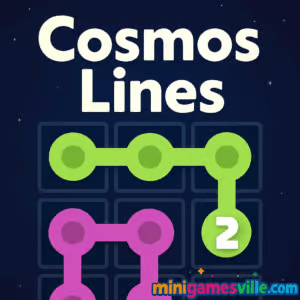
Play Cosmos Lines online now on minigamesville.com and start connecting cosmic orbs for a high score. Cosmos Lines is a relaxing, skill-based puzzle browser game where you draw clean lines to match colors, clear the board, and chase combo streaks. If you want a quick-thinking challenge that scales from chill to brainy, this unblocked grid puzzler hits the sweet spot. Jump in, learn in seconds, and keep returning to beat your best. Ready to play Cosmos Lines on minigamesville.com? Click the big Play button above and launch into orbit.
About Cosmos Lines
Cosmos Lines blends classic line-matching logic with a spacey look and crisp physics. You connect like-colored star nodes across a grid, avoid overlaps, and fill every cell to complete the level. The difficulty ramps smoothly, making the game approachable for newcomers and satisfying for puzzle pros. Because Cosmos Lines is an online browser game, there is no download, no signup, and you can hop in for a quick brain boost during a break.
History of Cosmos Lines
While Cosmos Lines is a fresh take, it nods to the timeless lineage of line-connection and match logic puzzlers that reward planning and efficient pathing. Expect modern polish, faster gameplay feedback, and score-chasing hooks built for short, satisfying sessions.
Style & Vibe
Sleek neon trails, subtle glow, and gentle audio cues make every move feel clean and tactile. The UI stays minimal so you focus on the puzzle. Animations are quick and clear, which keeps the flow going when you chain perfect lines back to back.

Gameplay in Cosmos Lines
Each board in Cosmos Lines presents colored nodes placed around a square grid. Your job: connect matching colors with an unbroken line, fill all cells, and avoid crossing paths. The catch is path efficiency. Shorter routes open space for later lines, while missteps force rewinds. As you progress, board shapes become trickier, colors increase, and optional modifiers add time pressure or limited moves for extra scoring layers. The result is a satisfying loop of plan, draw, adjust, and perfect.
Game Modes
- Classic: Solve at your pace with infinite undos, ideal for learning fundamentals.
- Time Attack: Beat the clock by finishing a set of boards quickly to earn shiny score multipliers.
- Moves Challenge: Clear puzzles under a move cap for bonus stars and bragging rights.
- Endless Mix: A rolling queue of boards that scales difficulty as you stay on a streak.
How to Play
- Look over the grid and identify obvious pairs you can connect cleanly.
- Drag from one node to its match, planning paths that leave lanes open for other colors.
- If a route blocks future lines, undo and reroute through unused cells.
- Fill every cell without overlaps to finish, then chase a better time or fewer moves.
Controls
- Mouse or Trackpad: Click and drag from one colored node to its matching node.
- Touchscreen: Tap and hold a node, then slide to its match, lifting to confirm.
- Undo: Use on-screen undo to revert the last line if you paint yourself into a corner.
- Restart: Quickly reset the board if you want a cleaner route for a higher score.
Device Compatibility & Browser Support
Cosmos Lines runs smoothly in modern browsers like Chrome, Edge, Firefox, and Safari on desktop and mobile. No downloads. No accounts. Just press play and puzzle away.
Mobile vs. Desktop Gameplay
- Mobile: Natural tap-and-drag lines with haptic-like feedback make quick sessions perfect on the go.
- Desktop: Precision mouse drags are excellent for advanced puzzles and speed runs.
Can I Play Offline?
Cosmos Lines is an online browser game, which means it requires an active internet connection to load and save progress.
Can I Play Unblocked?
Cosmos Lines is hosted as a standard web title on minigamesville.com. Many school and work networks allow access to this type of puzzle game, so it is often playable unblocked. If your network restricts gaming, check with your admin or try a different network.
- Web: Play instantly on minigamesville.com in your browser.
- Mobile Stores: There are no official Google Play or App Store pages for Cosmos Lines at this time.
- Want a similar mobile fix? Try the connect-the-dots hit Flow Free:
Google Play and
App Store.
Tips & Tricks
Beginner Tips
- Start with corners and edges. They limit options and reveal safe lanes fast.
- Connect the longest, most constrained pairs first to avoid late bottlenecks.
- Use undo freely. Small reroutes often unlock clean solutions.
- Leave wide corridors for colors that span the board.
Advanced Strategies
- Path Weaving: Build S-curves that hug borders to preserve central space for later lines.
- Two-Step Planning: Sketch a temporary route, then refine for fewer moves once the grid opens.
- Dead-Zone Avoidance: Never isolate a single empty cell. If you do, back up before committing other lines.
- Streak Multipliers: In timed modes, prioritize quick completions over perfect paths to keep the multiplier alive.
Features
- 🌌 Spacey neon theme with crisp line animations
- 🧩 Dozens of handcrafted grids that scale in complexity
- ⏱️ Optional Time Attack and Moves Challenge for score chasers
- 🔁 Instant undo and fast restarts for clean optimization runs
- 📈 Combo multipliers for back-to-back clears
- 🎧 Minimal sound cues that keep you focused
- 💻 Smooth play on desktop and mobile browsers
- 🆓 Play free online with no download
Unlockables & Secrets
Chase perfect clears under time or move caps to earn bonus stars. Some level sets introduce fresh twists, like tighter grids or unusual node layouts, that reward route creativity and patience. Mastering these earns top leaderboard spots and personal records.
Cheats & Mods
There are no official cheats or mods for Cosmos Lines. The fun comes from learning efficient pathing. If you want a lighter challenge, replay earlier boards to sharpen fundamentals, then return to the tougher sets with a better plan.
Walkthrough Summary
Scan the grid for forced paths, connect constrained pairs, and keep corridors open for remaining colors. If you hit a dead end, undo two or three steps, reroute along borders, and finish with central connections. Repeat for faster times and cleaner move counts.
Scoring, Records & Progression
Finish boards to bank points, with bonuses for fewer moves, fast clears, and streaks. As you maintain streaks, Cosmos Lines accelerates your score climb. Replays help refine paths and push personal bests.
Why Play Cosmos Lines
Cosmos Lines is easy to learn, hard to master, and perfect for quick sessions. The clean design, fair difficulty curve, and satisfying line drawing make it a daily go-to puzzle. If you enjoy calm yet clever browser games, this one belongs on your favorites list.
Pros & Cons of Cosmos Lines
- Pros: Simple controls, elegant visuals, great on any device, strong replay value with time and move challenges.
- Cons: Requires internet connection, toughest boards can feel punishing without patience.
- Use an up-to-date Chrome, Edge, Firefox, or Safari for smooth rendering.
- On older laptops, enable hardware acceleration in browser settings.
- Close heavy tabs, pause background streams, and disable aggressive ad or script blockers on the game page if you notice input lag.
- On mobile, reduce battery saver settings during play for more responsive touch controls.
Similar games to Cosmos Lines
- Robot Awake — Grid-based logic puzzles where you program tiny moves to light up tiles.
- Green — A clever one-screen puzzle series that hides its rules in plain sight.
- Sudoblocks — Blend of Sudoku logic and block placement for satisfying board clears.
- Tap It Away — Rotate and tap to clear a 3D block cluster, great for spatial reasoning.
- Arrower — Route arrows to their goals by shifting tiles and planning tight paths.
- Breakoid — A neon brick-breaker with speedy ricochets and power-ups.
- Bee Sort by Sam — Sort colorful bees into the right tubes for a relaxing logic flow.
FAQ
What is Cosmos Lines?
Cosmos Lines is a color-connection puzzle browser game where you draw lines between matching nodes to fill the grid and rack up points.
Where can I play Cosmos Lines online?
You can play Cosmos Lines directly on minigamesville.com in your browser without downloads.
Is Cosmos Lines unblocked at school or work?
Many networks allow access to minigamesville.com. If your network blocks games, try a different connection or play at home.
Does Cosmos Lines have mobile apps?
There are no official mobile store pages for Cosmos Lines right now. For a similar mobile experience, try Flow Free on Google Play and the App Store.
How do I get better scores in Cosmos Lines?
Connect constrained pairs first, avoid isolating empty cells, and use undo to refine shorter, cleaner paths for time and move bonuses.
Can I play Cosmos Lines offline?
No, the game loads and runs online in your browser, so an internet connection is required.
Conclusion
Cosmos Lines takes a classic idea and gives it a stellar glow. Clean line drawing, smart difficulty, and bite-size sessions make it a fantastic everyday puzzle. Whether you have two minutes or twenty, there is always one more board to perfect.
Ready to test your path-planning skills? Scroll up and play Cosmos Lines on minigamesville.com. Connect the colors, keep your combo alive, and see how far your strategy can take you.

 Loading...
 English
 Shqip
Shqip
 বাংলা
বাংলা
 Български
 简体中文
简体中文
 Hrvatski
 Čeština
 Dansk
Dansk
 Nederlands
 Suomi
Suomi
 Ελληνικά
 हिन्दी
 Magyar
 Bahasa Indonesia
 日本語
日本語
 한국어
한국어
 Lietuvių
 Bahasa Melayu
 Norsk
Norsk
 Polski
 Português do Brasil
 Română
 Slovenčina
 Slovenščina
 Svenska
 ไทย
ไทย
 Türkçe
 Українська
 اردو
اردو
 Tiếng Việt
 isiZulu
 Español
 Français
 Deutsch
 العربية
 Italiano
 فارسی
فارسی
 Русский