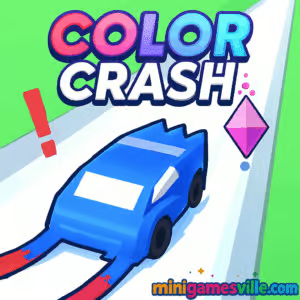
About Color Crash
Color Crash blends minimalist design with high-speed action. Your goal is simple, match your ball or ship to the right color at the right moment, then cut through obstacles for points. The loop is pure arcade: easy to learn, tough to master, endlessly replayable. Every mistake is on you, and every clutch save feels great.
History of Color Crash
Color Crash follows the lineage of color-matching arcade hits that took over mobile and web in the mid-to-late 2010s. This HTML5 build carries that spirit into a slick, modern browser experience, with responsive inputs and smooth performance across devices. It is built for instant access, quick sessions, and a clean learning curve that ramps into serious speed.
Style & Vibe
Expect bold hues, glowing trails, and punchy impact effects that make every perfect pass feel satisfying. Minimal UI keeps you focused on timing, rhythm, and flow.

Gameplay in Color Crash
The action centers on color-gated obstacles. Match your active color to the gate, slice through, and chain streaks to push your score higher. Miss the match and you crash. Speed escalates as you survive, so your reactions matter. Levels introduce new patterns like rotating gates, alternating stripes, moving tunnels, and fake-out sections that force quick switches.
Game Modes
- Endless: Core mode, survive as long as you can while speed ramps up and patterns get trickier.
- Challenges: Short handcrafted runs focused on a single pattern or twist.
- Time Attack: Beat the clock by banking flawless passes and comboing streaks.
- Practice: Warm up with slower speeds to nail timing before a big score push.
How to Play
- Watch the next obstacle and identify the safe color or lane.
- Tap or click to switch colors at the last safe moment for clean entries.
- Chain perfect passes to build a multiplier and climb the leaderboard.
- Stay calm when speed rises, then ride the rhythm of repeated patterns.
- If you crash, restart fast and chase a new personal best.
Controls
- Desktop: Left click or Space to switch color. Arrow keys or A/D may shift lanes in certain patterns.
- Mobile: Tap anywhere to switch color or lane, depending on the obstacle design.
- Tip: Follow the on-screen prompt at the start of a run to confirm the current control scheme.
Device Compatibility & Browser Support
Color Crash runs in modern browsers with HTML5 and WebGL support. For best results, use the latest Chrome, Edge, Firefox, or Safari. It plays smoothly on laptops, desktops, Chromebooks, iPhone, iPad, and Android devices.
Mobile vs. Desktop Gameplay
- Mobile: One-tap inputs and short sessions feel natural, great for traveling or quick breaks.
- Desktop: Pixel-perfect timing with keyboard or mouse, ideal for long score attempts.
Can I Play Offline?
No. Color Crash is an online browser game. You need an internet connection to load and play.
Can I Play Unblocked?
Yes, in most cases. Color Crash on minigamesville.com is an unblocked browser game for many school and work networks. If your network restricts gaming sites, access may vary by policy. Use a modern browser and HTTPS for the best chance of smooth access.
- Play free in your browser on minigamesville.com, no download required.
- No official App Store or Google Play links exist for this exact browser version of Color Crash.
- Prefer a mobile color-matching classic? Try Color Switch:
Tips & Tricks
Beginner Tips
- Switch earlier than you think at slow speeds, later at high speeds.
- Focus on the next two gates, not just the one in front of you.
- Disable background distractions and play in full-screen for clearer reads.
- Warm up with easier patterns to lock in timing before serious runs.
Advanced Strategies
- Pattern scouting: Many sequences repeat. Learn their entry cues and switch windows.
- Anchor your eyes near the center of the obstacle to avoid tunnel vision.
- Micro-tapping rhythm: Keep a steady tempo so panic doesn’t cause double inputs.
- Risk management: Break combo greed if an awkward setup threatens a crash.
Features
- 🎨 Clean, high-contrast color design for instant reads
- ⚡ One-tap controls that feel great at any speed
- 🎯 Endless replay value with escalating difficulty
- 📈 Score multipliers for flawless chains
- 🧠 Teaches pattern recognition and reaction timing
- 💻 Runs in browser on desktop, mobile, and Chromebook
- 🔊 Crisp audio cues that support your timing
- 🕹️ Zero downloads, play in seconds
Unlockables & Secrets
Some builds include cosmetic themes or trails unlocked through milestones. Keep an eye on any in-game shop or icon in the HUD for cosmetic swaps. The real chase is improving your high score and perfect-pass streaks.
Cheats & Mods
There are no official cheats for Color Crash. Third-party mods can harm performance or safety. For a fair and stable experience, play the version on minigamesville.com.
Walkthrough Summary
Start slow, learn each gate type, then push speed. Enter gates at a consistent angle, switch only when the safe segment aligns, and bank perfect passes to raise your multiplier. If you mistime a switch, reset quickly and stay in flow.
Scoring, Records & Progression
Score climbs with distance and perfect-match chains. Survive longer to see new patterns and faster tempos. Track personal bests and try to beat them with cleaner entries and fewer panic taps.
Why Play Color Crash
It is pure arcade clarity. Color Crash gives you instant runs, clean visuals, and tight timing that rewards practice. Whether you have two minutes or twenty, it scratches the score-chasing itch without fluff.
Pros & Cons of Color Crash
- Pros: fast load, sharp visuals, satisfying timing loop, great on any device, unblocked online play.
- Cons: repetition at early levels, late-game speed can be punishing, color-heavy visuals may tire eyes after long sessions.
- Use the latest version of Chrome, Edge, Firefox, or Safari.
- Enable hardware acceleration in your browser settings.
- Close heavy tabs or extensions that hook into pages, like script blockers.
- On laptops, plug in or switch to a high-performance power mode before a long run.
Similar games to Color Crash
- Color Ball Chaos — frantic color-matching with wild ball physics.
- Fire Road — one-button runner with blazing speed and tight timing.
- Neon War — neon arcade shooter packed with reactive patterns.
- Double Bounce — rhythmic tapping and precision bounces.
- Avoid Dying — razor-edge timing challenges that punish hesitation.
- Space Ballz — orbiting ball control with snappy reflex checks.
- Breakoid — modern brick-breaker energy with explosive feedback.
- Arrower — minimal lane-switching puzzles with clever pathing.
FAQ
Is Color Crash free to play?
Yes, Color Crash is free to play online in your browser on minigamesville.com.
Does Color Crash work on school Chromebooks?
Yes, as a browser game it runs on most Chromebooks. Access can vary if your network blocks gaming sites.
What is the goal in Color Crash?
Match your active color to the gate in front of you, chain perfect passes, and survive as speed increases.
How do I improve my score fast?
Memorize common patterns, time your switches late at high speeds, and aim for long perfect streaks.
Can I pause mid-run?
Short runs are the design, but many builds allow pausing from the menu. For best results, finish the current stretch before stopping.
Does Color Crash have levels or just endless?
You will find an endless score chase at its core, with challenge-style runs available in some versions.
Are there skins or themes?
Some releases add cosmetic themes. If available, look for a paintbrush, palette, or shop icon on the HUD.
Conclusion
Color Crash delivers instant arcade fun with crisp visuals and a satisfying color-swap rhythm. It is the kind of online game you open for a quick break and keep playing until you beat your last score.
Ready to test your reactions? Play Color Crash right now on minigamesville.com, chase a new personal best, and share your score with friends. One color switch can save the run, so lock in and go.

 Loading...
 English
 Shqip
Shqip
 বাংলা
বাংলা
 Български
 简体中文
简体中文
 Hrvatski
 Čeština
 Dansk
Dansk
 Nederlands
 Suomi
Suomi
 Ελληνικά
 हिन्दी
 Magyar
 Bahasa Indonesia
 日本語
日本語
 한국어
한국어
 Lietuvių
 Bahasa Melayu
 Norsk
Norsk
 Polski
 Português do Brasil
 Română
 Slovenčina
 Slovenščina
 Svenska
 ไทย
ไทย
 Türkçe
 Українська
 اردو
اردو
 Tiếng Việt
 isiZulu
 Español
 Français
 Deutsch
 العربية
 Italiano
 فارسی
فارسی
 Русский