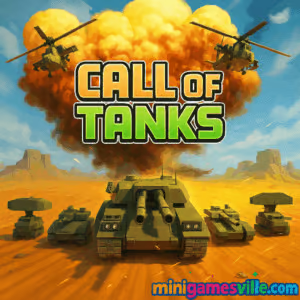
Play Call of Tanks on Minigamesville now and roll out your armored battalion. Click the Start button above and jump straight into Call of Tanks on minigamesville.com. This fast, tactical tank strategy browser game blends tower defense and RTS vibes for quick, explosive matches. If you are hunting for an online, unblocked tank challenge you can launch in your browser, Call of Tanks is a perfect pick. Build income, deploy units, and crush the enemy base. Ready to command the battlefield? Hit Play and lead your army to victory.
About Call of Tanks
Call of Tanks is a lane-based real time strategy and tower defense hybrid where timing and composition win battles. You generate resources, pick the right mix of light vehicles, heavy armor, air units, and support, then counter your rival’s push while upgrading defenses and your base. With snappy match lengths and clear win conditions, it is ideal for bite-size sessions or long grinds to master optimal builds.
History of Call of Tanks
Born in the early 2020s from the wave of high-performance WebGL titles, Call of Tanks quickly became a favorite among players who love streamlined RTS mechanics in the browser. Designed around quick deployment, clear counters, and steady upgrade paths, it keeps the action hot and the decisions meaningful.
Style & Vibe
Clean 3D visuals, readable unit silhouettes, and chunky VFX make every volley feel punchy. The interface keeps your most important info front and center, so you can focus on tempo, counters, and clutch deployments.

Gameplay in Call of Tanks
Each match plays like a strategic tug of war. You start with a basic income stream, then deploy units along routes toward the enemy base. Light scouts harass early, medium tanks form the backbone, and heavy armor or air units break stalemates. Defensive structures and base upgrades give you breathing room to tech up. The core loop rewards scouting, counter-picking, and pacing your pushes so they land when the opponent’s economy or cooldowns are weakest.
Game Modes
- Campaign style levels: climb through stages with escalating defenses and unlock upgrades.
- Skirmish waves: test lineups against increasingly tough enemy compositions.
- Challenge missions: fixed-loadout puzzles that spotlight unit synergies and counters.
How to Play
- Watch the opening minute to read your opponent’s lineup and economy.
- Open with cost-efficient units to contest the map while you tech your base.
- Place defenses where enemy pushes commonly break through.
- Spike your income, then roll out a mixed push anchored by mediums and a single heavy.
- React to counters, reinforce the winning lane, and finish the base.
Controls
- Mouse: drag and drop units from the bottom bar to deploy.
- Mouse wheel: zoom in and out to read the fight.
- Right click or hold: adjust camera angle if available.
- Arrow keys or WASD: pan across lanes and hotspots.
Device Compatibility & Browser Support
Call of Tanks is a browser game you can play online on modern Chromium-based browsers like Chrome or Edge, plus Safari and Firefox. For the smoothest experience, keep your browser updated, enable hardware acceleration, and close heavy background tabs.
Mobile vs. Desktop Gameplay
Desktop provides the most precise camera control and fastest drag-and-drop placements. Mobile browsers handle quick sessions fine, but for late-stage swarms and rapid counters, a keyboard and mouse give you a real edge.
Can I Play Offline?
No. Call of Tanks runs in your browser and needs an internet connection for assets and progression.
Can I Play Unblocked?
Yes, in most cases. Because Call of Tanks is an online browser game on minigamesville.com, it typically works on personal networks and many school or office setups. If your network filters gaming sites, try a different connection.
- Web: Play instantly on Minigamesville in your browser.
- Mobile stores: There is no confirmed official App Store or Google Play listing for Call of Tanks at this time. Prefer a mobile tank experience with full support? Try World of Tanks Blitz on:
Tips & Tricks
Beginner Tips
- Start wide, not deep: pressure with cheap units while you scout the opponent’s plan.
- Spend in waves: save for a 20 to 30 second power push rather than trickling units.
- Always protect income: a single turret near mid can save you hundreds of resources.
- Upgrade in pairs: bump a key unit and your base income together to avoid stalls.
- Use air to punish slow heavy stacks that lack anti-air.
Advanced Strategies
- Force bad trades: bait anti-armor with light spam, then swap to air or artillery.
- Desync pushes: split your army into two staggered waves so counters cannot delete everything at once.
- Counter-tech reading: if you see early AA, pivot to heavy armor and artillery lanes.
- Income denial: snipe forward turrets and harvesters before committing a base push.
- Endgame choke: drop a heavy plus heals while turrets anchor, then reinforce the winning lane only.
Features
- 🎯 Fast, lane-based RTS combat that rewards timing and composition
- 🛡️ Upgradeable turrets, bases, and unit tiers for long-term progression
- 🚁 Mixed unit roster with armor, air, and utility support
- ⚙️ Clean UI and readable battlefields for quick decision making
- 📈 Campaign, skirmish, and challenge-style objectives
- 💥 Satisfying VFX and impact feedback on every volley
- ⌛ Short match lengths, perfect for quick browser sessions
- 🌐 Easy to play online with no downloads
Unlockables & Secrets
Winning missions unlocks fresh unit tiers, turret upgrades, and stronger base frames. Explore side challenges to grab resource boosts that speed up your tech path. Hidden difficulty spikes often reward careful scouting and a delayed, decisive push.
Cheats & Mods
There are no official cheats for Call of Tanks. Avoid modded clients or tampered files, which can break performance or risk your device. The best path to consistent wins is tighter resource cycling and smart counters.
Walkthrough Summary
Open with light harassment, build a small turret buffer, and scale income. Transition to medium tanks backed by one heavy or a bomber to break stalemates. When you see the opponent spend big on a counter, bank, pivot lanes, and hit with a reinforced wave that reaches the base together.
Scoring, Records & Progression
Your success is measured by base destruction, stage clears, and upgrade milestones. Speed clearing levels, taking minimal base damage, and maintaining high income efficiency are the benchmarks for clean S-tier runs.
Why Play Call of Tanks
Call of Tanks delivers classic RTS satisfaction without installs, loads in seconds, and rewards clever unit mixing over twitch aim. If you want a strategic online tank game you can play unblocked in the browser, this is it.
Pros & Cons of Call of Tanks
- Pros: quick matches, clear counters, smooth browser performance, readable visuals, satisfying tech curve.
- Cons: lane focus can feel linear, late-game can snowball if income falls behind, mouse precision preferred over touch.
- Update your browser to the latest version for best WebGL performance.
- Enable hardware acceleration in browser settings.
- Close extra tabs, streaming apps, or overlays during large battles.
- On laptops, plug in power and switch to a high-performance GPU profile.
- If you see stutter, lower any in-game quality toggles and reduce zoom during large unit swarms.
Similar games to Call of Tanks
- Base Defense — Build and upgrade turrets to hold the line against waves.
- Base Defense 2 — A tougher sequel with new weapons and tighter resource play.
- Archer Castle — Defend your fortress with precision shots and smart upgrades.
- Blumgi Castle — Physics-based castle sieges with clever power shots.
- Plane Wars — Air superiority tactics and base captures in the sky.
- Tower Merge — Merge, upgrade, and place towers to outlast relentless waves.
- Stick Defenders — Squad-based defense where unit combos carry the day.
FAQ
Is Call of Tanks free to play?
Yes, you can play Call of Tanks online for free in your browser on Minigamesville.
Does Call of Tanks work on school or office networks?
It usually does. If your network blocks gaming sites, try a different connection or play at home.
What browser is best for Call of Tanks?
Chrome or Edge on desktop deliver strong WebGL performance. Safari and Firefox also work well if updated.
How long is a typical match?
Most matches run a few minutes, which makes Call of Tanks great for quick sessions.
What units should I unlock first?
Prioritize medium armor for efficient trades, then add anti-air or artillery based on what you face.
Is Call of Tanks the same as a tower defense game?
It mixes tower defense with RTS, so you place defenses and also deploy mobile units to push lanes.
Can I pause mid-match?
No, matches are real time. Step away only between rounds to tweak your lineup and upgrades.
Conclusion
Call of Tanks nails that sweet spot between quick-fire action and smart strategy. Deploy the right mix, time your pushes, and watch the enemy base crumble. Whether you want a short session or a long grind to perfect your build orders, this online tank RTS delivers.
Ready to command your squad? Scroll up and click Play to launch Call of Tanks on minigamesville.com. Rally your units, protect your base, and seize the lane. The battlefield is yours.

 Loading...
 English
 Shqip
Shqip
 বাংলা
বাংলা
 Български
 简体中文
简体中文
 Hrvatski
 Čeština
 Dansk
Dansk
 Nederlands
 Suomi
Suomi
 Ελληνικά
 हिन्दी
 Magyar
 Bahasa Indonesia
 日本語
日本語
 한국어
한국어
 Lietuvių
 Bahasa Melayu
 Norsk
Norsk
 Polski
 Português do Brasil
 Română
 Slovenčina
 Slovenščina
 Svenska
 ไทย
ไทย
 Türkçe
 Українська
 اردو
اردو
 Tiếng Việt
 isiZulu
 Español
 Français
 Deutsch
 العربية
 Italiano
 فارسی
فارسی
 Русский