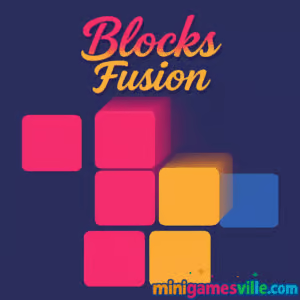
Play Blocks Fusion on MiniGamesVille now: click the Start button above and drop into fast, color-matching puzzle action. Blocks Fusion is a snappy online browser game that blends match-and-clear strategy with arcade speed. If you love block puzzles and want something you can play instantly in your browser, this unblocked-friendly experience is perfect. Keep the board from overflowing, chain matches, and chase that high score. Hit Play to launch Blocks Fusion on minigamesville.com, then come back to this review for tips, strategies, and pro tricks.
About Blocks Fusion
Blocks Fusion is a modern color-matching block puzzler that plays beautifully in any up-to-date web browser. Pieces arrive in varied clusters, you place them to create groups of four or more matching colors, and clears trigger combos that snowball into huge scores. Simple rules, sharp feedback, and quick rounds make Blocks Fusion ideal for short breaks or marathon score grinds. This browser game runs without downloads, loads fast, and feels great on both desktop and mobile.
History of Blocks Fusion
Blocks Fusion follows the lineage of classic falling and placement block puzzlers, refined for lightweight HTML5 play. Designed for instant access, it trims menus and grindy meta layers so you can focus on satisfying clears and clean score-chasing. The pacing ramps smoothly, teaching efficient placement, cluster awareness, and combo timing as your board management skills improve.
Style & Vibe
Blocks Fusion has a clean, modern aesthetic with bright, vibrant colors that pop against a crisp white background. The game features smooth animations and satisfying pop effects when blocks clear, creating a satisfying tactile feel. The interface is simple and intuitive, with a roomy board that makes strategic planning easy. The audio is minimal but effective, with sharp sound cues for placements and clears that add to the game’s arcade-like energy.

Gameplay in Blocks Fusion
Each turn, a multi-tile piece appears. Drag and drop it to the board, aiming to complete color groups of four or more. When a group connects, it clears, gravity settles neighboring tiles, and chain reactions can pop off for bonus points. The core loop rewards forward planning, edge control, and leaving space for awkward shapes. As the pace quickens, you will rely on pattern recognition, reserve zones, and combo setups to prevent top-outs.
Game Modes
- Endless Score Chase: The featured mode on this build. Survive as long as possible and push your best score.
- Timed Runs: Some versions add time pressure. Practice fast placements and safe clears.
- Challenge Seeds: Curated piece sequences for consistent practice and friendly competition.
Tip: Treat every run like a mini-challenge. Set personal goals like 10 combo chains or a no-corner-mistakes streak.
How to Play
- Start a run and preview the incoming shape.
- Drag the piece over candidate spots and check for instant clears.
- Prioritize creating groups of four or more matching colors, ideally triggering multiple clears in one placement.
- Keep lanes open near the board center to handle odd shapes later.
- When the board rises, switch from greedy combos to quick safety clears.
Controls
- Desktop: Click and hold to drag a piece, release to place. Use quick micro-adjustments for tight fits.
- Mobile: Tap to pick up, slide to position, release to drop. Use two-finger nudges when precision is needed.
Device Compatibility & Browser Support
Blocks Fusion runs in modern browsers on Windows, macOS, Chromebook, iOS, and Android. For best performance, use the latest Chrome, Edge, Safari, or Firefox. Enable hardware acceleration, close heavy background tabs, and keep your device on standard performance mode.
Mobile vs. Desktop Gameplay
- Mobile: Touch controls feel natural, great for quick sessions. Use landscape for a wider view.
- Desktop: Precise cursor placement and larger screen help with combo planning and long runs.
Can I Play Offline?
On minigamesville.com, Blocks Fusion is an online browser game. You need an internet connection to load and play.
Can I Play Unblocked?
Blocks Fusion runs in-browser without downloads, which works on most networks. If a school or workplace filters gaming sites, you may need to try a personal device with mobile data or ask an administrator to allow minigamesville.com.
- Browser: Play Blocks Fusion directly on minigamesville.com, no install needed.
- Mobile Apps: There is no official iOS or Android app for Blocks Fusion. Want a high quality mobile block puzzle? Try the official Tetris:
Tips & Tricks
Beginner Tips
- Start from the center, not the corners, to keep options open.
- Build two clears at once. Place pieces that complete one match and set up the next.
- Color isolate. Avoid scattering single tiles of every color, cluster them instead.
- Leave a bailout lane for awkward shapes so you can place them safely.
Advanced Strategies
- Combo banking: Delay an easy clear if it lets you finish a second or third group on the next placement.
- Edge weaves: Use board edges as anchors to form L and T pockets for future clears.
- Risk tuning: When the stack rises, switch from combo fishing to fast singles to stabilize, then rebuild.
- Piece shadowing: Preview likely spawns and pre-build color pockets to snap pieces into place instantly.
Features
- 🧩 Match-four clearing with chain reactions
- ⚡ Snappy drag-and-drop placement that rewards precision
- 📈 Endless score chasing with smooth difficulty ramps
- 🎯 Skill-based combos, streak bonuses, and smart risk-reward
- 📱 Mobile and desktop friendly with instant browser play
- 🎨 Clean visuals and satisfying pop effects
- 🔁 Quick restarts for one-more-try sessions
- 💾 Local high score tracking on your device
Unlockables & Secrets
Focus on multi-group clears in single placements to spike your score multiplier. Maintain a clean center lane and you will find more opportunities for surprise chains in Blocks Fusion. Some builds preserve top scores locally, so protect your streaks by finishing runs rather than rage quitting when the stack climbs.
Cheats & Mods
There are no official cheats or sanctioned mods for Blocks Fusion on minigamesville.com. Third-party tampering can break saves or trigger security issues. For the smoothest experience, stick to the in-browser game here and aim for legit leaderboard-worthy scores.
Walkthrough Summary
Open strong by placing early pieces near the middle to form two color pockets. On turn three or four, complete your first match and cascade into a second group. Keep your tallest columns staggered to avoid lockouts. At midgame, alternate between safe clears and setup moves. In the final minute, prioritize survival clears over greedy combos, then capitalize on any neat cluster that remains to close with a score bump.
Scoring, Records & Progression
Blocks Fusion rewards bigger clears and back-to-back chains with escalating points. Long sessions matter, but consistency matters more. Aim for run-to-run improvements in average score, maximum chain length, and fewest dead zones created.
Why Play Blocks Fusion
If you want a fast, modern block puzzle that you can play online with zero friction, Blocks Fusion delivers. The rules are crystal clear, the skill ceiling is higher than it looks, and every round teaches better board discipline and combo sense.
Pros & Cons of Blocks Fusion
- Pros: Instant browser play, slick color-matching, rewarding chains, great on any device.
- Cons: Endless mode can get intense quickly, no deep meta or story for players who want progression layers.
- Use the latest browser version for smoother input and animation.
- Close extra tabs, disable heavy extensions during play, and keep hardware acceleration on.
- On mobile, switch to landscape, raise brightness one notch, and turn off battery saver for steadier frame pacing.
Similar games to Blocks Fusion
- Sudoblocks — Sudoku meets block placement for brain-tickling clears.
- Breakoid — A crisp brick breaker with punchy powerups and tight angles.
- Castle Blocks — Relaxing build-and-balance block stacking sandbox.
- Mini Train — Physics puzzles where smart placement gets the train through.
- Tap It Away — Rotate the cube and tap colored blocks to clear the 3D puzzle.
- Tower Merge — Merge matching blocks to climb higher and keep the tower stable.
- Arrower — Minimalist pathfinding puzzles built from directional blocks.
FAQ
What is Blocks Fusion?
Blocks Fusion is a browser-based color-matching block puzzle where you place pieces to form groups of four or more and chain clears for big scores.
Where can I play Blocks Fusion online?
Right here on minigamesville.com in your web browser, no download required.
Is Blocks Fusion unblocked at school?
It works on most networks. If your school blocks gaming sites, use a personal connection or request that minigamesville.com be allowed.
Does Blocks Fusion save my progress?
Your best scores are saved locally in the browser on your device. Clearing cache or switching devices can reset them.
Which browsers work best?
Latest versions of Chrome, Edge, Safari, and Firefox offer the smoothest performance.
Are there powerups or special tiles?
The core experience focuses on smart placement and chain clears. Some versions may include bonus tiles or timed elements.
Can I play on iPhone or Android?
Yes, open minigamesville.com in your mobile browser and launch Blocks Fusion. It runs well with touch controls.
Is there an official mobile app?
There is no official Blocks Fusion app. If you want a quality mobile block puzzle, try the official Tetris on App Store or Google Play.
Conclusion
Blocks Fusion keeps the thrill of clear-after-clear front and center, letting your planning and placement do the talking. Quick to learn and endlessly replayable, it is the kind of browser game that sneaks into your daily routine.
Ready to climb the leaderboard and master cleaner boards and longer chains? Hit Play above to start Blocks Fusion on minigamesville.com, then return to this guide for fresh strategies. Keep matching, keep clearing, and keep the Blocks Fusion streak alive.

 Loading...
 English
 Shqip
Shqip
 বাংলা
বাংলা
 Български
 简体中文
简体中文
 Hrvatski
 Čeština
 Dansk
Dansk
 Nederlands
 Suomi
Suomi
 Ελληνικά
 हिन्दी
 Magyar
 Bahasa Indonesia
 日本語
日本語
 한국어
한국어
 Lietuvių
 Bahasa Melayu
 Norsk
Norsk
 Polski
 Português do Brasil
 Română
 Slovenčina
 Slovenščina
 Svenska
 ไทย
ไทย
 Türkçe
 Українська
 اردو
اردو
 Tiếng Việt
 isiZulu
 Español
 Français
 Deutsch
 العربية
 Italiano
 فارسی
فارسی
 Русский