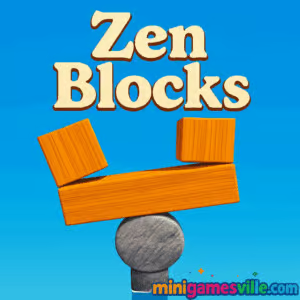
Ready to unwind? Tap Play above and jump into Zen Blocks on minigamesville.com. Zen Blocks is a calming, physics-based puzzle browser game where you stack shapes, balance weight, and find your flow. It loads fast, runs online in your browser, and plays great unblocked at school or work. If you crave a minimalist challenge that feels meditative yet smart, this online puzzle will be your new go-to. Hit Play, breathe, and start building.
About Zen Blocks
Zen Blocks blends tactile physics with clever level design. Each stage hands you a small set of blocks with different sizes and materials, then asks you to place them so the structure stands steady. No chaos, just chill stacking, satisfying sound effects, and a smooth difficulty curve that eases you into trickier shapes. It is the kind of puzzle that invites experimentation, rewards patience, and keeps you coming back for one more clean solve.
History of Zen Blocks
Block-stacking puzzlers have been fan favorites since the early days of web games. Over time, the genre shifted from timed arcade pressure to slower, mind-clearing builds. Zen Blocks follows that lineage with a modern HTML5 approach that runs right in your browser. You get the spirit of classic physics challenges with today’s slick, mobile-friendly performance.
Style & Vibe
Minimal UI, gentle color palettes, soft audio cues, and no clutter. Everything in Zen Blocks is designed to help you focus on a single satisfying goal: balance.

Gameplay in Zen Blocks
The loop is simple and soothing: pick up a piece, line up your drop, and watch how it settles. Supports and ledges matter. Some materials are lighter or more slippery, so placement and rotation choices affect stability. Most levels ask your stack to hold for a short count without anything tumbling. Failures feel fair and fast to retry, which makes experimenting fun. This is where the “Zen” kicks in, as you iteratively improve designs until the structure rests perfectly still.
Game Modes
- Level Progression: A curated sequence of balance puzzles that ramp up in complexity.
- Quick Retry: Restart instantly to test another placement idea without losing momentum.
- Relaxed Play: Revisit earlier stages to perfect routes, refine drops, and chase cleaner stacks.
How to Play
- Press Play, choose the current level, and review the stage layout and base platform.
- Drag or tap-hold a block to position it above the placement area.
- Rotate if available, then release to drop and let physics settle.
- Keep stacking without letting pieces fall out of bounds.
- Hold steady for the brief countdown to beat the level and move on.
Controls
- Mouse: Click and drag to move a block, scroll or on-screen buttons to rotate, release to drop.
- Touch: Tap-hold and drag to aim, two-finger twist or rotate buttons where shown, lift to place.
- Keyboard: Arrow keys or WASD to nudge aim on some builds, R to quick-retry where supported.
Device Compatibility & Browser Support
Plays smoothly on modern browsers like Chrome, Edge, Safari, and Firefox. No download, no sign-up, just open and play. For the best experience, keep your browser updated and enable hardware acceleration if you disabled it before.
Mobile vs. Desktop Gameplay
On mobile, touch aiming feels natural and quick. On desktop, mouse precision helps with pixel-perfect drops. Both feel great, so pick whichever fits your zen moment.
Can I Play Offline?
You need an internet connection to load the game. After loading, limited offline behavior may vary by browser, so for reliability plan to stay online.
Can I Play Unblocked?
Zen Blocks runs directly in your browser, which makes it a strong pick for unblocked play. Network restrictions differ by school or workplace, so if a page is filtered, try another network or a personal device.
- Browser: Play Zen Blocks right here on minigamesville.com.
- Official mobile apps: There is no confirmed official iOS or Android app for this exact browser version.
- Want something similar on mobile? Try Blockudoku by Easybrain:
Tips & Tricks
Beginner Tips
- Build broad bases first. A wide footprint forgives small misalignments up top.
- Drop heavier shapes lower in the stack to prevent top-heavy wobble.
- Nudge pieces slowly before release to feel how the center of mass will settle.
- Reset quickly on messy starts. Fast retries save time in the long run.
Advanced Strategies
- Create counterweights. If a left section leans, place the next block high on the right to balance torque.
- Use ledges deliberately. Small overhangs can lock future pieces and stop slides.
- Pre-rotate while the stack is calm. Rotating late can jolt the structure.
- Plan three moves ahead. Visualize the next two shapes and the final anchor piece.
Features
- 🧘 Calming, minimalist presentation that keeps you in the zone
- 🧩 Smart physics puzzles with creative level silhouettes
- ⚖️ Satisfying balance challenges and soft settle timers
- 🔁 Instant restarts for rapid iteration
- 📈 Gentle difficulty curve with regular skill checks
- 🎧 Clean sound cues for feedback without distraction
- 📱 Touch and mouse friendly, great on phones or desktops
- 🚫 No downloads, play instantly in your browser
Unlockables & Secrets
Progress unlocks new stage layouts and trickier block combinations. Replaying levels to perfect balance can reveal more elegant solutions, which is half the fun for mastery-focused players.
Cheats & Mods
There are no official cheats. Third-party mods or extensions can harm performance or stability, so stick to the built-in experience. Use quick-retry to practice a tough drop until it clicks.
Walkthrough Summary
Scan the stage, sketch a wide base in your head, then place your most awkward shape early so later pieces can lock it in. Keep the center of mass low and centered, counterbalance lean with the next block, and pause a moment after each drop to confirm the structure has settled before continuing.
Scoring, Records & Progression
Clear levels by meeting the stability goal while avoiding falls. Cleaner runs and fewer retries help you finish faster. Set personal bests by reducing overhangs, minimizing wobbles, and stacking with fewer corrective moves.
Why Play Zen Blocks
It is quick to learn, calming to master, and endlessly replayable. Whether you have two minutes or twenty, Zen Blocks fits the moment. The puzzles reward thought and patience, not frantic clicks, which makes it perfect for a relaxing break.
Pros & Cons of Zen Blocks
- Pros: Clean visuals, intuitive physics, instant retries, great in short sessions.
- Cons: Some levels can feel easy once you learn balance patterns, perfectionists may spend extra time fine-tuning placements.
- Keep your browser updated and close heavy background tabs.
- Enable hardware acceleration for smoother physics.
- On mobile, disable low power mode during play for steadier frame pacing.
- If anything looks off, hard refresh the page to reload assets cleanly.
Similar games to Zen Blocks
- Sudoblocks — blend of block placement and sudoku-style clearing for high-score chasers.
- Robot Awake — directional logic puzzles that reward careful planning.
- Green — minimalist level-by-level puzzling with clever, bite-size solutions.
- Mini Train — draw and place shapes to guide a train safely to the goal.
- Arrower — move tiles using directional rules to reach the target cell.
- Breakoid — modern brick-breaker with crisp physics and smooth powerups.
- Tap It Away — remove blocks in the right order to free the cube core.
FAQ
Is Zen Blocks free to play?
Yes, you can play it free in your browser right here on minigamesville.com.
Does Zen Blocks have timers?
Most stages focus on stability checks, not pressure, so you can place pieces thoughtfully.
Can I pause mid-level?
Yes, switching tabs or clicking away effectively pauses until you return.
Will my progress save?
Your browser can remember progress as long as cookies and site data remain intact.
What devices work best?
Any modern phone, tablet, Chromebook, or desktop browser handles Zen Blocks smoothly.
Is Zen Blocks safe for school?
It is a clean browser game. If your network blocks gaming sites, try playing at home or on a personal connection.
Any trick for tough levels?
Build a wide base, place heavier pieces lower, then counterbalance with the next block while the stack is calm.
Conclusion
If you enjoy relaxing challenges that feel great when they click, Zen Blocks is a perfect fit. The physics are fair, the look is clean, and the loop is endlessly satisfying. Build, balance, breathe, repeat.
Ready to find your flow? Press Play and start stacking in Zen Blocks on minigamesville.com. Your calm new puzzle ritual is a click away.

 Loading...
 English
 Shqip
Shqip
 বাংলা
বাংলা
 Български
 简体中文
简体中文
 Hrvatski
 Čeština
 Dansk
Dansk
 Nederlands
 Suomi
Suomi
 Ελληνικά
 हिन्दी
 Magyar
 Bahasa Indonesia
 日本語
日本語
 한국어
한국어
 Lietuvių
 Bahasa Melayu
 Norsk
Norsk
 Polski
 Português do Brasil
 Română
 Slovenčina
 Slovenščina
 Svenska
 ไทย
ไทย
 Türkçe
 Українська
 اردو
اردو
 Tiếng Việt
 isiZulu
 Español
 Français
 Deutsch
 العربية
 Italiano
 فارسی
فارسی
 Русский