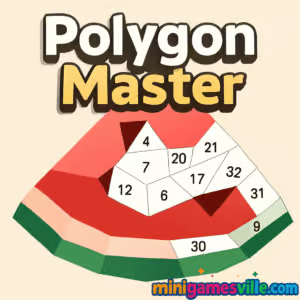
Play Polygon Master free right now on minigamesville.com. Polygon Master is a relaxing, brain-teasing puzzle browser game where you drag colorful polygon pieces into place to reveal crisp low-poly artwork. If you love clean design, quick sessions, and satisfying snaps, this online puzzle is a perfect pick. Dive in to sharpen spatial reasoning, enjoy chill vibes, and keep your streak alive. Tap the big Play button above to launch Polygon Master on minigamesville.com and start solving unblocked puzzles in your browser.
About Polygon Master
Polygon Master blends low-poly art with clever jigsaw logic. Each level presents an outline and a handful of geometric pieces. Your goal is simple, fit every polygon into the silhouette with smooth, tactile placement. The challenge ramps up with more fragments, trickier shapes, and tighter outlines. Whether you are chasing a faster time or just unwinding, Polygon Master offers a rewarding online puzzle flow that works beautifully in a tab.
History of Polygon Master
Modern polygon and tangram-style puzzlers surged in popularity in the late 2010s, and Polygon Master carries that tradition into the browser with fast loading, clean UI, and mobile-friendly touch controls. It is built for instant play, no installs required, which makes it ideal for quick breaks and classroom-friendly, unblocked gaming sessions.
Style & Vibe
Polygon Master has a minimalist interface with bold color palettes. The game features satisfying snap sounds when pieces lock into place, keeping the focus on your puzzle rather than distractions. Short levels make it easy to play one more round.

Gameplay in Polygon Master
Each stage shows an outline and scattered polygons around it. Click or tap a piece, drag it toward the board, and release to fit. Early levels are gentle and teach the core concept. As you progress, shapes get smaller and outlines more complex, which tests your spatial planning. Misplaced pieces do not punish you hard, but smart ordering helps. Work edges and corners first, use color cues to cluster neighbors, and keep the board tidy by staging pieces near their likely destination.
Game Modes
- Level-based progression: tackle handcrafted puzzles that steadily increase in difficulty.
- Timed challenges: race the clock for personal bests, great for speed-solvers.
- Relaxed play: no timer, pure zen for a cozy session.
- Daily or rotating sets: fresh boards to keep your routine engaging. Availability may vary by build.
How to Play
- Press Play above to load Polygon Master in the iframe.
- Scan the outline and identify distinctive angles or color sections.
- Drag and drop polygons onto the board. Pieces snap when correctly positioned.
- Fill the silhouette completely to finish the level and move on.
- Optional, if available: use on-screen rotate buttons or hints on tougher boards.
Controls
- Mouse or trackpad: click and hold to grab a piece, drag to move, release to place.
- Touch screens: tap and hold, drag, release.
- Rotation and hints: some builds include on-screen icons for rotate or helper outlines.
Device Compatibility & Browser Support
Polygon Master runs in modern browsers. For best performance, use the latest Chrome, Edge, Firefox, or Safari. The game is optimized for desktop and mobile web, so you can play at your desk or on the go without downloads.
Mobile vs. Desktop Gameplay
- Desktop: precise cursor control for speed-solving and accuracy.
- Mobile: natural drag, perfect for casual, couch-friendly sessions. Pinch zoom, if present, helps with tiny pieces.
Can I Play Offline?
In-browser play on minigamesville.com requires an internet connection. Keep the tab open to preserve level progress during a short connection drop, but plan on being online.
Can I Play Unblocked?
Polygon Master is an online browser game, so it often works on school or work networks that allow game sites. Access always depends on local policies. If your network blocks some domains, try a different browser or a personal device on mobile data.
- Browser: Play free on minigamesville.com.
- iOS and Android: There are no official App Store or Google Play listings for this browser version of Polygon Master at this time.
If you want a similar mobile-friendly polygon puzzle, try Polysphere on your phone:
- iOS: Polysphere: Art Puzzle 3D
- Android: Polysphere on Google Play
Tips & Tricks
Beginner Tips
- Start at the borders. Edges and corners reveal the puzzle’s outline.
- Sort by color. Neighboring tones usually sit close together on the board.
- Place big pieces early to anchor the composition, then fill gaps with smaller fragments.
- Zoom your browser in or out for a comfortable field of view.
Advanced Strategies
- Scan for unique angles. Triangles and narrow rhombi often key-lock into tight spots.
- Pre-stage clusters. Park pieces near where you suspect they belong to speed up placement.
- Time attack focus. If a timer is active, skip stubborn pieces, finish known matches, return with fresh eyes.
- Use audio. Keep sound on for snap feedback to confirm correct placement quickly.
Features
- 🎨 Clean low-poly art that pops on any screen
- 🧩 Snap-to-fit precision for satisfying completion moments
- ⚡ Quick-loading levels for bite-size sessions
- 📈 Gradual difficulty curve that rewards skill growth
- 🕹️ Play instantly in your browser, no download
- 📱 Touch-friendly and mouse-friendly controls
- 🔁 Optional timed and relaxed modes depending on build
- 🔊 Crisp sound effects that reinforce every correct move
Unlockables & Secrets
Look for new level sets, occasional color themes, and bonus puzzles. Some versions include star ratings or streak achievements that unlock fresh boards when you complete levels with few mistakes or under a target time.
Cheats & Mods
There are no official cheats for Polygon Master. Third-party mods or scripts can harm performance or cause bans in hosted portals. Your best edge is smart piece triage and careful planning.
Walkthrough Summary
Build a base with the most distinctive shapes first, then fill mid sections guided by color gradients. Keep your cursor or thumb movement efficient by staging nearby pieces. If stuck, rotate your focus, zoom a bit, or take a ten-second break to reset perception.
Scoring, Records & Progression
Polygon Master typically rewards clean completion with minimal errors, and some builds include timers or move counters. Track personal bests by finishing boards faster and with fewer adjustments. Try to complete consecutive levels in a row to build a streak.
Why Play Polygon Master
It is quick to learn, relaxing to play, and satisfying to master. Polygon Master’s online format means instant access, zero friction, and a steady drip of brain-teasing geometry that keeps you engaged whether you have two minutes or twenty.
Pros & Cons of Polygon Master
- Pros: fast loading, crisp visuals, intuitive drag-and-drop, perfect for short sessions, unblocked-friendly browser game.
- Cons: later puzzles can feel similar if you speed-run many in a row, performance depends on your browser and device.
- Use the newest browser version for smoother WebGL rendering.
- Enable hardware acceleration in browser settings.
- Close heavy tabs, pause streaming, and disable ad-heavy extensions during play.
- On mobile, switch to full-screen, lock orientation, and keep battery saver off for steady frame rate.
Similar games to Polygon Master
- Arrower, directional tile puzzle where arrows guide your path through clever grids.
- Circloo XL, precision platforming in circular arenas that test timing and control.
- Breakoid, a modern brick-breaker with satisfying powerups and neon style.
- Color Ball Chaos, color-based arcade logic that rewards quick pattern reads.
- Double Bounce, two-paddle reflex puzzler where ricochets matter.
- Robot Awake, laser-and-mirror logic puzzles that light up each stage.
- Green, a minimalist one-screen puzzle series with elegant, bite-size challenges.
FAQ
What is Polygon Master?
Polygon Master is a free online puzzle browser game where you drag polygon pieces into a silhouette to complete low-poly artwork.
Where can I play Polygon Master?
You can play Polygon Master directly in your browser on minigamesville.com with no download.
Is Polygon Master unblocked?
Polygon Master often works on networks that allow game sites, but access depends on your local administrator’s rules.
Does Polygon Master work on mobile?
Yes, it runs in mobile browsers. For the best experience, use a modern browser and rotate to landscape if pieces feel small.
Are there official mobile apps for Polygon Master?
No official iOS or Android app for this web version is available. If you want a mobile app in a similar style, try Polysphere on the App Store and Google Play.
How do I get better at Polygon Master?
Start with edges, group by color, and save fiddly fragments for last. Use zoom and sound feedback to speed up placements.
Conclusion
Polygon Master delivers that perfect blend of calm focus and quick-win satisfaction. Clean visuals, intuitive controls, and instant, unblocked browser access make it a go-to puzzle when you want to relax or sharpen spatial skills.
Ready to piece it all together? Click Play above and enjoy Polygon Master on minigamesville.com. Beat your times, finish streaks, and share the game with a friend who loves clever, colorful puzzles.

 Loading...
 English
 Shqip
Shqip
 বাংলা
বাংলা
 Български
 简体中文
简体中文
 Hrvatski
 Čeština
 Dansk
Dansk
 Nederlands
 Suomi
Suomi
 Ελληνικά
 हिन्दी
 Magyar
 Bahasa Indonesia
 日本語
日本語
 한국어
한국어
 Lietuvių
 Bahasa Melayu
 Norsk
Norsk
 Polski
 Português do Brasil
 Română
 Slovenčina
 Slovenščina
 Svenska
 ไทย
ไทย
 Türkçe
 Українська
 اردو
اردو
 Tiếng Việt
 isiZulu
 Español
 Français
 Deutsch
 العربية
 Italiano
 فارسی
فارسی
 Русский