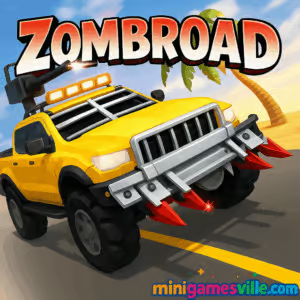
Click Play and jump into Zombroad right now on minigamesville.com. Zombroad is a fast, upgrade-driven zombie driving browser game where you floor it through infested highways, earn coins, and bolt on gnarly car mods. If you want a quick adrenaline hit, this online arcade racer delivers short, satisfying runs with plenty of crunchy zombie collisions. Ready to survive the road and rack up distance? Smash that Play button above and start your ride.
About Zombroad
Zombroad blends arcade racing and light survival elements into a bite-sized, replayable loop. Each run showers you with coins for mowing down zombies and clearing distance. Back in the garage, you invest in engine power, armor, and handling to push farther next time. It is an easy pick-up-and-play online game that runs in the browser, plays great unblocked on most networks, and rewards smart upgrades as much as raw speed.
History of Zombroad
Created as a web-native title by independent developers who love vehicular mayhem, Zombroad found its audience on browser portals thanks to its simple controls, crunchy feedback, and a satisfying upgrade curve. The design leans into classic Flash-era “drive and upgrade” fun, modernized for today’s devices and browsers.
Style & Vibe
Expect a gritty, post-apocalyptic highway vibe with chunky UI, punchy sound effects, and cars that feel heavier as you bolt on armor. Each impact pops, coins chime pleasantly, and the soundtrack keeps your foot pinned to the gas pedal.

Gameplay in Zombroad
Every run starts with a jalopy. You steer through traffic, clip or crush zombies, and stretch your fuel and momentum to reach the next checkpoint. Coins earned during the drive let you upgrade speed, grip, armor, and zombie-clearing attachments. The physics are snappy enough to weave between obstacles but weighty enough that oversteering costs distance. As cars get tougher and faster, you graduate from cautious weaving to confident bumper-car domination.
Game Modes
- Run-based progression: The core loop, drive as far as possible, collect coins, upgrade, repeat across two distinct areas.
- Distance and kill chase: Go for personal records by optimizing routes, momentum, and safe zombie hits.
- Self-set challenges: Speed-only runs, no-hit attempts, or coin-maximization sessions if you love min-maxing.
How to Play
- Press Play above to start Zombroad.
- Accelerate off the line, steer cleanly, and avoid heavy impacts until your car is upgraded.
- Harvest coins by hitting zombies safely and keeping momentum.
- Use the garage between runs to upgrade engine, handling, and armor in that order.
- Repeat runs to break distance records and unlock the second area and new vehicle.
Controls
- Desktop: W to accelerate, A/D or Left/Right arrows to steer.
- Mobile: On-screen buttons for gas and steering, responsive to quick taps.
Device Compatibility & Browser Support
Zombroad is a lightweight HTML5 browser game that runs smoothly on modern Chrome, Edge, Firefox, and Safari. No installs, no downloads. If you experience stutter, close extra tabs, disable heavy extensions, and ensure hardware acceleration is on in your browser settings.
Mobile vs. Desktop Gameplay
Desktop offers the tightest steering with keyboard precision. Mobile plays great for quick sessions, with larger hitboxes and on-screen controls that favor reaction over micro-aiming. Both deliver the same upgrade path and progression.
Can I Play Offline?
In-browser play requires an internet connection. Your upgrades and progress save locally in your browser storage, so keep the same device and browser for continuity.
Can I Play Unblocked?
Most schools and offices allow HTML5 arcade titles like Zombroad, since the game runs in-browser over HTTPS. If your network blocks games, try a personal device on a different network or ask your admin about access during breaks.
- Browser: Play Zombroad directly here on minigamesville.com.
- Mobile apps: There is no official Zombroad on the App Store or Google Play at this time.
- Want a similar mobile fix? Try Earn to Die Rogue by Not Doppler:
Tips & Tricks
Beginner Tips
- Prioritize engine and handling early. Speed plus control stretches every tank of gas.
- Clip zombies at angles, not head-on. Preserve momentum to travel farther and earn more coins.
- Brake less, weave more. Micro-adjust with taps instead of full holds on the steering keys.
- Save for armor before tackling denser sections in the second area.
Advanced Strategies
- Route plan. Memorize traffic lanes and zombie clusters to chain safe hits without losing speed.
- Momentum management. Lift off the gas for a heartbeat before tight gaps to keep steering responsive.
- Upgrade synergy. Pair engine power with tires, then armor, to prevent spinouts at top speed.
- Record runs. Chase personal best distance and kill count by setting a split target at each checkpoint.
Features
- 🧟 Satisfying zombie impacts with crisp hit feedback
- 🚗 Two cars to upgrade, each with distinct handling
- 🛠️ Persistent garage upgrades that reshape each run
- 🌆 Two themed areas with rising traffic and hazards
- ⚡ Pick-up-and-play sessions under two minutes
- 🎯 Distance and kill tracking for score chasers
- 📱 Plays in your browser on desktop and mobile
- 🔊 Punchy audio that amps up the action
Unlockables & Secrets
As you advance, you unlock a second car and deeper upgrade tiers. Keep an eye on breakable obstacles that hide coin clusters or safer lines. Tuning your car’s balance, not just raw power, is the quiet secret to record-setting runs.
Cheats & Mods
There are no built-in cheat codes. Browser tampering can corrupt your save or reduce performance. If you want easier runs, scale down difficulty by focusing on control upgrades first, then power. That gives you cleaner lines without resorting to hacks.
Walkthrough Summary
Early game, invest in engine and tires, weave carefully, and bank coins. Mid game, add armor and zombie-clearing attachments so collisions cost less speed. Late game, balance max power with stability, memorize choke points, and commit to clean lines. This approach carries you through both areas with strong personal bests.
Scoring, Records & Progression
Your two key metrics are distance and zombies defeated. Distance ramps coin rewards faster, while kills provide steady income. The scoreboard favors consistent runs with minimal hard impacts. Use checkpoints as mental splits to measure improvement and plan upgrades.
Why Play Zombroad
If you love quick, satisfying driving bursts with upgrade meta, Zombroad is pure fun. Runs are short, restarts are instant, and the coin economy feels generous. It is the perfect coffee-break online game that scratches the zombie-smashing itch without the grind of a full sim.
Pros & Cons of Zombroad
- Pros: Snappy controls, rewarding upgrades, great pick-up-and-play loop, runs in any modern browser.
- Cons: Simple structure, limited vehicle roster, heavy traffic sections can spike difficulty on mobile.
- Keep your browser updated for smoother frame pacing and better WebGL performance.
- Enable hardware acceleration, then restart the browser to lock in the setting.
- On laptops, plug in power to avoid CPU throttling during long sessions.
- If inputs feel sticky, close extra tabs or switch to an incognito window without extensions.
Similar games to Zombroad
- Parking Fury – Thread narrow lanes and master precision parking under pressure.
- Superbike Hero – Lean into corners and slipstream rivals in a fast top-down racer.
- Swerve – Tap-timed steering where one mistake sends you off the track.
- Wheelie Bike – Balance finesse and distance as you hold a perfect wheelie.
- Bus Parking 3D – Big-vehicle handling challenges that reward patience and control.
- Moto Maniac 2 – Physics-based obstacle runs with clever track layouts and tight timing.
FAQ
What is Zombroad?
Zombroad is a free online driving and zombie survival browser game where you upgrade your car to push farther through infested highways.
Where can I play Zombroad?
You can play it right here on minigamesville.com in your browser with no download required.
Is Zombroad unblocked at school?
Many networks allow it since it runs over HTTPS, but access policies vary by location and administrator.
Does Zombroad have multiple cars?
Yes, you can unlock and upgrade two different vehicles with distinct handling profiles.
How do I save progress?
Your upgrades save to local browser storage on the same device and browser.
What are the best early upgrades?
Engine and handling first for speed and control, then armor to survive heavier traffic.
Can I play Zombroad offline?
In-browser play requires an active connection, though your save persists locally between sessions.
Is there a mobile app for Zombroad?
No official app exists. For a similar mobile experience, try Earn to Die Rogue on iOS and Android using the links above.
Conclusion
Zombroad keeps the focus on what makes driving survival games addictive, tight steering, crunchy collisions, and a clean upgrade loop that turns each run into a better one. It is easy to learn, hard to put down, and perfect for short browser sessions.
Ready to test your nerve on the undead highway? Hit Play above, start your first run in Zombroad on minigamesville.com, and see how far you can drive before the horde finally slows you down.

 Loading...
 English
 Shqip
Shqip
 বাংলা
বাংলা
 Български
 简体中文
简体中文
 Hrvatski
 Čeština
 Dansk
Dansk
 Nederlands
 Suomi
Suomi
 Ελληνικά
 हिन्दी
 Magyar
 Bahasa Indonesia
 日本語
日本語
 한국어
한국어
 Lietuvių
 Bahasa Melayu
 Norsk
Norsk
 Polski
 Português do Brasil
 Română
 Slovenčina
 Slovenščina
 Svenska
 ไทย
ไทย
 Türkçe
 Українська
 اردو
اردو
 Tiếng Việt
 isiZulu
 Español
 Français
 Deutsch
 العربية
 Italiano
 فارسی
فارسی
 Русский