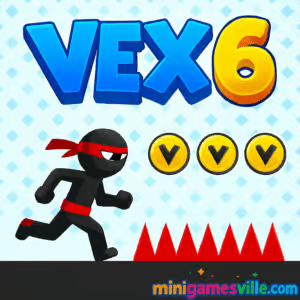
Press play and dive into Vex 6 on minigamesville.com, the fan‑favorite stickman parkour platformer built for quick reflexes and clean browser performance. If you love tight jumps, razor‑sharp obstacles, and speedrun‑worthy routes, Vex 6 online delivers. Smash through acts, chase better times, and master momentum across slick levels that feel great on keyboard. Ready to try a tough, unblocked browser game that rewards skill and patience? Hit Start, conquer the course, then come back for the daily challenges and cosmetics. Let’s get moving.
About Vex 6
Vex 6 is a precision platformer where a nimble stickman sprints, slides, wall‑jumps, and vaults through hazard‑packed obstacle courses. Crisp physics, responsive inputs, and readable level design create a fair, learnable challenge that invites one more run. Players chase faster times, fewer deaths, and full collectibles while unlocking new skins and effects along the way.
History of Vex 6
The Vex series began as a beloved browser platformer, then evolved from early Flash entries to modern HTML5 with smoother physics, higher frame rates, and refined level hubs. Vex 6 continues the tradition with polished acts, challenge rooms, and daily tasks that keep runs fresh for both newcomers and veterans.
Style & Vibe
Minimalist, high‑contrast visuals make hazards pop and routes easy to read. Punchy hit sounds, snappy jump cues, and fluid animations sell every move. The vibe is sleek and competitive, perfect for speedrunners and anyone who enjoys a tight arcade platformer loop.

Gameplay in Vex 6
Expect instant‑response movement, clever platform setups, and escalating trap combos. In Vex 6 you sprint into slides to maintain momentum, chain wall‑jumps to climb, time ledge‑grabs to reset position, and bait moving saws or spike launchers to slip through cleanly. Level hubs gate new acts behind simple goals, so you always have something to chase: faster times, no‑death runs, star pickups, or fresh cosmetics.
Game Modes
- Main Acts: Hand‑crafted stages with checkpoints, time goals, and hidden pick‑ups.
- Hard Acts: Remixed layouts with tighter windows and tougher trap timings.
- Challenge Room: A fast sequence of micro‑stages against the clock, perfect for warm‑ups.
- Daily Tasks: Quick objectives that reward coins and cosmetics.
- Practice Runs: Revisit any act to refine routes and grind better ranks.
How to Play
- Start on the hub, enter an act, and scan the first screen for traps and timing cycles.
- Use short hops to micro‑adjust, slides to preserve speed, and wall‑jumps to climb safely.
- Pause a beat before moving hazards, then commit. Hesitation causes more restarts than failure.
- Grab stars and coins on safe cycles, not during risky sprints.
- Complete the act, then replay for cleaner lines and better times.
Controls
- Move: Arrow keys or A/D
- Jump: W or Up Arrow
- Slide/Crouch: S or Down Arrow
- Interact/Climb: Move into walls and ledges to wall‑jump or grab
- Restart from Checkpoint: R or on‑screen button
Device Compatibility & Browser Support
Runs in all modern browsers like Chrome, Edge, Firefox, and Safari on desktop and mobile. For best results, enable hardware acceleration, close heavy background tabs, and keep your browser up to date. Keyboard on desktop gives the most precise control.
Mobile vs. Desktop Gameplay
Mobile offers quick sessions anywhere, great for practice and daily tasks. Desktop gives the edge for speedrunning because of tactile keys and larger viewport. Many players learn routes on desktop, then grind stars on mobile.
Can I Play Offline?
No, Vex 6 requires an internet connection. Levels, saves, and daily objectives load through the browser, so stay online to keep progress syncing smoothly.
Can I Play Unblocked?
Vex 6 unblocked often works on school or office networks since it is an HTML5 browser game with no downloads. Access still depends on local policies. If a page is restricted, try a different modern browser or your home network.
- Browser: Play on minigamesville.com with no downloads.
- Mobile: There is no official Vex 6 app on the stores at this time. Prefer a mobile parkour feel? Try Vector, a similar parkour platformer:
Tips & Tricks
Beginner Tips
- Watch one full trap cycle before committing so you learn safe windows.
- Tap jump for short hops, hold for max height. Mixing both keeps momentum.
- Slide under low hazards to keep speed instead of stopping.
- Use checkpoints smartly. If a segment goes sloppy, reset and save time.
- Collect stars when the route is stable. Time goals come first, then full clears.
Advanced Strategies
- Route planning: identify two or three flow sections you can chain without braking.
- Cycle abuse: delay one step to desync hazards for a clear sprint later.
- Wall‑tech: short hop into wall‑jumps for faster climbs and fewer whiffs.
- Deathless practice: once per act, force a no‑death run to sharpen consistency.
- Micro‑slides: trigger slide for a split‑second to pass tight gaps while preserving speed.
Features
- ⚡ Ultra‑responsive stickman movement and physics
- 🧭 Hub world with replayable acts and routes to optimize
- ⏱️ Time goals, no‑death bonuses, and star challenges
- 🎯 Challenge Room for quick, high‑pressure sprints
- 🎨 Skins and visual effects to unlock with coins and tasks
- 📱 HTML5 performance on desktop and mobile browsers
- 🎮 Keyboard‑first design that rewards precision
- 🔁 Daily tasks that refresh your goals
Unlockables & Secrets
Collect coins and stars to unlock cosmetic skins and effects. Explore side paths for hidden pick‑ups, then return with cleaner routes to snag missed items without risking your time rank.
Cheats & Mods
Cheat extensions or injected scripts can break inputs or corrupt progress in a browser game. For a stable experience and fair competition, play the vanilla version on minigamesville.com and focus on better lines, not exploits.
Walkthrough Summary
Work through the hub, clear each act methodically, and use checkpoints as learning anchors. Learn hazard cycles, then stitch segments into a clean, continuous run. After finishing the campaign, dip into the Challenge Room and daily tasks to refine muscle memory and farm unlocks.
Scoring, Records & Progression
Progress tracks act completions, time ranks, death counts, and collectible stars. Personal bests come from memorizing cycles, minimizing air time, and choosing safe but fast lines. A clean act beats a messy sprint every time.
Why Play Vex 6
It hits the sweet spot between approachable controls and deep mastery. The clean visuals make reading hazards easy, and the replay loop is perfect for short sessions or long optimization grinds.
Pros & Cons of Vex 6
- Pros: snappy physics, fair checkpoints, high skill ceiling, daily goals keep it fresh.
- Cons: difficulty spikes can frustrate newcomers, keyboard recommended for best control.
- Keep your browser updated and enable hardware acceleration.
- Close heavy tabs, overlays, or extensions that hook keyboard input.
- Use fullscreen and lock your frame rate by avoiding background downloads or streams.
- If inputs feel sticky, clear cache, then reload the act to re‑sync cycles.
Similar games to Vex 6
- Parkour Block 6, first‑person voxel parkour with tight jumps and clean timing.
- Parkour Block 7, more precision jumps and trickier layouts for speed fans.
- Geometry Dash, rhythm‑based platforming where timing is everything.
- Geometry Dash Lite, a free taste of the rhythm runner challenge.
- Short Life, physics platforming with hilarious, brutal trap puzzles.
- Level Devil, trolly platforming where the level shifts under your feet.
- Moto Maniac 2, balance‑based obstacle runs that reward smooth throttle control.
FAQ
Is Vex 6 free to play?
Yes, it runs free in your browser on minigamesville.com with no download required.
Does Vex 6 work on school Chromebooks?
Often yes, since it is an HTML5 browser game, but availability depends on your network’s site policies.
What is the best browser for Vex 6?
Chrome or Edge on desktop provide consistent performance and low input latency, though any modern browser works.
Can I use a controller?
Keyboard is the intended setup. Some browsers can map gamepads, but keys generally give the best precision.
How long does it take to beat the main acts?
Skilled players clear them quickly, but most of the fun comes from rerouting and improving times over multiple sessions.
How do I get better at tricky segments?
Break the act into checkpoints, learn each hazard cycle, then stitch the segments together for a clean, deathless run.
Conclusion
If you crave a clean, fast platformer loop, Vex 6 delivers with responsive movement, readable hazards, and routes that reward practice. It is the kind of browser game you boot for a quick level and accidentally play for an hour.
Ready to put your reflexes to the test? Hit play on minigamesville.com, chase those stars, and come back tomorrow to shave another second off your best time in Vex 6.

 Loading...
 English
 Shqip
Shqip
 বাংলা
বাংলা
 Български
 简体中文
简体中文
 Hrvatski
 Čeština
 Dansk
Dansk
 Nederlands
 Suomi
Suomi
 Ελληνικά
 हिन्दी
 Magyar
 Bahasa Indonesia
 日本語
日本語
 한국어
한국어
 Lietuvių
 Bahasa Melayu
 Norsk
Norsk
 Polski
 Português do Brasil
 Română
 Slovenčina
 Slovenščina
 Svenska
 ไทย
ไทย
 Türkçe
 Українська
 اردو
اردو
 Tiếng Việt
 isiZulu
 Español
 Français
 Deutsch
 العربية
 Italiano
 فارسی
فارسی
 Русский