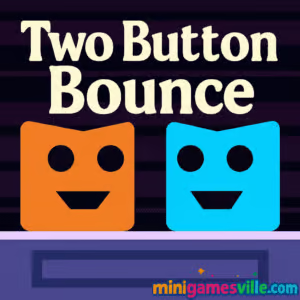
Play Two Button Bounce right now on Minigamesville and start bouncing to victory. This fast, minimalist puzzle platformer is a snappy online browser game built around razor-clean physics and two simple inputs. In Two Button Bounce you juggle timing, wall jumps, and teamwork to grab keys and reach the exit. Whether you want a quick coffee-break run or an evening of brain-teasing challenges, tap Play and jump in on minigamesville.com. If you need something unblocked and easy to launch at school or work, this pick is perfect for instant play.
Two Button Bounce is a tight, level-based physics puzzler that thrives on simplicity, speed, and smart level design. You guide two auto-running characters and trigger well-timed jumps to bounce off walls, collect the key, and open the door. One clean idea, lots of clever twists. Every stage teaches timing and momentum while keeping the controls light and responsive. Expect quick restarts, escalating hazards, and the option to share the keyboard for local co-op.
History of Two Button Bounce
Two Button Bounce follows a proud tradition of ultra-focused arcade puzzlers that use one or two inputs to create deep challenge. It builds on the success of single-button jumpers and expands the format with synchronized character movement, shared goals, and cooperative trickery. The result is a modern browser game that feels retro-simple yet surprisingly tactical.
Style & Vibe
Crisp shapes, bold contrast, and clean UI keep the focus on reads and reactions. Levels are compact, deaths are lightning-fast to reset, and the soundtrack keeps your rhythm steady as difficulty ramps.

Each level starts with both characters pacing back and forth. Your jump sends a character into a wall bounce, flipping direction and gaining height. The puzzle: route at least one hero to the key, then to the exit. Walls, spikes, moving platforms, and off-screen falls keep you honest. Success comes from learning bounce arcs, chaining symmetrical jumps, and using one character to set up the other. Quick restarts invite speedrunning and mastery.
Game Modes
- Core Levels: Handcrafted stages that introduce mechanics and escalate difficulty.
- Local Co-op: Share the keyboard with a friend for tag-team clears and stylish saves.
- Speedrun-Friendly: Instant resets make personal bests and no-death runs addictive.
How to Play
- Press jump as a character meets a wall to bounce upward and reverse direction.
- Plan routes so one character enables the other to grab the key.
- Guide at least one character to the door once the key is collected.
- Miss a jump or hit hazards, then restart instantly and try a new rhythm.
Controls
- Player 1: W to jump.
- Player 2: Up Arrow to jump.
- Reset level: R.
- Back to menu: Esc.
Device Compatibility & Browser Support
Two Button Bounce runs in modern desktop and mobile browsers with no download. For best performance, use the latest Chrome, Edge, Firefox, or Safari. Enable hardware acceleration, close heavy tabs, and keep your browser updated.
Mobile vs. Desktop Gameplay
- Desktop: Precise keyboard control and easy co-op on one screen.
- Mobile: Quick sessions on the go. Best with sound on and portrait lock off for steady inputs.
Can I Play Offline?
No, Two Button Bounce is an online browser game and needs an active internet connection to load and save progress locally in your browser.
Can I Play Unblocked?
Two Button Bounce on Minigamesville is designed for instant play in a browser. Many school or office networks allow HTML5 games, but access varies by network policy. If a filter blocks the page, try a different modern browser or your home connection.
- Browser: Play Two Button Bounce on Minigamesville.
- Mobile stores: There are no official App Store or Google Play versions of Two Button Bounce at this time.
- Looking for a similar mobile experience? Try Duet:
Tips & Tricks
Beginner Tips
- Watch the pacing. Count beats between wall touches to learn jump windows.
- Prioritize the key. Plot the cleanest route to it before thinking about the exit.
- Use micro-taps. Jump as close to a wall as possible to climb with tighter arcs.
- Reset fast. Instant restarts help you keep rhythm and spot patterns.
Advanced Strategies
- Staggered bounces: Offset the two characters so one sets platforms or switches for the other.
- Edge buffering: Jump at the last pixel before a wall to gain maximum height.
- Mirror routing: Practice symmetrical inputs to thread tight corridors cleanly.
- Co-op callouts: Count down jumps out loud with a partner to sync difficult chains.
Features
- Smart, handcrafted puzzle rooms with crisp difficulty curves.
- Two-button controls that feel instant and responsive.
- Solo or local co-op on one keyboard.
- Instant restarts for fast practice and speed attempts.
- Key-and-door objectives that reward planning and precision.
- Short stages that are perfect for quick sessions and time trials.
- Clean audio cues that support timing and focus.
- Runs right in your browser, no download required.
Unlockables & Secrets
Progression is linear, with later levels unlocked by clearing earlier ones. Skilled players can discover faster routes, bounce chains that skip obstacles, and no-death clears that make great personal records.
Cheats & Mods
There are no official cheats or mod support. To improve consistency, lower background CPU load, keep your browser updated, and practice tricky sections with rapid resets.
Walkthrough Summary
Start each level by scouting the key path. Use a couple of safe bounce tests to feel the ceiling height, then commit to a clean climb. When the key is secured, re-center your timing and aim for the exit. In co-op, let one player serve as the “setter,” creating space while the “scorer” threads the tight route.
Scoring, Records & Progression
Two Button Bounce emphasizes completion and clean execution over points. Chase faster clears, track personal bests, and try no-death runs for a satisfying mastery arc. Your progress typically saves to local browser storage, so use the same device and browser when possible.
If you love elegant puzzle design, tight physics, and instant retries, this is your new obsession. Two Button Bounce keeps your hands busy and your brain engaged, packaging deep challenge inside a simple, accessible format.
- Pros: clean two-button control, clever level ideas, fast resets, great for short sessions or co-op.
- Cons: difficulty spikes can test patience, keyboard is best for precision, completion over points may not fit score-chasers.
- Keep your browser current and enable hardware acceleration in settings.
- Close heavy tabs, streaming apps, and background downloads during play.
- If inputs feel sticky, try incognito mode or disable aggressive extensions during gaming.
- On laptops, plug in power so your CPU does not throttle.
- Double Bounce — a timing-centric bouncer that rewards perfect wall hits.
- Fire Road — one-touch obstacle dodging with hypnotic flow.
- Arrower — guide arrows through puzzle grids using clean logic and rhythm.
- Plonky — physics bounces and compact stages built for quick retries.
- Bounce Ball — classic arcadey hops with simple controls and tight spacing.
- Ping Pong Chaos — frantic two-player rallies that sharpen reflexes.
- Drive Mad — physics driving where split-second inputs make or break a run.
FAQ
Is Two Button Bounce free to play?
Yes, it is a free online browser game on Minigamesville with instant play and no download.
Does Two Button Bounce have co-op?
Yes, you can share the keyboard for local two-player fun.
How long is the game?
It offers a satisfying set of bite-size levels. The total time depends on your skill and how many perfect clears you chase.
Can I save my progress?
Progress is saved locally in your browser storage. Use the same device and browser to keep your unlocks.
What browsers work best?
Latest versions of Chrome, Edge, Firefox, and Safari deliver smooth performance.
Is Two Button Bounce unblocked?
It loads in the browser and often works on restricted networks, but availability depends on local filtering rules.
What are the controls again?
W for Player 1, Up Arrow for Player 2, R to reset, Esc to return to menu.
Conclusion
Two Button Bounce nails that sweet spot where simple controls meet brain-teasing challenge. Tight physics, smart layouts, and instant restarts make it perfect for short bursts or marathon mastery sessions. It is a standout unblocked browser game for anyone who loves precision and momentum.
Ready to bounce? Hit Play on Minigamesville, invite a friend for local co-op, and see how far your timing can take you in Two Button Bounce.

 Loading...
 English
 Shqip
Shqip
 বাংলা
বাংলা
 Български
 简体中文
简体中文
 Hrvatski
 Čeština
 Dansk
Dansk
 Nederlands
 Suomi
Suomi
 Ελληνικά
 हिन्दी
 Magyar
 Bahasa Indonesia
 日本語
日本語
 한국어
한국어
 Lietuvių
 Bahasa Melayu
 Norsk
Norsk
 Polski
 Português do Brasil
 Română
 Slovenčina
 Slovenščina
 Svenska
 ไทย
ไทย
 Türkçe
 Українська
 اردو
اردو
 Tiếng Việt
 isiZulu
 Español
 Français
 Deutsch
 العربية
 Italiano
 فارسی
فارسی
 Русский