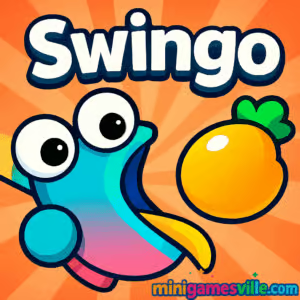
Play Swingo on MinigamesVille now and feel the rush of a physics-powered grappling hook platformer right in your browser. Swingo is a vibrant online arcade browser game where you latch onto anchors, build momentum, and snag the juicy fruit to finish each level. The one-click control scheme is easy to learn, the bouncy physics are endlessly satisfying, and the unblocked friendly format means quick play sessions anywhere your network allows. Hit Play, swing into action, and see how far you can climb in Swingo.
About Swingo
Swingo blends platforming, arcade timing, and pinball-like rebounds into a cheerful skill challenge. Your round little hero cannot walk, so every movement comes from a stretchy grappling shot that pulls you through colorful stages. Levels ramp up with new layouts, trickier angles, and clever obstacles. Finish stages to earn points, unlock charming animal characters, and keep your momentum streak alive. If you love pick up and play physics games in your browser, Swingo belongs on your shortlist.
History of Swingo
Swingo grew from the modern wave of HTML5 physics platformers, embracing tap, drag, and release controls that feel great on both desktop and mobile browsers. Its bright art, clean sound cues, and forgiving bounce recoveries make it ideal for quick sessions, speedrunning attempts, and casual mastery. The game’s focus has always been momentum, precision, and a steady drip of unlocks to keep you swinging.
Style & Vibe
The look is bold and friendly: gummy textures, punchy colors, and playful fruit finales. Audio feedback is snappy without being noisy, so your focus stays on timing the perfect arc. It is the kind of game that looks great in motion and rewards experimentation.

Gameplay in Swingo
Each level places a collectible fruit somewhere on the map. You aim, fire your sticky glove, and the tether pulls you in a clean arc. Release, rebound, and reattach to carve the shortest path. The challenge comes from managing swing length, launch angles, and bounce landings. Miss an anchor, and you can usually recover with a quick rehook. Nail a clean sequence, and you rocket forward in a satisfying chain of swings. Swingo’s physics are tuned for flow, so small inputs create big, skillful outcomes.
Game Modes
- Level progression: complete handcrafted stages to advance and rack up points.
- Self‑imposed speedruns: replay favorite levels to chase personal best times.
- Completionist runs: revisit stages to perfect routes and unlock more characters.
How to Play
- Aim your grappling shot at a nearby anchor point.
- Click or tap, drag to fine tune direction and strength, then release to pull.
- Use momentum to swing through arcs, bounce off safe surfaces, and keep moving.
- Collect the fruit to clear the level and earn points toward unlocks.
Controls
- Desktop: Left mouse click and hold to aim, drag to adjust, release to swing.
- Keyboard support: optional space to fire on some builds, mouse remains primary.
- Mobile: Tap, hold, drag, and release on the touchscreen.
Device Compatibility & Browser Support
Swingo runs in modern browsers on desktop and mobile. For best performance, use the latest version of Chrome, Edge, Firefox, or Safari, keep hardware acceleration on, and close heavy background tabs. The game loads fast, saves your progress in the browser, and plays smoothly on most mid‑range devices.
Mobile vs. Desktop Gameplay
On desktop you get finer aim control with a larger screen, ideal for tight arcs and speed lines. On mobile, the touch drag is intuitive and perfect for short breaks. Both versions keep the one‑button elegance that makes Swingo shine.
Can I Play Offline?
No, Swingo is an online HTML5 browser game that requires an active connection to load assets and store progress.
Can I Play Unblocked?
Yes, Swingo is a lightweight unblocked style browser game on MinigamesVille. Availability depends on your network policies, so if a school or workplace blocks gaming sites, check with your administrator.
- Browser: Play Swingo directly here on MinigamesVille, no download needed.
- Mobile browsers: Play in your phone or tablet browser for quick sessions.
Official App Store or Google Play apps for Swingo are not available at this time. Want a similar swing‑physics experience on mobile as a native app? Try Stickman Hook:
Tips & Tricks
Beginner Tips
- Short tethers pull harder. Aim closer to the anchor for tighter, higher‑control arcs.
- Release near the bottom of your swing to launch forward with maximum speed.
- Chain anchors. Fire the next hook just before landing to keep momentum alive.
- Use bounces safely. A gentle rebound can realign your angle for the next grab.
Advanced Strategies
- Pre‑aim through the level. Visualize two or three anchors ahead to plan a clean line.
- Feather the drag. Small drag adjustments before release can shave big seconds.
- Skip anchors. Fewer, longer swings often beat many short ones.
- Route discovery. Replay levels to learn hidden angles that sling you straight to the fruit.
Features
- 🪝 One‑button grappling that feels great on mouse or touch
- 🍓 Fruit‑finish levels that reward smart momentum lines
- 🐸 Cute animal character unlocks as you progress
- 🎯 Precision physics tuned for satisfying arcs and rebounds
- ⚡ Fast loads and instant restarts for zero downtime
- 📱 Runs in your browser on desktop and mobile
- 🔁 High replay value for speedruns and completion routes
Unlockables & Secrets
Every completed level grants points toward new character skins. Keep your completion streak high, revisit early stages to perfect routes, and watch for sneaky anchors that open faster lines. Swingo rewards both steady progress and stylish shortcuts.
Cheats & Mods
There are no official cheat codes or sanctioned mods for the browser version. Avoid third‑party downloads or extensions that claim to alter gameplay, since they can harm performance or compromise your device. The best way to “cheat” is to practice cleaner swing lines.
Walkthrough Summary
Start by hooking to the nearest safe anchor, build a pendulum arc, and release at the lowest point to gain forward speed. Angle your next hook early to keep momentum, then correct with a bounce if needed. Two to three optimal swings usually beat long chains. Grab the fruit to clear the stage and bank your points.
Scoring, Records & Progression
Clearing stages earns points that unlock new characters. Track your personal bests by counting clean, low‑hook routes and timing your finishes. The simplest metric to improve is swings per level: fewer hooks often equal faster clears.
Why Play Swingo
Swingo nails the sweet spot between easy controls and high skill ceiling. It is colorful, quick to load, and endlessly replayable, making it perfect for short breaks or deep speedrun sessions. If you enjoy physics platformers, this one feels great from the first swing.
Pros & Cons of Swingo
- Pros: Satisfying physics, instant restarts, charming unlocks, smooth on most devices.
- Cons: Linear level goal, precision can feel tricky on very small screens, relies on online access.
- Use the latest browser version and enable hardware acceleration.
- Close heavy tabs or overlays during tough levels.
- On laptops, plug in for consistent frame rate and reduce background sync apps.
- On mobile, switch to a modern Chromium or Safari build and clear cached tabs if input feels sticky.
Similar games to Swingo
- Trampoline Stickman: Bounce, time your jumps, and chain momentum across hazard‑filled stages.
- Candy Jump: One‑tap arcade timing with sweet, colorful obstacles and rising difficulty.
- Knife Jump: Flip a blade with careful taps, master arcs, and landings for perfect combos.
- Wheelie Bike: Balance momentum and angle control to ride endless wheelies without tipping.
- Rolling Ball: Guide a ball through precise tracks where physics and timing rule every turn.
- Stickman Biker: Navigate physics‑based trails with throttle control and smart landings.
- Spiderman Web Slinger: Swing between anchors and chase smooth, acrobatic lines through the city.
FAQ
What is Swingo?
It is a physics platformer browser game where you move only by grappling, swinging to reach the fruit that ends each level.
Is Swingo free to play?
Yes, you can play Swingo online here on MinigamesVille with no download.
Does Swingo save my progress?
Progress is stored in your browser, so using the same device and browser keeps your unlocks.
Can I play Swingo on my phone?
Yes, open MinigamesVille in a mobile browser, tap to aim and release to swing.
Is Swingo unblocked at school?
It is an unblocked style HTML5 game, but access depends on your school’s network rules.
What browsers work best for Swingo?
Recent versions of Chrome, Edge, Firefox, and Safari deliver the smoothest performance.
Conclusion
Swingo is pure momentum joy, a tight loop of aim, swing, bounce, and celebrate with a fruit finish. The physics feel great, the levels are quick, and the unlocks keep you coming back for one more try.
Ready to master those perfect arcs? Press play above to start Swingo on MinigamesVille, chase faster routes, and unlock every character. Your next clean swing is one click away.

 Loading...
 English
 Shqip
Shqip
 বাংলা
বাংলা
 Български
 简体中文
简体中文
 Hrvatski
 Čeština
 Dansk
Dansk
 Nederlands
 Suomi
Suomi
 Ελληνικά
 हिन्दी
 Magyar
 Bahasa Indonesia
 日本語
日本語
 한국어
한국어
 Lietuvių
 Bahasa Melayu
 Norsk
Norsk
 Polski
 Português do Brasil
 Română
 Slovenčina
 Slovenščina
 Svenska
 ไทย
ไทย
 Türkçe
 Українська
 اردو
اردو
 Tiếng Việt
 isiZulu
 Español
 Français
 Deutsch
 العربية
 Italiano
 فارسی
فارسی
 Русский