Play now: Jump straight into Swipe Basketball on minigamesville.com and start sinking perfect arcs. This quick-hit sports browser game is built for instant fun, smooth physics, and clutch swipes. Whether you need a fast online challenge at lunch or an unblocked skill run between classes, Swipe Basketball keeps your streak alive with pure flick-to-shoot action. Tap the iframe above and take your first shot, then come back here for tips, tricks, and a full guide to mastering Swipe Basketball.
About Swipe Basketball
Swipe Basketball is a fast, physics-driven arcade basketball experience where every shot begins with a simple drag, aim, and release. It is light, quick to learn, and ideal as an online browser game you can play in seconds. The goal is simple, score as many baskets as you can while hoops shift position and difficulty ramps up. If precision flick games are your thing, Swipe Basketball delivers pure pick-up-and-play flow without downloads.
History of Swipe Basketball
Swipe-based basketball first caught fire on touch devices in the early 2010s, and the format translated perfectly to HTML5 for instant play in the browser. Swipe Basketball on desktop and mobile browsers keeps that satisfying fingertip control, blending classic arcade scoring with subtle physics like backboard banks and rim rattles.
Style & Vibe
Clean courts, crisp sounds, and satisfying swish audio sell the fantasy of a perfect release. UI is minimal, letting the hoop, arc, and scoreboard own the spotlight so you stay in the zone from the first flick.

Gameplay in Swipe Basketball
The core loop is pure flow. Drag to set power and angle, release to shoot, and adjust on the fly as the rim starts moving or the distance shifts. Misses eat into your margin, while makes push your streak, multiplier, and confidence. Expect progressive challenges like travel distance changes, backboard-only shots, or moving hoops. A good run in Swipe Basketball feels like a rhythm game with a basketball.
Game Modes
- Classic Streak: Keep hitting to extend your run. A miss cuts your momentum.
- Timed Rush: Score as many buckets as possible before the clock hits zero.
- Challenges: Target shots, moving hoops, and trick angles that demand precision.
How to Play
- Click or tap the ball.
- Drag to set arc and power. Higher arcs help from distance.
- Release cleanly for a straight, spin-free shot.
- Watch the hoop’s motion, then aim slightly ahead of its path.
- Chain makes to build a streak and chase a leaderboard-worthy score.
Controls
- Desktop: Click and hold the ball, drag to aim, release to shoot. Quick left-click taps can advance prompts or speed up transitions when available.
- Mobile/Tablet: Touch, drag, and release. Use smaller drags for close shots, longer drags for deep balls.
Device Compatibility & Browser Support
Swipe Basketball runs in modern browsers with HTML5 support. For the best results, use the latest version of Chrome, Edge, Safari, or Firefox. No plugins, no downloads, just play.
Mobile vs. Desktop Gameplay
On mobile, the swipe feels natural and quick. On desktop, mouse control offers ultra-fine aiming. Both play great, so choose based on comfort and context.
Can I Play Offline?
No. Swipe Basketball is an online browser game, so it requires an active internet connection.
Can I Play Unblocked?
In many classrooms and offices, HTML5 titles on minigamesville.com work without extra installs, which helps with access on filtered networks. If you run into a block, try a different browser, update to the latest version, or ask your network admin to allow minigamesville.com.
- Browser: Play on minigamesville.com in Chrome, Edge, Safari, or Firefox.
- Android: A related mobile experience is available as Swipe Basketball by UPLAY Online on Google Play.
Google Play link.
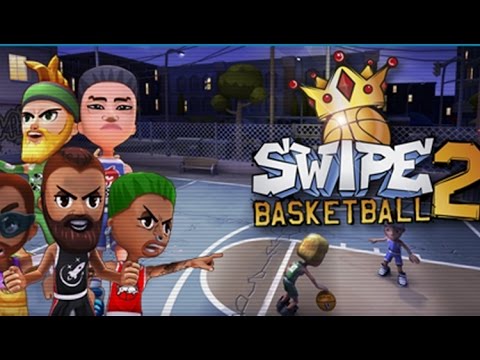
- iOS: A sequel with expanded modes is available as Swipe Basketball 2 by U-Play Online on the App Store.
App Store link.
Store versions may differ from the browser version on minigamesville.com, but the swipe-to-shoot spirit carries over.
Tips & Tricks
Beginner Tips
- Start with mid-arc shots. Too flat invites rim outs, too high burns control.
- Use the backboard when the hoop is moving. Aim for the high corner above the rim.
- Lock in a repeatable drag length for free throw range, then adjust from there.
- Reset your focus after a miss. Breathe, re-center, then shoot.
Advanced Strategies
- Lead the rim slightly on moving targets so the ball arrives as the hoop crosses.
- Bank shots reduce the penalty of slight under-power. Think glass on long angles.
- Micro-correct during the drag. If you overshoot power, pull back a few pixels.
- Chase rhythm. Shoot in a consistent cadence to keep your release timing sharp.
Features
- 🏀 Pure swipe-to-shoot physics that feel great on mouse and touch
- 🎯 Moving hoops and angle changes that keep every shot fresh
- ⏱️ Timed rush and streak chases for competitive high-score hunting
- 📈 Streak multipliers that reward consistency
- 🔊 Clean audio feedback for swishes, rims, and boards
- 💡 Minimal UI so the court and hoop stay front and center
- 📱 Plays instantly in your browser on mobile or desktop
- 🌐 No downloads, just click and play online
Unlockables & Secrets
Watch for star pickups and streak goals that can unlock cosmetic ball skins or court themes in some versions of Swipe Basketball. Consistent high scores often open cosmetics faster than sporadic big shots.
Cheats & Mods
Third-party mods or cheat scripts can break the game or get blocked by your browser. For a smooth run and fair competition, stick to the official version on minigamesville.com.
Walkthrough Summary
Warm up with five close-range shots to set your release power. Transition to mid-range by slightly lengthening your drag. When the hoop starts moving, aim just ahead of its path and use the backboard. Protect your streak by favoring safe arcs over flashy lasers from distance.
Scoring, Records & Progression
Each make adds to your total and streak. Longer streaks can trigger higher scores in time-based modes. Track your personal bests per session and try to beat your last run with fewer rim grazes and tighter arcs.
Why Play Swipe Basketball
If you crave instant competition with zero setup, Swipe Basketball is perfect. It is quick, satisfying, and surprisingly deep once you start mastering angles and motion reads. The short-run design makes it ideal for bursts of fun throughout the day.
Pros & Cons of Swipe Basketball
- Pros: Instant play, great swipe physics, perfect for short sessions, simple yet skillful.
- Cons: Minimal narrative or progression, misses sting when you are on a heater.
- Keep your browser updated and hardware acceleration enabled in settings.
- Close heavy tabs or background streams to reduce input lag.
- On laptops, switch off battery saver for steadier frame pacing.
- If inputs feel sticky, clear cache and reload the page.
Similar games to Swipe Basketball
- Perfect Dunk — clean one-tap dunk timing with a satisfying swish chase.
- Ping Pong Chaos — zany physics rallies that reward quick reactions and angles.
- Pocket Hockey — glide, bank, and sink shots with slick air-hockey physics.
- Flick Goal — curve soccer shots around obstacles using precise flick control.
- 100 Golf — minimal golf challenges where touch power and angle rule.
- Space Ballz — arcade ball control with gravity twists and timing tests.
- Bounce Ball — simple, skill-based arcs and rebounds for score-chasing fans.
FAQ
Is Swipe Basketball free to play online?
Yes, you can play Swipe Basketball free in your browser on minigamesville.com without downloads.
Does Swipe Basketball work on school WiFi?
In many cases, yes. It is an HTML5 game on a clean domain, which often helps with unblocked access, but network rules vary by school.
Can I pause during a timed run?
You can usually pause by switching tabs, but for best scores finish the run in one go.
What is the best arc for long shots?
Use a higher arc with a gentle forward bias. High arcs reduce rim outs from distance.
Is there controller support?
Swipe Basketball is designed around mouse and touch input for precise flick control.
Are there mobile versions of Swipe Basketball?
Yes. You can try the Android edition on Google Play and an expanded iOS sequel, Swipe Basketball 2, on the App Store. Features may differ from the browser version.
Conclusion
Ready to chase that perfect release and hear the clean swish again and again? Swipe Basketball nails the feel of quick, high-skill shots with nothing in your way. It is the kind of sports browser game you open for a minute, then play for ten.
Hit Play above to start your streak on minigamesville.com. Aim high, use the glass when the rim moves, and see how far your best run in Swipe Basketball can go today.

 Loading...
 English
 Shqip
Shqip
 বাংলা
বাংলা
 Български
 简体中文
简体中文
 Hrvatski
 Čeština
 Dansk
Dansk
 Nederlands
 Suomi
Suomi
 Ελληνικά
 हिन्दी
 Magyar
 Bahasa Indonesia
 日本語
日本語
 한국어
한국어
 Lietuvių
 Bahasa Melayu
 Norsk
Norsk
 Polski
 Português do Brasil
 Română
 Slovenčina
 Slovenščina
 Svenska
 ไทย
ไทย
 Türkçe
 Українська
 اردو
اردو
 Tiếng Việt
 isiZulu
 Español
 Français
 Deutsch
 العربية
 Italiano
 فارسی
فارسی
 Русский