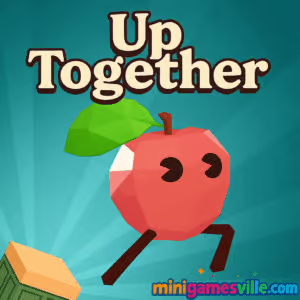
Click Play to jump into Up Together on Minigamesville.com and start climbing now. Up Together is a fast, free online browser game that blends 3D parkour, platforming, and light multiplayer competition. If you love precision jumps, momentum boosts, and leaderboard chases, you will feel right at home. Play unblocked in your browser, practice your lines, then race friends to the top. Ready to grab those boosts and bounce past tricky traps? Hit play above and try Up Together on Minigamesville today.
About Up Together
Up Together drops you into a colorful vertical gauntlet where every leap matters. Choose a charming fruit or veggie avatar, learn the physics, and climb higher than everyone else in a shared world. Blue boost pads rocket you forward, red tiles slow you down, and well placed checkpoints keep the run flowing even if you slip. Lightweight multiplayer presence, satisfying parkour physics, and secret side paths make Up Together a standout pick-up-and-play browser game.
History of Up Together
Built as a web-first 3D platformer by Iron Fox Games under its Second Monitor Games label, Up Together focuses on quick sessions, social competition, and clean performance in the browser. Its design channels the “obby” spirit, prioritizing readable obstacles, responsive movement, and a one-more-try loop that works great on both desktop and mobile browsers.
Style & Vibe
Bright, playful, and a little mischievous. Floating platforms, candy-colored boosters, and expressive food characters give each climb personality. Clean UI and sound effects emphasize momentum and height, while subtle trails and cosmetics help you stand out during crowded climbs.

Gameplay in Up Together
Every run in Up Together starts on the ground and ends wherever your skill takes you. You will chain jumps, wall nudges, and booster timing to cross gaps and gain altitude fast. Blue tiles grant speed and distance, red tiles punish sloppy lines, and safe ledges or rails provide breathing room. You climb through zones with distinct rhythms, discover secret alcoves, and lock in progress with checkpoints. The higher you get, the more pressure you feel from riskier jumps and tighter timing windows. Finish a session, then dive right back to shave seconds and push the global leaderboard.
Game Modes
- Shared climb: Play solo in a live world with other climbers visible, race informally to the top, or practice sections at your pace.
- Checkpoint chasing: Push to new checkpoints to secure spawn progress and unlock tougher segments.
- Speedrun focus: Optimize routes and booster usage to climb faster and improve your standing on leaderboards.
How to Play
- Press Play and pick a character plus a nickname.
- Scan the first zone for blue boosters and safe landing pads.
- Use boosters to clear long gaps, then stabilize on a nearby ledge.
- Touch checkpoints often so you do not lose height on a fall.
- Route around red tiles, or approach them slowly if a precise jump is required.
- Repeat sections to learn cleaner lines, then go for speed and height.
Controls
- Move: WASD or Arrow keys
- Jump: Space
- Hold Space to keep hopping or to climb up certain edges
- Camera: Mouse or trackpad
- Mobile browsers: On-screen joystick and jump button
Device Compatibility & Browser Support
Up Together runs smoothly in modern browsers like Chrome, Edge, Firefox, and Safari on desktop and mobile. For best performance, close heavy tabs, enable hardware acceleration in your browser settings, and use fullscreen.
Mobile vs. Desktop Gameplay
Desktop offers maximum precision with keyboard and mouse, ideal for tight booster chains. Mobile is excellent for casual climbs and practice runs, with responsive touch controls and quick sessions during breaks.
Can I Play Offline?
No. Up Together is an online browser game and requires an internet connection to load and track progress on leaderboards.
Can I Play Unblocked?
In most cases, yes. Up Together loads over HTTPS on Minigamesville and does not require account sign-in. If you are on a restricted network, try switching browsers, updating to the latest version, or disabling aggressive content blockers on this page.
- Browser: Play Up Together free on Minigamesville.com in your desktop or mobile browser.
- Mobile stores: There is no official Up Together app on Google Play or the App Store at this time.
- Want a similar mobile parkour fix? Try Parkour Race — Freerun Game:
Tips & Tricks
Beginner Tips
- Learn booster spacing. Step on a blue tile near its center to get a clean, straight launch.
- Stabilize after big jumps. Land on wide ledges first, then make the technical hop.
- Tag checkpoints often so mistakes do not wipe your climb.
- Use the camera to preview the next platform before you commit.
- Avoid red tiles until you have a safe landing plotted.
Advanced Strategies
- Chain boosters: blue to blue to convert horizontal speed into vertical gain.
- Micro-hops on edges reduce slide-offs and set better takeoff angles.
- Route discovery: scout alternate lines with smaller gaps to save time and risk.
- Checkpoint skipping: when confident, bypass a nearby checkpoint to keep momentum, but know the risk if you fall.
- Leaderboards: practice a section loop until perfect, then attempt a full top-to-top run.
Features
- 🌀 Boost-driven parkour with satisfying momentum
- 🍎 Playful fruit and veggie avatars with personality
- 🌐 Shared climbs with other players visible
- 🎯 Smart checkpoints to lock in progress
- 🏁 Global leaderboards for height and speed
- 🧭 Secret routes and hidden alcoves to explore
- ⚙️ Smooth HTML5/WebGL performance in the browser
- 🎨 Cosmetic skins and trails to unlock
Unlockables & Secrets
Climb regularly to unlock new character skins and stylish trail effects. Keep an eye out for tucked-away ledges, side tunnels, and off-angle booster paths that reveal shortcuts or safer routes through tricky zones.
Cheats & Mods
There are no supported cheats or mods for Up Together. Third-party tools risk performance issues or bans. Mastering route planning and booster timing is the real shortcut.
Walkthrough Summary
Start by farming clean blue-to-blue lines in the early zone to reach your first checkpoint. Next, practice controlled landings before narrow ledges. In mid-zones, chain boosters to cross long gaps, then use a stabilizing hop to angle into the next platform. Save risky sequences for when your route is mapped, then go for a full, fast ascent to post a leaderboard time.
Scoring, Records & Progression
Your performance is all about height reached, time saved between checkpoints, and the consistency of your route. Leaderboards reward efficient lines and clean inputs. Long-term progression comes from unlocking cosmetics and refining routes for faster, more confident climbs.
Why Play Up Together
If you enjoy skill-based platformers, social competition, and quick sessions that fit your day, Up Together delivers. It is easy to start, tough to master, and perfect for browser-based speedrunning with friends.
Pros & Cons of Up Together
- Pros: crisp parkour physics, readable obstacles, instant play in browser, smart checkpoints, satisfying boosters.
- Cons: falling can feel punishing on late runs, competitive pressure may be intense for new players, requires an active internet connection.
- Use fullscreen and close heavy tabs for smoother frame rates.
- Enable hardware acceleration in your browser settings.
- On laptops, plug in for better CPU/GPU performance and set your OS power mode to High performance.
- If input feels laggy, lower display scaling or try a different browser version.
Similar games to Up Together
- Big Tower Tiny Square — precision platforming up a massive tower with tight controls and tricky timing.
- Big Tower Tiny Square 2 — more brutal jumps and clever traps for dedicated climbers.
- Slime Laboratory — squishy physics platforming, squeeze through vents and avoid hazards.
- Kori Walk — minimalist step-by-step platform puzzle with exact timing.
- House of Hazards — chaotic local multiplayer challenges full of traps and slapstick.
- Super Oscar — classic side-scrolling platformer feel with collectible power-ups.
- Double Bounce — bounce physics and tight aerial control in quick platform stages.
FAQ
What is Up Together?
Up Together is a free 3D parkour platformer you play online in your browser, featuring boosters, checkpoints, and shared climbs with other players.
Is Up Together unblocked at school or work?
In many cases yes, since it runs over HTTPS and needs no login. If it is blocked by a local policy, try another browser or network.
Does Up Together cost anything to play?
No, you can play Up Together free in your browser on Minigamesville.
Does progress save between sessions?
Checkpoints save during a run, and leaderboards track your best heights or times while your session is active.
Can I play Up Together on my phone?
Yes, open this page on a modern mobile browser and tap Play. For the best precision, desktop controls are recommended.
Are there official iOS or Android apps for Up Together?
No, there are no official mobile apps for Up Together right now. For a similar mobile experience, try Parkour Race on the App Store and Google Play via the links above.
Conclusion
Up Together nails the feeling of flow that great parkour games deliver. Clean visuals, grippy movement, and clever booster routes keep every climb exciting, whether you are practicing lines or chasing the leaderboard. If you want a quick, skillful challenge in your browser, this one is a must-play.
Ready to rise? Click Play and start your next run of Up Together here on Minigamesville.com. Learn the route, chain the boosters, and claim your spot near the top.

 (1 votes, average: 4.00 out of 5)
 Loading...
 English
 Shqip
Shqip
 বাংলা
বাংলা
 Български
 简体中文
简体中文
 Hrvatski
 Čeština
 Dansk
Dansk
 Nederlands
 Suomi
Suomi
 Ελληνικά
 हिन्दी
 Magyar
 Bahasa Indonesia
 日本語
日本語
 한국어
한국어
 Lietuvių
 Bahasa Melayu
 Norsk
Norsk
 Polski
 Português do Brasil
 Română
 Slovenčina
 Slovenščina
 Svenska
 ไทย
ไทย
 Türkçe
 Українська
 اردو
اردو
 Tiếng Việt
 isiZulu
 Español
 Français
 Deutsch
 العربية
 Italiano
 فارسی
فارسی
 Русский