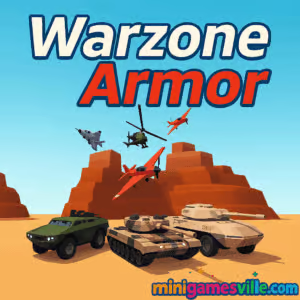
About Warzone Armor
Warzone Armor blends arcade shooting with tactical vehicle play. You can swap between ground armor and aerial units mid-match, then use cover, elevation, and flanking routes to outplay the enemy. Matches are short and intense, perfect for coffee breaks or late-night grinds. Because it is an HTML5 browser game, Warzone Armor runs directly in your browser and is often playable unblocked on many networks. Expect quick queues, crisp physics, satisfying explosions, and a steady unlock path that rewards aggressive yet smart play.
History of Warzone Armor
Built as a modern HTML5 multiplayer project, Warzone Armor gained traction with its team-based vehicle combat and streamlined performance in late 2024. Since then, new maps, balance tweaks, and quality-of-life updates have kept matches fresh. The vibe leans realistic enough to feel weighty, yet arcade enough to keep the action flowing. If you enjoy contemporary war games with pick-up-and-play pacing, Warzone Armor hits the sweet spot.
Style & Vibe
Expect gritty arenas, industrial zones, and open battlefields dotted with cover, hills, and chokepoints. Impacts feel punchy, vehicles throw dust and smoke, and hits spark off armor plates. The UI is clean, the minimap is helpful, and kill confirmations are satisfying without being distracting.

Gameplay in Warzone Armor
Each match drops two teams into a contested zone. You earn points by destroying enemy vehicles, assisting teammates, capturing key ground, and staying alive. Vehicles handle differently: tanks win frontal duels, armored cars excel at flanks, rocket platforms delete targets from range, and helicopters control vertical space. The loop is simple and addictive: spawn, push, score, upgrade, repeat. Good crosshair discipline and map awareness separate top drivers from the pack.
Game Modes
- Team Battle: Classic red vs blue skirmishes with score target and time limit.
- Objective Rush: Push through control zones to advance your frontline.
- Endless Practice: Sandbox for testing vehicles and sensitivity without pressure.
- Time Attack Events: Short windows with boosted rewards for high-impact play.
How to Play
- Press Play, choose your team, and pick a starter vehicle.
- Stick with your squad and use cover while advancing the frontline.
- Aim for weak sides or rear armor, then rotate to avoid counterfire.
- Collect points to unlock better vehicles and module upgrades.
- Switch vehicles to counter the enemy’s composition and close out the match.
Controls
- WASD to drive or strafe, Mouse to aim, Left click to fire.
- Shift to boost or sprint when available, R to reload.
- Helicopter: Space to ascend, C to descend, Q/E for yaw control depending on settings.
- Number keys to swap weapons or equipment, M or Tab for map and scoreboard.
Device Compatibility & Browser Support
Warzone Armor runs in modern browsers like Chrome, Firefox, Edge, and Safari on Windows, macOS, Chromebook, iOS, and Android. WebGL acceleration and a stable connection give the best results.
Mobile vs. Desktop Gameplay
On mobile, gyro or touch aim is responsive and perfect for quick sessions. On desktop, mouse aim is precise, frame rates are higher, and vehicle control feels tighter, which helps in long flanks and helicopter finesse.
Can I Play Offline?
No. Warzone Armor is an online multiplayer game that requires an active internet connection to queue and sync matches.
Can I Play Unblocked?
Warzone Armor is a browser game, so it often works unblocked. If your network restricts gaming, try a different connection or play at home. Keep your browser updated for the smoothest access.
- Web browser: Play Warzone Armor on Minigamesville.
- Official mobile stores: There are no official App Store or Google Play apps for Warzone Armor at this time.
- Prefer mobile tank warfare? Try War Machines by Wildlife Studios:
Tips & Tricks
Beginner Tips
- Angle your tank. Present your front plate and keep moving to bounce shots.
- Flank with lighter vehicles. Use speed to get side shots, then disengage.
- Fire in short bursts with rockets to control recoil and conserve ammo.
- Stick with teammates. Crossfires win fights faster than raw armor.
- Watch the minimap. Track spawns and rotate before the enemy stacks numbers.
Advanced Strategies
- Vehicle swaps are power plays. Counter heavy tank lines by spawning artillery or helis.
- Peek timing. Pre-aim likely angles, wiggle out, fire, and break line of sight.
- Terrain abuse. Ridge peek with hull down tanks and use buildings to mask rotations.
- Economy management. Secure kill streaks to snowball upgrades, then press the advantage.
- Air superiority. Helis control vertical lanes, so deny sky routes to protect ground pushes.
Features
- Multiple vehicle classes, from heavy tanks to agile armored cars and helicopters
- Satisfying gunplay with crisp hit effects and impactful explosions
- Varied battlegrounds with flanking lanes, chokepoints, and elevation
- Upgrade paths for armor, engines, weapons, and utility modules
- Team-based matchmaking with short, replayable rounds
- Polished WebGL performance right in your browser
- Seasonal events and rotating challenges
- Intuitive controls that feel great on keyboard, mouse, and touch
Unlockables & Secrets
Earn currency during matches to unlock new vehicles, attachments, and cosmetics. Keep an eye out for side paths and high ground that create off-angle shots. Some maps reward creative jumps for helicopters that open surprise routes over rooftops.
Cheats & Mods
There are no legitimate cheats for Warzone Armor. Using hacks or unauthorized mods can ruin matches and may lead to bans. Play fair, practice aim, and use smart rotations to climb the scoreboard.
Walkthrough Summary
Start with a balanced tank, capture early space with your team, and hold cover. Switch to a faster vehicle to flank once the front stabilizes. If the enemy stacks armor, bring rockets or an attack heli to crack the line. Close out by cycling kills, holding angles, and denying their late push.
Scoring, Records & Progression
Score comes from kills, assists, objectives, and streaks. Consistent damage, fewer deaths, and timely vehicle swaps accelerate unlocks and improve match rewards. Track your personal bests by streak length, KDA, and objective time, then raise those benchmarks each session.
Why Play Warzone Armor
It is quick to learn, hard to master, and easy to launch in any browser. If you enjoy tactical team play with the instant fun of arcade shooters, Warzone Armor delivers satisfying vehicle combat without a long grind or heavy downloads.
Pros & Cons of Warzone Armor
- Pros: Fast loading, tight gunfeel, diverse vehicles, strong team play, accessible on most devices.
- Cons: Requires constant internet, skill gap can widen as players unlock upgrades, helicopter controls take practice.
- Set graphics to Medium or High depending on your GPU, cap FPS if temps spike.
- Enable hardware acceleration in your browser settings.
- Close extra tabs and background streams to reduce stutter.
- On laptops, plug in for higher sustained performance and disable battery saver.
- Mobile players: lock orientation, reduce notifications, and use Wi-Fi for stable ping.
Similar Games on Minigamesville
- Base Defense 2 — Build turrets and hold the line against relentless waves.
- Base Defense — Classic base-builder defense with satisfying upgrade loops.
- Plane Wars — Air combat strategy with quick missions and sharp dogfights.
- Neon War — Stylish arcade shooter with glowing projectiles and tight patterns.
- Blumgi Castle — Physics-based bombardment where precision demolishes forts.
- Archer Castle — Defend your keep with skill shots and smart upgrades.
- Stick Defenders — Merge units, stack power, and crush waves of invaders.
FAQ
What type of game is Warzone Armor?
Warzone Armor is a team-based online vehicle combat shooter featuring tanks, armored cars, rocket platforms, and helicopters.
Is Warzone Armor free to play?
Yes, it is free in your browser, with optional unlocks and cosmetic upgrades.
Do I need to download anything?
No, Warzone Armor runs in your browser, so you can play instantly without installers.
Can I change vehicles mid-match?
Yes, you can switch to counter the enemy lineup, which is key to turning fights.
What are the best beginner vehicles?
Balanced starter tanks are forgiving, offer decent armor, and teach core positioning fundamentals.
Is cross-device play supported?
You can play on desktop and mobile browsers, then carry your session across devices as long as you keep the same profile method supported by the game.
Why is my frame rate low?
Reduce effects, close extra tabs, enable hardware acceleration, and stick to a stable connection for the smoothest experience.
Does Warzone Armor have single-player?
The focus is multiplayer. Use practice modes to warm up and test vehicles.
Conclusion
Warzone Armor packs punchy combat, clever map design, and a satisfying upgrade loop into a lightweight browser package. Whether you prefer heavy armor duels or sneaky flanks in fast vehicles, there is always a role to play and a clutch moment waiting.
Ready to roll out? Hit Play on Minigamesville, join a team, and make your mark in Warzone Armor. Grab your crew, coordinate your push, and claim the top of the leaderboard today.

 (2 votes, average: 4.50 out of 5)
 Loading...
 English
 Shqip
Shqip
 বাংলা
বাংলা
 Български
 简体中文
简体中文
 Hrvatski
 Čeština
 Dansk
Dansk
 Nederlands
 Suomi
Suomi
 Ελληνικά
 हिन्दी
 Magyar
 Bahasa Indonesia
 日本語
日本語
 한국어
한국어
 Lietuvių
 Bahasa Melayu
 Norsk
Norsk
 Polski
 Português do Brasil
 Română
 Slovenčina
 Slovenščina
 Svenska
 ไทย
ไทย
 Türkçe
 Українська
 اردو
اردو
 Tiếng Việt
 isiZulu
 Español
 Français
 Deutsch
 العربية
 Italiano
 فارسی
فارسی
 Русский