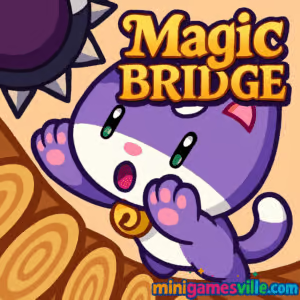
Ready to play Magic Bridge right now? Hit the Play button above to launch Magic Bridge on minigamesville.com and jump into a quick, skill-based arcade challenge that works right in your browser. This online physics-balancing browser game asks you to master momentum, dodge hazards, and rack up coins while chasing a new personal best. If you like precise controls, fast retries, and short, satisfying runs, Magic Bridge will hook you in minutes. Start now and see how high you can climb.
About Magic Bridge
Magic Bridge is a minimalist arcade skill game where a tilting platform becomes your lifeline. You guide an adorable character across a narrow bridge that pivots as you move, turning every step into a micro decision. Simple left and right inputs quickly snowball into high-stakes choices as enemies, gaps, and pickups appear. The loop is tight, the physics are responsive, and the pace ramps up smoothly, which makes Magic Bridge online perfect for quick breaks or long high-score sessions. It is light, fast, and feels great on both desktop and mobile browsers.
History of Magic Bridge
Balance-based arcade games have been fan favorites since the early mobile boom, and Magic Bridge follows that tradition with clean visuals, quick restarts, and character unlocks. The browser version captures the same pick-up-and-play energy, giving you a pure skill test with zero downloads.
Style & Vibe
Magic Bridge has a clean, cozy arcade aesthetic with bright colors and simple shapes. The game’s minimalist design keeps focus on the core mechanics, while the snappy physics and satisfying sound effects create a tight, engaging rhythm. The visuals are crisp and the audio is well-balanced, making it easy to lose track of time during a run.

Gameplay in Magic Bridge
Your goal is survival. The bridge tilts toward your character’s weight, so you must counterbalance quickly to avoid sliding into enemies or off the edge. Coins appear along the way, tempting you into riskier positions. As your run continues, hazards escalate and timing gets tighter. Each character feels a bit different, encouraging you to find a favorite and push for a new record. Magic Bridge plays beautifully with short sessions, which fits the unblocked browser game experience on school or work breaks.
Game Modes
- Endless Survival: The core mode. Stay alive, collect coins, dodge hazards, and set a new high score.
- Coin Focus: Go for high coin counts to unlock more characters faster.
- Score Attack: Aim for distance and flawless movement to top your personal best.
- No-Hit Challenge: A self-imposed challenge for veterans who want extra tension.
How to Play
- Press Play above to start Magic Bridge on minigamesville.com.
- Use left and right inputs to shift your weight on the bridge.
- Avoid touching enemies or slipping off the sides.
- Collect coins during safe windows, then reset your balance.
- Survive as long as possible to set a new high score and unlock more characters.
Controls
- Desktop: Left and Right Arrow keys, or A and D to shift weight.
- Mobile: Tap left side or right side of the screen to move.
- Pause/Restart: Use the on-screen UI.
Device Compatibility & Browser Support
Magic Bridge runs in modern browsers like Chrome, Edge, Firefox, and Safari. It loads fast, uses HTML5 technology, and handles well with keyboard or touch. For the best performance, close extra tabs and keep your browser updated.
Mobile vs. Desktop Gameplay
On desktop, keyboard taps give ultra-precise nudges, great for late-game corrections. On mobile, thumb taps feel natural and make Magic Bridge a pocket-ready time killer. Both control schemes are tight and responsive, so choose the setup that feels best to you.
Can I Play Offline?
The browser version needs an internet connection to load. Once loaded, your session may continue if your connection drops, but saving, progress sync, or reloads require being online. The mobile apps let you play after installation even without a connection.
Can I Play Unblocked?
Magic Bridge is an unblocked browser game for most networks because it runs over standard HTTPS. If your school or workplace filters games, try a different browser, switch to a personal network, or ask your admin to allow minigamesville.com.
Tips & Tricks
Beginner Tips
- Make tiny taps, not long holds. Small corrections keep the bridge stable.
- Collect coins only when the path is clear. Survival beats greed.
- Keep your center. Edges accelerate your slide and reduce reaction time.
- Learn enemy rhythms. Many dangers telegraph movement before they strike.
Advanced Strategies
- Feather your inputs to counter slope acceleration in late-game speed.
- Bait hazards. Step toward danger to trigger movement, then pivot away.
- Route plan for coin clusters by pre-tilting the bridge into catch position.
- Practice recovery. If you over-tilt, pulse opposite inputs to flatten quickly.
Features
- 🎯 Tight, responsive physics that reward micro-movements
- 🧠 Easy to learn, hard to master arcade pacing
- 🐾 Charming characters with different feel and flow
- 💾 Instant restarts, perfect for quick sessions
- 📈 Endless score chase with personal records
- 🔊 Clean sound design that keeps focus on timing
- ⚡ Smooth performance in modern browsers
- 📱 Keyboard and touch controls, play anywhere
Unlockables & Secrets
Collect coins during runs to unlock more characters. Each has a slightly different feel, giving you fresh ways to approach balance and recovery. Keep pushing your high score and you will steadily expand your roster.
Cheats & Mods
There are no official cheats for Magic Bridge. Third-party mods can harm performance or compromise your device. For a fair experience, play the original browser game here or use the official mobile apps.
Walkthrough Summary
- Stabilize your footing with short, alternating inputs.
- Read enemy patterns before committing to a move.
- Grab safe coins, then re-center your balance immediately.
- Use gentle counter-tilts to stop slides and maintain control.
- Repeat the rhythm: balance, read, collect, reset.
Scoring, Records & Progression
Your score reflects survival time and performance. Coins fuel unlocks, which change the game’s feel and keep runs fresh. Track your best attempts and try to beat your personal record with cleaner lines and fewer risky coin grabs.
Why Play Magic Bridge
It is fast to load, easy to grasp, and delivers that satisfying one-more-try pull. Whether you have two minutes or twenty, Magic Bridge fits your schedule and rewards steady improvement. The combination of physics, tempo, and clean visuals makes it a standout arcade browser game.
Pros & Cons of Magic Bridge
- Pros: Crisp physics, instant restarts, strong score chase, great on keyboard and touch.
- Cons: Demands precision, coin routes can tempt risky moves, late-game speed may overwhelm new players.
Keep your browser updated, enable hardware acceleration, and close heavy tabs to reduce input lag. On mobile, update the app when prompted, and disable battery savers during play for smoother touch response.
Similar games to Magic Bridge
- Drive Mad — physics driving with tricky bridges and ramps that test timing.
- Balance Duel — competitive balancing battles where one wobble can cost the round.
- Double Bounce — reflex-driven bouncing that rewards careful rhythm.
- Arrower — minimalist precision puzzler with clean, tap-perfect controls.
- Mini Train — physics puzzles with tracks and cargo that demand smart placement.
- Fire Road — one-tap arcade flying where pathing and timing rule.
- Kori Walk — quirky step-by-step movement that challenges balance and patience.
FAQ
Is Magic Bridge free to play?
Yes, you can play Magic Bridge free in your browser on minigamesville.com.
Does Magic Bridge work on phones and tablets?
Yes, it runs in mobile browsers and there are official iOS and Android apps if you prefer installing.
What genre is Magic Bridge?
It is an arcade skill game with physics balancing and endless high-score chasing.
How do I improve my score?
Use small corrections, learn enemy timing, and collect coins only when your balance is stable.
Is Magic Bridge unblocked at school?
In many cases yes, since it uses standard HTTPS. Network policies vary, so access may depend on your school’s filters.
Can I play with a controller?
Magic Bridge is designed for keyboard and touch. Some controllers can map left and right inputs, but keyboard or taps offer the best feel.
Conclusion
Magic Bridge delivers a clean, addictive arcade loop that rewards patience and precision. Its physics are fair, the learning curve feels right, and the coin-to-unlock flow keeps runs fresh. Whether you are hunting a new PR or killing a few minutes, it shines as a quick-play favorite.
Ready to test your balance and reflexes? Press Play above to start Magic Bridge on minigamesville.com, keep your weight centered, and climb as high as you can.

 Loading...
 English
 Shqip
Shqip
 বাংলা
বাংলা
 Български
 简体中文
简体中文
 Hrvatski
 Čeština
 Dansk
Dansk
 Nederlands
 Suomi
Suomi
 Ελληνικά
 हिन्दी
 Magyar
 Bahasa Indonesia
 日本語
日本語
 한국어
한국어
 Lietuvių
 Bahasa Melayu
 Norsk
Norsk
 Polski
 Português do Brasil
 Română
 Slovenčina
 Slovenščina
 Svenska
 ไทย
ไทย
 Türkçe
 Українська
 اردو
اردو
 Tiếng Việt
 isiZulu
 Español
 Français
 Deutsch
 العربية
 Italiano
 فارسی
فارسی
 Русский