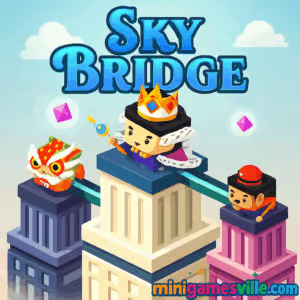
Press Play above to start Sky Bridge on minigamesville.com now. Sky Bridge is a quick-hit arcade browser game where you stretch a bridge between rooftops, chase high scores, and unlock stylish characters. If you enjoy tap-and-hold precision challenges, you will love Sky Bridge online. It loads fast, plays great right in your browser, and is perfect for short sessions. Looking for Sky Bridge unblocked at school or work? Keep reading for tips, controls, and performance tweaks, then jump back in and beat your best streak.
About Sky Bridge
Sky Bridge delivers that classic hyper casual loop: hold to extend, release at the perfect moment, cross to the next tower, repeat. Each crossing gets a little trickier as gaps and tower widths change, so your timing and sense of distance matter. The better your rhythm, the farther you go and the higher your score climbs. Play Sky Bridge on minigamesville.com for a smooth, no-download experience in any modern browser.
History of Sky Bridge
Sky Bridge follows the lineage of one-button distance games that surged in popularity with HTML5. The simple bridge-stretch mechanic, clean visuals, and instant restarts make it ideal for web play. Over time, versions of the game have added collectible skins, score multipliers, and little surprises that reward consistent accuracy.
Style & Vibe
Minimalist, colorful, and satisfying. Sky Bridge uses clean shapes and punchy animations so your eyes lock onto the next gap. Subtle sound cues reinforce your timing, and short rounds invite one more try.

Gameplay in Sky Bridge
The core loop is wonderfully tight. You stand on a rooftop, press and hold to grow a vertical bridge, then release to drop it across the gap. If your bridge is too short, you fall. If it is too long, you overshoot the far edge. Many runs sprinkle coins or gems across rooftops so you can unlock cosmetic characters and trails. Perfect landings often add bonus points or streak multipliers, rewarding consistent timing. The objective is simple: go as far as you can in a single run to set a new record.
Game Modes
- Endless Run: The classic mode, keep crossing rooftops until you miss.
- Challenge Targets: Hit a series of perfect-length bridges to trigger bonus points.
- Daily High Score Push: Short sessions focused on beating your best distance today.
How to Play
- Press and hold to extend the bridge while standing on a rooftop.
- Release when you estimate the length will match the next rooftop’s edge.
- Walk across. Land near the sweet spot for bonus score.
- Repeat across new gaps, collect items, and stack a high streak.
Controls
- Desktop: Click and hold the mouse button, then release to drop the bridge.
- Mobile: Tap and hold the screen, then lift your finger to place the bridge.
- Restart: Click or tap once after a fall to try again instantly.
Device Compatibility & Browser Support
Sky Bridge is built for HTML5, so it runs in current versions of Chrome, Edge, Firefox, and Safari on desktop, laptop, tablet, and phone. For the smoothest experience, keep your browser updated and close heavy background tabs.
Mobile vs. Desktop Gameplay
- Mobile: Direct finger control gives super fine pressure and timing. Great for short sessions on the go.
- Desktop: Mouse clicks offer consistent holds and comfortable long runs, especially on larger screens.
Can I Play Offline?
Sky Bridge is a browser game, so you need an internet connection to load it. After loading, limited offline play may work in some browsers with caching, but reliability varies. For best results, stay online.
Can I Play Unblocked?
Sky Bridge unblocked depends on your network’s policies. Many school or office networks allow access to minigamesville.com. If you hit a block page, try a different network or your mobile connection. Always follow local rules.
- Browser: Play on minigamesville.com with no download, free and instant.
- Official mobile apps: No official App Store or Google Play version of Sky Bridge is available at this time.
- Similar mobile pick: Prefer a tap-length bridge experience on phone? Try Stack by Ketchapp:
Tips & Tricks
Beginner Tips
- Count rhythmically while holding to learn how fast the bridge grows.
- Focus on the edge of the next rooftop, not the center.
- Ignore one or two risky coins early. Build confidence first, then chase extras.
- After a miss, restart immediately and keep your tempo consistent.
Advanced Strategies
- Use micro holds: feather the press to add tiny length adjustments.
- Aim for perfect landings in streaks to power up multipliers.
- If collectibles nudge you off rhythm, skip them and preserve your run.
- Create a mental ruler. For example, one second hold equals a specific gap size, then adapt by small increments.
Features
- One-button precision that feels great on touch or mouse
- Rooftop-to-rooftop crossings with changing gap sizes
- Collectibles that help unlock cosmetic skins
- Perfect-landing streaks that boost score potential
- Instant restarts for rapid, no-wait attempts
- Plays in browser on mobile, tablet, and desktop
- Crisp audio cues that reinforce timing
- Endless high-score chase with shareable bragging rights
Unlockables & Secrets
Many versions of Sky Bridge include unlockable characters or color themes earned through coins, gems, or distance milestones. Keep an eye out for perfect-spot bonuses and special streaks that can multiply your score.
Cheats & Mods
There are no official cheats for Sky Bridge, and third-party mods can harm performance or your device. For the best and safest experience, stick to the original browser version on minigamesville.com.
Walkthrough Summary
Start with short, safe bridges to build confidence, then extend just a touch longer on wider gaps. Track the speed of growth, use rhythmic counting, and target the exact edge of the next rooftop. When you enter a flow state, prioritize perfect-spot drops to push a massive score.
Scoring, Records & Progression
Your score is tied to distance, perfects, and streaks. A steady cadence beats risky grabs. Many players improve by practicing consistent holds, then layering on perfects once their timing stabilizes.
Why Play Sky Bridge
Sky Bridge hits that sweet spot between relaxing and tense. It is easy to learn, instantly replayable, and remarkably satisfying when your bridge length is just right. Whether you have 60 seconds or a full commute, it is a perfect browser game break.
Pros & Cons of Sky Bridge
- Pros: Clean visuals, tight one-button controls, instant restarts, great on any device.
- Cons: High-score arc can feel punishing after a long streak, and chasing collectibles can break rhythm if you overreach.
- Use the latest Chrome, Edge, Firefox, or Safari for best frame pacing.
- Disable heavy extensions or ad-blockers if you notice input delay.
- On mobile, close background apps and enable low-power graphics modes only if you see stutter.
- If audio lags, toggle sound off and back on or refresh the page.
Similar games to Sky Bridge
- Candy Jump — tap to keep a candy bouncing through tight gaps with perfect timing.
- Down the Hill — rapid-fire left or right decisions as you dash down a hazardous mountain.
- Wheelie Bike — balance a bike on one wheel and ride as far as your skill allows.
- Swerve — single-click lane changes at speed, perfect for honing reaction time.
- Color Tunnel — race through a vibrant tunnel and dodge obstacles with smooth, twitchy control.
- Turn Turn — guide your piece through sharp corners, mastering tap-to-turn timing.
FAQ
What is Sky Bridge?
Sky Bridge is a fast, one-button arcade browser game where you extend a bridge between rooftops to travel as far as possible.
Where can I play Sky Bridge online?
You can play Sky Bridge directly in your browser on minigamesville.com with no download.
Is Sky Bridge unblocked?
Access depends on your network. Many players can enjoy Sky Bridge unblocked on minigamesville.com, but school or office filters may vary.
Does Sky Bridge have multiple modes?
Most web builds center on endless high-score runs, with bonus challenges tied to perfect placements and collectibles.
What are the controls for Sky Bridge?
Press and hold to grow the bridge, release to drop it. Use mouse on desktop or your finger on mobile.
Can I play Sky Bridge on my phone?
Yes, it runs in mobile browsers. For an app-style alternative, try Stack on iOS or Android using the links above.
How do I improve my high score?
Practice a steady hold rhythm, aim for the edge of each rooftop, and chain perfect landings to grow multipliers.
Conclusion
Few games turn a single press into this much tension and fun. Sky Bridge nails the feel of timing, makes every perfect drop rewarding, and keeps you chasing one more run. It is the kind of browser game you will return to whenever you have a spare minute.
Ready to test your timing? Hit Play above and start Sky Bridge on minigamesville.com right now. Dial in your rhythm, chain those perfects, and set a new personal best today.

 Loading...
 English
 Shqip
Shqip
 বাংলা
বাংলা
 Български
 简体中文
简体中文
 Hrvatski
 Čeština
 Dansk
Dansk
 Nederlands
 Suomi
Suomi
 Ελληνικά
 हिन्दी
 Magyar
 Bahasa Indonesia
 日本語
日本語
 한국어
한국어
 Lietuvių
 Bahasa Melayu
 Norsk
Norsk
 Polski
 Português do Brasil
 Română
 Slovenčina
 Slovenščina
 Svenska
 ไทย
ไทย
 Türkçe
 Українська
 اردو
اردو
 Tiếng Việt
 isiZulu
 Español
 Français
 Deutsch
 العربية
 Italiano
 فارسی
فارسی
 Русский