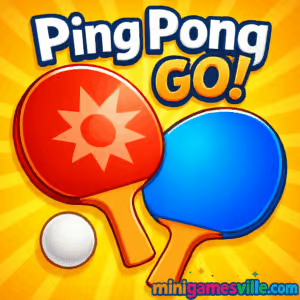
Ready to rally? Click Play and jump into Ping Pong Go! on minigamesville.com right now. This fast, free online browser game serves up quick table tennis duels with crisp physics, clean visuals, and instant fun. Whether you have two minutes between tasks or want a full arcade session, Ping Pong Go! delivers snappy batting, easy controls, and satisfying skill growth. If you need a school or work friendly option, it’s an unblocked ping pong experience that runs directly in your browser. Grab your paddle, win streaks, and chase high scores in Ping Pong Go! today.
About Ping Pong Go!
Ping Pong Go! is a lightweight, physics-driven table tennis arcade built for the browser. You get the feel of real spin, timing windows that reward precision, and short matches that keep you coming back for one more point. Designed for quick play and smooth performance, it is perfect for casual players and score chasers alike. Expect responsive movement, clean ball trails, and a focus on placement, angles, and rhythm. Play Ping Pong Go! for pure rally satisfaction, then return to improve your accuracy and reaction time.
History of Ping Pong Go!
Ping Pong Go! nods to classic paddle games while embracing modern browser tech. The minimalist look and pick-up-and-play flow recall early arcade roots, yet the contact timing, bounce arcs, and spin curves feel distinctly current. That blend makes Ping Pong Go! approachable for first-timers and rewarding for veterans who love shaving milliseconds off their swing.
Style & Vibe
Bright tables, clean UI, and subtle effects keep your focus on the ball. Sound cues pop when you nail a perfect hit, and the rally tempo ramps up as you find your groove.

Gameplay in Ping Pong Go!
Every rally in Ping Pong Go! centers on timing, angle, and pace. Serves kick things off with a tap or click, then you track the ball and meet it at the sweet spot. Early contact flattens your shot for speed, late contact adds lift for safety, and directional input guides placement to corners. Spin is earned by subtle directional drags at impact, letting you bend winners past aggressive opponents. Miss the timing window and you risk clipping the net or handing over an easy put-away. The learning curve is smooth, so you quickly feel the difference between a safe block and a ripping drive.
Game Modes
- Quick Match: Jump into a fast best-of series that’s ideal for warmups and short breaks.
- Endless Rally: Keep the ball alive as streaks accelerate speed and tighten timing windows.
- Target Challenge: Hit highlighted zones for score multipliers and precision practice.
- Time Attack: Rack up points before the clock expires. Clean hits add bonus seconds.
How to Play
- Press Play and choose a mode.
- On serve, tap or click to start the rally.
- Track the bounce, then meet the ball with a smooth horizontal motion.
- Use small drags at impact to add topspin or sidespin.
- Aim for edges and corners to force weak returns, then finish the point.
Controls
- Desktop: Mouse or trackpad to move the paddle. Click or press Space to serve. Esc or P to pause.
- Mobile: Touch and drag to position the paddle. Quick flicks add pace, longer drags shape spin.
- Accessibility: Toggle reduced effects in Settings if available, and use Focus or Fullscreen for clarity.
Device Compatibility & Browser Support
Ping Pong Go! is a browser game optimized for modern Chrome, Edge, Safari, and Firefox. It runs on Windows, macOS, Android, iOS, and Chromebooks with no download required. For best results, keep one tab active, enable hardware acceleration, and use Fullscreen.
Mobile vs. Desktop Gameplay
- Mobile: Great for quick rallies. Touch controls feel natural for short swipes and spin drags.
- Desktop: Maximum precision. A mouse or trackpad helps with micro-adjustments and edge placements.
Can I Play Offline?
Ping Pong Go! loads and saves through your browser, so you need an internet connection to start a session. After initial load, limited offline play may work in some browsers, but features like saves or leaderboards can require a connection.
Can I Play Unblocked?
Ping Pong Go! runs directly in your browser on minigamesville.com, which helps it work in many filtered environments. If your network restricts gaming, ask your administrator about allowing educational reaction-time games or try a personal device on a permitted network.
- Browser: Play Ping Pong Go! on minigamesville.com with no download.
- Official mobile stores for Ping Pong Go!: No official iOS or Android app is available as of August 19, 2025.
- Want a mobile table tennis fix? Try Ping Pong Fury on:
Tips & Tricks
Beginner Tips
- Meet the ball in front of your paddle, not beside it. Early contact equals pace, late contact equals safety.
- Open with body shots. Forcing a jammed return sets up an easy follow-up.
- Serve to the backhand, then aim wide to the forehand to stretch defenses.
- Keep rallies medium pace until you lock in timing, then add speed and spin.
Advanced Strategies
- Blend topspin drives with slow, loaded sidespin to bait overhits.
- Vary depth. Short skidders pull opponents in, then a deep corner shot pushes them out.
- Disguise your contact point. Show a flat stroke, then add late wrist for curve.
- Close out points with body feints. Nudge one way, swing the other.
Features
- 🏓 Snappy, realistic ball physics that reward timing
- ⚡ Instant quick matches for bite-size fun
- 🎯 Target and time-attack challenges for precision play
- 📈 Score streak multipliers that raise the stakes
- 🎮 Seamless mouse, touch, or trackpad controls
- 🖥️ Fullscreen support for clear tracking
- 🔊 Crisp audio feedback on clean contact
- 🌐 Works on desktop, mobile, and Chromebook
Unlockables & Secrets
Keep an eye on mode goals and streak milestones. Many browser builds reward flawless runs and perfect serves with subtle visual tweaks, new colorways, or extra difficulty ramps.
Cheats & Mods
There are no official cheats for Ping Pong Go!, and modding a browser game can break saves or cause performance dips. For a fair challenge, use practice modes, lower visual effects if available, and focus on consistent timing windows.
Walkthrough Summary
- Warm up in Endless Rally to lock in timing and depth.
- Switch to Quick Match and serve body or backhand first.
- Win early points with deep corners after a short ball.
- When ahead, slow the pace and aim center to draw mistakes.
- Chase multipliers in Target or Time Attack to boost scores.
Scoring, Records & Progression
Your progress in Ping Pong Go! revolves around clean contacts, rally streaks, and finishing precision. Long rallies increase ball speed and pressure. Hitting highlighted zones or winning points in sequence raises multipliers, which is key for leaderboard climbs. Record personal bests by mixing safe rally shots with well-timed finishers.
Why Play Ping Pong Go!
If you love quick, skill-based sports games, Ping Pong Go! is the perfect pick. It loads fast, plays smoothly on any device, and makes every rally feel purposeful. Whether you are practicing spin control, sharpening reaction time, or chasing streaks, this is table tennis that fits your day.
Pros & Cons of Ping Pong Go!
- Pros: Instant play, responsive physics, simple controls, great for short sessions, unblocked browser access.
- Cons: Requires internet to load, precision takes practice, visual options may be minimal on some devices.
- Use a modern browser with hardware acceleration enabled.
- Close heavy tabs, then refresh the game for a clean start.
- Toggle Fullscreen for smoother tracking and fewer missed swings.
- If input feels delayed, try another browser or incognito to rule out extensions.
- On mobile, lock screen orientation and disable low power mode during play.
Similar games to Ping Pong Go!
- Ping Pong Chaos — wild physics duels with chaotic bounces and hilarious rallies.
- Double Bounce — juggle timing across two paddles for arcade-style tension.
- Pocket Hockey — air-hockey precision and bank-shot mastery in your browser.
- Space Ballz — fast ball control with gravity-defying curves and clutch saves.
- Bounce Ball — simple one-tap physics that reward rhythm and focus.
FAQ
What is Ping Pong Go!?
Ping Pong Go! is a free online table tennis browser game that focuses on quick rallies, clean physics, and easy controls.
Where can I play Ping Pong Go!?
You can play directly in your browser on minigamesville.com with no download.
Is Ping Pong Go! unblocked?
Since it runs in the browser, it works on many networks. If your school or office blocks games, ask for permission before playing.
Do I need an account to play?
No account is required to start a match, so you can play instantly.
Does Ping Pong Go! support controllers?
The game is designed for mouse, trackpad, or touch. Most players prefer mouse or touch for precision.
How do I add spin in Ping Pong Go!?
Drag slightly at contact to curve the ball. Earlier contact adds speed, later contact adds lift.
Can I play Ping Pong Go! on my phone?
Yes, it runs in mobile browsers on iOS and Android. Use touch and drag controls for smooth shots.
Is there an official app for Ping Pong Go!?
No, there is no official mobile app as of August 19, 2025. For mobile table tennis, try Ping Pong Fury on Google Play and the App Store.
Conclusion
Ping Pong Go! blends classic arcade energy with modern, responsive physics for a table tennis experience that just feels right. The first few rallies teach timing and placement, then the pursuit of cleaner contact and sharper spin takes over. It is the kind of browser game you open for a minute and end up playing for twenty.
Ready to rally for real? Hit Play on Ping Pong Go! on minigamesville.com, chase your next streak, and pin that personal best. If you want to keep the action going on mobile, grab a phone and practice those spins between sessions. See you at the table.

 Loading...
 English
 Shqip
Shqip
 বাংলা
বাংলা
 Български
 简体中文
简体中文
 Hrvatski
 Čeština
 Dansk
Dansk
 Nederlands
 Suomi
Suomi
 Ελληνικά
 हिन्दी
 Magyar
 Bahasa Indonesia
 日本語
日本語
 한국어
한국어
 Lietuvių
 Bahasa Melayu
 Norsk
Norsk
 Polski
 Português do Brasil
 Română
 Slovenčina
 Slovenščina
 Svenska
 ไทย
ไทย
 Türkçe
 Українська
 اردو
اردو
 Tiếng Việt
 isiZulu
 Español
 Français
 Deutsch
 العربية
 Italiano
 فارسی
فارسی
 Русский