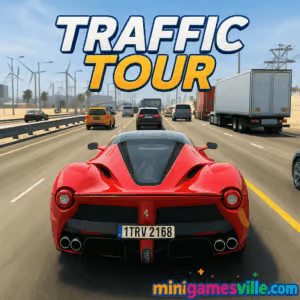
Jump in and play Traffic Tour right now on MiniGamesVille! This fast, free online racing browser game drops you into dense highway traffic where split-second lane changes and perfect nitro timing decide every run. Traffic Tour serves up silky handling, punchy collisions, and an arcade vibe that feels great on both desktop and mobile. Looking for an unblocked car game you can fire up between classes or on a quick break? Hit the gas and start chasing new records on MiniGamesVille today.
About Traffic Tour
Traffic Tour is all about pure speed, clean weaving, and clutch decision making. You dart through cars, rack up near-miss bonuses, and chain boosts to keep your momentum alive. As a pick‑up‑and‑play racer, it nails short sessions while still offering long‑term goals like new rides, upgrades, and mastery challenges. Whether you call it a driving simulator or an endless racer, it’s tuned for satisfying runs you will want to repeat.
History of Traffic Tour
Built by Wolves Interactive, the series has evolved from a simple highway dash into a robust racing experience with multiple modes, a deeper upgrade path, and tight touch or keyboard controls. Over time it has added smarter traffic patterns, cosmetic customization, and better performance on modern browsers and phones.
Style & Vibe

Expect glossy car models, long sunlit straights, and moody night drives. Color pops, motion blur, and a clean HUD keep your focus on the road ahead. The whole presentation screams arcade energy without overcomplicating the screen.
Gameplay in Traffic Tour
The flow is simple: accelerate, read traffic, commit to gaps, and stack risk for score. Physics are light enough to feel responsive yet weighty enough to punish sloppy lines. Drafting behind trucks, near‑miss streaks, and traveling faster than the pack all pump your multiplier. Cash and parts unlock new vehicles and upgrades, which in turn open higher speeds and bigger scores. Traffic Tour rewards confident aggression and smooth rhythm.
Game Modes
- Endless: Pure survival and score chasing. Keep your combo alive by overtaking close and clean.
- Career: Structured missions with targets like distance, overtakes, and time gates.
- Time Trial: Beat the clock with perfect lines and well‑timed nitro.
- Free Run: Practice routes and experiment with camera views or control styles.
- Multiplayer: Head‑to‑head sprints where smart nitro management wins.
How to Play
- Pick a car and a mode, then glance at the objective before rolling out.
- Hold a steady top speed, scan 2–3 cars ahead, and plan exits before you commit.
- Chain near‑misses by passing close at high speed to grow your score and cash.
- Use nitro on clean straights or to escape dense packs, not inside lane changes.
- Bank winnings, upgrade speed, handling, and brakes, then push for a new PB.
Controls
- Desktop: Arrow keys or WASD to steer, Shift or Space for nitro, C to switch camera, M to mute.
- Mobile: On‑screen arrows or tilt steering, tap the nitro icon for boosts, tap camera icon to change view.
Device Compatibility & Browser Support
Traffic Tour runs smoothly in modern browsers like Chrome, Edge, Firefox, and Safari. It plays great on Windows, macOS, Chromebooks, iOS, and Android. For the best performance, keep your browser updated and close heavy background tabs.
Mobile vs. Desktop Gameplay
- Mobile: Tilt controls feel natural, perfect for quick sessions, and the UI is touch‑friendly.
- Desktop: Keyboard steering offers micro‑corrections and slightly tighter lines for higher scores.
Can I Play Offline?
In your browser, Traffic Tour requires an internet connection. Some mobile features may also rely on being online for syncing and events.
Can I Play Unblocked?
MiniGamesVille hosts the game on a secure HTTPS domain, which works on most networks. School or workplace filters vary, so availability depends on local policies. If it is restricted, try a different network or device within your guidelines.
Console and PC versions also exist, but for quick access the browser game on MiniGamesVille is the fastest way to play.
Tips & Tricks
Beginner Tips
- Read traffic early. Keep your eyes two lanes over so you can pre‑select gaps.
- Hug the center lanes. They offer more exit options than the far left or right.
- Farm near‑misses safely. Start with small brushes at 60–70 percent speed, then ramp it up.
- Spend early cash on handling. Tighter steering control saves more runs than raw speed.
- Use nitro only when the road is straight and clear.
Advanced Strategies
- Chain overtakes in traffic clusters to spike your multiplier, then stabilize before the next push.
- Feather inputs. Quick taps on steering keep your line smooth and speed retention high.
- Time‑of‑day maps change traffic density. Pick your favorite pattern for PB attempts.
- Swap camera angles. Driver‑cam helps with depth judging, third‑person helps with lateral spacing.
- Route scanning: mentally mark a 3‑car rhythm, commit, then recover in a safe pocket.
Features
- 🚗 Snappy arcade handling with satisfying near‑miss scoring
- 🌆 Multiple environments with day and night variants
- 🛞 Car upgrades for speed, handling, and brakes
- 💥 Nitro boosts for clutch overtakes and photo‑finish wins
- 🎮 Five modes including Endless, Career, and multiplayer
- 📸 Multiple camera views to match your play style
- 📈 Persistent progression with new rides to unlock
- 🔊 Clean UI and crisp audio feedback
Unlockables & Secrets
Earn cash through combos and mission clears to unlock faster cars. Some paint jobs and wheel styles appear after you hit certain distance goals or mode milestones. Keep an eye on event screens, which rotate limited‑time rewards.
Cheats & Mods
There are no official cheats. Third‑party mods or hacks risk saves, performance, and security. For a fair race and stable runs, stick to the official browser version and store builds.
Walkthrough Summary
- Start in Endless with a balanced car. Practice clean near‑misses to build early bankroll.
- Invest first in handling, then brakes, then speed. This order preserves more attempts.
- Enter Career for structured missions. Use these to learn traffic rhythms and earn steady cash.
- Switch to Time Trial for line discipline. When confident, jump into multiplayer and apply nitro tactics.
Scoring, Records & Progression
Score comes from distance, speed, and near‑miss chains. Longer streaks boost multipliers and payouts. New personal bests unlock cosmetics and cars that raise your skill ceiling, letting you chase even bigger numbers on tougher traffic seeds.
Why Play Traffic Tour
If you want a free racing game that feels great immediately yet still rewards practice, Traffic Tour is a perfect pick. It fits quick coffee‑break runs and long weekend sessions, and it works on whatever device you have handy.
Pros & Cons of Traffic Tour
- Pros: Smooth controls, fast loading, clear goals, satisfying upgrade loop, multiple modes.
- Cons: Traffic RNG can spike difficulty, cosmetic grind takes time, multiplayer punishes late nitro use.
- Keep your browser up to date and enable hardware acceleration in settings.
- Close extra tabs and extensions that overlay pages or inject scripts.
- On laptops, plug in for better CPU/GPU performance and smoother frame pacing.
- If input feels laggy, switch to a lower resolution or change the camera to reduce motion blur.
Similar games to Traffic Tour
- Drift Boss — one‑button cornering where timing drifts keeps you on narrow platforms.
- Swerve — minimalist lane‑switching with rising speed and tight gaps.
- Color Tunnel 2 — hyperspeed obstacle dodging inside a neon tunnel.
- Superbike Hero — top‑down motorbike GP racing with smart slipstreaming.
- Moto X3M Bike Race Game — stunt‑heavy time trials with physics that reward precision.
- Shortcut Race — collect planks and carve new racing lines across water for cheeky wins.
FAQ
Is Traffic Tour free to play in my browser?
Yes, you can launch the browser game on MiniGamesVille without paying to play.
Does Traffic Tour support controllers?
It is optimized for keyboard and touch. Some browsers map controllers, but keyboard or touch offers the best consistency.
What is the fastest way to earn cash?
Chain safe near‑misses in Endless, avoid crashes, and complete Career missions for steady bonuses.
Which upgrades should I buy first?
Go handling, then brakes, then speed. Better control keeps runs alive longer.
Is Traffic Tour an unblocked game at school?
Many networks allow it, but access depends on local rules. Always follow your school or workplace policies.
Conclusion
Ready to thread the needle at 100 mph and stack near‑miss streaks like a pro? Traffic Tour is the kind of racing game that feels great from your first run and gets even better as your lines tighten and your reflexes sharpen.
Start your next run now: play Traffic Tour on MiniGamesVille, set a fresh personal best, and come back for one more go when the itch to overtake strikes.

 Loading...
 English
 Shqip
Shqip
 বাংলা
বাংলা
 Български
 简体中文
简体中文
 Hrvatski
 Čeština
 Dansk
Dansk
 Nederlands
 Suomi
Suomi
 Ελληνικά
 हिन्दी
 Magyar
 Bahasa Indonesia
 日本語
日本語
 한국어
한국어
 Lietuvių
 Bahasa Melayu
 Norsk
Norsk
 Polski
 Português do Brasil
 Română
 Slovenčina
 Slovenščina
 Svenska
 ไทย
ไทย
 Türkçe
 Українська
 اردو
اردو
 Tiếng Việt
 isiZulu
 Español
 Français
 Deutsch
 العربية
 Italiano
 فارسی
فارسی
 Русский