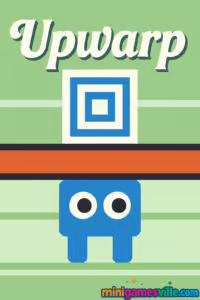
Hit Play now and try Upwarp on minigamesville.com to see how far your brain and reflexes can take you in this clever puzzle platformer. Upwarp is an online browser game that mixes smart portal mechanics with tight movement, perfect for quick sessions or full-on marathons. Adjust a floating portal with plus and minus pickups, then warp upward at just the right moment. If you enjoy unblocked puzzle challenges, precision platforming, and minimalist arcade vibes, Upwarp belongs on your daily playlist. Ready to warp your way to the goal? Press start and dive in.
About Upwarp
Created by indie designer Robert Alvarez, Upwarp distills platform puzzling into one elegant idea: carry a portal above your head, tune its height, then warp to new platforms to reach the exit. The twist is timing and foresight. You are always thinking one move ahead, planning where to grab a plus or minus power-up, staging your character under the right ceiling, then popping a warp to climb past hazards. Short levels make each attempt snappy, yet solutions feel satisfying and earned.
History of Upwarp
Upwarp follows the creator’s tradition of compact, ingenious puzzle platformers that favor clean visuals, readable physics, and a single standout mechanic. Fans of titles like Chessformer, Resizer, and Jumping Shell will feel right at home. While Upwarp is built for the web, it plays beautifully on both desktop and mobile browsers, delivering quick-load play sessions with zero installs.
Style & Vibe
Slick, readable art and soft effects keep the focus on puzzle clarity. The UI is minimal, animations are crisp, and color cues make plus and minus pickups instantly recognizable. The result is a calm but challenging atmosphere where your plan matters more than twitch reactions.

Gameplay in Upwarp
Every stage asks you to navigate platforms and gaps while managing the height of the portal floating above your character. Collect a plus to raise it, grab a minus to lower it, then stand in a smart spot and trigger the warp to appear at portal height. The flow is learn, test, refine. You will scout the map, decide the order of pickups, stage your character safely, and warp at the right moment. Challenges ramp from basic vertical ascents to multi-step puzzles that chain several height changes in a single, clean route.
Game Modes
- Level progression: A curated sequence of handcrafted stages with escalating complexity.
- Self-made speedrun: No timer pressure by default, but the short, restart-friendly design invites you to chase personal bests.
How to Play
- Survey the level and locate plus and minus pickups, hazards, and the goal.
- Plan a route that sets your portal height to match the platforms you need to reach.
- Stand under a safe ceiling or open space where a warp will place you on stable ground.
- Trigger your warp, then repeat the process to climb in stages.
- If your plan breaks, reset instantly and iterate. Each attempt teaches a cleaner route.
Controls
- Warp: W or Up Arrow
- Move: A and D or Left and Right Arrows
- Reset level: R
- Back: Esc
- Touch: On mobile, use on-screen arrows to move and tap the warp button.
Device Compatibility & Browser Support
Upwarp runs in modern browsers on desktop and mobile. For the best experience, use the latest version of Chrome, Edge, Firefox, or Safari. Keyboard play shines on desktop, while touch input makes quick attempts easy on phones and tablets.
Mobile vs. Desktop Gameplay
- Mobile: Great for bite-size sessions, instant resets, and casual puzzling on the go.
- Desktop: Precise keyboard control helps with tight setups and advanced routes.
Can I Play Offline?
Upwarp is a browser game, so you need an internet connection to load and play on minigamesville.com.
Can I Play Unblocked?
Upwarp is an unblocked-friendly web game that usually runs on school or work networks where gaming sites are permitted. If you run into a content filter, try switching browsers or a different network. School policies vary, so availability can differ by location.
- Browser: Play Upwarp free on minigamesville.com with no downloads.
No official iOS or Android app exists for Upwarp at this time. Want a similar mobile experience? Try the acclaimed minimalist arcade title Duet here:
Tips & Tricks
Beginner Tips
- Before moving, scan the whole level and decide which pickups you need first.
- Use safe platforms as staging areas to adjust portal height without pressure.
- Stand directly under ceilings or near ledges so a warp lands you securely.
- Reset quickly after a mistake to keep your mental map fresh.
- Think in steps: raise, warp, stabilize, then adjust again.
Advanced Strategies
- Route planning matters. Minimize extra pickups to keep the portal at optimal height.
- Bait tricky jumps by pre-positioning near edges so a warp places you on the thinnest ledges.
- Use minus pickups to duck the portal under hazards and set up a precise warp window.
- Practice partial routes. Master one chain of actions, then stitch segments together.
- Speedrun mindset: buffer movements during warp landings to save frames.
Features
- 🌀 Signature portal-height puzzle mechanic
- 🧩 Handcrafted levels with clean solutions
- ⚡ Instant resets for rapid iteration
- 🎯 Tight controls that reward planning and timing
- 📱 Smooth mobile and desktop play
- 🔁 High replay value for self-made speedruns
- 👀 Minimalist visuals for clear readability
- 🔊 Subtle audio cues that support focus
Unlockables & Secrets
Upwarp focuses on puzzle completion instead of permanent unlock trees. The joy comes from mastering routes and discovering elegant solutions that use fewer pickups. If you crave extra challenge, set personal goals like no-miss clears or time targets.
Cheats & Mods
There are no official cheats or mods for Upwarp. To preserve fair play and performance, avoid untrusted extensions or scripts. Mastering the core mechanic is the real path to progress.
Walkthrough Summary
Plan the order of plus and minus pickups, position under safe ceilings, then warp in short, controlled bursts. Most solutions use a neat cycle: raise portal, warp, stabilize, adjust down or up, warp again, finish. If a chain feels messy, reset and trim extra pickups.
Scoring, Records & Progression
Upwarp tracks progress by level completion. Many players chase personal records like fewest resets or fastest clear. Because stages are short and readable, you can learn reliable lines and improve consistency over time.
Why Play Upwarp
If you love brainy platformers that respect your time, Upwarp delivers. It is approachable, restart-friendly, and designed for both quick breaks and deep routing sessions. The portal-height system is simple to learn yet rich enough to stay fresh across the full set of levels.
Pros & Cons of Upwarp
- Pros: Clean design, clever single-mechanic focus, instant resets, great on any device, unblocked-friendly browser play.
- Cons: No formal timer or leaderboard by default, minimalist presentation may feel sparse if you prefer flashy collectibles.
- Keep your browser updated for smoother input and audio timing.
- Enable hardware acceleration in browser settings for steadier frame rate.
- Close heavy tabs and disable aggressive ad or script blockers on this page to prevent input lag.
- On mobile Safari or Chrome, add the page to your Home Screen for a cleaner fullscreen feel.
Similar games to Upwarp
- Geometry Dash Lite — iconic rhythm platforming that tests timing and precision.
- Color Tunnel — hyperspeed tunnel dodging with razor-sharp reflex checks.
- Color Tunnel 2 — fresh obstacles and patterns for endless dodge mastery.
- Parkour Block 6 — precise block-jumping challenges that reward clean routes.
- Parkour Block 7 — more first-person parkour trials with tight jumps.
- Swerve — minimalist lane switching at high speed for instant replayability.
- Down The Hill — one-tap downhill traversal with traps that punish hesitation.
FAQ
What genre is Upwarp?
Upwarp is a browser-based puzzle platformer with arcade pacing and instant resets.
Is Upwarp free to play online?
Yes, you can play Upwarp online for free on minigamesville.com with no download required.
Does Upwarp support mobile touch controls?
Yes, the game supports tap controls on phones and tablets, making short sessions super convenient.
Can I play Upwarp unblocked at school?
Often yes, but access depends on local network rules. If your school blocks gaming, try from home or a permitted network.
Are there official mobile apps for Upwarp?
No, Upwarp currently has no official iOS or Android app. If you want a similar mobile experience, try Duet on the App Store or Google Play using the links above.
Why does my browser lag while playing?
Outdated browsers or heavy extensions can cause stutter. Update your browser, enable hardware acceleration, and close extra tabs.
Conclusion
Upwarp takes a single smart idea and turns it into hours of brain-pleasing platform puzzling. The portal-height mechanic feels fresh, the controls are crisp, and the short levels make it perfect for quick breaks or chill speedrun practice.
Ready to climb with style and smarts? Press play on Upwarp right here on minigamesville.com, tweak that portal like a pro, and warp your way to the finish.

 Loading...
 English
 Shqip
Shqip
 বাংলা
বাংলা
 Български
 简体中文
简体中文
 Hrvatski
 Čeština
 Dansk
Dansk
 Nederlands
 Suomi
Suomi
 Ελληνικά
 हिन्दी
 Magyar
 Bahasa Indonesia
 日本語
日本語
 한국어
한국어
 Lietuvių
 Bahasa Melayu
 Norsk
Norsk
 Polski
 Português do Brasil
 Română
 Slovenčina
 Slovenščina
 Svenska
 ไทย
ไทย
 Türkçe
 Українська
 اردو
اردو
 Tiếng Việt
 isiZulu
 Español
 Français
 Deutsch
 العربية
 Italiano
 فارسی
فارسی
 Русский