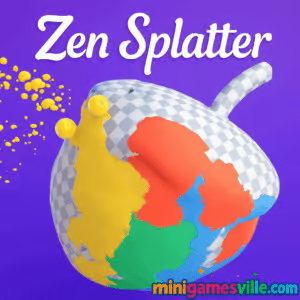
Press Play to unwind: jump into Zen Splatter right here on minigamesville.com and start splashing color instantly. Zen Splatter is a relaxing online browser game that blends 3D painting with chill, ASMR-like feedback. If you want a simple creative break, this unblocked art toy lets you rotate objects and shower them with paint for a soothing, no-pressure flow. Paint, rotate, repeat, then screenshot your favorites. Ready to destress and create a mini masterpiece? Hit Play above and try Zen Splatter now.
About Zen Splatter
Zen Splatter is a minimalist color-splatter experience built for bite-size creativity. Pick an object, choose hues, and cover every angle with satisfying splashes. There is no complicated setup or heavy tutorial, just pure, tactile painting fun in your browser. Whether you have two minutes or twenty, Zen Splatter delivers quick creative wins without downloads or logins.
History of Zen Splatter
This calm coloring concept stems from the surge of stress-relief games that favor sensory feedback over high-stakes scoring. Zen Splatter embraces that approach with bright palettes, soft audio cues, and intuitive mouse or touch controls. The result: a breezy painting playground that feels great on both desktop and mobile browsers.
Style & Vibe
Expect smooth gradients, gentle splashes, and a clean UI that keeps your focus on color. The palette pops against neutral backgrounds, and paint physics make every tap feel rewarding. Whether you go neon or pastel, the finished pieces look surprisingly gallery-ready.

Gameplay in Zen Splatter
The loop is simple and satisfying. Choose an object, then splatter paint to coat every visible surface. Rotate the model to reveal hidden areas, swap colors on the fly, and layer tones for depth. The physics sell the illusion: droplets spread, overlap, and blend as you cover edges and creases. Zen Splatter feels great with a mouse, trackpad, or finger, and it is perfect for short creative breaks.
Game Modes
- Free Paint: Relaxed coloring with no timers and no fail state.
- Completion Goals: Aim for full coverage or try personal challenges like single-palette or two-tone pieces.
- Photo Moment: Finish a piece, then grab a screenshot to share.
How to Play
- Press Play above to load Zen Splatter.
- Select an object from the gallery.
- Tap or click to splatter paint where your cursor or finger lands.
- Rotate the object to reach hidden angles and edges.
- Switch colors anytime to build gradients or contrasting accents.
- Finish when it feels right, then screenshot your artwork.
Controls
- Desktop: Left click to paint, drag or right click and drag to rotate, mouse wheel or pinch on trackpad to zoom.
- Mobile/Tablet: Tap to splatter, drag to rotate, pinch to zoom.
- UI: Palette buttons to swap colors, reset to start fresh.
Device Compatibility & Browser Support
Zen Splatter runs in modern browsers like Chrome, Edge, Firefox, and Safari. Enable hardware acceleration for the smoothest paint effects. Keep at least a few hundred MB of free memory on mobile for clean performance.
Mobile vs. Desktop Gameplay
Desktop gives the most precise rotations and long-session comfort. Mobile shines for quick, one-handed sessions, with tap-to-splatter that feels instantly responsive.
Can I Play Offline?
Zen Splatter is an online browser game, so a live internet connection is required to load and play.
Can I Play Unblocked?
Zen Splatter on minigamesville.com is a lightweight, HTML5 browser game. If your network allows gaming sites, it should run unblocked with no install needed. School or work policies vary, so access depends on local rules.
- Browser: Play on minigamesville.com, no download required.
- Official mobile stores: No official Zen Splatter app is available on iOS or Android at this time.
Want a similar mobile chill-coloring fix? Try this relaxing pick with working store links:
Tips & Tricks
Beginner Tips
- Start with high-contrast colors so unpainted spots are easy to see.
- Spin the object after every few splats to catch edges and underhangs.
- Work in sections, top to bottom or left to right, for clean coverage.
- Use a mid-tone base, then add brighter highlights last.
Advanced Strategies
- Layer complementary colors for depth, for example teal over warm orange.
- Use light taps for speckled textures, firm taps for dense coverage.
- Create soft gradients by stepping through close hues from dark to light.
- Limit yourself to two colors for bold, poster-like pieces.
Features
- 🎨 One-tap painting with satisfying splatter physics
- 🧘 Relax-first design, no timers or pressure
- 🖼️ Rotatable 3D objects with hidden angles to discover
- 🌈 Quick-access palettes for fast color swaps
- 📸 Screenshot-ready results for easy sharing
- ⚙️ Runs instantly in your browser, no downloads
- 📱 Smooth on desktop, tablet, and phone
- 🔊 Subtle audio feedback that keeps the vibe calm
Unlockables & Secrets
Zen Splatter focuses on creative freedom rather than heavy progression. Set personal goals like full coverage, two-tone art, or speed paint challenges to keep things fresh.
Cheats & Mods
There are no official cheats or mods. To keep your session stable and fair, stick with the in-game palette and settings, and avoid third-party tools.
Walkthrough Summary
Pick an object, choose a base color, splatter broad areas, rotate to reach undersides, add accent colors, and finish with highlights. Take a screenshot of your favorite angle and start a new piece. That is the whole relaxing loop of Zen Splatter.
Scoring, Records & Progression
Zen Splatter is mostly score-free. Track personal milestones like time-to-finish, coverage neatness, or theme consistency across a set of colors. Build a gallery of screenshots to see your style evolve.
Why Play Zen Splatter
If you want a creative reset without complex rules, Zen Splatter delivers instant painting joy. It is perfect between meetings, during a study break, or when you just need five calm minutes.
Pros & Cons of Zen Splatter
- Pros: Instant play in browser, soothing feedback, great on any device, creative satisfaction in minutes.
- Cons: Minimal progression for achievement hunters, no offline mode, creative tools purposely simple.
- Keep your browser updated to the latest stable version for best WebGL performance.
- Close heavy tabs and disable GPU-intense extensions when you paint.
- On mobile, switch to a low-power background mode and keep at least 20 percent battery for smoother sessions.
- If input feels laggy, toggle hardware acceleration in browser settings and relaunch.
Similar games to Zen Splatter
- Green — a clever, minimalist color puzzle where each level hides a new trick.
- Tap It Away — tap blocks off a 3D cube for a stress-busting, tidy-up vibe.
- Sudoblocks — a clean block-placement puzzler that rewards calm planning.
- Breakoid — neon brick-breaking with slick effects and easy pick-up sessions.
- Color Ball Chaos — fast color-matching bursts with lively particle splashes.
- Arrower — guide arrows to goals in crisp, logic-first levels.
FAQ
What is Zen Splatter?
Zen Splatter is a relaxing online browser game where you rotate 3D objects and splatter paint to create colorful, shareable pieces.
Is Zen Splatter free to play?
Yes, it runs free in your browser with no download required.
Does Zen Splatter have multiple modes?
It focuses on free paint and personal challenges like full coverage or limited-palette runs.
Can I play Zen Splatter on my phone?
Yes, it works in modern mobile browsers. Tap to paint and pinch to zoom for a smooth handheld experience.
Is Zen Splatter unblocked at school or work?
Access depends on local network policies. If gaming sites are allowed, the game should run with no install needed.
Does Zen Splatter have an app on iOS or Android?
There is no official app right now. For a similar mobile-friendly relaxation fix, try Zen Color on the App Store and Google Play via the links above.
Conclusion
When you want color therapy without complexity, Zen Splatter nails the vibe. The tactile paint splashes, easy rotation, and screenshot-worthy results make it a perfect creative reset in your day.
Ready to create something calming in minutes? Press Play above and dive into Zen Splatter on minigamesville.com. Splatter boldly, rotate often, and let the colors carry you.

 Loading...
 English
 Shqip
Shqip
 বাংলা
বাংলা
 Български
 简体中文
简体中文
 Hrvatski
 Čeština
 Dansk
Dansk
 Nederlands
 Suomi
Suomi
 Ελληνικά
 हिन्दी
 Magyar
 Bahasa Indonesia
 日本語
日本語
 한국어
한국어
 Lietuvių
 Bahasa Melayu
 Norsk
Norsk
 Polski
 Português do Brasil
 Română
 Slovenčina
 Slovenščina
 Svenska
 ไทย
ไทย
 Türkçe
 Українська
 اردو
اردو
 Tiếng Việt
 isiZulu
 Español
 Français
 Deutsch
 العربية
 Italiano
 فارسی
فارسی
 Русский