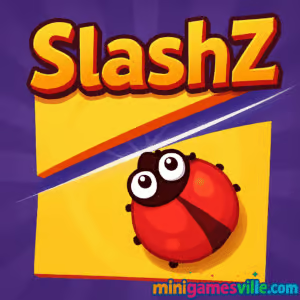
About SlashZ
SlashZ is a cutting simulation and physics puzzle that asks a simple question: how small can you trim an object without hurting the beetles inside? Each slice changes the object’s shape and center of mass, so every cut matters. Levels ramp up from household items to trickier outdoor scenes, adding flying beetles, combo targets, and bonus objectives that reward skillful, low-waste slashes. Whether you have two minutes or twenty, SlashZ delivers snackable, satisfying wins in your browser, no downloads required.
History of SlashZ
Created for the web by the studio behind several popular idle and simulation hits, SlashZ takes the satisfying feel of slicing and wraps it in clever, level-based puzzles. The format is built for quick desktop play sessions, steady difficulty growth, and leaderboard-friendly scoring that rewards accuracy over speed.
Style & Vibe
The look is clean and modern: glossy 3D-style objects, readable outlines, and bright, friendly beetles that pop against neutral backgrounds. The audio cues make every slice feel crisp, while the UI stays out of the way so you can focus on planning the perfect cut.

Gameplay in SlashZ
At its core, SlashZ is about partitioning. You draw a cut line to split the object, then keep shaving the target down while ensuring every beetle remains on the same side. As levels advance, you encounter moving beetles, angled planes, nested shapes, slippery materials, and combo windows that reward chaining clean slashes together. Points come from reduced area, precision, and optional goals like perfect slashes. Make bold cuts to score big, or play it safe with incremental trims. Either way, SlashZ keeps the puzzle loop snappy and the feedback immediate.
Game Modes
- Level Progression: Clear handcrafted stages with escalating constraints and new scene themes.
- Bonus Objectives: Chase flying-beetle saves, combo chains, and perfect-slash targets for higher scores.
- Score Grind: Replay completed levels to beat your personal records and polish your route.
How to Play
- Study the object’s shape and beetle positions.
- Plan a cut that reduces area while keeping all beetles on the same side.
- Drag to draw your slice, release to cut, and watch the object split.
- Repeat, trimming strategically until you meet the goal percentage or complete all bonus tasks.
- Re-run the level to optimize fewer cuts, cleaner angles, and combo timing.
Controls
- Mouse: Click and drag to draw a cut line, release to slice.
- Touchpad: Press and glide for precision trimming.
- Keyboard: Not required. The game is built around pointer accuracy.
Device Compatibility & Browser Support
SlashZ plays best on desktop in modern Chromium browsers or Firefox. The physics and pointer accuracy shine with a mouse. Touch can work on larger tablets, though desktop offers the most reliable precision for perfect slashes.
Mobile vs. Desktop Gameplay
Desktop is the recommended experience thanks to finer cursor control and stable frame pacing. If attempting on mobile, use a stylus on a tablet and zoom in as needed for delicate cuts.
Can I Play Offline?
No, SlashZ is an online browser game. You need an active internet connection to load and play.
Can I Play Unblocked?
SlashZ on Minigamesville is a secure, in-browser experience with no downloads, which often works on school or work networks labeled as unblocked. Availability still depends on local network rules, so always follow your organization’s policies.
There are no official Google Play or App Store links for SlashZ at this time. Want a mobile alternative with a similar satisfying slicing and physics puzzle feel? Try Cut the Rope here:
Tips & Tricks
Beginner Tips
- First slice sets the tone. Open with a safe cut that corrals the beetles together.
- Trim edges, then commit. Small perimeter shaves can set up one big, high-value slash.
- Use angles to your advantage. Diagonal lines often reduce more area with less risk.
- Watch for movement. Time your cut when flying beetles are aligned with your safe side.
Advanced Strategies
- Plan two moves ahead. Visualize the post-cut shape and where the next high-value slice will land.
- Chain combos. Line length and cleanness affect perfect-slash bonuses, so keep cuts smooth.
- Split to isolate risk. If a beetle keeps drifting, partition a larger safe region first, then carve down.
- Replay for records. Micro-optimize angles to hit lower area thresholds with fewer total cuts.
Features
- ✂️ Precision slicing with satisfying physics feedback
- 🧩 100+ handcrafted levels with escalating constraints
- 🐞 Beetle-saving twist that turns every cut into a logic puzzle
- ⭐ Perfect-slash bonuses, combo chains, and replay-friendly scoring
- 🖱️ Built for mouse accuracy and desktop play sessions
- 🎯 Short levels that fit coffee breaks and speed-run vibes
- 🔊 Clean audio cues and minimal UI for total focus
- 🌆 Scene variety from living rooms to outdoor markets
Unlockables & Secrets
As you progress, you encounter new scenes, motion patterns, and level gimmicks that alter how you approach each object. Watch for optional objectives that quietly boost your score and reveal tougher repeats. Some late-game levels encourage daring first cuts that unlock massive combo potential.
Cheats & Mods
There are no official cheats or mod support for SlashZ. Third-party tools can break saves or cause performance issues. Your best power-up is route planning and clean angles.
Walkthrough Summary
Successful runs usually follow this arc: herd beetles to the safe side with a conservative opener, skim excess edges, then execute one or two bold diagonals that collapse the remaining area while preserving the group. Replay to tighten lines and chase perfect-slash bonuses.
Scoring, Records & Progression
Scores hinge on remaining area, number of cuts, and bonus objectives. Lower area and fewer cuts increase your final rating. Replaying levels is the fastest way to climb your personal bests and polish technique across scenes. Chasing perfect slashes is the key to long-term mastery.
Why Play SlashZ
SlashZ turns simple swipes into a satisfying brain teaser loop. The physics feel right, the goals are crystal clear, and wins arrive fast. If you want a low-friction browser game that rewards planning and precision, SlashZ belongs in your daily play rotation.
Pros & Cons of SlashZ
- Pros: Snappy desktop performance, crisp physics, replayable levels, strong scoring loop, great for short sessions.
- Cons: Touch controls are less precise, no offline mode, later levels can be unforgiving without patient planning.
- Use a modern browser and enable hardware acceleration in settings.
- Close heavy tabs and pause background downloads to stabilize frame rate.
- If the cursor feels sluggish, disable aggressive extensions or try an incognito window.
- Set page zoom to 100 percent for the most accurate slice placement.
Similar games to SlashZ
- Robot Awake — Laser-routing logic puzzles that reward careful sequencing.
- Green — A minimalist color puzzle where every stage hides a fresh twist.
- Mini Train — Physics construction puzzles about guiding a tiny train safely to the goal.
- Tap It Away — Clean up 3D block stacks by tapping in the correct order to clear the board.
- Circloo XL — Precision platforming with momentum-based physics and tight level design.
- Breakoid — A modern brick-breaker with power-ups and smooth ball physics.
- Avoid Dying — Skill shots and timing challenges with a darkly comic twist.
FAQ
Is SlashZ free to play?
Yes, SlashZ is a free online browser game you can play instantly here on Minigamesville.
Does SlashZ work on school Wi-Fi?
SlashZ often works on restricted networks since it runs in the browser, but access depends on local filtering rules.
What devices are best for SlashZ?
Desktop or laptop with a mouse offers the most accurate slicing and the smoothest performance.
Are there microtransactions in SlashZ?
No, the browser version focuses on skillful play and replayable scoring without add-on purchases.
How many levels are in SlashZ?
There are over a hundred handcrafted stages, with replay value from perfect-slash chasing and score optimization.
Can I save my progress?
Your progress is stored in your browser. Clearing cookies or switching devices may reset your saves.
Any controller support?
SlashZ is designed for pointer input. A mouse or precise touchpad is recommended.
Conclusion
Ready to test your steady hand and puzzle-solver brain? SlashZ takes the joy of slicing and turns it into a smart, replayable challenge that feels great in the browser. Plan your lines, protect the beetles, and watch those scores climb.
Click Play above to dive into SlashZ on Minigamesville. Trim smarter, score higher, and come back often to perfect those cuts. See you on the leaderboards.

 Loading...
 English
 Shqip
Shqip
 বাংলা
বাংলা
 Български
 简体中文
简体中文
 Hrvatski
 Čeština
 Dansk
Dansk
 Nederlands
 Suomi
Suomi
 Ελληνικά
 हिन्दी
 Magyar
 Bahasa Indonesia
 日本語
日本語
 한국어
한국어
 Lietuvių
 Bahasa Melayu
 Norsk
Norsk
 Polski
 Português do Brasil
 Română
 Slovenčina
 Slovenščina
 Svenska
 ไทย
ไทย
 Türkçe
 Українська
 اردو
اردو
 Tiếng Việt
 isiZulu
 Español
 Français
 Deutsch
 العربية
 Italiano
 فارسی
فارسی
 Русский