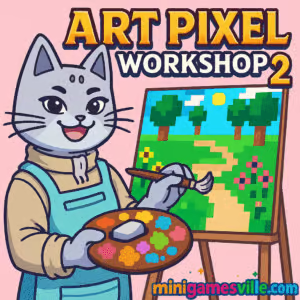
Ready to relax and create? Click to play Art Pixel Workshop 2 on MiniGamesVille, then come back to this review for quick tips and pro tricks. Art Pixel Workshop 2 is a soothing pixel art coloring browser game that blends paint-by-numbers with creative freestyle tools, perfect for quick online breaks or longer chill sessions. If you want a distraction-free, unblocked creative outlet you can launch in seconds, this is it. Start filling vibrant mosaics, unlock palettes, and share your masterpieces, all right in your browser with no download required.
About Art Pixel Workshop 2
Art Pixel Workshop 2 expands the laid-back formula of its predecessor with richer templates, smarter color picking, and a more polished canvas. It keeps the one-click satisfaction of color by number while nudging you to experiment. Whether you enjoy methodical completion or freeform expression, the game’s thoughtful interface and crisp pixel grid make every session feel calm and rewarding. Play Art Pixel Workshop 2 online for free and enjoy bite-sized creativity whenever inspiration hits.
History of Art Pixel Workshop 2
The original Art Pixel Workshop introduced a friendly pixel coloring sandbox that ran smoothly in the browser. Art Pixel Workshop 2 refines that idea: faster loading, clearer lines, and more diverse art packs. The sequel’s streamlined UX, palette previews, and gentle progress feedback make it a natural upgrade for fans of low-stress, pick-up-and-play games.
Style & Vibe
The vibe is cozy studio meets retro pixel gallery, with soft UI clicks and satisfying fill animations. The grid is clean, the palette is bright, and the overall feel is meditative without being sleepy. It is a perfect browser game for short creative sprints or winding down.

Gameplay in Art Pixel Workshop 2
Each artwork is a numbered grid. Pick a color, tap matching cells, and watch the picture bloom from abstract blocks into a crisp scene. The flow is simple: choose a template, zoom in, fill by number, then fine tune with eraser or freestyle brush. Gentle challenges arrive through larger canvases, subtle shades that reward focus, and optional time targets. Art Pixel Workshop 2 strikes a sweet balance between relaxing coloring and light puzzle logic, keeping your eyes scanning, your fingers moving, and your brain de-stressed.
Game Modes
- Template Challenge: Classic color-by-number with star ratings for accuracy and speed.
- Free Paint: A blank grid to sketch your own pixel art, then auto-number for guided coloring.
- Daily Mosaic: A rotating mini artwork for quick wins and streak bonuses.
- Time Attack: Finish a canvas before the clock runs out, perfect for focused bursts.
How to Play
- Press Play on Art Pixel Workshop 2.
- Select a template or Free Paint.
- Use the palette to pick a number, then click or tap matching cells.
- Pinch or scroll to zoom for tiny details.
- Fix mistakes with the eraser, or switch to freestyle brush to add flair.
- Complete the canvas, collect your stars, and save your gallery-worthy result.
Controls
- Mouse: Left click to paint, right click to erase, scroll to zoom, drag to pan.
- Keyboard: Number keys to swap colors, H to toggle hints, Z to undo.
- Touch: Tap to paint, two-finger pinch to zoom, drag to pan, long-press to eyedrop.
Device Compatibility & Browser Support
Art Pixel Workshop 2 runs smoothly in modern browsers, including Chrome, Firefox, Edge, and Safari. No installation, no accounts, just instant play. The canvas is optimized for both mouse precision and finger taps, and saves are stored in your browser so you can pick up where you left off.
Mobile vs. Desktop Gameplay
On mobile, the pinch-to-zoom and tap-to-fill flow is relaxed and intuitive, great for couch coloring. On desktop, the mouse gives pinpoint control for intricate shading, and hotkeys speed up palette switching. Both feel great, so use whichever device suits your mood.
Can I Play Offline?
Because this is an online browser game, an active internet connection is recommended for assets and save syncing. Load times are short, but offline play is not guaranteed.
Can I Play Unblocked?
Yes, Art Pixel Workshop 2 is playable unblocked on most networks because it runs right in the browser with standard web tech and no extra downloads. If your school or workplace filters gaming sites, try a different browser or ask to whitelist MiniGamesVille.
Official mobile stores: No official Google Play or App Store listing for Art Pixel Workshop 2 at this time.
Similar mobile alternative: Pixel Art — Color by Number
Tips & Tricks
Beginner Tips
- Start with small templates to learn zoom levels and palette flow.
- Paint light to dark to avoid missing subtle highlight cells.
- Toggle hints to reveal unfilled cells when you are stuck.
- Use the eyedrop to quickly jump back to a color you missed.
Advanced Strategies
- Speed run Time Attack by finishing high-contrast colors first.
- In Free Paint, block out silhouettes with mid-tones, then add high lights for pop.
- Group tiny clusters by area, not by number, to reduce zoom fatigue.
- Create depth with checkerboard dithering on gradients, a classic pixel art trick.
Features
- 🎨 Relaxing color-by-number pixel canvases
- 🧩 Free Paint mode for original creations
- ⚡ Fast loading, instant in-browser play
- 🔎 Smooth zoom and pan for tiny details
- ⭐ Star ratings, streaks, and gentle goals
- 🖌️ Eyedrop, eraser, and brush tools
- 📁 Save and continue right in your browser
- 📱 Mobile friendly layout and gestures
Unlockables & Secrets
Complete daily mosaics to unlock extra color swatches. Earn streak bonuses for consecutive days and watch bonus templates appear in your gallery. Keep an eye on larger scenes, some include hidden micro-details that only show at full zoom.
Cheats & Mods
There are no official cheats for Art Pixel Workshop 2. Browser mods or extensions can break saves or cause lag, so stick to the standard version on MiniGamesVille for the best experience.
Walkthrough Summary
Pick an artwork, zoom into the numbered regions, and fill colors one palette step at a time. Save zoom presets for quick jumps across the canvas. Finish with a sweep pass using hints to catch any missed cells, then export or replay for a faster time.
Scoring, Records & Progression
Finish canvases to earn stars based on completion, accuracy, and time. Daily streaks add a small multiplier. Your gallery keeps track of completed pieces, best times, and largest canvases, so your progress always feels tangible.
Why Play Art Pixel Workshop 2
It is a satisfying, low-friction creative outlet you can launch anywhere. Art Pixel Workshop 2 is calm without being boring, structured without feeling rigid, and playful enough to keep you coming back for one more canvas.
Pros & Cons of Art Pixel Workshop 2
- Pros: Instant play in browser, relaxing flow, smart tools, crisp pixel grid, gentle goals.
- Cons: No offline mode, large canvases can be time consuming on small screens.
- Enable hardware acceleration in your browser settings.
- Close heavy tabs before loading large templates.
- On mobile, reduce motion in system settings if animations feel heavy.
- If the canvas looks blurry, set zoom to 100 percent in the browser and use in-game zoom instead.
- Clear cached files occasionally to keep loading snappy.
Similar games to Art Pixel Workshop 2
- Pixel Coloring Book: Cozy number-based coloring with simple templates for quick wins.
- 8-Bit Painter Online: Create retro sprites on a clean grid with handy mirroring tools.
- Cross Stitch Online: Relax with stitch-style coloring that mimics embroidery textures.
- Color by Number Online: Fast-fill mosaics with big palettes and satisfying reveals.
- Dot Art Studio: Build dotted gradients and patterns for minimalist pixel designs.
FAQ
Is Art Pixel Workshop 2 free to play?
Yes, you can play Art Pixel Workshop 2 free in your browser on MiniGamesVille.
Do I need to download anything?
No, the game runs online in your browser, so you can start instantly.
Does the game save my progress?
Yes, your progress is stored locally in the browser so you can continue later on the same device.
What if my school blocks gaming sites?
Many networks allow this title since it is a lightweight browser game, but if it is blocked you can request that MiniGamesVille be added to the allow list.
Can I play on my phone?
Yes, the interface adjusts for touch controls and small screens, and it feels great on modern mobile browsers.
Is there an offline mode?
Offline play is not guaranteed, you should have an active internet connection for the best experience.
Conclusion
Art Pixel Workshop 2 delivers a calming blend of color-by-number and creative freedom that feels right at home in your browser. Whether you want a mindful break or a full-on pixel session, the tools, templates, and silky zoom make coloring feel effortless.
Ready to create something beautiful in minutes? Fire up Art Pixel Workshop 2 on MiniGamesVille, fill the grid, and watch your artwork snap into focus. Happy coloring.

 Loading...
 English
 Shqip
Shqip
 বাংলা
বাংলা
 Български
 简体中文
简体中文
 Hrvatski
 Čeština
 Dansk
Dansk
 Nederlands
 Suomi
Suomi
 Ελληνικά
 हिन्दी
 Magyar
 Bahasa Indonesia
 日本語
日本語
 한국어
한국어
 Lietuvių
 Bahasa Melayu
 Norsk
Norsk
 Polski
 Português do Brasil
 Română
 Slovenčina
 Slovenščina
 Svenska
 ไทย
ไทย
 Türkçe
 Українська
 اردو
اردو
 Tiếng Việt
 isiZulu
 Español
 Français
 Deutsch
 العربية
 Italiano
 فارسی
فارسی
 Русский