Play The Pillar online now on minigamesville.com and start solving beautiful 3D puzzles right in your browser. The Pillar is a serene, brain teasing puzzle escape browser game that blends relaxing exploration with clever logic challenges. If you love first person puzzle adventures, quick load times, and unblocked gameplay at school or work, this is your next go to. Click Play above to jump into The Pillar on minigamesville.com, then come back to this guide for tips, controls, and hidden tricks that will help you breeze through early islands and master advanced pillars.
About The Pillar
The Pillar is a stylish puzzle escape experience built around environmental riddles, rotating pillars, and symbol matching doors. Every area asks you to read the world, spot patterns, and connect pathways to unlock the next island. The pacing encourages curiosity, the soundtrack keeps things calm, and the bite sized levels make it perfect for quick browser sessions. Whether you are chasing a faster completion time or simply unwinding with logic puzzles, The Pillar online delivers a premium feel without any installs.
History of The Pillar
What began as a compact indie puzzle adventure grew into a multi platform favorite, later adapted for touch screens and lightweight web builds. That clean, minimalist look, the flow line panels, and the island to island progression translate beautifully to a browser game, so you can enjoy the essence of The Pillar with instant access.
Style & Vibe
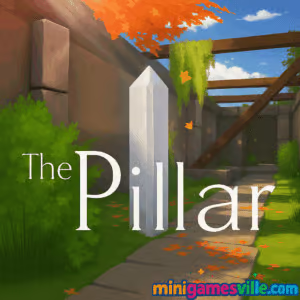
Expect dreamy islands, soft lighting, and puzzle panels that glow with subtle color cues. The world feels meditative, which keeps your mind fresh for tougher sequences.

Gameplay in The Pillar
Each level drops you into a compact space with one goal, read the environment and solve the pillar panels to open the next path. You will connect lines without crossing, match runes, rotate rings to align symbols, and track visual hints hidden on walls, stones, and banners. Difficulty ramps gently, then layers in multi step puzzles that require switching between panels, tracing routes, and timing gate openings. The physics stay light and responsive, so movement feels smooth while you investigate every angle before committing to a solution. The Pillar rewards observation, planning, and clean execution over brute force.
Game Modes
- Classic, a relaxed, linear island to island journey that teaches mechanics and adds variations as you progress.
- Time Trial, replay select areas to beat your best times and practice efficient routes.
- Challenge Rooms, compact puzzles designed to test mastery of line routing, rotation logic, and multi switch panels.
How to Play
- Explore the island and scan for pillar panels, doors, and color coded clues.
- Interact with a pillar, then trace connections or rotate rings to match the hint you saw in the environment.
- Listen for audio cues and watch light beams that confirm partial progress.
- Open the gate, move to the next platform, and repeat with new variations.
- Revisit prior panels if a door remains locked, many puzzles are linked in sequence.
Controls
- Desktop, WASD or Arrow Keys to move, mouse to look, Left Click or E to interact, Esc to pause.
- Mobile browser, drag to look, a virtual joystick or on screen swipe to move, tap to interact.
- Accessibility, lower mouse sensitivity in the pause menu if fine tracing feels too fast.
Device Compatibility & Browser Support
The Pillar runs smoothly in modern browsers like Chrome, Edge, Firefox, and Safari. WebGL makes the experience feel native, with quick loads and minimal memory use. For the best performance, keep one game tab open, enable hardware acceleration, and close heavy background apps.
Mobile vs. Desktop Gameplay
Desktop gives the most precise camera control for tight line puzzles. Mobile works great for quick sessions, and the touch camera makes scanning scenes feel natural. If you prefer speedrunning, desktop offers finer aim for perfect traces.
Can I Play Offline?
In your browser, you need an active internet connection to load and play. On Android, the paid mobile edition offers a fully offline experience once installed.
Can I Play Unblocked?
Yes, The Pillar is a browser game that usually works on standard school or office networks, but availability always depends on local site policies. If a firewall blocks gaming sites, check with your administrator. Using a secure HTTPS connection and a modern browser improves reliability.
No other official mobile links exist beyond the stores above.
Tips & Tricks
Beginner Tips
- Circle the island before touching panels, clues hide on banners, stones, and railings.
- Start from corners when tracing lines, corners reduce branching decisions.
- If a route fails, backtrack rather than forcing it, most panels favor clean, non crossing paths.
- Stand slightly off center to reduce camera sway during precise lines.
- Increase brightness a notch, faint etchings and arrows become visible.
Advanced Strategies
- Chunk complex panels into zones, solve a quadrant at a time and meet in the middle.
- Read light logic, many doors show segments that illuminate in the order you must solve connected pillars.
- Route planning, visualize the end state, lock must pass nodes first, then fill the remaining grid.
- Speedrun practice, memorize two anchor lines per puzzle, small optimizations stack up across islands.
Features
- 🧩 Elegant line and ring puzzles that reward observation
- 🌅 Relaxing island vibes with soft colors and ambient audio
- ⚡ Instant play in your browser, no download required
- 📱 Smooth touch support for mobile browsers
- 🎯 Precision friendly camera controls on desktop
- 🔎 Environmental clues that make each area feel alive
- 🏆 Optional time challenges for replay value
- 🔒 Gate and pillar chains that teach multi step logic
Unlockables & Secrets
Watch for hidden symbols etched on pillars, off path alcoves, and faint arrows pointing toward optional panels. Some routes loop back with a shortcut if you solved them efficiently, a nice reward for exploration.
Cheats & Mods
There are no official cheats for the browser version, and mods are not supported. If you need an easier time, tweak sensitivity, increase brightness, and practice panels in Time Trial to build muscle memory.
Walkthrough Summary
Work clockwise around each island, scout every panel, and note matching colors or shapes. Solve single input pillars first to light the main gate, then handle multi panel chains. When stuck, step back, scan for a missed hint, and try a fresh route.
Scoring, Records & Progression
The Pillar tracks completion and encourages faster runs through optional timers. Treat each island like a split, save a couple of seconds by planning your walking path while panels unlock, and you will beat your best time naturally.
Why Play The Pillar
If you want a calm, online puzzle escape that runs anywhere, The Pillar is perfect. It makes logic challenges approachable, looks great in a browser, and stays fair even when it pushes your pattern recognition skills.
Pros & Cons of The Pillar
- Pros, gorgeous minimalist art that keeps focus on puzzles
- Pros, instant browser access with crisp controls
- Pros, smart difficulty curve and replayable challenges
- Cons, some puzzles can feel short if you are a veteran solver
- Cons, environmental hints may be subtle on small mobile screens
Recent updates on mobile focus on stability and device compatibility. In the browser, you will get the best performance by using a current version of Chrome or Edge, enabling hardware acceleration, closing extra tabs, and setting graphics to balanced if your laptop is older.
Similar games to The Pillar
- Robot Awake, thoughtful grid based logic where you program robots to reach goals.
- Green, a clever color based puzzler that changes rules every level.
- Circloo XL, physics platforming with circular arenas and precision challenges.
- Mini Train, place parts to guide a train safely to the station.
- Arrower, route arrows to hit targets using smart tile logic.
- The Sort Agency, tidy up data with satisfying sorting based puzzles.
- Brain Test, Tricky Puzzles, bite sized riddles with playful twists.
FAQ
Is The Pillar free to play online?
Yes, you can play The Pillar as a browser game on minigamesville.com without any download.
Does The Pillar support controllers?
It is designed for mouse and keyboard or touch, but some browsers can map basic movement to a gamepad.
How long does it take to finish?
Most players can complete a casual run in a short session, speedrunners will finish even faster after a few practice loops.
Is there a hint system?
The design encourages exploration and observation, treat environmental markings as gentle hints.
Can I play The Pillar unblocked at school?
Many schools allow access to educational or light puzzle sites. Availability depends on local policies, so results can vary.
Is there a mobile app for The Pillar?
Yes, Android has both a free and a premium version, and iOS has a premium edition. See the official store links above.
Conclusion
The Pillar shines as a calm, clever browser puzzle escape that respects your time. Clean visuals, fair logic, and satisfying aha moments make it easy to recommend for both newcomers and seasoned problem solvers.
Ready to test your observation skills, connect those lines, and unlock every gate, play The Pillar online right here on minigamesville.com. Hit Play, solve a few islands, then come back for tips if you get stuck. Enjoy the journey.

 Loading...
 English
 Shqip
Shqip
 বাংলা
বাংলা
 Български
 简体中文
简体中文
 Hrvatski
 Čeština
 Dansk
Dansk
 Nederlands
 Suomi
Suomi
 Ελληνικά
 हिन्दी
 Magyar
 Bahasa Indonesia
 日本語
日本語
 한국어
한국어
 Lietuvių
 Bahasa Melayu
 Norsk
Norsk
 Polski
 Português do Brasil
 Română
 Slovenčina
 Slovenščina
 Svenska
 ไทย
ไทย
 Türkçe
 Українська
 اردو
اردو
 Tiếng Việt
 isiZulu
 Español
 Français
 Deutsch
 العربية
 Italiano
 فارسی
فارسی
 Русский