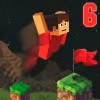
Introduction to Parkour Block 6
Parkour Block 6 drops you into a clean, 3D platforming playground where timing, momentum, and precision rule. This fast, first person browser game is perfect for quick speedruns or longer sessions. Play Parkour Block 6 online right here with no downloads, then chase your best time, shave seconds off tough stages, and master each route. If you need an unblocked parkour challenge for school or work breaks, Parkour Block 6 is a slick pick. Jump in, refine your movement, and enjoy one of the most replayable parkour games on the web.
About Parkour Block 6
Parkour Block 6 builds on a simple concept, reach the goal without falling. Each compact level uses blocks, gaps, ladders, and platforms to test your jump control and rhythm. The design favors skill expression, so your lines get smoother as you learn edge timing, corner hops, and smart momentum management.
History of Parkour Block 6
The Parkour Block series grew from minimalist, block based obstacle courses made for quick browser play. Parkour Block 6 continues that tradition with tighter physics, sharper level design, and a focus on speedrun friendly layouts that reward clean movement and route knowledge.
Style & Vibe in Parkour Block 6
The look is crisp and readable, with clear edges and bright contrast so jumps are easy to judge. Sound cues emphasize landing and success, and the UI keeps timers and resets within reach. The vibe is calm but competitive, a perfect loop for improving time after time.
Gameplay in Parkour Block 6
Every course challenges your spatial awareness and jump timing. Movement feels snappy, so short hops, full jumps, and chained momentum all matter. Missed landings send you back fast, which keeps the pace high and the learning cycle short. Expect rising difficulty, mid air adjustments, and micro optimizations that save fractions of a second.
Game Modes
- Level Select: Tackle hand crafted stages in sequence, then revisit any level to beat your personal best.
- Time Trial: Pure speedrun mode, restart instantly and chase cleaner lines for tighter times.
- Challenge Sets: Curated groups with harder jumps, moving blocks, and trickier angles for advanced players.
How to Play
- Press Start, then study the first two jumps before moving.
- Build momentum, commit to the line, and keep your camera steady.
- Use short hops for small gaps, full jumps for long clears.
- If you miss, hit restart instantly and try the same line with a small adjustment.
- Repeat until you find the smoothest route, then grind for a personal record.
Controls in Parkour Block 6
- Move: WASD or Arrow Keys
- Jump: Space
- Sprint: Shift or hold a movement key longer, depending on device
- Look: Mouse or touch swipe
- Restart Level: R or on screen reset button
- Pause/Menu: Esc or on screen icon
Device Compatibility & Browser Support for Parkour Block 6
This browser game runs on modern Chromium based browsers, Firefox, and Safari. Enable hardware acceleration for the smoothest frame rate and keep only a few tabs open for best performance.
Mobile vs. Desktop Gameplay
- Desktop: Precise mouse look, stable 60+ FPS on most machines, best for speedruns.
- Mobile: Touch joystick and jump button work well for casual play, adjust sensitivity if turns feel sharp.
Can I Play Offline?
Parkour Block 6 requires an internet connection since it loads assets in the browser. Add the page to bookmarks to return quickly, but plan on being online to play.
Can I Play Unblocked?
If your network blocks gaming sites, look for Parkour Block 6 unblocked on approved learning portals or safe mirrors. Always follow your school or workplace guidelines and local policies.
Tips & Tricks for Parkour Block 6
Beginner Tips
- Keep your camera level so depth and edge distance are easier to judge.
- Feather movement keys in mid air to land centered on small blocks.
- Use short taps on Space for low arcs, hold longer for distance.
- Memorize two to three jumps ahead to reduce hesitation.
- Practice restarts, quick resets build consistent rhythm.
- Turn on consistent sensitivity, avoid changing DPI mid session.
- Start with safer lines, then switch to riskier shortcuts after you learn the layout.
- Breathe and blink between restarts, relax to avoid overcorrection.
Advanced Strategies
- Edge boost: begin the jump at the last pixels of a platform for max distance.
- Corner cuts: slice diagonally across block corners to reduce travel time.
Micro strafes: tap A or D in the air to correct without killing momentum.
Camera anchoring: lock your horizon, then use small wrist motions for tight alignment.
Route planning: record a fast run, identify three biggest choke points, drill those segments alone.
Paced sprints: sprint on long straights, walk a step before tight jumps to set spacing.
Checkpoint memory: when a level offers midpoints, reset from the last clean segment to sharpen consistency.
Time slicing: aim for gold splits per section rather than only a full level PR.
Features of Parkour Block 6
- ⚡ Snappy first person movement with smooth jump physics
- 🧱 Clean block layouts that reward precise edge timing
- 🎯 Instant restarts for rapid practice and speedruns
- 📈 Visible timer to track PBs and splits
- 🧭 Multiple routes and hidden time saves
- 🎚️ Adjustable sensitivity and quality settings
- 🖱️ Mouse, keyboard, and touch friendly controls
- 🌐 Lightweight browser performance for quick play sessions
Rules in Parkour Block 6
- Reach the portal or finish block to clear the level.
- Falling or missing a jump resets you to the start or last checkpoint.
- Timer runs during movement and pauses on menus only.
- All jumps must be completed using standard controls, no external scripts.
Unlockables & Secrets in Parkour Block 6
Expect small route optimizations, safer paths for beginners, and risky shortcuts for time chasers. Some levels hide diagonal lines or ladder interactions that reduce steps. Explore ledges and corners to uncover tiny time saves.
Cheats & Mods for Parkour Block 6
There are no supported cheats for the online version. Third party scripts or mods can harm performance and may break the game. For a fair experience, stick to in game settings. If you want a different feel, try lower sensitivity, reduce motion blur, and practice with consistent DPI.
Walkthrough Summary for Parkour Block 6
Start with early levels to learn jump timing, then progress to medium stages that introduce longer gaps and ladder landings. When you reach harder sets, break levels into sections, perfect each segment, and stitch together a clean full run. Save risky corner cuts for late attempts when the base line is reliable.
Scoring, Records & Progression in Parkour Block 6
Your success is measured by clear times and consistency. Track personal bests, compare splits between runs, and improve section times. Aim for clean no fall clears first, then push for aggressive sprint lines to set new records.
Why Play Parkour Block 6
Parkour Block 6 is fast to learn, hard to master, and perfect for short sessions. The movement feels tight, the layouts are readable, and the reset loop keeps you engaged without downtime.
Pros & Cons of Parkour Block 6
- Pros: Instant restarts, satisfying physics, low system requirements, strong speedrun potential.
- Cons: Precision can be punishing for new players, minimalist art may feel plain to some, touch controls require practice.
- Use a current browser version and enable hardware acceleration in settings.
- Close heavy tabs and background apps to keep frame rate stable.
- Drop graphics quality if your device stutters, smooth input beats visual effects for speedruns.
- On mobile, set a comfortable sensitivity and lock screen orientation to prevent accidental rotations.
Similar Games to Parkour Block 6
- Parkour Block 5: A previous entry with compact stages, great for warming up edge timing and safe routes.
- Parkour Block 4: Streamlined block courses that help new players learn spacing before tackling tougher jumps.
- Parkour Block 3: Classic layouts with simple paths, perfect for mastering momentum and camera control.
- Vex 8: A slick platformer with traps, wall jumps, and speedrun timers that reward clean movement.
- Run 3: Infinite running in space tunnels where rotating platforms and gaps challenge depth judgment.
- Slope: High speed downhill dodging with precise tilt control, ideal for reaction training.
- OvO: A stick parkour browser game focused on tight jumps, dashes, and quick resets that build flow.
- Cluster Rush: Leap across moving trucks, maintain balance, and chain fearless jumps in a chaotic sprint.
- Stickman Hook: Swing through levels using grapples and momentum, great for timing practice.
- Geometry Dash Online: Rhythm based jumping with memorization and perfect timing for leaderboard chasers.
- Ninja Parkour: Platforming with wall slides, double jumps, and star ratings that push optimal routes.
- BloxdHop: A voxel style parkour online game where long chains of block jumps test precision and patience.
- Speedrun Platformer: Tight courses built around timers and instant restarts for pure route optimization.
FAQ
What is Parkour Block 6?
Parkour Block 6 is a first person parkour browser game where you jump across block based levels and race to the finish as fast as possible.
Can I play Parkour Block 6 online for free?
Yes, you can play Parkour Block 6 online in your browser with no download required.
Is Parkour Block 6 unblocked at school?
Availability depends on your network rules, so look for approved unblocked versions and follow local policies.
Does Parkour Block 6 work on mobile?
Yes, it runs on mobile browsers with touch controls for movement and jumping.
How do I get better at Parkour Block 6?
Practice short segments, keep a level camera, and focus on consistent edge timing to improve your clear times.
Are there different game modes in Parkour Block 6?
Most versions include level select, time trial style play, and challenge sets for higher difficulty.
Do I need a powerful PC for Parkour Block 6?
No, it is lightweight and runs on most modern browsers, just enable hardware acceleration for smoother performance.
Does Parkour Block 6 save my progress?
Progress methods vary by host, but timers and unlocked levels often persist in your browser storage.
Conclusion: Ready to Sprint Through Parkour Block 6
Precision, speed, and clean movement make Parkour Block 6 a perfect pick for quick bursts of fun or deep speedrun grinds. The levels teach great habits, the resets are instant, and every new personal best feels earned.
Load up Parkour Block 6 online, pick a level, and chase a faster time. Whether you are warming up for a long gaming session or sneaking in a focused break, this unblocked style parkour challenge delivers smooth flow and skill based satisfaction.

 Loading...
 English
 Shqip
Shqip
 বাংলা
বাংলা
 Български
 简体中文
简体中文
 Hrvatski
 Čeština
 Dansk
Dansk
 Nederlands
 Suomi
Suomi
 Ελληνικά
 हिन्दी
 Magyar
 Bahasa Indonesia
 日本語
日本語
 한국어
한국어
 Lietuvių
 Bahasa Melayu
 Norsk
Norsk
 Polski
 Português do Brasil
 Română
 Slovenčina
 Slovenščina
 Svenska
 ไทย
ไทย
 Türkçe
 Українська
 اردو
اردو
 Tiếng Việt
 isiZulu
 Español
 Français
 Deutsch
 العربية
 Italiano
 فارسی
فارسی
 Русский