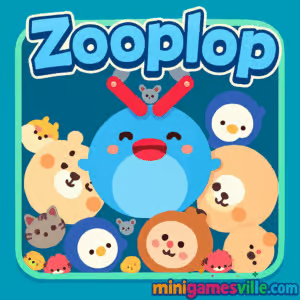
Play Zooplop right now on minigamesville.com and drop into a cozy, cute, and surprisingly strategic merge-puzzle session. Zooplop is a physics-based browser game where you place falling animals, combine matches, and chase a bigger, better beast with every satisfying plop. If you enjoy online puzzle games that are easy to learn and hard to put down, this unblocked favorite is ready in your tab with zero downloads. Line up smart merges, control the chaos, and see how high you can score. Hit Play, relax, and let Zooplop’s bouncy physics and charming zoo cast keep you smiling.
About Zooplop
Zooplop blends approachable merge mechanics with playful physics. A mechanical claw releases animals one by one, you slide to position, release to drop, and when two identical critters touch, they merge into a larger tier. The arena gradually fills, so every placement matters. The flow feels like a Suika-style merge puzzle, only with cheerful animal art, light sound effects, and a chilled pace that still rewards sharp planning.
History of Zooplop
Zooplop grew from the global love for drop-and-merge puzzlers and quickly became a community go-to for snackable browser play. Its simple input scheme and crisp visuals make it perfect for quick sessions between tasks, while the scoring chase gives veterans plenty to master. Over time, players have refined meta strategies for spacing, chaining, and edge control, turning casual starts into serious score pushes.
Style & Vibe
Bright, clean visuals and adorable animal animations set an upbeat tone. Soft pops, gentle bounces, and satisfying merges create a relaxing feedback loop that’s perfect for a short brain break or a long score grind.

Gameplay in Zooplop
Each round starts with small animals and an empty container. You move the claw left or right, then release to drop. Matching two identical animals fuses them into the next tier, clearing space and creating room for new combos. The challenge increases as the bin fills and your drop timing, spacing, and bounce anticipation start to matter. Clever players set up chain reactions by placing pieces so they slide into post-merge gaps. The goal: keep the board alive, climb tiers, and record a score that stands tall.
Game Modes
- Classic Endless: Survive as long as you can while climbing animal tiers and pushing your high score.
- Challenge Run: Self-imposed rules like limited drops or “no-wall” starts keep veterans sharp.
- Time Attack: Race a short timer, prioritize quick merges, and chase rapid-fire combos.
How to Play
- Watch the next animal in the claw and scan the board for a safe landing zone.
- Slide left or right to line up with your target stack.
- Release to drop, letting physics do the rest as pieces settle and slide.
- Create merges to level up animals, then use the new space to plan the next combo.
- Repeat with intention, keeping the pile low and the merges flowing.
Controls
- Mouse or touch: drag to aim, release to drop.
- Keyboard: A or Left Arrow to move left, D or Right Arrow to move right, S or Down Arrow to drop.
Device Compatibility & Browser Support
Zooplop runs in modern browsers on desktop, laptop, tablet, and mobile. For the smoothest experience, use the latest version of Chrome, Edge, Firefox, or Safari with hardware acceleration enabled.
Mobile vs. Desktop Gameplay
- Mobile: Great for quick sessions and thumb-friendly drops. Haptic taps make merges feel extra snappy.
- Desktop: More screen real estate for precision spacing and long-form score attempts with keyboard control.
Can I Play Offline?
Zooplop is an online HTML5 browser game. An active internet connection is recommended so assets load correctly and performance stays consistent.
Can I Play Unblocked?
Zooplop runs in-browser on minigamesville.com, which often works on school or office networks. Access depends on local firewall rules. If your network blocks gaming sites, try a personal device and network.
- Browser: Play Zooplop free here on minigamesville.com.
- Mobile: No official iOS or Android app for Zooplop at this time.
- Want something similar on mobile? Try Two Dots:
App Store and
Google Play.
Tips & Tricks
Beginner Tips
- Start centered: early animals are small, so the middle gives you merge options in both directions.
- Avoid vertical tunnels that trap pieces. Build low, wide stacks.
- Prioritize safe merges over risky big drops. Staying alive beats flashy plays.
- Let physics help: gentle bounces can slide a piece into a perfect match.
Advanced Strategies
- Staggering: offset stacks by half-widths to create natural slide-in paths for merges.
- Edge Buffering: keep one side slightly lower as a pressure valve when the center rises.
- Combo Seeding: place pairs two moves ahead so a future drop triggers a chain reaction.
- Tier Cycling: when a high-tier appears, clear nearby clutter first so it settles safely.
Features
- 🐭 Cute-to-colossal animal tiers with satisfying merge moments
- 🧠 Easy to start, deep to master physics-driven puzzle play
- 🎯 Tight controls on mouse, keyboard, and touch
- 🎵 Light, relaxing vibe perfect for short breaks
- 📈 Endless high-score chase with smart risk management
- ⚡ Quick loads, no downloads, instant browser fun
- 🧩 Great pick for merge, physics, and casual puzzle fans
Unlockables & Secrets
As merges climb the animal ladder, you will uncover bulkier, rarer tiers. The biggest wins come from chain reactions. Place pieces to set up a two- or three-merge cascade, then cash it in with a precise drop.
Cheats & Mods
Zooplop is best enjoyed unmodified. Third-party cheats or extensions can break performance and hurt your progress. For fair play and a stable browser experience, keep it clean.
Walkthrough Summary
- Open with low, wide merges in the center third.
- Stabilize one edge as your emergency landing strip.
- Seed pairs before introducing a larger tier.
- Trigger cascades only when there is space to catch the fall.
- When the stack rises, shift to small, safe merges to recover.
Scoring, Records & Progression
Merges award points that scale by tier. Efficient play means converting small animals into mid-tiers quickly, then preserving space so the big tiers do not choke your lanes. Personal bests usually come from clean mid-game spacing and one or two explosive chains near the end.
Why Play Zooplop
Zooplop nails that perfect browser game loop: quick to load, instantly graspable, and endlessly replayable. It is an ideal balance of calm aesthetics and thinky physics, with just enough randomness to keep each run fresh.
Pros & Cons of Zooplop
- Pros: relaxing art and audio, crisp physics, satisfying merges, great on any device.
- Cons: late-game crowding can snowball fast, and big-score runs demand patience.
- Use a modern browser and close heavy background tabs for smoother frames.
- Enable hardware acceleration in your browser settings.
- On mobile, toggle low-power mode off during long sessions for steadier input.
- If input feels laggy, refresh the page to clear memory and restart the loop.
Similar games to Zooplop
- Merge Zoo — colorful merge chains with adorable critters and relaxed pacing.
- Tower Merge — stack and fuse blocks to build higher without losing balance.
- Sudoblocks — clever block-fitting logic that scratches the tidy-up puzzle itch.
- Green — a minimalist one-screen puzzle where every click reveals a new trick.
- Robot Awake — laser-routing brain teasers with clean visuals and tight logic.
- Circloo XL — physics precision and momentum control across tricky circular stages.
- The Sort Agency — organize and sort objects under pressure for oddly soothing wins.
FAQ
What is Zooplop?
Zooplop is a physics-based online merge puzzle where matching animals combine into bigger tiers while you manage space for the highest score.
Is Zooplop free to play?
Yes, Zooplop is a free browser game you can play on minigamesville.com with no downloads required.
Does Zooplop work on mobile?
Yes, it runs in mobile browsers. For best precision, rotate your device to landscape and use a stable connection.
Can I play Zooplop unblocked at school or work?
Many networks allow in-browser play, but access depends on local filters. If blocked, try on a personal network.
Are there official Zooplop apps?
There are no official Zooplop apps on iOS or Android right now. If you want a mobile alternative, try Two Dots on the App Store or Google Play.
How do I get higher scores in Zooplop?
Keep stacks low and wide, seed pairs for future merges, and trigger chain reactions only when you have space to absorb the fall.
Does Zooplop save progress?
Scores are session-based in the browser. For a fresh start or performance boost, refresh the page and jump back in.
Conclusion
When you want a relaxing puzzle with real depth, Zooplop delivers. Clean visuals, satisfying physics, and an addictive merge ladder create a loop that feels good on every device. Whether you are squeezing in a quick round or chasing a personal best, the gameplay stays breezy and rewarding.
Ready to see how far your merges can go? Open Zooplop on minigamesville.com, line up that next perfect drop, and plop your way up the animal chain. Your new high score is one smart placement away.

 Loading...
 English
 Shqip
Shqip
 বাংলা
বাংলা
 Български
 简体中文
简体中文
 Hrvatski
 Čeština
 Dansk
Dansk
 Nederlands
 Suomi
Suomi
 Ελληνικά
 हिन्दी
 Magyar
 Bahasa Indonesia
 日本語
日本語
 한국어
한국어
 Lietuvių
 Bahasa Melayu
 Norsk
Norsk
 Polski
 Português do Brasil
 Română
 Slovenčina
 Slovenščina
 Svenska
 ไทย
ไทย
 Türkçe
 Українська
 اردو
اردو
 Tiếng Việt
 isiZulu
 Español
 Français
 Deutsch
 العربية
 Italiano
 فارسی
فارسی
 Русский