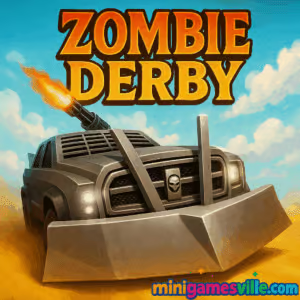
Click Play to jump into Zombie Derby on Minigamesville right now. Smash through the undead, upgrade wild rides, and chase high scores in this fast, side-scrolling racing shooter. Zombie Derby is a browser game you can enjoy online in seconds on minigamesville.com, no downloads required. If you crave car combat, physics jumps, and juicy upgrades, you are in the right place. Hit Start, keep that fuel topped up, and see how far you can plow through the apocalypse. Play free, unblocked, and have a blast.
About Zombie Derby
Zombie Derby blends arcade racing with survival action. You drive a cobbled-together vehicle through 2.5D tracks packed with zombies, barriers, ramps, and explosive set pieces. Each run earns cash and stars that you pour into upgrades like engine power, armor, wheels, ammo, and nitro. The loop is simple and satisfying: go a little farther, earn more, tune harder, repeat. That pick-up-and-play rhythm is why Zombie Derby shines as an online browser game and keeps you coming back for one more run.
History of Zombie Derby
What began as a scrappy mobile racer evolved into a fan-favorite series with multiple sequels and platform versions. Across entries, the core identity stayed the same: high-octane driving, crowd-clearing firepower, and a cheeky, post-apocalyptic tone. This browser edition captures that punchy spirit with quick loads, smooth physics, and the same upgrade-driven progression loop players love.
Style & Vibe
Expect chunky vehicles, dusty highways, and cartoony gore set to crunchy engine roars. Visual feedback sells every hit, from spinning zombie ragdolls to sparks when your bumper meets steel. It feels lighthearted rather than grim, which makes those late-run near misses even more grin-worthy.

Gameplay in Zombie Derby
Runs play out as physics-based sprints. You manage three core resources, fuel, ammo, and nitro. The goal is to reach the end of each stage, but the real win is squeezing every meter from your last drops of gas. Zombies slow you down, objects drain momentum, and gaps demand speed plus a well-timed boost. Upgrades matter, yet skillful throttle control and car tilting make a huge difference. Keep your front wheels light to clear bodies, conserve nitro for uphill ramps, and tap the trigger to pepper groups without wasting bullets.
Game Modes
- Campaign stages: Clear linear tracks, earn stars for distance and performance, and unlock the next route.
- Endurance runs: Push for max distance with limited fuel and ammo, perfect for grinding cash and practicing throttle control.
- Challenge targets: Bonus objectives like time thresholds or zombie streaks that reward precision and efficient boosts.
How to Play
- Press Play on Minigamesville to load the game in your browser.
- Pick your starting car and review goals for the current stage.
- Accelerate smoothly, shoot only when needed, and use nitro to clear gaps or steep climbs.
- Tilt the car in air for clean landings to keep speed.
- Finish the run, then invest earnings into engine, wheels, armor, ammo, and nitro.
- Repeat stages to master them, unlock better vehicles, and reach new areas.
Controls
- Accelerate, Brake: Arrow keys or WASD
- Shoot: Space
- Nitro: Shift
- Tilt Vehicle: Left and Right arrows or A and D
- Pause/Menu: Esc
Device Compatibility & Browser Support
Zombie Derby runs great on modern Chromium-based browsers like Chrome and Edge, along with Firefox and Safari. For best results, keep only one tab running the game, close heavy background apps, and enable hardware acceleration in your browser settings.
Mobile vs. Desktop Gameplay
Desktop gives you tighter keyboard control for tilting and feathering the throttle. On mobile, touch controls are comfy for quick sessions and still handle jumps well. Either way, short runs fit perfectly into bite-size play windows.
Can I Play Offline?
This is a browser game, so you need an internet connection to load assets and save progress to local storage. If you must play while traveling, preload the page on Wi-Fi, then avoid closing the tab until you are done.
Can I Play Unblocked?
Yes. Minigamesville serves Zombie Derby over secure https and does not require sign-in, which helps it work on many school or office networks. If your network filters games, try a different supported browser, update to the latest version, or switch to a personal connection.
If you prefer the voxel-style spin on the formula, there are related mobile entries in the franchise as well.
Tips & Tricks
Beginner Tips
- Pace your gas. Ease off on downhill sections to save fuel, then punch nitro only for big jumps.
- Burst fire. Tap Shoot to clear clusters. Holding the trigger wastes ammo and speed.
- Front bumper first. Lightly tilt forward to cut through bodies, then level out for a smooth landing.
- Upgrade order: Engine, Wheels, Nitro, then Armor and Ammo. Momentum upgrades pay off fastest.
- Replay early tracks to grind cash and unlock your first major vehicle.
Advanced Strategies
- Time the nitro so you hit max boost at the lip of a ramp, not before it.
- Feather the throttle in midair to adjust tilt and reduce bounce on landing.
- Use obstacles. Shoot explosive barrels when zombies cluster near them for big clears.
- Micro-stutter the gas when plowing long piles to avoid bogging down.
- Route memory matters. Learn where the track steals speed so you can enter with extra momentum.
Features
- 🚗 Upgradable vehicles with different stats and feels
- 🧟 Satisfying zombie ragdolls and crowd clears
- 💥 Destructible props, barrels, and breakable barricades
- ⛽ Smart resource management for fuel, ammo, and nitro
- 🛞 Meaningful tires and engine upgrades that change the run
- 🌄 Stage variety with ramps, hills, pits, and set pieces
- 🎯 Score, distance, and star goals that reward mastery
- ⚡ Quick load times perfect for short online sessions
Unlockables & Secrets
New cars unlock as you hit star thresholds or reach distance targets. Some stages hide optimal lines, like a shallow ramp that lets you skip a slogging zombie pile. Experiment with partial boosts to find faster, safer trajectories. Keep an eye out for explosive objects tucked behind debris for free crowd control.
Cheats & Mods
There are no built-in cheats in this browser version. Third-party mods or trainers can break saves and harm performance, so stick to the legit route. The fastest way to progress is smart upgrades and clean, efficient driving.
Walkthrough Summary
Start with the default truck and rush the engine to level 2 or 3. Clear the first two stages by conserving gas on downhills and saving nitro for the longest jumps. Once wheels and nitro are upgraded, go back and three-star earlier tracks for bonus earnings. Unlock the next car when you can, then repeat the upgrade cadence to push into later levels where armor becomes important.
Scoring, Records & Progression
Your score blends distance, zombie kills, and completion bonuses. Stars usually reflect distance thresholds and performance. Aim for consistent stage finishes to open new routes, then revisit them for higher star counts after key upgrades. Set a personal best by chaining clean landings with late-boost jumps.
Why Play Zombie Derby
It nails the arcade loop. Short runs, immediate feedback, and noticeable upgrades make every attempt feel rewarding. If you enjoy car combat and physics-based racers, Zombie Derby delivers just the right mix of speed and strategy in a compact browser package.
Pros & Cons of Zombie Derby
- Pros: Snappy controls, crunchy feedback, meaningful upgrades, fast loads, great as an unblocked online time killer.
- Cons: Resource grind can feel spicy without smart upgrades, later tracks demand precise boost timing.
- Use a fresh browser tab and close streaming or heavy downloads before playing.
- Enable hardware acceleration in browser settings for smoother frames.
- On laptops, plug in for better CPU and GPU boost behavior.
- If inputs feel sticky, reduce open extensions, then reload the page.
Similar games to Zombie Derby
- Parking Fury 3D: Night Thief — stealthy 3D driving with precise parking challenges and police chases.
- Drive Mad — physics truck trials full of ramps, bridges, and timing-based stunts.
- Stock Car Hero — lane-switch racing with slipstream boosts and strategic pit timing.
- Midnight Drive — neon-lit highway runs that reward smooth weaving and focus.
- Speed King — fast arcade sprints where clean lines and quick reactions rule.
- Plane Wars — aerial lanes and quick decisions for players who love action momentum.
FAQ
Is Zombie Derby free to play online?
Yes, you can play Zombie Derby free in your browser on Minigamesville with instant loading.
Does the game save my progress?
Progress is stored in your browser’s local storage, so avoid clearing site data if you want to keep upgrades.
Can I use a controller?
Keyboard is recommended on desktop, some gamepads may work via browser APIs, but support varies by device and browser.
How long is a typical run?
Most runs last 1 to 3 minutes, perfect for quick sessions and repeat attempts.
What genre is Zombie Derby?
It is a side-scrolling car combat and racing hybrid with shooter elements and physics jumps.
Is Zombie Derby unblocked at school or work?
Minigamesville is friendly to many networks. If blocked, try a different browser or a personal connection.
Conclusion
If you thrive on speed, stunts, and smashing through hordes with style, Zombie Derby is your new comfort pick. The upgrade loop hooks you, the physics feel great, and runs are snackable. It is the kind of browser game that turns spare minutes into highlight reels.
Fire it up now on Minigamesville, tune your ride, and send those zombies flying. Ready to floor it in Zombie Derby and chase a new personal best?

 Loading...
 English
 Shqip
Shqip
 বাংলা
বাংলা
 Български
 简体中文
简体中文
 Hrvatski
 Čeština
 Dansk
Dansk
 Nederlands
 Suomi
Suomi
 Ελληνικά
 हिन्दी
 Magyar
 Bahasa Indonesia
 日本語
日本語
 한국어
한국어
 Lietuvių
 Bahasa Melayu
 Norsk
Norsk
 Polski
 Português do Brasil
 Română
 Slovenčina
 Slovenščina
 Svenska
 ไทย
ไทย
 Türkçe
 Українська
 اردو
اردو
 Tiếng Việt
 isiZulu
 Español
 Français
 Deutsch
 العربية
 Italiano
 فارسی
فارسی
 Русский