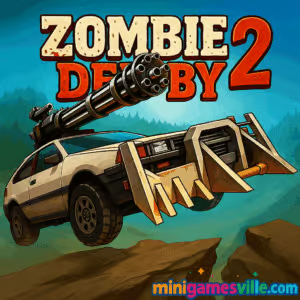
Play Zombie Derby 2 right now on Minigamesville. Hit Start, rev the engine, and send undead flying in this fast, gritty zombie driving browser game. Zombie Derby 2 blends physics-based racing, vehicular combat, and juicy upgrade loops into a quick-to-learn, hard-to-master online experience. Whether you want a few adrenaline-fueled runs between classes or a full evening of car tuning, this unblocked action racer delivers. Tap the gas, time your nitro, and mow down the horde. Click Play above to jump into Zombie Derby 2 on minigamesville.com.
About Zombie Derby 2
Zombie Derby 2 is a post-apocalyptic, arcade-style driving game where you plow through zombie-packed courses, earn cash, and bolt on upgrades until your scrapyard ride becomes a beast. The loop is satisfying. Go as far as you can, bank your coins, upgrade engine, armor, fuel tank, weapons, and nitro, then try again. Each level layers tougher terrain, bigger piles of undead, and trickier jumps, so smart throttle control and airtime management matter. If you enjoy physics racers and vehicle progression, Zombie Derby 2 is pure comfort food with a crunchy, gory twist.
History of Zombie Derby 2
This sequel builds on the original’s drive-and-destroy formula with more vehicles, sharper 3D visuals, extra modes, and deeper upgrades. The series grew from bite-size mobile fun into a cross-platform favorite, and the browser build on Minigamesville keeps the pick-up-and-play spirit alive for instant fun, no downloads required.
Style & Vibe
Expect dusty highways, rusty steel, and neon HUD flourishes. The sound of crunching fenders and zombie splats sells each hit, while chunky car models make upgrades feel substantial. It is delightfully arcadey, easy to read at a glance, and perfect for short burst sessions or marathon grinds.

Gameplay in Zombie Derby 2
Runs are short and addictive. You accelerate across obstacle-filled tracks, time jumps, and tilt to land smoothly. Ammo and fuel are limited, so you learn to feather the throttle on downhill slopes, save nitro for long gaps, and shoot only when it counts. Each run earns coins based on distance, zombies hit, objects destroyed, and finish bonuses. Spend those coins on performance parts and visual tweaks, unlock new cars with higher potential, then chase that perfect, clean pass. The physics are forgiving but not floaty, which keeps driving tight and satisfying.
Game Modes
- Campaign runs: Clear progressive levels with escalating hazards and denser hordes.
- Challenge tracks: Focused routes that test airtime, fuel efficiency, or accurate shooting.
- Endurance style: Push distance on extended layouts to maximize earnings and skill expression.
How to Play
- Press Play and choose your car.
- Hold accelerate to build speed, release during big jumps to save fuel, and tilt to land flat.
- Use nitro to clear wide gaps or power through roadblocks.
- Shoot barricades and zombies that would slow your run.
- At the end, spend coins on engine, transmission, fuel tank, armor, weapon, and boosters.
- Repeat runs until you master the route and unlock the next level.
Controls
- Up or W: Accelerate
- Left or A / Right or D: Tilt car mid-air
- Space: Fire weapon
- Shift: Nitro boost
- R: Restart run
Device Compatibility & Browser Support
Zombie Derby 2 runs in modern desktop and mobile browsers that support WebGL. For the smoothest ride, use the latest Chrome, Edge, Firefox, or Safari with hardware acceleration enabled. A mid-range laptop or recent smartphone handles it well.
Mobile vs. Desktop Gameplay
- Desktop: Best for precise tilt control with keys, stable frame rate, and longer sessions.
- Mobile: Tap-friendly, quick to launch, and perfect for short runs. Keep your device in landscape for better visibility.
Can I Play Offline?
In the browser, you need an internet connection. On mobile apps, single-player runs generally work after installation, while social features and rewards may need a connection.
Can I Play Unblocked?
Minigamesville serves Zombie Derby 2 as a browser game that loads without downloads. If your network allows gaming sites, you can enjoy unblocked runs in just a click.
Tips & Tricks
Beginner Tips
- Lift off the gas at the peak of a jump to save fuel and control landing.
- Spend early coins on engine and fuel tank, then add armor and weapon upgrades.
- Use nitro only when a gap is coming or when you need to punch through obstacles.
- Short tap the fire button to conserve ammo for barricades that actually block speed.
Advanced Strategies
- Memorize terrain rhythm. Many layouts alternate short bumps with one long flight where you should fully commit to nitro.
- Perfect landings reduce speed loss. Tilt forward a touch to meet the slope.
- Route planning matters. If a scrap pile gives little coin but costs momentum, shoot or skip it to keep a high average speed.
- Optimize upgrades per track. Some levels favor weight and armor, others reward max engine and nitro.
Features
- 🚗 Physics-driven zombie racing with punchy 3D visuals
- 🧟 Satisfying zombie ragdolls and splats
- 🔧 Deep car upgrades, from engine blocks to armor plating
- 💥 Weapons that chew through barricades and undead traffic
- 🗺️ Multi-stage campaign with escalating challenge
- ⏱️ Short runs for quick sessions, long grinds for big rewards
- 📈 Skill ceiling built on fuel management and airtime control
- 🎯 Keyboard and touch friendly controls
Unlockables & Secrets
Progress unlocks tougher tracks and beefier vehicles. Look for hidden coin clusters behind destructible objects, and aim for clean, high-combo runs to accelerate your unlock pace.
Cheats & Mods
There are no official cheat codes for the browser version. Third-party mods or hacks can break saves and harm performance, so stick to legit upgrades and skill improvement.
Walkthrough Summary
Start with the base car and invest in engine and fuel to reach mid-track markers. Add weapon and armor once barricades and hordes begin to slow you. Memorize jump locations, save nitro for the longest gap, and plan your reloads between clusters. By the final levels, you should chain perfect landings with targeted bursts of fire for a smooth, fast clear.
Scoring, Records & Progression
Your score and coins scale with distance traveled, zombies smashed, and objects destroyed. Clean runs with minimal flips and strong speed retention produce the best payouts. Track your personal best distance for each level and try to beat it with smarter throttle timing and optimized builds.
Why Play Zombie Derby 2
It is quick to learn, endlessly replayable, and scratches the upgrade itch. Zombie Derby 2 hits that sweet spot between arcade chaos and light strategy, making it a go-to pick whenever you want instant action in your browser.
Pros & Cons of Zombie Derby 2
- Pros: Satisfying physics, meaningful upgrades, punchy zombie carnage, runs feel great on keyboard and touch.
- Cons: Early grind can be tough if you overspend on the wrong parts, fuel and ammo limits punish sloppy airtime.
- Keep your browser up to date and enable hardware acceleration.
- Close heavy tabs and background apps to reduce stutter.
- On laptops, plug in for better CPU and GPU headroom.
- If controls feel laggy on mobile, switch to a modern Chromium-based browser.
Similar games to Zombie Derby 2
FAQ
Is Zombie Derby 2 free to play in the browser?
Yes, you can play the browser game on Minigamesville without downloading or paying.
Does Zombie Derby 2 work on school or work networks?
If gaming sites are allowed on your network, you can play unblocked directly in your browser.
What is the best first upgrade?
Engine and fuel tank give the biggest early gains, helping you reach new checkpoints and earn more coins.
How do I clear the longest jump?
Build speed with a short run-up, lift slightly at the ramp to keep the nose level, then hit nitro mid-air and tilt for a flat landing.
Can I transfer progress between devices?
Browser saves are local to your device. If you switch devices or clear cache, your progress may reset.
Is there a way to remove ads on mobile?
Check the official store versions for optional purchases that affect ads and rewards.
Conclusion
Zombie Derby 2 keeps the thrills coming with crunchy physics, punchy weapons, and that perfect upgrade grind. It is the kind of online racer you boot up for a quick run, then suddenly an hour is gone because the next car unlock is in reach.
Ready to floor it? Smash the gas and play Zombie Derby 2 on Minigamesville now. Tune up, time your jumps, and show the undead who owns the road.

 Loading...
 English
 Shqip
Shqip
 বাংলা
বাংলা
 Български
 简体中文
简体中文
 Hrvatski
 Čeština
 Dansk
Dansk
 Nederlands
 Suomi
Suomi
 Ελληνικά
 हिन्दी
 Magyar
 Bahasa Indonesia
 日本語
日本語
 한국어
한국어
 Lietuvių
 Bahasa Melayu
 Norsk
Norsk
 Polski
 Português do Brasil
 Română
 Slovenčina
 Slovenščina
 Svenska
 ไทย
ไทย
 Türkçe
 Українська
 اردو
اردو
 Tiếng Việt
 isiZulu
 Español
 Français
 Deutsch
 العربية
 Italiano
 فارسی
فارسی
 Русский