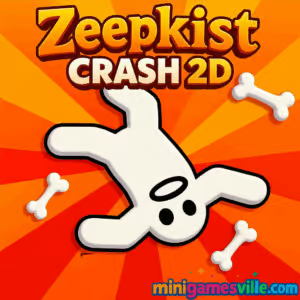
Play Zeepkist: Crash 2D on Minigamesville now! Tap the Play button above to launch Zeepkist: Crash 2D right in your browser on minigamesville.com. This physics-driven car crash arcade is quick to learn, hilarious to master, and perfect for fans of online, unblocked stunt games. Build momentum, yeet your driver, and chase outrageous high scores. Ready to crash with style? Hit Play and start smashing records today.
About Zeepkist: Crash 2D
Zeepkist: Crash 2D is a fast, funny physics browser game where your goal is to stage the most spectacular wrecks possible. You set your pose, pump the power, steer at the perfect moment, and launch for maximum ragdoll mayhem. Every crunch racks up points and coins that unlock new cars, hats, obstacles, and maps. If you love arcade stunts, ragdoll physics, and easy pick-up-and-play flow, Zeepkist: Crash 2D will keep you grinning.
History of Zeepkist: Crash 2D
Built by Steelpan Interactive, Zeepkist: Crash 2D brings the goofy crash energy of the Zeepkist universe to a streamlined 2D, play-in-browser format. It blends car-flinging chaos with quick sessions designed for phones, tablets, and desktops, so you can jump in, cause a scene, and chase a better score in minutes.
Style & Vibe
Playful colors and clean 2D art keep the focus on timing and impact. The tone is lighthearted, the pace is snappy, and the ragdoll reactions are laugh-out-loud. Expect quick dopamine hits as you tweak setups, test new props, and watch your driver pinwheel into multipliers.

Gameplay in Zeepkist: Crash 2D
Each run starts with setup. Choose your car and pose, add road obstacles, then hold the power meter to build speed. On release, guide the cart, line up the angle, and hit Yeet to launch your driver. Points pour in for speed, distance, collisions, object hits, and stylish chaos. Coins earned unlock maps, vehicles, cosmetics, and more props, letting you craft bigger, funnier chain reactions. Zeepkist: Crash 2D shines as a snackable online browser game with surprisingly deep score routing.
Game Modes
- Score Attack: Build the nastiest crash you can within a single run and top your personal best.
- Build & Crash Sandbox: Place obstacles and toys on the road to engineer bigger combos.
- Map Progression: Unlock new stages with fresh layouts and unique score opportunities.
How to Play
- Select a car and a pose that matches your plan.
- Use Edit to place road obstacles that amplify impacts.
- Hold the Power button, then release for the perfect launch speed.
- Steer left or right to square up the angle.
- Hit Yeet to eject and trigger multipliers with ragdoll collisions.
- Collect coins, then upgrade your ride and unlock new maps.
Controls
- Mouse/Touch: Tap or hold on-screen Power, Left, Right, and Yeet buttons.
- Keyboard support (varies by browser): Arrow keys or A/D to nudge left/right, Space or Enter to activate on-screen actions, Esc to pause. If your browser focuses the canvas, clicks tap the on-screen UI.
Device Compatibility & Browser Support
Zeepkist: Crash 2D runs in modern browsers on desktop and mobile, including Chrome, Edge, Firefox, and Safari. For best performance, keep a single tab open, enable hardware acceleration, and ensure WebGL is available.
Mobile vs. Desktop Gameplay
- Mobile: On-screen buttons are big and responsive, perfect for quick runs and coin grinding.
- Desktop: Larger screen helps you read terrain and plan longer, higher-scoring chains.
Can I Play Offline?
No. Zeepkist: Crash 2D is a web game that loads assets from the internet. You need an active connection to start and to keep progress synced in your browser storage.
Can I Play Unblocked?
Yes, in most cases. Zeepkist: Crash 2D runs over HTTPS on minigamesville.com and does not require special permissions, which helps it stay unblocked on many school or work networks. If your network filters games, try a different browser profile or a personal connection.
- Browser: Play Zeepkist: Crash 2D right here on minigamesville.com.
- Mobile apps: There are no official iOS or Android apps for Zeepkist: Crash 2D.
Want something similar on mobile with full store support? Try Hill Climb Racing:
Tips & Tricks
Beginner Tips
- Practice the Power hold and release to hit a repeatable launch speed.
- Yeet at an angle, not straight up, to chain multiple object hits.
- Start simple: one or two obstacles can outperform crowded layouts.
- Use cheap props first to learn how they bounce your driver.
- Reinvest coins into maps that give the best scoring geometry.
Advanced Strategies
- Route planning: place props to create predictable pinball paths.
- Pose tech: certain poses change your center of mass for better flips.
- Edge hits: grazing corners can add extra bounces without killing momentum.
- Combo stacking: aim for speed, distance, object hits, and ragdoll rolls in one line.
- Iteration: tweak one variable per attempt so you learn what adds score.
Features
- 🚗 Hilarious ragdoll physics with crunchy crash feedback
- 🎯 Score attack runs that reward precision and creativity
- 🧱 Build mode to place obstacles and craft bigger combos
- 🗺️ Unlockable maps with new layouts and score routes
- 🧢 Cosmetic hats and car skins to style your driver
- 💰 Coin economy with steady upgrades and progression
- ⚡ Instant restarts for fast practice loops
- 📱 Mobile-friendly UI for quick online play anywhere
Unlockables & Secrets
Collect coins from high-scoring crashes to unlock new cars, maps, obstacles, and cosmetics. Some stages hide trick lines and bounce setups that dramatically increase multipliers. Experiment with poses and object order to reveal secret paths.
Cheats & Mods
There are no official cheat codes for Zeepkist: Crash 2D. Browser mods and third-party scripts can break saves or harm device security, so play fair and keep your progression safe.
Walkthrough Summary
- Pick a stable car and basic pose.
- Add one obstacle near the launch zone to start combos.
- Hold Power to 80–90 percent, release, and steer slightly.
- Yeet at a shallow angle to maximize bounces and rolls.
- Bank coins, unlock the next map, and repeat with new routes.
Scoring, Records & Progression
Score scales with launch speed, collision count, damage, airtime, and ragdoll distance. Chained hits multiply totals, so gentle redirects are often better than a single huge smash. Coins translate into upgrades and unlocks, which help you craft longer combo paths and climb your personal records board.
Why Play Zeepkist: Crash 2D
It is pure arcade joy: short runs, big laughs, and constant improvement as you tune each setup. Whether you have two minutes or twenty, Zeepkist: Crash 2D delivers satisfying physics playground fun as an online unblocked browser game.
Pros & Cons of Zeepkist: Crash 2D
- Pros: Quick sessions, funny ragdoll physics, creative build tools, steady unlock loop, mobile-friendly.
- Cons: No offline mode, score RNG can creep in on bounces, limited controls on some devices.
- Keep your browser updated and enable hardware acceleration.
- Close heavy tabs, extensions, and background video while playing.
- On mobile, switch Low Power Mode off to avoid CPU throttling.
- If inputs feel sticky, reload the page to reset focus and memory.
Similar games to Zeepkist: Crash 2D
FAQ
Is Zeepkist: Crash 2D free to play?
Yes, you can play for free in your browser on minigamesville.com with no downloads required.
Does Zeepkist: Crash 2D have controller support?
It is designed for mouse or touch. Some browsers may map keys, but on-screen buttons are the primary input.
How do I get more maps and cars?
Earn coins from high-scoring crashes and spend them in the in-game menus to unlock maps, vehicles, obstacles, and cosmetics.
Will my progress save?
Yes, progress is saved locally in your browser storage. Clearing cache or using private windows can reset it.
Is Zeepkist: Crash 2D safe for school?
It runs over HTTPS and needs no extra permissions, so it often works on school networks that allow web games.
What devices are supported?
Most modern iOS, Android, Windows, macOS, and ChromeOS devices with an up-to-date browser and WebGL enabled.
Conclusion
Zeepkist: Crash 2D nails what makes a great browser game: instant fun, satisfying physics, and upgrades that keep you experimenting. Set up the perfect chain, yeet your driver, and watch the scoreboard explode.
Ready to play Zeepkist: Crash 2D online, unblocked, and for free? Hit the Play button above on minigamesville.com and start cooking up the most ridiculous crashes imaginable.

 Loading...
 English
 Shqip
Shqip
 বাংলা
বাংলা
 Български
 简体中文
简体中文
 Hrvatski
 Čeština
 Dansk
Dansk
 Nederlands
 Suomi
Suomi
 Ελληνικά
 हिन्दी
 Magyar
 Bahasa Indonesia
 日本語
日本語
 한국어
한국어
 Lietuvių
 Bahasa Melayu
 Norsk
Norsk
 Polski
 Português do Brasil
 Română
 Slovenčina
 Slovenščina
 Svenska
 ไทย
ไทย
 Türkçe
 Українська
 اردو
اردو
 Tiếng Việt
 isiZulu
 Español
 Français
 Deutsch
 العربية
 Italiano
 فارسی
فارسی
 Русский