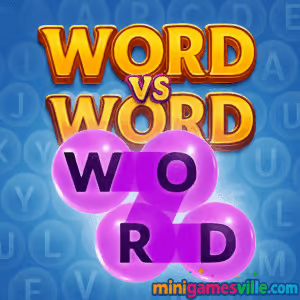
Press Play to jump into Word vs Word on MiniGamesVille right now. Word vs Word is a fast, competitive word puzzle browser game you can play online, unblocked on most networks. If you love quick-thinking vocabulary battles, this head-to-head letter duel will hook you in seconds. Build high-value words, sabotage your rival with power-ups, and climb the leaderboard, all without downloads. Ready to flex your word-smithing skills? Play Word vs Word here on minigamesville.com and start scoring big.
About Word vs Word
Word vs Word blends the best parts of word search and competitive puzzlers into a snappy real-time showdown. Each round drops you onto a jelly-like crossword board packed with letters. Trace a path to form valid words, rack up points from letter values, and time your power-ups to outmaneuver the opponent. Matches are quick, the skill ceiling is high, and every board feels fresh, which makes this online word game perfect for short breaks or long streaks.
History of Word vs Word
Created by indie studio Wix Games, Word vs Word evolved from the team’s knack for clever, approachable web titles. The game’s design focuses on readable boards, tactile swiping, and punchy rounds that reward both vocabulary knowledge and strategy. A browser version makes it easy to play instantly, while mobile builds bring the same pick-up-and-play spirit to touch screens.
Style & Vibe
The vibe is bright and bouncy. Candy-gel tiles squish as you trace words, animations celebrate smart plays, and sound effects keep momentum high without getting in the way. The interface is minimalist, so your eyes lock onto letter paths and multipliers.

Gameplay in Word vs Word
Every match starts on a letter grid where both players can path through adjacent tiles to form words. Longer words and rarer letters award bigger points, and smart routing lets you chain combos. The twist is timing: you and your rival share a set of single-use power-ups that add blanks, reshuffle the grid, boost score multipliers, or block prime routes. Choosing when to strike is just as important as spelling well.
Game Modes
- Quick Match: Jump into a fast 1v1 against a similarly skilled opponent.
- Friendly Duel: Challenge a friend and practice setups or power-up timing.
- Practice: Solo drills to refine scanning speed and pathing on shuffled boards.
- Events: Occasional limited-time twists that change board flow and scoring.
How to Play
- Press Play and wait for a match.
- Scan the board for high-value letters and easy connectors like common prefixes or suffixes.
- Drag across adjacent tiles to form a valid word, then release to submit.
- Watch letter scores and multipliers, plan a bigger follow-up, and deny your opponent’s best routes.
- Trigger power-ups at pivotal moments, then rebuild tempo with quick scoring words.
- Repeat, adapt, and finish ahead when the clock or turn limit ends.
Controls
- Desktop: Click and hold to trace letters, release to submit. Mouse wheel or trackpad to scroll if the board zooms.
- Mobile/Tablet: Tap, hold, and swipe through letters. Lift finger to submit. Tap power-ups to activate.
- Undo/Cancel: Move off the path before releasing to reset a trace.
Device Compatibility & Browser Support
Word vs Word is built for modern HTML5, so it runs in current versions of Chrome, Edge, Firefox, and Safari on desktop and mobile. For the smoothest experience, keep one tab active, disable heavy background downloads, and enable hardware acceleration in your browser settings. As an online multiplayer puzzle, a stable internet connection helps maintain responsive turns.
Mobile vs. Desktop Gameplay
On touch screens, swiping letters feels natural and quick for curved paths. On desktop, a mouse can be more precise for tight angles and last-second reroutes. Try both to see which boosts your word-per-minute and accuracy.
Can I Play Offline?
The browser game needs an active connection for matchmaking and live scoring. You can practice scanning patterns offline in other word apps, but matches in Word vs Word require online play.
Can I Play Unblocked?
Yes, many players access this word game unblocked since it runs in a standard browser. Availability still depends on local network rules. If a school or office filter blocks gaming categories, try a personal network or ask your admin about allowing educational word games.
Tips & Tricks
Beginner Tips
- Open with quick three or four letter words to grab tempo, then pivot to a high-value path.
- Scan diagonals as well as straight lines, many big routes hide in zigzags.
- Use blanks to bridge rare letters like J, Q, X, Z into scoring shapes.
- Save a reshuffle until your opponent is clearly lining up a long word.
- Learn flexible anchors like RE, UN, ING, ER to extend in multiple directions.
Advanced Strategies
- Route denial: trace a modest word that breaks your rival’s obvious lane to a triple-value cluster.
- Chain planning: leave yourself an easy follow-up by ending near vowels or common bigrams.
- Power-up bait: threaten a long word to force a premature reshuffle, then counter with blanks.
- Letter economy: prioritize tiles with the best score per step rather than pure length.
- Time banking: submit short words to stall while a premium path forms, then strike late.
Features
- 🧠 Real-time 1v1 word battles with quick rounds
- 🧩 Jelly-grid letters that reward creative pathing
- ⚡ Shared power-ups for bold comebacks and smart denials
- 🎯 Letter values and multipliers for tactical scoring
- 🎮 Smooth play on desktop and mobile browsers
- 👤 Customizable avatars and profiles
- 📈 Skill-based matchmaking feel for fairer duels
- 🔊 Crisp audio cues that highlight momentum shifts
Unlockables & Secrets
Expect cosmetic unlocks like avatars and color themes, plus subtle milestones for streaks and high score thresholds. Keep an eye on event boards, some challenges tweak letter pools in fun ways.
Cheats & Mods
There are no built-in cheats. Third-party scripts or extensions can harm performance and risk fair play. Winning in Word vs Word comes from fast pattern recognition, smart pathing, and well-timed power-ups.
Walkthrough Summary
Start fast with short connectors, secure a scoring pocket, and pivot into higher value letters. Watch your rival’s cursor to anticipate routes, deny the obvious lane, then swing momentum with a late power-up. Finish with one or two big words rather than many tiny submissions when the board favors it.
Scoring, Records & Progression
Scores combine letter values, path length, and any active multipliers. Track your personal bests by round type, aim for streaks to sharpen scanning speed, and log common letter chains so you can spot premium routes under pressure.
Why Play Word vs Word
If you enjoy Scrabble-style thinking but prefer real-time pressure, this online word game hits the sweet spot. You get bite-size matches, satisfying swipes, and a meta built around clever denial and comeback timing.
Pros & Cons of Word vs Word
- Pros: Instant play in browser, great touch and mouse feel, deep yet approachable strategy, quick matchmaking vibe.
- Cons: Requires steady internet, competitive pace may feel intense for pure solo puzzlers.
- Keep your browser up to date and close heavy tabs for smoother frame pacing.
- On laptops, plug in or switch to a high-performance power profile.
- If input feels sluggish, toggle hardware acceleration in settings, then relaunch.
- On mobile, clear background apps and enable Do Not Disturb to avoid stutters from notifications.
Similar games to Word vs Word
- Wordsmith, a classic build-the-word challenge that rewards vocabulary depth and consistency.
- Word City: Uncrossed, relaxing word-connect puzzles with clean visuals and steady difficulty curves.
- Geography Quiz: Flags and Capitals, a quick-fire trivia drill that sharpens knowledge under a timer.
- Sudoblocks, sudoku-meets-blocks logic that scratches the same puzzle-solving itch.
- Brain Test: Tricky Puzzles, a series of lateral-thinking levels with playful twists and gotchas.
- Diff, spot-the-difference sessions that train attention to detail between matches.
FAQ
What is Word vs Word?
Word vs Word is a competitive online word puzzle where two players race to form the highest scoring words on a shared letter board.
Is Word vs Word free to play?
Yes, you can play free in your browser here on MiniGamesVille, and there are official mobile versions as well.
Does the game work on school or work networks?
Often yes, since it is a browser game, but availability depends on local filters and firewall rules.
Do I need to create an account?
No account is required to try a quick match in browser. Profiles and avatars may enhance tracking and personalization.
Are there pay-to-win elements?
No, matches revolve around skillful word building and smart power-up timing.
What devices are supported?
The HTML5 version supports modern desktop and mobile browsers. Official iOS and Android apps are available.
Any tips for beginners?
Prioritize easy connectors, learn flexible prefixes and suffixes, and save reshuffles for denial plays.
Conclusion
Whether you have two minutes or twenty, Word vs Word delivers tight, satisfying rounds that reward sharp eyes and sharper decisions. The mix of pathfinding, letter values, and tactical power-ups makes every board feel like a fresh puzzle.
Your next high score is one click away. Hit Play to dive into Word vs Word on minigamesville.com, challenge a friend, and prove your vocabulary can win the duel.

 Loading...
 English
 Shqip
Shqip
 বাংলা
বাংলা
 Български
 简体中文
简体中文
 Hrvatski
 Čeština
 Dansk
Dansk
 Nederlands
 Suomi
Suomi
 Ελληνικά
 हिन्दी
 Magyar
 Bahasa Indonesia
 日本語
日本語
 한국어
한국어
 Lietuvių
 Bahasa Melayu
 Norsk
Norsk
 Polski
 Português do Brasil
 Română
 Slovenčina
 Slovenščina
 Svenska
 ไทย
ไทย
 Türkçe
 Українська
 اردو
اردو
 Tiếng Việt
 isiZulu
 Español
 Français
 Deutsch
 العربية
 Italiano
 فارسی
فارسی
 Русский