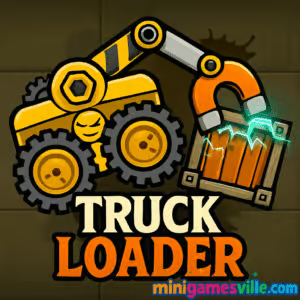
Play Truck Loader right now on MiniGamesVille.com and start stacking crates with a super satisfying magnetic forklift. Truck Loader is a physics puzzle browser game that rewards clever timing, smooth driving, and precise crane control. Whether you want an online brain teaser during a break or a full-on puzzle binge, tap Play above and enjoy fast, unblocked fun with zero downloads.
Introduction
Truck Loader is a beloved physics puzzle where you drive a compact loader, swing a magnetic arm, and place crates into a waiting truck as quickly and cleanly as possible. Simple idea, big grin factor. Expect clever level design, switch puzzles, TNT crates, conveyors, and arrows that flip gravity on your plans. If you crave a quick, bite-sized online challenge, Truck Loader delivers crisp controls and instant restarts that make it perfect for speed runs or casual play. Click Play to launch Truck Loader on MiniGamesVille.com and see how many perfect loads you can rack up in a row.
About Truck Loader
This crisp browser game blends platforming, logic, and tactile physics. You’ll nudge ramps, press buttons, trigger doors, and snatch crates with a magnet that feels great to swing. The magic is in the momentum: angle the arm, grab on the move, then feather the throttle to nestle each box into the highlighted truck bay. It’s quick to learn and surprisingly deep to master.
History of Truck Loader
Truck Loader began life in the classic web era as a clean, level-based physics puzzler. As browsers evolved, so did the tech, moving to modern HTML5 so it plays smoothly without plugins. Its formula has stayed true: tight controls, smart puzzle flow, and short levels that invite instant replays and time chasing.
Style & Vibe
The vibe is clean and industrial with warm, cartoony touches. Levels read clearly at a glance, animations are snappy, and the sound cues make every snap of the magnet and thunk of a crate feel earned.

Gameplay in Truck Loader
Each level places a truck at the exit and crates throughout a warehouse puzzle. Drive the loader, aim the magnetic arm with the cursor, grab crates, and drop them in the marked slot. Expect puzzle toys like pressure plates, lifts, moving belts, polarity tricks, and fragile boxes that punish rough handling. The loop is fast: try, learn, restart in a heartbeat. Finishing quickly sets better times, which is where Truck Loader becomes a speedrunner’s playground.
Game Modes
- Level Campaign: Progress through handcrafted stages with escalating mechanics and multi-crate setups.
- Time Chasing: Replay cleared levels to shave seconds off your best runs.
- Self-made Challenges: Community-style goals like no-jump clears or no-magnet drags keep veterans engaged.
How to Play
- Press Play and load the first level.
- Drive to the target crate and align your loader.
- Aim the magnetic arm at the crate and activate the magnet to grab it.
- Nudge buttons, flips, or lifts to open paths as needed.
- Carry the crate to the truck, rotate or re-grab to fit, then release into the glowing bay.
- Repeat for all crates, then roll out to finish and check your time.
Controls
- Desktop: Arrow keys or A/D to move, W or Up to jump, mouse to aim the arm, mouse button to toggle the magnet, R to restart level.
- Mobile: On-screen arrows to drive and jump, tap to aim the arm, tap button to toggle magnet.
Device Compatibility & Browser Support
Truck Loader runs in modern browsers like Chrome, Edge, Firefox, and Safari on desktop, Chromebook, and mobile. No downloads, just click Play. For best performance, keep one tab running, enable hardware acceleration, and make sure your browser is up to date.
Mobile vs. Desktop Gameplay
Desktop offers pixel-precise mouse aiming for surgical crate drops. Mobile adds convenience with responsive touch controls and short levels that fit perfectly into spare minutes. Your progress saves in your browser storage, so stick to the same device to keep times and clears.
Can I Play Offline?
Truck Loader is an online browser game and needs an active connection to load and play. If you want a mobile physics option for offline sessions, see the Platforms section below.
Can I Play Unblocked?
MiniGamesVille.com is designed for quick, unblocked access in most networks. If a school or office filter gets in the way, try a different browser, clear cache, or use a personal connection. No VPNs or extra installers are required when it is available.
- Browser: Play Truck Loader right here on MiniGamesVille.com.
- iOS and Android: There is no official Truck Loader mobile app as of August 20, 2025. Prefer a similar physics driving puzzle on mobile? Try Hill Climb Racing:
Tips & Tricks
Beginner Tips
- Stop before you grab. A still loader plus a steady arm equals cleaner picks.
- Use the crate as a lever. Nudge buttons or swing through gaps with the magnet engaged.
- Feather the throttle. Small taps correct tilt without launching your crate.
- Reset fast. Missed lining it up? Hit restart and learn the level rhythm.
- Watch the arrows on crates. Some require orientation to seat correctly.
Advanced Strategies
- Pre-aim the arm while driving so you grab on first contact.
- Swing momentum. Start a gentle pendulum to arc crates over pits without jumping.
- Two-step placements. Touch the bay, release, re-grab a corner to rotate, then finalize.
- Button buffering. Park the crate on a pressure plate, then grab from the far edge so the door stays open as you pull away.
- Route planning. Clear hazards first, then fetch the fragile crate last.
Features
- 🧲 Satisfying magnetic arm with weighty physics
- 🧩 Smart, bite-sized puzzle levels
- 🚚 Tight driving controls with quick restarts
- ⏱️ Speed-friendly design for time chasing
- 📱 Plays in your browser on desktop and mobile
- 🎯 Precision crate orientation challenges
- 🔁 Instant retry loop for perfect runs
- 🔊 Crisp audio feedback for grabs and drops
Unlockables & Secrets
Expect levels that hide trick routes, faster switch orders, and cleaner crate rotations than the obvious path. Chasing cleaner lines trims seconds off your best times. If a level feels slow, experiment with a different first crate or a swing grab instead of a hop.
Cheats & Mods
There are no official cheats for Truck Loader. Third-party extensions or modified files can break saves or hurt performance. The fastest way to improve is learning better routes and magnet control. Use restart generously and time your swings.
Walkthrough Summary
Approach each level as a three-step puzzle: open the path, secure the crates, then seat them cleanly. Learn which switches are one-way, which lifts need weight held, and which crates are easier to rotate before you reach the truck. When in doubt, place a crate temporarily against a wall, re-grab at a corner, and rotate into alignment.
Scoring, Records & Progression
Your best completion times are the metric to beat. Progression is linear, and local saves keep your cleared levels and records. If you clear a level slowly the first time, revisit it and hunt for time saves with tighter turns and fewer re-grabs.
Why Play Truck Loader
Fast levels, no fluff, and a tactile magnet that never gets old. Truck Loader nails that perfect loop of plan, perform, and perfect. It’s the kind of online game you open for one level and end up speedrunning for twenty.
Pros & Cons of Truck Loader
- Pros: Snappy physics, quick restarts, clever puzzle variety, smooth performance in browser.
- Cons: Touch aiming is less exact than mouse, some levels require trial and error to learn optimal routes.
- Keep your browser updated for the best HTML5 performance.
- Enable hardware acceleration in settings.
- Close heavy background tabs or extensions while playing.
- If input feels laggy, toggle full-screen or refresh to clear memory.
Similar games to Truck Loader
FAQ
Is Truck Loader free to play?
Yes, Truck Loader is free to play in your browser on MiniGamesVille.com with no downloads.
Does Truck Loader work on Chromebook?
Yes, it plays great on modern Chromebooks using Chrome with hardware acceleration enabled.
Why is my magnet letting go of crates?
Hard bumps and steep angles can pop the crate loose, so stabilize the loader and re-grab near a corner for better control.
Can I use a gamepad?
Truck Loader is designed for keyboard and mouse or touch. A gamepad is not required and may not map cleanly.
How do I go faster on levels I already beat?
Pre-aim the arm, plan cleaner lines, and use swing momentum to clear gaps without extra jumps.
Will my progress sync across devices?
Saves are stored locally in your browser, so use the same device and browser to keep your records.
Conclusion
If you love clever physics, quick retries, and the crunch of a perfect crate drop, Truck Loader is your next favorite browser game. The controls feel great, the puzzles keep surprising you, and the chase for cleaner times never stops.
Ready to roll out? Hit Play above to dive into Truck Loader on MiniGamesVille.com, master the magnet, and load that truck like a pro.

 Loading...
 English
 Shqip
Shqip
 বাংলা
বাংলা
 Български
 简体中文
简体中文
 Hrvatski
 Čeština
 Dansk
Dansk
 Nederlands
 Suomi
Suomi
 Ελληνικά
 हिन्दी
 Magyar
 Bahasa Indonesia
 日本語
日本語
 한국어
한국어
 Lietuvių
 Bahasa Melayu
 Norsk
Norsk
 Polski
 Português do Brasil
 Română
 Slovenčina
 Slovenščina
 Svenska
 ไทย
ไทย
 Türkçe
 Українська
 اردو
اردو
 Tiếng Việt
 isiZulu
 Español
 Français
 Deutsch
 العربية
 Italiano
 فارسی
فارسی
 Русский