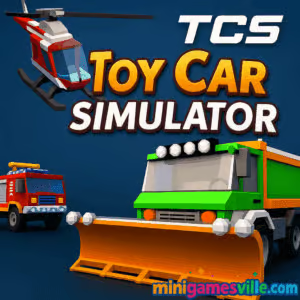
Play Toy Car Simulator now on minigamesville.com and jump straight into the driver’s seat. Toy Car Simulator is a bite-size 3D driving sandbox that turns your screen into a living playroom. Explore, drift, boost, and crash through ramps as you collect coins and unlock new rides. If you love physics-based driving, a flexible car simulator feel, and quick-fire stunts, this online browser game was made for you. Click Play above to launch Toy Car Simulator unblocked in your browser, then come back to this review for tips, controls, and speed-running strategies.
About Toy Car Simulator
Toy Car Simulator delivers pick-up-and-play fun with chunky visuals, responsive physics, and multiple modes that keep you chasing one more run. The city zone invites free-roam exploration, the highway mode cranks up traffic-dodging intensity, and the arena pushes you toward wild stunts and coin routes. It is a lightweight, no-download browser game that nails the toy-box vibe while still feeling like a proper driving game.
History of Toy Car Simulator
Launching on the web in the late 2010s, Toy Car Simulator quickly became a staple for fans of casual driving sims. Its WebGL foundation made it easy to play online from almost any modern desktop, and the simple coin economy plus battery pickups created a loop that feels equal parts arcade and sandbox. Over time, the game gained a reputation for accessible stunt physics, forgiving handling, and a satisfying unlock path.
Style & Vibe
The aesthetic blends colorful toy-scale vehicles with oversized ramps and city props. Expect bright lanes, bold UI, and collectible trails that lead you toward secrets. Jumps are exaggerated, flips feel crunchy, and landing clean gives you that perfect little dopamine pop.

Gameplay in Toy Car Simulator
Moment to moment, Toy Car Simulator is about flow. Spawn in, scan for coin lines, hit ramps, and chain boosts to maintain speed while keeping an eye on the battery meter. Nitro gives you the grunt to clear bigger gaps, but smart steering and feathered throttle make the physics sing. The challenge scales with your ambition: hunt every coin in a zone, go for long no-crash streaks, or time-attack your own routes.
Game Modes
- Free Ride: Explore a toy city, find hidden ramps, farm coins, and refill battery with powerups.
- Highway: Endless traffic-dodging with higher speed and tighter reaction windows. Great for coin streaks.
- Arena: Compact stunt playground with loops, launch pads, and elevated risk-reward paths.
- Custom Challenges: Set personal goals like “no-brake coin sweep,” “clean backflip chain,” or “battery never below 30%.”
How to Play
- Press Play above to start Toy Car Simulator on minigamesville.com.
- Pick a mode, then choose a starting vehicle.
- Drive toward coin trails, battery icons, and ramps to build speed and score.
- Bank coins to unlock faster rides and specialty vehicles.
- Repeat runs to master routes and extend streaks.
Controls
- WASD or Arrow Keys: Drive and steer
- Space: Handbrake for tight pivots and drift entries
- F: Nitro boost
- L: Headlights toggle
- I: Ignition toggle
- R: Quick reset if you flip off-course
Device Compatibility & Browser Support
Toy Car Simulator runs best on desktop Chrome, Edge, Firefox, or Safari with hardware acceleration on. It can load on many mobile browsers, but the experience is tuned for keyboard control and larger screens. For smoothest performance, close heavy tabs, keep your GPU drivers updated, and run in fullscreen.
Mobile vs. Desktop Gameplay
Desktop: Full keyboard precision, higher frame rates, reliable physics, and cleaner camera control. Mobile: Playable in a pinch, but touch steering is less exact, and complex stunt lines are tougher to nail.
Can I Play Offline?
No. Toy Car Simulator is a browser-based game that requires an internet connection to load assets and save your progress in-session.
Can I Play Unblocked?
In most home networks, yes. If your school or workplace filters game sites, the title may be blocked. Try playing on a personal device and network, or ask your admin to whitelist minigamesville.com for safe, lightweight web games.
- Browser: Play Toy Car Simulator directly at minigamesville.com with no download.
- Official mobile apps: There is no confirmed official Google Play or App Store version of this exact browser game.
- Want a mobile alternative? Try these highly rated racers:
Tips & Tricks
Beginner Tips
- Follow coin lines. They often point toward safe ramp angles and battery pickups.
- Feather throttle on landings to reduce bounce and keep control.
- Use the handbrake to realign mid-run instead of oversteering.
- Spend coins on handling first. Control beats raw speed early on.
- Learn two clean routes per map: a safe farm route and a risky stunt route.
Advanced Strategies
- Chain nitro only when landing straight. Boosting during turns wastes grip and battery.
- Pre-rotate off ramps with a slight steer input to set up flips without over-tilt.
- Memorize battery spawn logic so you never dip into panic driving.
- Use handbrake taps to snap the nose toward coin arcs after big air.
- Bank coins in runs of 90–120 seconds. Short loops beat messy marathons.
Features
- 🚗 Toy-scale vehicles with forgiving, fun physics
- 🛣️ Three distinct modes: Free Ride, Highway, and Arena
- 💥 Nitro boosts, drifts, flips, and combo-friendly ramps
- 🔋 Battery and pickup system to extend your run
- 🪙 Simple coin economy for unlocking rides
- 🎯 Hidden routes, secret jumps, and time-saver lines
- 🕹️ Keyboard-first controls that feel great instantly
- 🌐 True online browser game, no download required
Unlockables & Secrets
Coins unlock faster cars and quirky vehicles. Watch for off-angle ramps leading to rooftops or billboards, which often hide dense coin clusters. In highway mode, switching lanes early creates cleaner gaps for long no-hit streaks.
Cheats & Mods
There are no built-in cheat codes for the browser version, and third-party mods can break performance or stability. For the best experience, play the original Toy Car Simulator on minigamesville.com and focus on route mastery.
Walkthrough Summary
Start with Free Ride to learn ramp placements. Build a safe coin loop that hits at least two battery pickups. Once you unlock a grippier car, switch to Highway for higher coin rates. Use Arena when you want fast stunt practice and landing control.
Scoring, Records & Progression
Your progress revolves around coin banking and clean runs. Track your personal bests by time survived, coins per minute, and longest no-crash streak. As handling improves, revisit early routes and shave seconds with tighter drift entries.
Why Play Toy Car Simulator
It is a rare mix of stress-free driving and satisfying stunts. Sessions are short, restarts are instant, and the physics are friendly enough for kids yet deep enough for adults to min-max lines. If you want a chill car simulator feel without complex tuning, Toy Car Simulator nails it.
Pros & Cons of Toy Car Simulator
- Pros: Smooth WebGL performance, quick restart loop, clear coin economy, forgiving physics, great for casual stunt practice.
- Cons: Minimal customization, basic audio, limited long-term meta once all vehicles are unlocked.
- Play in fullscreen for steadier frames and fewer input hiccups.
- Enable hardware acceleration in your browser settings.
- If you see stutter, set your system GPU to prefer high performance for the browser.
- Close heavy extensions that may interfere with WebGL overlays.
- Clear cache if assets fail to load after a long session.
Similar games to Toy Car Simulator
- Parking Fury 3D: Night Thief — Sneak through city streets and park with precision while evading patrols.
- Drive Mad — Physics-first obstacle runs where throttle control is everything.
- Midnight Drive — Neon-soaked cruising focused on smooth lines and clean turns.
- Stock Car Hero — Oval racing with slipstreams, lane choice, and timing strategy.
- Speed King — Arcade-speed sprints that reward quick reactions and perfect boosts.
FAQ
Is Toy Car Simulator free to play?
Yes, it is a free online browser game you can launch directly on minigamesville.com with no download.
Does Toy Car Simulator support controllers?
Keyboard is the intended input. Some browsers may detect controllers, but keyboard offers the most consistent control.
How do I get more cars?
Collect coins during runs and spend them in the vehicle select menu to unlock faster or specialty vehicles.
What is the fastest way to earn coins?
Master a short loop that passes two battery pickups, then repeat cleanly without crashes to maximize coins per minute.
Why did my car stop mid-run?
If the battery runs out, performance drops. Grab red battery powerups to extend your session.
Can I mute the game?
Yes, use the in-game audio toggle or lower the tab volume in your system settings.
Does progress save?
Progress is session based in the browser. Keep the tab open if you plan to continue unlocking vehicles in a single play period.
Conclusion
Toy Car Simulator is the kind of driving game you fire up for a five-minute break and end up playing for half an hour. The toy-box scale, forgiving physics, and simple coin chase make it perfect for quick stunts and stress-free exploration.
Ready to roll. Hit Play above to start Toy Car Simulator on minigamesville.com, then come back to these tips when you are ready to squeeze out faster lines, cleaner landings, and bigger coin hauls.

 Loading...
 English
 Shqip
Shqip
 বাংলা
বাংলা
 Български
 简体中文
简体中文
 Hrvatski
 Čeština
 Dansk
Dansk
 Nederlands
 Suomi
Suomi
 Ελληνικά
 हिन्दी
 Magyar
 Bahasa Indonesia
 日本語
日本語
 한국어
한국어
 Lietuvių
 Bahasa Melayu
 Norsk
Norsk
 Polski
 Português do Brasil
 Română
 Slovenčina
 Slovenščina
 Svenska
 ไทย
ไทย
 Türkçe
 Українська
 اردو
اردو
 Tiếng Việt
 isiZulu
 Español
 Français
 Deutsch
 العربية
 Italiano
 فارسی
فارسی
 Русский