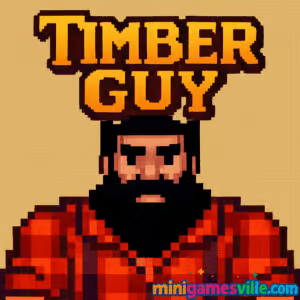
Ready to chop? Tap Play above to jump into Timber Guy right here on minigamesville.com. This fast, one-tap arcade browser game drops you into a split‑second reflex challenge where every swing matters. If you want a quick hit of fun with zero downloads, Timber Guy online is perfect for coffee breaks, study escapes, or late‑night score chases. Swing the axe, dodge branches, and climb the leaderboard. Hit Start now and see how long you can last in this unblocked, HTML5 arcade classic.
About Timber Guy
Timber Guy is a lightweight, pick‑up‑and‑play arcade game that thrives on rhythm and precision. You chop a towering tree from either side, swapping positions to avoid incoming branches while your timer drains. Each clean cut adds points and precious time, so staying calm under pressure is the real skill. With its minimalist pixel look and instant restarts, it nails that modern hyper‑casual feel while keeping the rules crystal clear.
History of Timber Guy
The lumberjack left‑right chopping formula became a fan favorite in the mid‑2010s across mobile and web portals. Timber Guy follows that beloved pattern, focusing on clean inputs, snappy feedback, and escalating speed. It is the kind of straightforward design that rewards muscle memory and micro‑decisions, which is why it fits the browser so well.
Style & Vibe
Clean pixel art, bold colors, and punchy SFX keep your focus on the next branch. The UI stays out of the way, the restart is instant, and the tension rises smoothly as your chop rhythm clicks. It feels tight, responsive, and built for short, addictive sessions.

Gameplay in Timber Guy
Each tap or keypress swings the axe and flips your lumberjack to the left or right side of the trunk. Branches slide down at varying intervals, so you must read the next few segments and plan your swaps early. The timer drains, but every safe chop adds a little time back. Mistime a swap and you take a branch to the head, ending your run. As your score climbs, the pace accelerates, testing your reflexes and rhythm.
Game Modes
- Classic Endless: The core mode most players love, chase a personal best while speed ramps up.
- Timed Challenges: Some versions add short bursts with fixed time, perfect for warmups.
- Local Leaderboard Runs: Restart fast and keep pushing for cleaner openers and late‑game composure.
How to Play
- Press Play above on minigamesville.com to load Timber Guy.
- Study the next few branch segments before your first chop.
- Tap or press the key for the side that is safe, then alternate as the pattern changes.
- Keep a steady pace, avoiding panic taps that desync your rhythm.
- Bank time with clean streaks, then surge when the pace increases.
Controls
- Desktop: A or Left Arrow chops left, D or Right Arrow chops right. Space to restart after a run.
- Mouse: Click or tap on the left or right half of the game area.
- Mobile: Tap left or right side of the screen to switch sides and chop.
Device Compatibility & Browser Support
This HTML5 title runs smoothly on modern browsers like Chrome, Firefox, Edge, and Safari. Enable audio, keep hardware acceleration on, and you are set. It loads fast and plays well on both touchscreens and keyboards.
Mobile vs. Desktop Gameplay
On mobile, thumbs offer quick alternation for tight patterns, great for short bursts. On desktop, keys feel ultra‑precise for long high‑score runs. Try both to see which vibe fits your style.
Can I Play Offline?
You need an internet connection to load the game on minigamesville.com. After it loads, keep the tab open to continue your session. Close the tab and you will need access again to reload.
Can I Play Unblocked?
Timber Guy is an unblocked browser game for most networks because it runs in standard HTTPS with no download. If your school or office restricts game sites, policies may vary. Try a different network or play after hours.
- Browser: Play on minigamesville.com, no install required.
- Mobile stores: There is no official Timber Guy app on iOS or Android. Want a similar mobile experience? Try the official Timberman:
Tips & Tricks
Beginner Tips
- Look two steps ahead. Do not react to the next branch only, scan the upcoming segment too.
- Find your tempo. Chopping at a steady pace reduces panic swaps.
- Start on the side with fewer near branches to build an early time buffer.
- Use short breaks. After a mistake, reset quickly, breathe, and go again.
Advanced Strategies
- Micro‑pauses: When patterns compress, insert a tiny delay to resync the cycle.
- Anchor hand positions: On mobile, plant thumbs left and right so your taps stay consistent.
- Late‑game reading: Train your eyes to read three segments ahead as speed climbs.
- Openers: Practice the first 30 chops to secure reliable time banks for the endgame.
Features
- ⚡ Instant‑restart arcade action, perfect for short sessions
- 🪓 Simple two‑button controls with tight responsiveness
- 🎯 Skill‑based scoring with rising speed and pressure
- 📈 Local high scores for endless replay value
- 🎵 Crisp SFX that match the chopping rhythm
- 📱 Plays great on touch or keyboard
- 🌐 Runs in your browser with no downloads
- 🧠 Teaches pattern recognition and timing discipline
Unlockables & Secrets
Some editions of the lumberjack formula include character skins and varied environments. The browser version on minigamesville.com keeps things lean for pure score chasing. Your real unlock is mastery, which starts when your eyes and thumbs sync with the pattern flow.
Cheats & Mods
No official cheats or mods are supported. Third‑party tools reduce the fun and can break the game. Your best path to higher scores is practice, clean rhythm, and smart pacing.
Walkthrough Summary
Begin on the safe side, knock out a steady 20–30 chops to build time, then settle into a mid‑tempo groove. When branches compress late, insert micro‑pauses, switch sides early, and avoid double taps. Aim for clean segments of 50+ chops without hits, and your score will snowball.
Scoring, Records & Progression
Each safe chop adds points and a sliver of time. Faster chops speed up scoring, but sloppy swaps end runs. Track your personal best, review where the late‑game pattern tripped you up, and target incremental milestones, like 100, 200, 300 points.
Why Play Timber Guy
If you love skill‑first arcade design, Timber Guy delivers pure, no‑frills challenge. It is the kind of online game you can learn in seconds and spend days mastering. Perfect when you want instant fun without the fuss.
Pros & Cons of Timber Guy
- Pros: razor‑simple controls, quick restarts, satisfying rhythm, great on any device.
- Cons: minimalist presentation, high‑score focus may feel bare if you want deep progression.
- Close heavy tabs and background streams for smoother input timing.
- Keep your browser updated and enable hardware acceleration.
- On laptops, switch to high‑performance power mode for steadier frame pacing.
- On mobile, turn off battery saver and use full‑screen mode for cleaner taps.
Similar games to Timber Guy
- Canabalt — iconic one‑button endless runner with pure reflex flow.
- Birdy Rush — dodge hazards with quick taps and tight timing.
- Books Tower — stack blocks with precise rhythm to reach new heights.
- Knife Jump — tap‑timing flips demand sharp focus and clean arcs.
- Flip Knife — physics‑based tosses where angle and power control the landing.
- Color Tunnel — hyperspeed obstacle dodging that tests your reaction time.
FAQ
What is Timber Guy?
It is a quick‑fire arcade browser game where you chop a tree, switch sides to dodge branches, and chase a high score.
Is Timber Guy free to play?
Yes, it is free to play online on minigamesville.com with no downloads or sign‑ups.
Does Timber Guy work on mobile?
Yes, it runs in your mobile browser with responsive tap controls.
Are there official mobile apps?
There is no official app titled Timber Guy. For a similar mobile experience, try Timberman on Google Play and the App Store.
How do I improve my score?
Read patterns two steps ahead, keep a steady tempo, and use micro‑pauses to resync during fast segments.
Is Timber Guy unblocked at school?
It usually is, since it runs in a standard browser. If your network blocks game sites, policies vary by school.
Conclusion
Short, sharp, and seriously addictive, Timber Guy turns two buttons into a full‑on reflex workout. Whether you are sneaking in a quick break or grinding toward a new personal best, it nails that instant‑restart arcade loop.
Ready to test your timing? Hit Play and chop your way up the leaderboard in Timber Guy on minigamesville.com. Good luck, and watch those branches.

 Loading...
 English
 Shqip
Shqip
 বাংলা
বাংলা
 Български
 简体中文
简体中文
 Hrvatski
 Čeština
 Dansk
Dansk
 Nederlands
 Suomi
Suomi
 Ελληνικά
 हिन्दी
 Magyar
 Bahasa Indonesia
 日本語
日本語
 한국어
한국어
 Lietuvių
 Bahasa Melayu
 Norsk
Norsk
 Polski
 Português do Brasil
 Română
 Slovenčina
 Slovenščina
 Svenska
 ไทย
ไทย
 Türkçe
 Українська
 اردو
اردو
 Tiếng Việt
 isiZulu
 Español
 Français
 Deutsch
 العربية
 Italiano
 فارسی
فارسی
 Русский