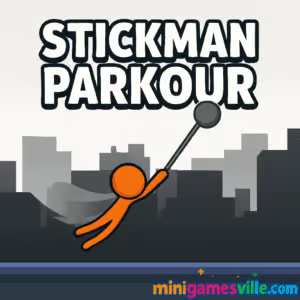
Play Stickman Parkour on MinigamesVille now: click the Start button above and jump straight into Stickman Parkour on minigamesville.com. This free browser game drops you into fast parkour runs, clean physics, and tight timing challenges. If you love platformers, runners, or quick-reflex challenges, Stickman Parkour online is your next go-to. Beat tricky jumps, chain wall hops, and fly across gaps. Ready to move? Press play and try Stickman Parkour unblocked on your favorite device right here.
About Stickman Parkour
Stickman Parkour is a momentum-first platformer built for instant fun in your browser. Levels flow like obstacle courses, every ledge and bumper teaching you to time jumps and conserve speed. With simple controls and crisp physics, it is ideal for short sessions or full-on speedrun grinds. Whether you are new to parkour games or a seasoned runner, Stickman Parkour on minigamesville.com delivers a smooth, uncluttered experience that loads fast and plays even faster.
History of Stickman Parkour
Stick figure platformers have been a fan favorite for years thanks to their clean silhouettes and readable action. The parkour twist turned that simplicity into flow, encouraging players to surf momentum rather than brute-force jumps. Stickman Parkour follows that arc, focusing on compact levels, snappy restarts, and a skill ceiling that rewards practice.
Style & Vibe
Minimalist visuals keep your focus on timing and trajectory, while spring pads, moving platforms, and bounce walls add rhythm. Expect energetic sound effects and quick level transitions that make one-more-try sessions irresistible.

Gameplay in Stickman Parkour
Each run is a puzzle of momentum. Build speed, hit a clean jump arc, and chain wall hops to maintain flow. Miss a landing and you drop speed, so learning level geometry is key. The challenge rises gradually with tighter gaps, slippery timing windows, and sections that reward riskier lines. Stickman Parkour feels great when you nail the rhythm, and quick resets make practice painless.
Game Modes
- Classic levels: progress stage by stage with rising difficulty and new obstacles.
- Time attack: replay levels to set faster personal records and learn speedrun lines.
- Challenge runs: optional objectives like no-miss clears or collecting hard-to-reach coins.
- Endless style loops: selected stages that encourage chaining perfect flows for distance or time.
How to Play
- Start a level and take a test run to read the layout.
- Use short taps for micro jumps and longer presses for distance.
- Wall hop to regain height without losing forward speed.
- Ride bounce pads on their peak to preserve momentum.
- Refine your route, then push for a clean, no-mistake flow.
Controls
- Desktop: Arrow keys or WASD to move and jump, Space to jump, R to quick-restart.
- Mobile: On-screen left and right buttons, tap or jump button to hop, quick retry button for instant restarts.
- Controller support: Left stick or D-pad to move, A or Cross to jump in supported browsers.
Device Compatibility & Browser Support
This online platformer runs in modern browsers that support WebGL or canvas acceleration. For best performance, use the latest version of Chrome, Edge, Firefox, or Safari, keep your graphics drivers updated, and enable hardware acceleration in browser settings.
Mobile vs. Desktop Gameplay
Desktop gives you the most precise timing with keyboard or controller, perfect for speedruns. Mobile touch controls make casual runs easy anywhere, great for practice and unlocking levels while on the go.
Can I Play Offline?
Stickman Parkour is a browser game, so it requires an internet connection to load and play. If you want an offline vibe, open a few levels in a stable connection first, then keep the tab active while you play.
Can I Play Unblocked?
Stickman Parkour unblocked works in most home and many campus networks. If your school or workplace blocks game sites, try a personal device and a non-restricted connection. We recommend playing on your own time and network for smooth access.
Official mobile versions of this exact browser title are not offered by the web publisher. Want a polished mobile parkour runner you can install?
Tips & Tricks
Beginner Tips
- Hold, do not mash. Longer presses give longer arcs, short taps correct height.
- Land on slopes near the apex to keep speed instead of dead-stopping on flat edges.
- Use walls as ladders. Alternate left and right hops to climb without losing pace.
- Memorize hazard timings before going for time medals.
- Restart fast after a big mistake to save your rhythm and your nerve.
Advanced Strategies
- Route planning: mark two lines, a safe line and a fast line, then merge the best segments.
- Edge tech: jump at the last pixel of platforms to maximize carry distance.
- Speed conservation: cancel extra air time with early landings to hit the next bounce window.
- Cycle control: wait half a beat to sync moving platforms with your flow rather than forcing it.
- Micro adjustments: feather movement midair to align with wall hops without scrubbing speed.
Features
- ⚡ Snappy parkour physics that reward clean timing
- 🎯 Tight level design with multiple viable routes
- ⏱️ Built-in replayability for PB chasers and speedrunners
- 📱 Smooth mobile touch controls and desktop precision
- 🔁 Instant restarts for zero-friction practice
- 🔊 Crisp audio cues that reinforce jump and bounce timing
- 🏁 Optional time goals and no-miss challenges
- 🌐 Runs in your browser with no download
Unlockables & Secrets
Watch for alternate paths, hidden coins, and bounce chains that skip entire sections. Clearing levels with clean routes often unlocks brag-worthy records and cosmetic rewards when available.
Cheats & Mods
There are no official cheats or mods for the web version on minigamesville.com. Third-party extensions can harm performance or break saves. For a fair experience and stable gameplay, stick to the built-in options.
Walkthrough Summary
Take one exploratory run to learn the layout, then identify three anchor jumps that define the fastest line. Practice those anchors until they feel automatic, connect them in a full run, and only then push riskier shortcuts. Keep attempts short and focused for steady improvement.
Scoring, Records & Progression
Progress by clearing stages and improving clear times. Personal bests come from clean arcs, efficient wall hops, and cycle alignment. Track your improvements per segment, not just the final time, so you know where to shave seconds.
Why Play Stickman Parkour
It is quick to learn, hard to master, and perfect for browser play. Stickman Parkour feels great in motion, and it scratches that just-one-more-run itch whether you are warming up for study breaks or chasing records at night.
Pros & Cons of Stickman Parkour
- Pros: instant loading, responsive controls, fair difficulty ramp, great for short sessions or speedruns.
- Cons: minimal story, some levels demand precision that may feel tough on smaller screens.
- Use the latest browser version and enable hardware acceleration.
- Close heavy background tabs, especially video or streaming apps.
- On mobile, switch to portrait lock if accidental rotation interrupts timing.
- If input feels laggy, lower system animations and reduce high refresh rate features temporarily.
Similar games to Stickman Parkour
- Parkour Block 6 — classic blocky parkour stages with tight jumps and precise timing.
- Parkour Block 7 — new layouts, trickier gaps, and fresh momentum puzzles.
- Vex X3M — agile stickman platforming with traps, wall runs, and speed-friendly routes.
- Short Life — hazard-heavy obstacle runs where timing is everything.
- Short Ride — wheels meet traps, balance and plan your route to survive.
- Canabalt — the minimalist endless runner that made rooftop sprints famous.
- Flip Runner — parkour flips and stylish landings with physics you can master.
FAQ
Is Stickman Parkour free to play?
Yes, you can play Stickman Parkour free in your browser on minigamesville.com.
Does Stickman Parkour have checkpoints?
Most stages are short and rely on instant restarts rather than mid-level checkpoints for quick learning.
Can I use a controller?
Many browsers recognize common gamepads. If unsupported, keyboard offers the best precision on desktop.
How do I improve my times?
Record your route, target three key jumps, and practice those anchors until you can connect them without hesitating.
Will my progress save?
Progress typically saves locally in your browser. Clearing cookies or switching devices can reset it, so try to play on the same browser.
Is there a mobile app for Stickman Parkour?
There is no official mobile app for this exact browser release. If you want a mobile parkour runner, try Vector on iOS and Android using the links above.
Conclusion
Ready to feel the flow of clean jumps and perfect landings? Stickman Parkour keeps the focus on momentum, not menus, which makes it a standout online platformer for quick play or deep mastery.
Hit play above to start Stickman Parkour on minigamesville.com, learn the routes, and set a personal best today. See you on the next rooftop.

 Loading...
 English
 Shqip
Shqip
 বাংলা
বাংলা
 Български
 简体中文
简体中文
 Hrvatski
 Čeština
 Dansk
Dansk
 Nederlands
 Suomi
Suomi
 Ελληνικά
 हिन्दी
 Magyar
 Bahasa Indonesia
 日本語
日本語
 한국어
한국어
 Lietuvių
 Bahasa Melayu
 Norsk
Norsk
 Polski
 Português do Brasil
 Română
 Slovenčina
 Slovenščina
 Svenska
 ไทย
ไทย
 Türkçe
 Українська
 اردو
اردو
 Tiếng Việt
 isiZulu
 Español
 Français
 Deutsch
 العربية
 Italiano
 فارسی
فارسی
 Русский