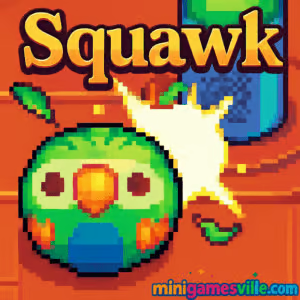
Ready to play right now? Click the controls and dive into Squawk on minigamesville.com. Squawk is a fast, arcade-style online browser game where you guide a mischievous parrot ball around a pirate ship using magnetic pegs, chase coins, dodge hazards, and push your high score higher every run. If you’re hunting for an unblocked, lightweight game that loads fast and plays great on school or work networks, Squawk delivers quick bursts of challenge and replayable fun. Hit Play, learn the simple tap or click rhythm, and see how long you can keep the feathers flying.
About Squawk
Squawk is a punchy, physics-tinged score chaser from the Flash era, now running smoothly as an HTML5 browser game. Your goal is simple: attract the parrot ball toward pegs, scoop up coins, and stay alive while the ship’s deck keeps changing. Every bell chime ushers in a new pattern of pegs, openings, and danger, which means no two runs feel the same. Because Squawk is online and frictionless, it’s perfect when you want a quick challenge break without downloads or logins.
History of Squawk
Originally launched as a one-screen mini game, Squawk built a cult following thanks to its clever magnet steering and charming pirate theme. The move to modern browsers kept the heart of the experience intact, so you still get the same tight score-chasing loop, colorful pixel art, and energetic chiptune vibe, now with instant access on today’s devices.
Style & Vibe
Think bright pixel art, cheeky pirate props, and a jaunty soundtrack that keeps your tempo up. Squawk trades complex menus for pure arcade energy: you’re in, you’re moving, and the deck starts reshuffling in rhythmic cycles. It’s playful, a little chaotic, and surprisingly strategic once you start reading the peg patterns.

Gameplay in Squawk
Squawk’s core mechanic is magnetic attraction. Click or tap a steering peg to pull the parrot ball toward it, then chain that pull into the next peg to thread tight paths, scoop coins, and dodge threats. The ship cycles through layouts, marked by a bell. Coins pop up on safer spots, hazards creep in around edges, and floor holes punish sloppy angles. The physics are snappy, so micro-adjustments matter. Collect hearts after you’ve been hit to recover, and keep pressure on the clock by planning your next peg before the deck flips.
Game Modes
- Endless Classic: The main mode. One stage, escalating patterns, rising pressure, and a single target: a bigger high score.
- Score Hunt: Self-set challenges like 500, 1,000, 2,000 points runs to sharpen your routes.
- Time Yourself: Speedrun-style attempts. Start a timer and aim for a coin-per-minute benchmark.
- No-Hit Runs: Advanced challenge where you avoid every hazard until a milestone is reached.
How to Play
- Press or click a steering peg to pull the parrot ball toward it.
- Chain to the next peg quickly to keep momentum and line up coins.
- Watch for the bell. A new cycle means new openings, fresh hazards, and coin placements.
- Collect hearts after you’ve lost one to regain health.
- Prioritize safe coin clusters and leave risky singles until the layout shifts in your favor.
Controls
- Desktop: Mouse or trackpad click on a peg to attract the parrot ball.
- Mobile/Tablet: Tap on a peg to pull the parrot ball. Quick, precise taps feel best.
- Pause/Restart: Use the on-screen UI where available.
Device Compatibility & Browser Support
Squawk runs in modern browsers on desktop, Chromebook, tablets, and phones. For the smoothest experience, use the latest Chrome, Edge, Safari, or Firefox. Enable hardware acceleration in your browser settings and keep only a few tabs open during play.
Mobile vs. Desktop Gameplay
Desktop offers pixel-precise clicks for threading tight lines between hazards. Mobile taps feel snappy and natural for casual runs. If you prefer aggressive score pushes, a mouse gives slightly finer control. On touch screens, bump your brightness and disable battery saver to keep inputs responsive.
Can I Play Offline?
Squawk is a browser game, so you need an internet connection to load assets. After that, keep the tab open for continuous play.
Can I Play Unblocked?
Many players can access Squawk unblocked because it’s a small, HTTPS web game. Network policies vary by school or office, so if it’s restricted, ask your admin to allow minigamesville.com. No VPN or bypass tools required.
- Browser: Play Squawk free on minigamesville.com.
- Mobile: There is no official Squawk app on Google Play or the App Store at this time.
- Want a similar mobile feel? Try Crossy Road, a top-tier high score arcade:
Tips & Tricks
Beginner Tips
- Play to the bell. When a cycle ends, safer coin pockets often appear in predictable clusters.
- Always chain your next peg. Decide two moves ahead to avoid last-second scrambles.
- Coins near edges are bait. Skip them if a hole or hazard spawns nearby.
- Use barrels as bumpers to redirect the parrot ball without taking damage.
- After losing a heart, route toward a likely heart spawn rather than chasing one more coin.
Advanced Strategies
- “Line carving”: pull across two pegs in quick succession to straighten your path through coin lines.
- “Safety weaving”: alternate short and medium pulls so you never overshoot into a hole during a cycle swap.
- Cycle counting: the bell cadence hints when dangerous pegs will spawn. Drift toward open middle lanes just before a change.
- Risk banking: when you’re one heart down, adopt lower-risk coin routes until you recover HP.
- Edge denial: keep the parrot ball away from rim holes during late cycles where hazards stack faster.
Features
- 🎯 One-screen arcade design with endless replay value
- 🧲 Magnetic peg steering that feels great on click or tap
- ⏰ Rhythmic deck cycles that refresh coins and hazards
- 💖 Heart pickups for clutch comebacks
- 🏴☠️ Playful pirate theme and crisp pixel art
- 📈 Fast runs, instant restarts, pure high score focus
- 📱 Plays in your browser on desktop, mobile, and Chromebook
- 🔊 Bouncy chiptune atmosphere for that classic arcade mood
Unlockables & Secrets
- Hearts begin to appear only after you’ve taken damage, so route toward safe zones after a hit.
- Skull pegs act like warnings. When you see one, expect a dangerous peg to appear in that spot next cycle.
- Coin clusters repeat patterns. Memorize two or three favorite lines for reliable early scoring.
Cheats & Mods
There are no official cheats for Squawk. Mods or tampering can break saves or cause performance issues in the browser. Stick to practice, cycle awareness, and tighter peg chaining to improve your score legitimately.
Walkthrough Summary
Open center lanes by chaining medium pulls, collect the nearest safe coin clusters, then drift back to mid-deck just before each bell. If hazards crowd the edges, cut across the shortest line of pegs to reset your position. Bank your lead by grabbing a heart as soon as one appears, then resume aggressive routes.
Scoring, Records & Progression
Every coin adds to your score, and survival time naturally increases your opportunities. Chasing personal bests is the loop. Keep a simple log of milestones, like first 500, first 1,000, and first 2,000, and aim to improve your coins-per-minute by 5 to 10 percent each session.
Why Play Squawk
Squawk nails the sweet spot between simple inputs and deep, repeatable challenge. It’s perfect for quick breaks, great for friendly score rivalries, and approachable enough for anyone to try, yet rewarding when you master the timing and routes.
Pros & Cons of Squawk
- Pros: ultra-fast loading, intuitive controls, satisfying physics, great for unblocked play, evergreen high score chase.
- Cons: single-stage format, no formal progression system, precision can feel demanding on small screens.
- Use the latest browser version and enable hardware acceleration.
- Close extra tabs or background-heavy apps during play.
- On laptops, plug in power or disable battery saver to reduce input latency.
- If inputs feel sluggish, switch to a different browser profile or try incognito with fewer extensions.
- On mobile, turn off Low Power Mode and raise brightness for clearer peg targeting.
Similar games to Squawk
- Eggy Car — balance a car with a fragile egg over rolling hills in a lovable physics runner.
- Down the Hill — one-tap zigzags, traps, and trophies in a fast downhill score chase.
- Color Tunnel 2 — hyperspeed reflexes and clean dodges inside a shifting neon tunnel.
- Wheelie Bike — hold the perfect balance line to ride forever without touching down.
- Rolling Ball — guide a ball along risky paths where timing and angles are everything.
- Poor Bunny — collect coins in a frantic arena while dodging ever-faster traps.
- Swerve — tap to turn at the last second in an elegant, minimal reflex runner.
- Geometry Dash Lite — rhythm platforming where precise taps and memorization rule.
FAQ
Is Squawk free to play?
Yes, Squawk is free to play in your browser on minigamesville.com with no download needed.
Does Squawk work on school Chromebooks?
In many cases yes, since it is a lightweight HTML5 game. Access depends on your network policy.
What is the goal in Squawk?
Collect coins, avoid hazards, and survive cycles to set a new high score.
Can I use a controller?
Squawk is designed for mouse or touch. A controller is not required.
Why did my progress reset?
Browser games can rely on local storage. Clearing cache or switching devices may reset local data.
Is there sound in Squawk?
Yes, enable audio in-game or in your browser tab for the full chiptune experience.
Conclusion
For pure arcade satisfaction in seconds, Squawk hits the mark. The magnetic steering is easy to grasp, hard to master, and the cycling deck keeps the tension rolling with every bell. It’s the kind of browser game you return to for just one more run, then ten more after that.
Ready to chase a new personal best? Launch Squawk on minigamesville.com, sharpen those peg pulls, and share your top score with friends. Play Squawk online now and see how high you can fly.

 Loading...
 English
 Shqip
Shqip
 বাংলা
বাংলা
 Български
 简体中文
简体中文
 Hrvatski
 Čeština
 Dansk
Dansk
 Nederlands
 Suomi
Suomi
 Ελληνικά
 हिन्दी
 Magyar
 Bahasa Indonesia
 日本語
日本語
 한국어
한국어
 Lietuvių
 Bahasa Melayu
 Norsk
Norsk
 Polski
 Português do Brasil
 Română
 Slovenčina
 Slovenščina
 Svenska
 ไทย
ไทย
 Türkçe
 Українська
 اردو
اردو
 Tiếng Việt
 isiZulu
 Español
 Français
 Deutsch
 العربية
 Italiano
 فارسی
فارسی
 Русский