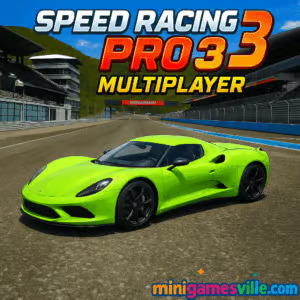
Play Speed Racing Pro 3 Multiplayer on MinigamesVille right now. Click the big Play button above to jump into Speed Racing Pro 3 Multiplayer on minigamesville.com, then buckle up for fast online races, tight drifting, and head‑to‑head multiplayer in your browser. This 3D racing browser game delivers slick physics, high‑end supercars, and quick match lobbies. If you need a smooth, unblocked way to race at school or work, keep this tab ready and hit Fullscreen to dominate the track.
About Speed Racing Pro 3 Multiplayer
Speed Racing Pro 3 Multiplayer is a high‑octane online racing game built with WebGL for instant, download‑free play. You get a polished mix of arcade handling and realistic grip, multiple tracks, and quick matchmaking so you can sprint from menu to grid in seconds. Whether you chase lap records solo or dive into realtime rooms with friends, Speed Racing Pro 3 Multiplayer nails that sweet spot between accessible controls and skill‑based cornering. Fire it up on minigamesville.com, tune the graphics to your device, and go chase podiums.
History of Speed Racing Pro 3 Multiplayer
The Speed Racing Pro series grew from earlier Unity racing experiments into a recognizable set of street‑circuit racers. Speed Racing Pro 2 popularized the formula with elimination and time‑attack events. Speed Racing Pro 3 Multiplayer added more cars, more tracks, sharper visuals, and live multiplayer lobbies so you can battle friends without leaving your browser. Regular browser builds focus on stability and quick matchmaking, which is exactly what racers want from a no‑install title.
Style & Vibe
Expect glossy city circuits, sun‑lit highways, and tight technical layouts. Cars pop with reflective paint, motion blur conveys speed without sacrificing clarity, and the UI keeps you racing, not menu surfing.

Gameplay in Speed Racing Pro 3 Multiplayer
Races are fast and clean. Boost out of corners, dab the handbrake to rotate the car, and manage lines so you keep momentum on exit. The physics lean arcade, yet punish sloppy inputs. Draft on straights, brake in a line, and trail‑brake into hairpins to rotate without washing out. Multiplayer rooms support quick rematches, so you can settle rivalries across multiple layouts. Speed Racing Pro 3 Multiplayer shines when you master corner sequences and stack perfect laps under pressure.
Game Modes
- Circuit Race: Classic multi‑lap sprints against AI or players.
- Elimination: Last car each interval drops until one racer remains.
- Time Attack: Solo hot laps, chase personal bests and ghost times.
- Free Drive: Practice lines, test cars, and warm up before joining rooms.
- Multiplayer Lobbies: Create or join rooms, vote tracks, and race instantly.
How to Play
- Press Play on minigamesville.com to load Speed Racing Pro 3 Multiplayer.
- Pick a car, select a track, and choose Single Player or Multiplayer.
- Use Practice or Free Drive to set a baseline, then jump into races.
- Brake in a straight line, clip apexes, and apply throttle on exit.
- Save nitro for exit bursts or long straights, not mid‑corner.
- In multiplayer, stay clean, defend lines, and attack into braking zones.
Controls
- Drive: WASD or Arrow keys
- Handbrake: Space
- Nitro/Boost: Shift
- Change Camera: C
- Reset Car: R
- Pause/Menu: Esc or P
- Audio Toggle: M
Device Compatibility & Browser Support
This online racer runs best on desktop browsers with WebGL support: Chrome, Edge, Firefox, and Safari. Laptops with integrated graphics work fine on Medium settings, while gaming GPUs can push High. Phones and tablets can load the page, but desktop gives you full performance, better input control, and stable frame rate.
Mobile vs. Desktop Gameplay
- Desktop: Smooth 60 FPS on capable hardware, precise keyboard or gamepad input, High visual settings.
- Mobile: Designed as a desktop‑first browser game. Load times and controls vary by device. For the best experience, use a computer.
Can I Play Offline?
In a browser, an internet connection is required to load assets and access multiplayer. After assets cache, some single‑player sessions may run a short while if the tab stays open, but full offline play is not supported in the web version.
Can I Play Unblocked?
Speed Racing Pro 3 Multiplayer on minigamesville.com usually works on most networks. If your school or workplace restricts gaming, access depends on local policy. Try switching browsers, using fullscreen, and closing extra tabs to reduce flags from content filters.
- Browser: Play on minigamesville.com, no download required.
- Desktop: The developer also offers downloadable PC and Mac builds. If you prefer native apps, look for official releases from the creator.
- Mobile: No official iOS or Android version of Speed Racing Pro 3 Multiplayer at this time.
If you want a mobile alternative, try Asphalt Legends, available on both stores:
App Store: Asphalt Legends
Google Play: Asphalt Legends
Tips & Tricks
Beginner Tips
- Lower graphics to Medium if FPS dips during crowded starts.
- Brake early until you learn each track’s reference boards.
- Feather the throttle through long sweepers to keep the rear planted.
- Save nitro for exits and long straights, not while turning.
- Run two Time Attack laps before every multiplayer session.
Advanced Strategies
- Trail‑brake into hairpins to rotate the chassis without scrubbing speed.
- Use the handbrake only for very tight corners or chicanes.
- Cover the inside line on defense, then accelerate early to kill switchbacks.
- Slipstream on straights to gain 2–4 mph before overtaking.
- Build a custom camera FOV that shows mirrors and apex depth.
Features
- 🏁 Real‑time multiplayer rooms with quick restarts
- 🚗 A garage of modern supercars with color and wheel options
- 🗺️ Multiple city and highway tracks with unique rhythm
- 🕹️ Responsive keyboard controls and gamepad support
- ⚙️ Scalable graphics for smooth performance on many PCs
- ⏱️ Time Attack with personal best tracking
- 🔊 Punchy engine audio and clean HUD
- 💾 Auto‑save for settings and preferences
Unlockables & Secrets
Cars and tracks are accessible from the start in most builds, so the real “unlock” is shaving tenths off lap times. Experiment with camera angles and sensitivity to find time on entries and exits.
Cheats & Mods
There are no endorsed cheats. Browser users should avoid third‑party scripts or memory editors, as they can break the game and get you kicked from multiplayer rooms. Play fair and win on pace.
Walkthrough Summary
- Start in Free Drive to learn braking points and safe overtakes.
- Hit Time Attack and target consistent laps within 0.3 seconds.
- Join a low‑ping multiplayer room and qualify with one clean lap.
- Defend the inside on lap one, then push apex to apex when traffic spreads.
- Review replays or mental notes and repeat for faster racecraft.
Scoring, Records & Progression
Progress is measured by wins, clean laps, and personal bests per track. Aim to cut corner‑to‑corner delta times, then stack consistent mid‑race laps. Keep a notepad of braking markers and gear choices to tighten splits over time.
Why Play Speed Racing Pro 3 Multiplayer
- Instant online racing in your browser, no install needed.
- Balanced arcade handling that rewards clean lines.
- Quick lobbies and short load times for bite‑size sessions.
- Great pick for classrooms, libraries, or offices that allow gaming breaks.
Pros & Cons of Speed Racing Pro 3 Multiplayer
- Pros: Fast matchmaking, smooth physics, scalable graphics, simple controls.
- Cons: Desktop‑first experience, limited long‑form progression, mobile browsers vary.
- Enable hardware acceleration in your browser settings.
- Close extra tabs and background apps before multiplayer.
- Use Fullscreen for better input timing and fewer distractions.
- Drop shadows and reflections first if you need more FPS.
- Keep your GPU driver and browser updated for WebGL stability.
Similar games to Speed Racing Pro 3 Multiplayer
- Drift Boss, one‑button drifting that teaches timing and angle control.
- Swerve, a minimalist lane‑switch racer for reflex training.
- Superbike Hero, classic arcade motorcycle GP racing with slipstream battles.
- Moto X3M Bike Race Game, time‑trial motocross with precise physics and stunts.
- Moto Maniac 2, technical trial biking that rewards throttle finesse.
- Stickman Biker, side‑scrolling bike challenges with momentum‑based jumps.
FAQ
Is Speed Racing Pro 3 Multiplayer free to play?
Yes, you can play the full browser game for free on minigamesville.com.
Does Speed Racing Pro 3 Multiplayer support controllers?
Yes, many WebGL builds accept gamepads. If yours is not detected, use keyboard controls or map inputs with your OS tools.
Why is my frame rate dropping on the start grid?
Lower Shadows and Reflections first, then reduce overall quality to Medium, and close background tabs.
How do I create a private multiplayer room?
From the Multiplayer menu, choose Create Room, pick a track, set lap count, and share the room code with friends.
Is there car damage?
Cosmetic scrapes may appear, but handling remains stable so races stay competitive and fun.
Can I change camera view?
Yes, press C to cycle through chase, far chase, and hood cams to match your driving style.
Conclusion
Speed Racing Pro 3 Multiplayer delivers quick, clean online racing right in your browser. Tight handling, punchy visuals, and rapid matchmaking make it perfect for short sessions or long rivalry marathons. Whether you hot‑lap solo or duel friends, it keeps you on the limit from green light to checkered flag.
Ready to roll Start Speed Racing Pro 3 Multiplayer on minigamesville.com, pick your favorite supercar, and own the apex. If you crave racing on the go, try Asphalt Legends on the App Store or Google Play, then come back here to master your browser‑based pace.

 Loading...
 English
 Shqip
Shqip
 বাংলা
বাংলা
 Български
 简体中文
简体中文
 Hrvatski
 Čeština
 Dansk
Dansk
 Nederlands
 Suomi
Suomi
 Ελληνικά
 हिन्दी
 Magyar
 Bahasa Indonesia
 日本語
日本語
 한국어
한국어
 Lietuvių
 Bahasa Melayu
 Norsk
Norsk
 Polski
 Português do Brasil
 Română
 Slovenčina
 Slovenščina
 Svenska
 ไทย
ไทย
 Türkçe
 Українська
 اردو
اردو
 Tiếng Việt
 isiZulu
 Español
 Français
 Deutsch
 العربية
 Italiano
 فارسی
فارسی
 Русский