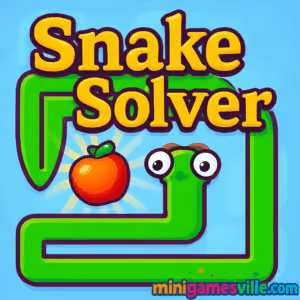
Ready to play Snake Solver right now? Click Play above to launch Snake Solver on Minigamesville and start slithering through bite-sized puzzles in your browser. This online brain teaser mixes classic snake movement with clever logic challenges you can enjoy unblocked, no download needed. If you love chill puzzle design, satisfying “aha!” moments, and quick levels you can solve on a coffee break, this browser game is a perfect fit. Fire it up, grab those apples, and see how long your snake can grow without tying itself in knots.
About Snake Solver
Snake Solver is a minimalist puzzle browser game where growth is the gimmick and the solution. You inch around grid-based levels, stretch your body to press buttons, and figure out how to reach the apple without trapping yourself. It’s approachable for newcomers and rewarding for veterans, thanks to tight level design and simple controls that play beautifully online on both desktop and mobile.
History of Snake Solver
Snake Solver takes the timeless “don’t crash your tail” idea and spins it into a modern logic puzzler. Built for instant play in your browser, it trims away the bloat and focuses on clean puzzles, clear goals, and fast restarts. If you grew up with old-school Snake, this is the thoughtful evolution you’ll appreciate.
Style & Vibe
Clean lines, bright colors, and satisfying pop sounds keep your head in puzzle mode. The UI makes it easy to retry, and the visual language is friendly enough for kids yet smart enough for puzzle fans.

Gameplay in Snake Solver
Each level asks a simple question: how do you reach the apple? In Snake Solver, the answer often involves growing longer by eating beans, then using your body as a bridge or a pressure plate to open gates. Some stages introduce multiple snakes, switches that must be held down, or tight corridors that punish careless turns. The loop is quick: plan, slither, learn, retry. Failures feel fair, and success feels great.
Game Modes
- Level Select: Work through handcrafted puzzles at your own pace.
- Challenge Stages: Trickier layouts with tight spaces and multi-switch logic.
- Optional Hints: Nudge yourself forward when stumped without spoiling the whole solution.
How to Play
- Press Play above to start the game on Minigamesville.
- Study the layout: apple location, gates, switches, tight passages.
- Move the snake to eat beans, grow longer, and press buttons with your body.
- Avoid boxing yourself in. If you do, restart quickly and try a new route.
- Collect the apple to clear the level and unlock the next puzzle.
Controls
- Desktop: Arrow keys or WASD to move, Space to switch snakes when available, R to restart level, M for mute if shown on UI.
- Mobile: On-screen arrows or swipe controls, plus tap buttons for restart and settings where available.
Device Compatibility & Browser Support
Snake Solver is an online browser game that runs smoothly in the latest versions of Chrome, Edge, Firefox, and Safari. It loads fast, saves locally in your browser in most cases, and requires no installation.
Mobile vs. Desktop Gameplay
Desktop gives you crisp keyboard control for tight turns and body placement. Mobile is great for quick sessions, with touch controls that make casual play comfy. If precision puzzles are your thing, you may prefer keyboard on a laptop or desktop.
Can I Play Offline?
The game requires an internet connection to load and to keep your session stable. After loading, some assets may remain cached, but for best results keep your connection active while playing.
Can I Play Unblocked?
Yes, Snake Solver is playable unblocked on Minigamesville for most networks. If your school or office filters game sites, try a personal connection, switch browsers, or ask your admin to allow minigamesville.com.
- Play in your browser on Minigamesville, no download required.
- No official Google Play or App Store links exist for Snake Solver at this time.
- Want a high-quality mobile alternative with a similar puzzle-snake vibe? Try Snakebird:
Tips & Tricks
Beginner Tips
- Count your segments. Your length is your main tool for bridging gaps and holding switches.
- Plan two moves ahead. Think about the exit path before you grab the apple.
- Use corners to pivot. Turning around tight bends can shorten the space you occupy.
- Restart fast. Early restarts save time and reveal patterns faster.
Advanced Strategies
- Body as a lever: Park segments on switches while the head explores.
- Order of operations: When multiple snakes appear, decide which one scouts and which one anchors.
- Intentional growth: Eat beans only when the extra length helps. Extra tail can trap you.
- Tight corridors: Enter with the right orientation so you can exit without U-turns.
Features
- 🐍 Smart snake-based puzzles with clean solutions
- 🍎 Satisfying apple goals and growth mechanics
- 🧠 Pick-up-and-play levels with quick restarts
- 🎨 Minimalist visuals that keep focus on logic
- 🎯 Keyboard and touch friendly controls
- ⚡ Web-optimized, fast loading, no install
- 🔄 Optional hints and forgiving retries
- 📈 Gradual difficulty ramp for steady skill growth
Unlockables & Secrets
Watch for cosmetic skins and occasional bonus puzzles that shake up the rules. Keep clearing levels to see more playful twists on classic snake logic.
Cheats & Mods
There are no official cheats or mods for the browser version on Minigamesville. Third-party tools can harm performance or your privacy. Use in-game hints and quick restarts instead.
Walkthrough Summary
Break each puzzle into tasks: open the gate, set a body segment on the switch, extend to reach the apple, then unwind safely. If multiple snakes appear, leave one as a living bridge while the other collects. When stuck, back up a few moves and try a new orientation.
Scoring, Records & Progression
Progress is level-based. Clear a stage to unlock the next, and aim to reduce wasted moves as a personal challenge. If your browser clears site data, your local progress may reset, so keep that in mind on shared devices.
Why Play Snake Solver
Snake Solver blends cozy visuals with clever logic, creating that sweet loop of experiment, learn, succeed. It’s quick to start, easy to control, and satisfying to master, which makes it a great daily puzzle fix in your browser.
Pros & Cons of Snake Solver
- Pros: Elegant puzzles, instant browser play, clean visuals, helpful restarts.
- Cons: Later levels can get tight on mobile screens, and growing too long can feel punishing until you learn the tricks.
- Use the latest Chrome, Edge, Firefox, or Safari for smoother WebGL.
- Close heavy tabs and disable ad-blocking extensions on the game page if you notice stutter.
- Turn on hardware acceleration in your browser settings.
- On mobile, reduce background apps and rotate to landscape for better control.
Similar games to Snake Solver
- Snake Mail Delivery Service — Grid-based snake puzzler where you stretch and route deliveries across tricky maps.
- Snake vs Worms — Arcade survival with classic eat-to-grow action and quick matches.
- Robot Awake — Laser-redirecting logic puzzles that reward careful planning.
- Green — A stylish color-themed puzzle set that teaches by play.
- Mini Train — Build safe paths and guide a tiny train to the goal.
- Sudoblocks — Block-fitting meets Sudoku logic for fresh brain workouts.
FAQ
What is Snake Solver?
Snake Solver is a browser-based puzzle game where your snake grows to solve switch, gate, and reach puzzles, all playable online on Minigamesville.
Is Snake Solver free to play?
Yes, you can play it free in your browser with no download required.
Does Snake Solver work on mobile?
Yes, it runs in mobile browsers. For the tightest control, many players prefer keyboard on desktop or laptop.
Can I play Snake Solver unblocked at school or work?
If minigamesville.com is allowed on your network, the game plays unblocked. If not, try a personal connection or ask your administrator to allow the site.
How do I save progress?
Progress is generally saved locally in your browser. Clearing cache or using a different device may reset it.
Are there hints?
Many levels offer gentle hints. Use them to learn the logic, then replay for a cleaner solution.
Is there a mobile app for Snake Solver?
No official app exists. For a similar premium mobile experience, try Snakebird on Google Play and the App Store using the links above.
What are the controls?
Arrow keys or WASD to move, Space to switch snakes when available, and on-screen controls on mobile.
Conclusion
Whether you’re a puzzle pro or just winding down, Snake Solver hits that sweet spot of simple rules and smart solutions. It’s fast to learn, tough to master, and perfect for short sessions that still feel meaningful.
Ready to think like a snake? Press Play to start Snake Solver on Minigamesville, stretch your brain, and snag those apples one clever move at a time.

 Loading...
 English
 Shqip
Shqip
 বাংলা
বাংলা
 Български
 简体中文
简体中文
 Hrvatski
 Čeština
 Dansk
Dansk
 Nederlands
 Suomi
Suomi
 Ελληνικά
 हिन्दी
 Magyar
 Bahasa Indonesia
 日本語
日本語
 한국어
한국어
 Lietuvių
 Bahasa Melayu
 Norsk
Norsk
 Polski
 Português do Brasil
 Română
 Slovenčina
 Slovenščina
 Svenska
 ไทย
ไทย
 Türkçe
 Українська
 اردو
اردو
 Tiếng Việt
 isiZulu
 Español
 Français
 Deutsch
 العربية
 Italiano
 فارسی
فارسی
 Русский