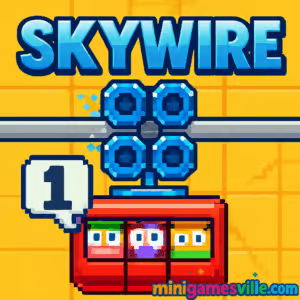
Play Skywire right now on minigamesville.com. Buckle up your cable car and guide your passengers to safety in this fast, physics-based browser game. Skywire blends arcade reflexes with precise speed control, creating a pick-up-and-play online thrill that keeps you chasing cleaner runs and higher scores. If you want quick, fun, unblocked entertainment that runs in your browser, Skywire delivers. Tap Play above, then come back here for tips, controls, and pro strategies to master every rail.
About Skywire
Part action arcade, part physics platformer, Skywire puts you in charge of a tiny gondola zipping along wild tracks. Your only tools are acceleration and braking, yet every bend, bump, and beast demands razor-sharp timing. Levels are short and replayable, score is tied to time and passengers saved, and the momentum feels great on both keyboard and touch. Whether you are speedrunning or just relaxing between tasks, Skywire is the kind of online game that rewards smooth inputs and calm reactions.
History of Skywire
Skywire began life as a beloved web classic from UK studio Nitrome in the late 2000s, earning fans for its quirky toy-box world, catchy chiptunes, and deceptively simple one-stick feel. A sequel expanded the idea with more levels and extra challenges, while modern HTML5 builds kept the cable car chaos playable as a browser game. On minigamesville.com you are getting that same timeless blend of precision and personality, tuned for today’s browsers.
Style & Vibe
Skywire oozes charm: chunky pixel art, toy animals that double as hazards, and bright, breezy colors that pop without distracting from the rails. It is upbeat, a little cheeky, and instantly readable even on small screens.

Gameplay in Skywire
Each stage starts on a station platform. You accelerate to build momentum, feather the brakes to keep the car planted on the wire, then thread through moving hazards. Take a hit and a passenger falls out. Lose them all and the run ends. Finish quickly with riders intact to bank a bigger score. The magic is in the physics curve: gravity, loops, dips, and ramps all demand speed management. Think roller-coaster piloting with the elegance of two inputs.
Game Modes
- Classic Levels: Progress through handcrafted stages where timing and route knowledge are everything.
- Speedrun Chases: Replay completed levels to shave seconds and set personal records.
- Score Hunts: Save more passengers and finish faster to push your leaderboard-worthy totals.
How to Play
- Press Play, wait for the level to load, and review the track ahead.
- Use small throttle taps to crest hills, then brake lightly before blind drops.
- Watch enemy patterns for one clean window, then commit.
- Finish at the terminal with as many passengers as possible for a higher score.
Controls
- Up Arrow or W: Accelerate forward.
- Down Arrow or S: Brake or roll back when needed.
- P or Esc: Pause, if supported by your browser build.
- M: Mute audio, in compatible versions.
Device Compatibility & Browser Support
Skywire runs in modern browsers with hardware acceleration. For best performance, use the latest Chrome, Edge, Firefox, or Safari. Close heavy tabs, keep your GPU drivers current, and disable aggressive ad-blockers on this page if you experience input lag.
Mobile vs. Desktop Gameplay
Desktop offers the crispest control using arrow keys or WASD, perfect for speedruns. Mobile works great for casual sessions in Chrome or Safari, with on-screen buttons mapping to accelerate and brake. If precise timing is your goal, desktop has the edge.
Can I Play Offline?
No. Skywire loads assets over the web, so you need an active internet connection to play and save progress in the browser.
Can I Play Unblocked?
In many places, yes. Because Skywire is a browser game, it often works on standard networks. If your school or workplace restricts gaming, access can vary by policy. Try playing on your home connection or any approved break-time network.
- Browser: Play Skywire right here on minigamesville.com.
- Official mobile apps: There is no official Skywire app on Google Play or the App Store at this time.
- Want a similar feel on mobile? Try the track-based puzzler Railbound:
Tips & Tricks
Beginner Tips
- Feather the throttle. Short taps keep traction and stop you from overshooting hazards.
- Brake before crests. Enter loops controlled, then accelerate on the way down for safe exits.
- Scout patterns. Giraffes, birds, frogs, and other toys move on cycles. Wait one beat, then glide through.
- Protect passengers. One hit costs time and score momentum. Safe is often faster than reckless.
Advanced Strategies
- Route memory. Mark mental checkpoints where you always brake or burst for consistent runs.
- Speed buffering. Carry just enough momentum to clear back-to-back obstacles without hard braking.
- Micro-rollbacks. A tiny reverse can resync enemy cycles to your favor.
- Segment practice. Grind a tricky mid-section until your inputs are automatic, then stitch a full run.
Features
- 🎢 Two-button, momentum-driven cable car controls
- 🧠 Tight arcade design with puzzle-like timing windows
- 🎨 Charming pixel art and playful toy-themed hazards
- 🔁 Short levels built for replays and speedruns
- 🔊 Catchy retro soundtrack and punchy effects
- 🌐 Lightweight HTML5 browser performance
- 📈 Score chasing tied to time and riders saved
- 🕹️ Keyboard or touch friendly, no installs required
Unlockables & Secrets
Skywire is about clean execution. Hidden shortcuts and safer timing routes are your real unlocks. Learn where a tiny pause avoids a hazard cycle, or where a downhill burst creates a perfect gap. Those discoveries add up to faster times and bigger scores.
Cheats & Mods
There are no official cheat codes for this browser build, and third-party mods or extensions can break performance or cause crashes. If you want an easier time learning, practice sections and aim for no-hit clears before going for record runs.
Walkthrough Summary
Early levels teach throttle control: brake at the top of ramps, wait for pop-up hazards to retract, and commit to cleaner lines. Mid-game mixes vertical loops and tracking enemies that punish panic braking. Late stages demand rhythm: steady inputs, one decisive accelerate through a window, then a soft catch on landing. Treat each level like a short song and play it in tempo.
Scoring, Records & Progression
Your score hinges on three pillars: finish time, passengers saved, and mistakes avoided. Perfect rides with all riders intact beat messy sprints. Track personal bests per level and push consistent gold-standard runs rather than luck-based clears.
Why Play Skywire
Because few browser games feel this crisp with so little to learn. Skywire rewards patience and precision, looks great, and loads fast. Whether you have two minutes or twenty, it scratches that one-more-run itch.
Pros & Cons of Skywire
- Pros: Instantly playable, responsive controls, stylish retro art, perfect for quick sessions, strong replay value.
- Cons: Two-button depth can feel punishing until patterns click, best experienced on keyboard, late levels spike in difficulty.
- Use the newest browser version and enable hardware acceleration in settings.
- Close heavy tabs and resource-hungry extensions while you play.
- If inputs feel delayed, try a private window or clear cached files for a fresh load.
Similar games to Skywire
FAQ
Is Skywire free to play?
Yes, Skywire is free to play as a browser game on minigamesville.com.
Does Skywire work on school Wi-Fi?
It can, but access depends on local network rules. If gaming sites are restricted, try from a home or permitted network.
What browsers are recommended for Skywire?
Chrome and Edge are great on Windows, Safari on iOS and macOS, and Firefox runs well on most platforms.
Can I use a controller?
Skywire is designed around two keys, so keyboard or touch buttons are ideal. Some browser gamepads can map inputs, but results vary.
How do I improve my times in Skywire?
Memorize hazard cycles, brake before crests, and keep speed smooth. Aim for clean, no-hit clears before pushing riskier lines.
Is there an official Skywire app on iOS or Android?
No, there is currently no official mobile app. If you want a similar mobile experience, try Railbound via the official store links above.
Conclusion
Skywire keeps things beautifully simple: accelerate, brake, survive. The result is a hyper-replayable arcade ride that feels fresh every time you thread a new gap or nail a perfect loop. It is quick to learn and endlessly satisfying to master.
Ready to glide those rails? Hit Play above and enjoy Skywire on minigamesville.com, then return to this guide to squeeze out extra seconds, protect your passengers, and climb the score ladder.

 Loading...
 English
 Shqip
Shqip
 বাংলা
বাংলা
 Български
 简体中文
简体中文
 Hrvatski
 Čeština
 Dansk
Dansk
 Nederlands
 Suomi
Suomi
 Ελληνικά
 हिन्दी
 Magyar
 Bahasa Indonesia
 日本語
日本語
 한국어
한국어
 Lietuvių
 Bahasa Melayu
 Norsk
Norsk
 Polski
 Português do Brasil
 Română
 Slovenčina
 Slovenščina
 Svenska
 ไทย
ไทย
 Türkçe
 Українська
 اردو
اردو
 Tiếng Việt
 isiZulu
 Español
 Français
 Deutsch
 العربية
 Italiano
 فارسی
فارسی
 Русский