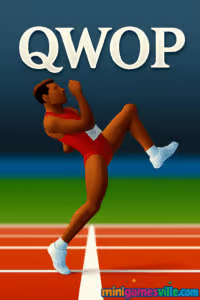
Ready to run? Click Play to start QWOP on minigamesville.com, then come back to this guide for pro tips. This legendary physics-based browser game turns a simple sprint into a hilarious, meme-worthy challenge. Play QWOP online in your browser, enjoy it unblocked where allowed, and see how far you can push your runner with pure skill and rhythm.
About the Game
This is a stripped-down, skill-first sports experience where every centimeter counts. Your runner’s thighs and calves are mapped to four keys, and the quirky ragdoll physics deliver slapstick moments and genuine triumphs. Perfect for quick sessions, classroom brain breaks, or a late-night challenge in any modern browser.
History of QWOP
Created in 2008 by indie designer Bennett Foddy, the game exploded across the web as a viral hit, inspiring speedruns, reaction videos, and countless lunchroom contests. Originally built in Flash, it lives on today as an HTML5 web classic and a touch-friendly mobile title that keeps its tongue-in-cheek tone and brutal difficulty curve.
Style & Vibe
Minimalist visuals keep the focus on timing, momentum, and that iconic wobble. Every stumble tells a story, and every clean stride feels earned. Expect laughs, groans, and the irresistible urge to try “just one more run.”

Gameplay in QWOP
The goal is simple, reach the finish. The execution is the joke and the joy. Each keystroke adds force to a specific joint, so timing and balance become everything. Find a smooth cadence, lean into your steps, and manage micro-corrections to keep your center of mass moving forward. One mistimed tap can send you into a glorious face plant, so patience pays.
Game Modes
- Classic 100 m sprint in the browser, the definitive challenge.
- Mobile edition adds extra events like hurdles, steeplechase, long jump, and an ultra endurance walk for diehards.
How to Play
- Start with tiny taps to feel how each joint responds.
- Adopt a rhythm, alternate leg drive and lean ever so slightly forward.
- Recover quickly after slips. Gentle counter-taps beat panic mashing.
- For obstacles, approach with a stable stride, then time a stronger push to clear them.
Controls
- Q: Drives one thigh forward and the opposite backward.
- W: Drives the other thigh, opposite of Q.
- O: Extends or contracts one calf, paired with Q’s thigh.
- P: Extends or contracts the other calf, paired with W’s thigh.
- Tip: Pair Q with O, and W with P, in a slow, steady cadence to build a natural stride.
Device Compatibility & Browser Support
The game runs in modern Chromium-based browsers, Firefox, and Safari on desktop and Chromebook. On mobile, use the official iOS app for the best touch experience. For classroom or work Chromebooks, performance is smooth on stable builds with hardware acceleration enabled.
Mobile vs. Desktop Gameplay
- Desktop: Precise keyboard input, ideal for consistent pacing and competitive attempts.
- Mobile: Touch gestures and tilt controls add chaos and fun, great for casual play on the go.
Can I Play Offline?
In the browser, you need an internet connection. On iPhone or iPad, the paid app works offline after download, so it is perfect for flights or commutes.
Can I Play Unblocked?
Many schools and workplaces allow this lightweight HTML5 title, but network policies vary. If access is limited, try from a personal network after hours. For the best chance at smooth access, bookmark the game here, then load it over a standard, secure connection. Search terms like “QWOP unblocked” are common, but the safest route is always playing on minigamesville.com.
- Browser: Play instantly here on minigamesville.com.
- iOS: Official app on the App Store
QWOP for iOS.
- Android: There is no current Google Play listing for the official Android release. Prefer a similar, high-difficulty physics game with active mobile support? Try Getting Over It by Bennett Foddy:
App Store |
Google Play.
Tips & Tricks
Beginner Tips
- Slow is smooth. Start with quarter-second taps instead of presses you hold.
- Pair your keys, Q with O then W with P, to mimic a running gait.
- Keep your chest slightly forward. Over-leaning backward usually causes splits.
- If you fall, pause, reset your rhythm, then rebuild speed.
Advanced Strategies
- Micro-cadence: quick two-tap bursts on QO and WP to lift the knee and plant the foot cleanly.
- Stall recovery: when you stall, shorten tap timing to regain forward momentum before resuming normal stride.
- Hurdle approach: stabilize for two cycles, then lengthen a single step to vault cleanly.
- End-of-run jump: load your front leg with a slightly longer press, then pop the trailing leg for extra lift.
Features
- 🧠 Precision physics that reward timing and patience
- ⌨️ Four-key control scheme with endless depth
- 😂 Slapstick fails that are as fun as the wins
- 🏁 Classic 100 m browser challenge for quick sessions
- 📱 Optional mobile events for more variety
- 🕹️ Works great on desktops, laptops, and Chromebooks
- 💾 Light footprint that loads fast in modern browsers
- 🎯 Perfect for friendly score chases and personal bests
Unlockables & Secrets
The web version keeps it pure, no cosmetic unlocks. The mobile app adds extra events for fresh challenges. The real “secret” is your rhythm, once it clicks, you will surprise yourself with steady, confident strides.
Cheats & Mods
There are no official cheats. Fan mods exist on PC in off-site communities, but they can break performance or reduce the joy of mastery. For a fair, stable experience, play the standard version here.
Walkthrough Summary
Build a simple cadence: QO, pause, WP, pause. Keep a slight forward lean and focus on knee lift, foot plant, and balance recovery. When approaching obstacles, settle your stride first, then commit to a longer plant-and-push step. At the finish, a controlled hop seals the run.
Scoring, Records & Progression
Your distance in meters is the metric. Personal bests are the milestone, and on iOS the app supports Game Center leaderboards. The browser version is all about beating your own record and showing friends you can go from wobbly toddler steps to confident sprinter strides.
Why Play QWOP
Few games turn four keys into so much comedy and skill expression. Whether you are chasing a PB or sharing laughs with friends, this tiny package delivers outsized memories.
Pros & Cons of QWOP
- Pros: iconic difficulty curve, instant restarts, pure skill ceiling, quick to load.
- Cons: steep learning curve for new players, physics can feel punishing without patience.
- Use a modern browser with hardware acceleration enabled.
- Close heavy tabs and background streams to reduce input latency.
- On laptops, plug in for maximum CPU performance and set power mode to High Performance.
- Disable aggressive tab suspender or input-remapping extensions while playing.
- On Chromebook, stay on a stable channel and keep the device updated.
Similar games to QWOP
- Kori Walk, rhythmic walking physics where timing each step is everything.
- Drive Mad, vehicle physics trials with bouncy bridges and precise throttle control.
- House of Hazards, chaotic physics challenges perfect for laughs with friends.
- Ping Pong Chaos, wobbly ragdoll ping-pong that turns volleys into slapstick moments.
- Balance Duel, tilt and time your moves to keep your character upright and win.
- Avoid Dying, quick-reflex archery puzzles where tiny mistakes have big consequences.
FAQ
Is the game free to play online?
Yes, you can play the classic 100 m challenge free in your browser here on minigamesville.com.
What genre does it fit?
It is a physics-based sports and skill browser game with arcade vibes and a high skill ceiling.
Does progress save?
Your best distance can be tracked per session in the browser. On iOS, leaderboards are supported through Game Center.
What is the best beginner strategy?
Use small, consistent QO and WP taps, lean slightly forward, and avoid holding keys for too long.
Why do I keep falling?
Over-leaning or desynced leg timing causes most spills. Slow your cadence, regain posture, then rebuild momentum.
Conclusion
Simple controls, savage physics, endless laughs, that is the magic of this classic. Whether you are sneaking in a quick sprint on a Chromebook or mastering touch controls on iOS, the journey from first stumble to clean stride feels incredibly rewarding.
Ready to give it a go? Hit Play above and try to set a new personal best right here on minigamesville.com. Grab the iOS app if you want to practice offline, then come back and show the browser who is boss.

 Loading...
 English
 Shqip
Shqip
 বাংলা
বাংলা
 Български
 简体中文
简体中文
 Hrvatski
 Čeština
 Dansk
Dansk
 Nederlands
 Suomi
Suomi
 Ελληνικά
 हिन्दी
 Magyar
 Bahasa Indonesia
 日本語
日本語
 한국어
한국어
 Lietuvių
 Bahasa Melayu
 Norsk
Norsk
 Polski
 Português do Brasil
 Română
 Slovenčina
 Slovenščina
 Svenska
 ไทย
ไทย
 Türkçe
 Українська
 اردو
اردو
 Tiếng Việt
 isiZulu
 Español
 Français
 Deutsch
 العربية
 Italiano
 فارسی
فارسی
 Русский