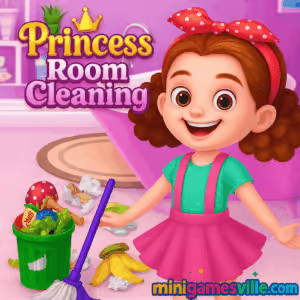
Click Play to jump into Princess Room Cleaning on minigamesville.com. This cozy cleaning and makeover browser game turns clutter into sparkle in minutes. Play Princess Room Cleaning online, no download required, and enjoy an unblocked, kid-friendly housekeeping challenge that blends casual simulation with satisfying room makeover vibes. Ready to clear cobwebs, sort toys, and polish your palace suite? Hit the Play button above and start tidying like royalty.
About the Game
Princess Room Cleaning is a bite-size home-cleaning simulator that teaches organization and attention to detail while keeping the fun front and center. Each scene starts off messy, then guides you through kid-appropriate tasks like picking up trash, placing items where they belong, wiping stains, and adding a decorative flourish. Light animations, gentle audio cues, and a clear to-do list make it perfect for younger players and relaxing for older ones.
History of Princess Room Cleaning
Cleaning games have been fan favorites since the Flash era, then found a second life as HTML5 web titles. Princess Room Cleaning follows that tradition with simple point-and-click actions and short levels that feel great to complete. The royal theme keeps things bright and welcoming, while classic mini tasks, from sweeping floors to straightening picture frames, create a satisfying loop.
Style & Vibe
Expect colorful rooms, soft pastel UI, and upbeat sound effects. Visual feedback celebrates each cleaned spot, and end-of-level sparkles make the finished room feel photo ready.

Gameplay in Princess Room Cleaning
The core loop is quick and rewarding. You will:
- Scan the messy room, spot interactive items, and follow the checklist.
- Drag out the trash, sort toys, fold clothes, and return décor to the right places.
- Use tools like a sponge or duster to remove stains and cobwebs.
- Finish with a neat reveal that shows your polished palace suite.
The challenge comes from finding every last item and finishing efficiently. Most players complete a session in a few minutes, which makes Princess Room Cleaning a great snackable browser game between study breaks.
Game Modes
- Level-based cleanup: tidy different rooms, each with its own mess and checklist.
- Timed challenge: some versions reward quick, accurate cleaning for extra stars.
- Free play polish: replay a finished room to beat your best cleanup time.
How to Play
- Start the level and scan the checklist on screen.
- Click or tap trash to bag it, then drag it to the bin.
- Return misplaced objects to their outlines or highlighted spots.
- Use the duster or sponge on smudges and webs until they disappear.
- Confirm all tasks are complete, then enjoy the before-and-after reveal.
Controls
- Mouse: left click to select items, click and drag to move objects, click to use tools.
- Touch: tap to select, tap and hold to drag, tap to activate cleaning tools.
- Pause/Reset: use on-screen buttons for menu and replay.
Device Compatibility & Browser Support
Princess Room Cleaning runs in modern browsers on desktop, Chromebook, tablet, and mobile. For the smoothest play, keep your browser updated and close extra tabs if your device is memory constrained.
Mobile vs. Desktop Gameplay
- Mobile: tap-friendly UI, great for quick levels on the go.
- Desktop: precise mouse control for speedy sorting and stain cleaning.
Can I Play Offline?
Princess Room Cleaning is an online browser game, so an active internet connection is required to load and play.
Can I Play Unblocked?
The game loads in-browser over HTTPS and does not require installs, which helps it run on most school and library networks. If your network blocks gaming sites, ask an administrator to whitelist minigamesville.com.
- Browser: Play Princess Room Cleaning right here on minigamesville.com.
- Mobile stores: There is no confirmed official mobile version of Princess Room Cleaning by this web developer.
- Suggested mobile alternative with similar cleaning and renovation play:
Tips & Tricks
Beginner Tips
- Clear large trash first to reveal hidden items under clutter.
- Follow the checklist order to avoid missing small tasks.
- Use the edges: look along baseboards and behind furniture outlines.
- On mobile, zoom your browser if a tiny object is hard to tap.
Advanced Strategies
- Divide the room into zones and sweep left to right without backtracking.
- Group actions: return all toys, then books, then décor for fewer cursor movements.
- Master tool timing: swipe stains in steady motions to clean on the first pass.
- Speedrun practice: replay a room to shave seconds off your best time.
Features
- 👑 Princess theme with cheerful art and gentle sound effects
- 🧽 Satisfying wipe, dust, and polish animations
- 🧸 Logical item sorting and object outlines for clarity
- 📝 On-screen checklist to track progress
- ⚡ Quick sessions perfect for short breaks
- 📱 Plays in-browser on mobile and desktop
- 🏅 Optional time-based stars for replay value
- 🔁 Instant replay to improve your best cleanup
Unlockables & Secrets
Some versions include bonus décor after perfect clears and hidden smudges tucked near curtains or edges. Keep an eye out for tiny stickers or dust bunnies in corners to secure that last star.
Cheats & Mods
There are no official cheats for Princess Room Cleaning. The best boost is good routing and careful scanning. Avoid third-party mods for browser safety.
Walkthrough Summary
Start by removing trash in plain sight, then return all large items to their outlines. Clean stains and cobwebs with the correct tool, sweep the room edges for missed bits, and confirm every checklist item is green before finishing.
Scoring, Records & Progression
Cleanup speed and accuracy typically influence star ratings. Replay earlier rooms to perfect your pathing, then try to beat your best times. Keep a simple spreadsheet or notes app if you like tracking personal records.
Why Play Princess Room Cleaning
This online cleaning game is relaxing, approachable, and rewarding. It packs organization skills, gentle problem solving, and a feel-good reveal into a tidy session. Whether you are winding down or sharpening focus between tasks, Princess Room Cleaning delivers quick satisfaction.
Pros & Cons of Princess Room Cleaning
- Pros: easy controls, short levels, positive reinforcement, runs on most devices.
- Cons: simple objectives, limited depth for players seeking complex simulation.
- Keep your browser updated for best HTML5 performance.
- Enable hardware acceleration in settings if animations feel choppy.
- Close extra tabs and background apps on older devices to free memory.
- If touch input feels off, rotate your device or zoom the page slightly.
Similar games to Princess Room Cleaning
FAQ
What type of game is Princess Room Cleaning?
It is a casual online cleaning and room makeover browser game that focuses on simple tasks and satisfying finishes.
Is Princess Room Cleaning free to play?
Yes, you can play it for free in your browser on minigamesville.com.
Do I need to install anything?
No, the game runs in your browser, so there is nothing to install.
Does Princess Room Cleaning have a timer?
Some builds use optional timers or star ratings for faster clears, but the core play remains relaxed.
Can I mute the sound?
Use the on-screen audio toggle or your device volume controls to play quietly.
Does progress save between sessions?
Many browser games use local storage. Keep using the same device and browser to preserve your progress.
Conclusion
Ready to make a royal mess look spotless? Princess Room Cleaning keeps things bright, calm, and rewarding, with quick tasks that anyone can enjoy. It is perfect for kids learning tidy habits and for adults who love a soothing cleanup loop.
Press Play above to start Princess Room Cleaning on minigamesville.com, clean every corner of the castle, and enjoy that sparkling final reveal. Your tidy kingdom awaits.

 Loading...
 English
 Shqip
Shqip
 বাংলা
বাংলা
 Български
 简体中文
简体中文
 Hrvatski
 Čeština
 Dansk
Dansk
 Nederlands
 Suomi
Suomi
 Ελληνικά
 हिन्दी
 Magyar
 Bahasa Indonesia
 日本語
日本語
 한국어
한국어
 Lietuvių
 Bahasa Melayu
 Norsk
Norsk
 Polski
 Português do Brasil
 Română
 Slovenčina
 Slovenščina
 Svenska
 ไทย
ไทย
 Türkçe
 Українська
 اردو
اردو
 Tiếng Việt
 isiZulu
 Español
 Français
 Deutsch
 العربية
 Italiano
 فارسی
فارسی
 Русский