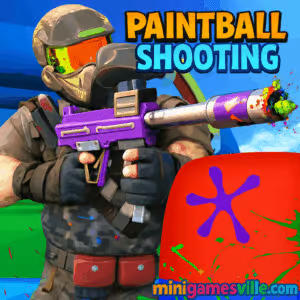
Play now: Click the iframe above to start Paintball Shooting on Minigamesville.com and splatter the arena with color. Paintball Shooting is a fast, precision-first online browser game where every shot arcs, drops, and matters. If you love snappy aiming challenges, time pressure, and satisfying paint splats, hit Play and jump in. This unblocked-friendly shooter runs right in your browser, no download required.
About Paintball Shooting
Paintball Shooting blends target practice with arcade-style challenges, giving you a clean, colorful space to master aim, timing, and trajectory. Levels escalate with moving targets, limited ammo, and tighter time limits, rewarding accuracy and quick thinking. Designed for short, high-focus sessions, it is perfect for coffee breaks or post-class cool downs. Whether you’re a casual fan or a sharpshooter, Paintball Shooting keeps you chasing that next perfect round.
History of Paintball Shooting
Paintball as a sport took off in the 1980s, inspiring decades of video games that reimagine markers, safe competitive arenas, and tactical play. Paintball Shooting channels that spirit into a crisp browser experience, stripping away distractions so the core loop, aim, fire, and adjust, shines.
Style & Vibe
Expect bright arenas, bold splatter effects, and responsive sound cues that make every hit feel great. The minimal UI keeps your eyes on the lane, while subtle physics sell the weight and arc of each paintball.

Gameplay in Paintball Shooting
Each round starts simple, then ramps fast. You line up the shot, account for distance and drop, then release for that satisfying splat. Targets slide, pop up, or rotate. New patterns force you to lead your shot and pace your reloads. Paintball Shooting rewards consistent accuracy and calm under the clock.
Game Modes
- Arcade Levels: Clear waves, manage limited ammo, beat the round timer.
- Time Attack: Score as many hits as possible before the clock runs out.
- Endless Practice: Chill aim training with continuous target spawns.
- Challenge Streaks: Hit consecutive bullseyes to keep your streak alive.
How to Play
- Press Play above to launch Paintball Shooting.
- Watch the first pattern to gauge speed and distance.
- Aim slightly above far targets to compensate for drop.
- Fire clean shots, then track the next target immediately.
- Chain hits to build score multipliers and beat stage goals.
Controls
- Desktop: Mouse to aim, Left Click to shoot, Right Click for fine aim, R to reload, P to pause.
- Mobile: Drag to aim, Tap to shoot, on-screen reload and pause buttons.
Device Compatibility & Browser Support
This HTML5 browser game runs smoothly on modern Chrome, Edge, Firefox, and Safari. No plug-ins. If your device is older, reduce other tabs and enable hardware acceleration in your browser settings for the best performance.
Mobile vs. Desktop Gameplay
Desktop offers pixel-precise mouse flicks and the highest scores. Mobile delivers a comfy, swipe-to-aim feel with generous hit feedback. Both versions keep the flow fast and responsive.
Can I Play Offline?
Paintball Shooting runs online in your browser, so you need an active internet connection to load and play.
Can I Play Unblocked?
Paintball Shooting is a lightweight online browser game on Minigamesville. Many school or office networks allow it, though access depends on local policies. If you encounter a block, try a different network or device.
- Browser: Play free on Minigamesville.com in Chrome, Edge, Firefox, or Safari.
- Mobile: There is no official mobile app for this exact Paintball Shooting. Prefer a similar mobile experience?
Try the popular paintball shooters here:
Tips & Tricks
Beginner Tips
- Start slow, then speed up. Rushing early costs more points than it saves.
- Aim high on distant targets to counter paintball drop.
- Track with your whole arm for smooth lines, not just your wrist.
- Reload during lulls, not mid-pattern.
Advanced Strategies
- Pre-aim where the next target will appear to shave milliseconds.
- Use micro-corrections while the shot travels. The next target is already spawning.
- Prioritize moving targets first, static ones last.
- Maintain streaks by passing on low-probability shots.
Features
- 🎯 Crisp physics with satisfying paintball arc and drop
- ⏱️ Time attack and streak-based scoring for replay value
- 🧠 Target patterns that reward prediction and discipline
- 📈 Skill ceiling that grows with your aim and timing
- 📱 Smooth touch controls on phones and tablets
- 💻 Plug-and-play in your browser, no download
- 🔊 Punchy hit sounds and vibrant splatter visuals
- 🏆 Global-friendly format, perfect for personal bests
Unlockables & Secrets
Watch for bonus targets that appear briefly and pay out big multipliers. Keep long hit streaks to unlock tougher challenge waves and higher score ceilings.
Cheats & Mods
There are no official cheats for Paintball Shooting. Third-party mods or scripts can break your session and risk your device. For the best experience, play the original browser game on Minigamesville.
Walkthrough Summary
Begin with Arcade Levels to learn timing and drop. Shift to Time Attack once you can string 10 to 20 consecutive hits. Practice pre-aiming and reload timing. When your hit rate stays above 85 percent, go for leaderboard-worthy runs in streak modes.
Scoring, Records & Progression
Score builds from clean hits, speed bonuses, and streak multipliers. Missed shots reset multipliers, so play consistent rather than reckless. Track your personal bests and try to improve accuracy by 2 to 3 percent per session.
Why Play Paintball Shooting
It is instant to learn, tough to master, and wildly satisfying when your rhythm clicks. Whether you have 2 minutes or 20, Paintball Shooting rewards focus with juicy splats and growing high scores.
Pros & Cons of Paintball Shooting
- Pros: Fast loads, tight physics, short-and-sweet sessions, great on any device.
- Cons: Single-player focus, no progression unlock trees, mastery depends on aim practice.
- Close heavy tabs and streaming apps before playing.
- Enable hardware acceleration in browser settings.
- On laptops, plug in or set performance mode for steadier FPS.
- On mobile, disable battery saver during play for smoother touch response.
Similar games to Paintball Shooting
FAQ
Is Paintball Shooting free to play?
Yes, you can play Paintball Shooting online for free in your browser on Minigamesville.
Does Paintball Shooting work on school Chromebooks?
Yes, it runs in-browser with no downloads required. Access depends on your school’s network rules.
Can I pause mid-round?
Yes, use the on-screen pause icon on mobile or press P on desktop between waves when safe.
How do I improve my accuracy fast?
Practice pre-aiming where targets spawn, lead moving targets slightly, and keep a steady shooting cadence.
Is there multiplayer?
Paintball Shooting on Minigamesville focuses on single-player aim challenges designed for quick sessions.
Does the game save my best score?
Your browser keeps session progress during play. Track your personal bests and try to top them each run.
Conclusion
Ready to test your aim and paint the field? Fire up Paintball Shooting and chase a new personal best. The physics are tight, the targets are sneaky, and those streak multipliers feel amazing when you lock in.
Jump back to the iframe and play Paintball Shooting right now. Whether on desktop or mobile, this online shooter is the perfect quick-hit challenge. Splatter the board, beat the timer, and keep those streaks alive.

 Loading...
 English
 Shqip
Shqip
 বাংলা
বাংলা
 Български
 简体中文
简体中文
 Hrvatski
 Čeština
 Dansk
Dansk
 Nederlands
 Suomi
Suomi
 Ελληνικά
 हिन्दी
 Magyar
 Bahasa Indonesia
 日本語
日本語
 한국어
한국어
 Lietuvių
 Bahasa Melayu
 Norsk
Norsk
 Polski
 Português do Brasil
 Română
 Slovenčina
 Slovenščina
 Svenska
 ไทย
ไทย
 Türkçe
 Українська
 اردو
اردو
 Tiếng Việt
 isiZulu
 Español
 Français
 Deutsch
 العربية
 Italiano
 فارسی
فارسی
 Русский