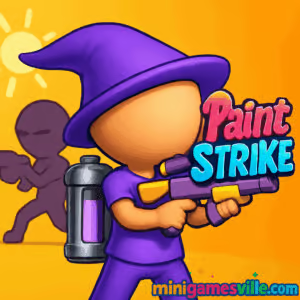
Ready to splash the arena with color? Click Play on Paint Strike at minigamesville.com and jump into fast 90‑second turf battles right in your browser. Paint Strike is a vibrant online shooter where every splat counts, perfect for quick sessions or late‑night marathons. This unblocked browser game mixes tight arena control with slick movement and satisfying paintball physics. Choose your loadout, cover the map in your team’s color, and rack up coins to unlock gear. Hit Play and start painting the leaderboard today.
About Paint Strike
Paint Strike is a color‑domination shooter built for instant play. Matches are short and punchy, your team sprays the arena in your hue while popping opponents to slow them down. Wins and eliminations fuel your bank for weapon upgrades and cosmetic flair. As a browser game, it runs instantly with no downloads, so you can dive into a round in seconds and keep the momentum going.
History of Paint Strike
Paint Strike splashed onto the web in late 2022 and quickly found an audience among fans of fast arena shooters and paintball‑style gameplay. Since launch, it has seen balance tweaks, visual polish, and performance updates that keep matches crisp on both desktop and mobile browsers.
Style & Vibe
Bright arenas, chunky paint splats, and clean UI lend Paint Strike a playful, high‑contrast look that makes coverage easy to read at a glance. Character skins and weapon skins add personality without cluttering the screen.

Gameplay in Paint Strike
The core loop is simple and addictive. Move, paint, pressure, repeat. Spray floors and walls to boost your team’s score, then pick smart angles to splat rivals and deny their push. Good aim helps, smart pathing wins matches. Maps encourage constant motion with flank routes, elevation, and cover pieces that reward awareness. Physics feel snappy, with responsive hit feedback and paint coverage that updates in real time.
Game Modes
- Turf Battle: 90‑second rounds where the team with the most painted ground wins.
- Elimination Focus: Rack up splats to pad your score and stall enemy momentum.
- Practice Range: Warm up aim and test new weapons before queueing.
How to Play
- Press Play to queue into a quick online match.
- Pick a starter weapon and note the map’s choke points.
- Paint safe lanes first, then push high‑value zones near center.
- Splat opponents who contest your turf, then repaint quickly.
- Use match rewards to upgrade weapons and unlock cosmetics.
Controls
- Desktop: WASD to move, mouse to aim, left click to shoot, space to jump, shift to sprint if available.
- Mobile: On‑screen stick for movement, drag to aim, tap to shoot. Haptics optional on some devices.
Device Compatibility & Browser Support
Paint Strike runs in modern browsers that support WebGL and hardware acceleration. Best on the latest versions of Chrome, Edge, Firefox, and Safari. It scales down well on mobile, with touch‑friendly controls and lightweight assets to keep frame rates steady.
Mobile vs. Desktop Gameplay
Desktop gives you pinpoint aim and swift camera turns for clutch picks. Mobile offers quick drop‑in access with generous aim assistance and large UI buttons. Both play great, so choose the setup that fits your session length and comfort.
Can I Play Offline?
Paint Strike is an online game, so an active internet connection is required for matchmaking and progression.
Can I Play Unblocked?
Paint Strike is designed as a browser‑based web game. Many school and work networks allow access to minigamesville.com, but availability depends on your local firewall rules. If it’s blocked, try a personal device on a non‑restricted connection.
Play Paint Strike instantly in your browser at minigamesville.com. There is no official Paint Strike app on Google Play or the App Store as of August 18, 2025.
If you want a similar paint‑powered shooter on mobile, try Pixel Gun 3D:
Tips & Tricks
Beginner Tips
- Paint paths, not corners. Long lanes swing percentage faster than tiny patches.
- Clear then claim. Splat an opponent, then immediately repaint the zone they contested.
- Reload while rotating. Use cover and map geometry to stay active during reloads.
- Watch the minimap. Unpainted bands show where your team needs help most.
- Bank early upgrades into versatile rifles for consistent pressure.
Advanced Strategies
- Anchor and collapse. Assign one anchor to hold mid while flankers pinch from edges.
- Time‑slice the clock. With 20 seconds left, overpaint central lanes to lock the final swing.
- Crossfire splats. Pair sightlines so a tagged enemy cannot escape without walking your paint.
- Pre‑aim exits after a splat and repaint behind you to deny fast counterpushes.
- Swap to high‑capacity weapons when protecting a lead, precision weapons when chasing.
Features
- 🎨 Turf‑control battles with big color swings in under two minutes
- 🖌️ Satisfying paintball physics and crunchy hit feedback
- 🔫 Upgradeable weapons and skins for style and performance
- ⚡ Low‑latency online play in your browser, no download needed
- 📱 Mobile‑friendly UI with smooth touch controls
- 🗺️ Compact maps built for nonstop flanks and clutch retakes
- 🏆 Match rewards that feed steady progression
- 🔒 Optional privacy and accessibility settings for comfort
Unlockables & Secrets
Win matches to earn coins, then unlock higher‑tier paint weapons, larger magazines, and cosmetic skins. Keep an eye on limited‑time items in the store rotation. Small secret: some maps hide cheeky jump routes that shave seconds off your rotations, so explore in practice before queuing.
Cheats & Mods
Paint Strike is a competitive online experience. Cheats, third‑party clients, or injector mods risk bans and ruin fair play. If you want an edge, optimize your settings and master flank timings instead.
Walkthrough Summary
Start with a balanced rifle, practice strafe‑aim on targets, and learn two fast routes per map. In matches, paint safe lanes first, take mid control with your team, and rotate to hotspots when coverage drops. Upgrade capacity early, damage next, then add a specialty secondary for picks.
Scoring, Records & Progression
Your final score blends paint coverage and splats. Consistent map control beats chasing eliminations. Track personal bests for coverage percentage, KOs per minute, and win streaks to gauge real improvement. Progression unlocks cosmetics and better guns, which help secure late‑game swings.
Why Play Paint Strike
If you want a quick, colorful adrenaline burst, Paint Strike delivers. It is easy to learn, hard to master, and perfect for short breaks or competitive sprints. The browser‑first design keeps load times tiny, so you spend time playing, not waiting.
Pros & Cons of Paint Strike
- Pros: Instant play in browser, tight rounds, satisfying paint feedback, steady unlocks.
- Cons: Online only, late‑match swing potential can feel spicy if your team loses mid control.
- Keep your browser updated and enable hardware acceleration.
- Close heavy tabs or background streams before ranked sessions.
- On laptops, plug in for stable CPU and GPU clocks.
- Mobile players, enable High Performance mode and disable battery savers during play.
- Clear cached data occasionally to prevent asset hiccups.
Similar games to Paint Strike
FAQ
What is Paint Strike?
Paint Strike is a browser‑based online shooter where teams paint the arena to win rounds and earn upgrades.
Is Paint Strike free to play?
Yes, you can play free in your browser with no download required.
Does Paint Strike have cross‑device play?
Yes, it runs on desktop and mobile browsers, so you can switch devices and keep playing.
How long is a match in Paint Strike?
Rounds are short, typically around 90 seconds, which keeps the pace energetic.
Can I change my controls?
Desktop supports keyboard and mouse, while mobile has touch controls. Sensitivity and audio toggles are available in settings.
Do eliminations matter or just paint coverage?
Both matter. Splatting enemies creates windows to repaint and swing the score in your favor.
Is there an official app?
There is no official Paint Strike app on Google Play or the App Store at this time. For mobile, try Pixel Gun 3D on iOS and Android.
Any pay‑to‑win elements?
Paint Strike focuses on skill and smart rotations. Upgrades improve feel and variety, not instant wins.
Conclusion
Paint Strike nails that sweet spot between quick fun and competitive depth. Tight maps, punchy paint physics, and fast rounds make every second count. Whether you are a casual sprayer or a coverage perfectionist, there is always a clever route or clutch retake to discover.
Ready to claim the arena for your color? Click Play on Paint Strike at minigamesville.com, gear up, and start painting your way to the top.

 Loading...
 English
 Shqip
Shqip
 বাংলা
বাংলা
 Български
 简体中文
简体中文
 Hrvatski
 Čeština
 Dansk
Dansk
 Nederlands
 Suomi
Suomi
 Ελληνικά
 हिन्दी
 Magyar
 Bahasa Indonesia
 日本語
日本語
 한국어
한국어
 Lietuvių
 Bahasa Melayu
 Norsk
Norsk
 Polski
 Português do Brasil
 Română
 Slovenčina
 Slovenščina
 Svenska
 ไทย
ไทย
 Türkçe
 Українська
 اردو
اردو
 Tiếng Việt
 isiZulu
 Español
 Français
 Deutsch
 العربية
 Italiano
 فارسی
فارسی
 Русский