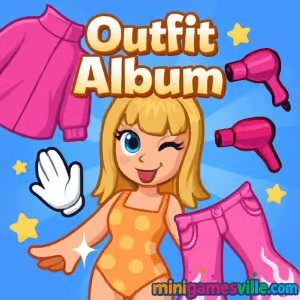
Play Outfit Album on Minigamesville right now and start styling your way through a chic photo journal of looks. Outfit Album is a fashion dress-up browser game that blends quick-fire styling puzzles with creative freedom. If you love makeover challenges, trend-matching, and bite-size fashion goals you can complete online without downloads, tap Play above and jump in. Whether you are at home or on the go, Outfit Album unblocked delivers relaxing, replayable fun and plenty of outfit inspo. Ready to build a style story one outfit at a time? Click Play and launch Outfit Album on Minigamesville.
About Outfit Album
Outfit Album is a casual fashion game where you complete album pages by assembling themed looks. Each page presents a vibe, palette, or occasion. You mix tops, bottoms, layers, accessories, and hairstyles to hit the target style and earn a high rating. Short rounds keep it easy to play in a browser, yet there is enough depth for fashion fans who enjoy color matching, pattern balancing, and seasonal trends. Outfit Album online is perfect for quick breaks and longer creative sessions alike.
History of Outfit Album
Fashion games have evolved from simple dress-up dolls to smart styling challenges with theme prompts and grading systems. Outfit Album follows that modern blueprint, focusing on fast, theme-based rounds that feel like curating a digital lookbook. It keeps the nostalgia of classic dress-up while adding puzzle-like targets that reward good taste and composition.
Style & Vibe
Clean UI, bright color palettes, and glossy wardrobe art make each album page pop. Expect outfit prompts that range from streetwear to semi-formal, with occasional costume or seasonal themes to keep things fresh.

Gameplay in Outfit Album
Each round presents a theme and target score. You browse categories, try pieces, and watch the rating bar respond to your choices. Strong color harmony, occasion-appropriate items, and well-balanced silhouettes boost your score. Clashing patterns, off-theme pieces, or over-accessorizing can hold you back. The loop is simple: pick, preview, adjust, submit, then collect your rating and move to the next album page.
Game Modes
- Style Challenges: Complete themed pages with scoring targets.
- Free Style: Experiment without pressure and save looks for later pages.
- Timed Rounds: Optional speed play where quick decisions earn bonus points.
- Daily Prompts: Fresh mini-challenges to keep your album growing.
How to Play
- Read the theme on the album page, noting colors or dress code.
- Start with the base: pick a top and bottom or a dress that fits the vibe.
- Add layers, shoes, and accessories. Keep to 1-2 focal points.
- Fine-tune colors and patterns for cohesion.
- Submit your look to lock in the score and unlock the next page.
Controls
- Desktop: Left-click to select items, click tabs to change categories, drag to scroll lists.
- Mobile: Tap to equip items, swipe to browse categories, pinch to view details if supported.
Device Compatibility & Browser Support
Outfit Album runs directly in modern browsers on desktop, Chromebook, tablets, and mobile. For the smoothest experience, use the latest version of Chrome, Edge, Firefox, or Safari with hardware acceleration enabled.
Mobile vs. Desktop Gameplay
On mobile, Outfit Album feels like a quick-look styling app with snappy taps. On desktop, you get wider category views and faster comparison between pieces, which helps when aiming for top scores.
Can I Play Offline?
No. Outfit Album is an online browser game and requires an active internet connection to load assets and save progress.
Can I Play Unblocked?
In many networks, yes. Since it is web-based, Outfit Album unblocked often runs without extra installs. If a school or workplace filters gaming domains, try a different modern browser, reload the page over https, or switch to a personal connection.
- Browser: Play directly on Minigamesville, no download required.
- iOS and Android: There is no official mobile app version of Outfit Album at this time. If you want a mobile-first fashion experience, try Covet Fashion on the official stores:
Tips & Tricks
Beginner Tips
- Start neutral, then add one accent color to avoid clashing.
- Read the prompt twice. If it says cozy, skip stilettos and lean into knits.
- Balance silhouette: if the top is oversized, choose a fitted bottom, and vice versa.
- Accessories are seasoning. Add earrings or a bag, not everything at once.
- Preview often. Swap a single piece to see large score swings.
Advanced Strategies
- Color theory wins rounds. Use triadic or complementary palettes for high-impact cohesion.
- Pattern math: one bold print plus two solids keeps the eye focused.
- Theme accuracy beats price. A simple cardigan can outscore a flashy jacket if it fits the brief.
- Create capsule combos you can reuse across similar prompts.
- Time-attack mindset: lock a solid base look first, then optimize upgrades in the remaining seconds.
Features
- 🧥 Theme-based styling rounds with instant feedback.
- 👗 Big wardrobe categories for mix and match creativity.
- 🎯 Score targets and bonus objectives for replay value.
- 📸 Album progression that feels like curating a lookbook.
- 🕹️ One-click browser play, no download.
- 📱 Smooth on mobile and desktop with fast loading.
- 🧩 Light puzzle elements that reward smart color and silhouette choices.
- ⭐ Optional timed challenges for extra thrill.
Unlockables & Secrets
Completing pages with higher ratings can unlock new themes and bonus prompts. Watch for hidden synergies such as matching shoes and bag or echoing a stripe color in outerwear, which often nudges the score higher.
Cheats & Mods
There are no endorsed cheats or mods for Outfit Album. Third-party extensions can break the game or risk your device. The best path to big scores is smart palette control, less-is-more accessorizing, and careful theme reading.
Walkthrough Summary
Open the album page, identify the core vibe, equip a base outfit that hits the dress code, add one accent color, finish with one accessory, then refine. Submit when the rating bar peaks. Repeat to fill your album with gold-star pages.
Scoring, Records & Progression
Scores reflect theme fit, color harmony, and balance. Hitting target thresholds can mark a page as complete and may unlock tougher prompts. Track personal bests by retrying pages with different palettes and silhouettes.
Why Play Outfit Album
It is quick to learn, satisfying to master, and easy to play in short sessions. Outfit Album delivers the joy of creative styling with just enough challenge to keep you chasing better ratings. If you enjoy dress-up games, styling apps, or light puzzles, this one is a cozy staple.
Pros & Cons of Outfit Album
- Pros: Fast browser loading, clear scoring feedback, endless mix and match, great for casual play.
- Cons: Requires internet, fashion inventory may feel limited on certain prompts, no official offline mode.
- Use the latest browser version and close unused tabs to reduce memory strain.
- Enable hardware acceleration in settings for smoother scrolling.
- On mobile, switch to full-screen and do not disturb to avoid accidental taps.
- If assets stall, refresh the page or clear site cache, then reload.
Similar games to Outfit Album
- TicToc Kpop Fashion — Style K-pop inspired looks and nail idol-ready outfits under time pressure.
- TicToc Summer Fashion — Build breezy warm-weather ensembles with sun-ready colors and accessories.
- Funny Hair Salon — Give characters bold cuts and colors to complete their glow-up.
- Funny Haircut — Experiment with scissors, dye, and styling tools to craft a statement look.
- Funny Kitty Care — Pamper a cute cat with grooming and outfits for wholesome makeover vibes.
- Cooking Korean Lesson — Switch gears from wardrobe to kitchen with tasty step-by-step recipes.
FAQ
What kind of game is Outfit Album?
It is a casual dress-up and styling puzzle where you complete themed album pages by assembling cohesive outfits.
Is Outfit Album free to play online?
Yes, you can play it free in your browser on Minigamesville without downloading anything.
Does Outfit Album work on phones?
Yes, it runs in mobile browsers. For the best experience, keep your browser updated and use full-screen mode.
Can I play Outfit Album unblocked at school?
It may work on some networks. If access is restricted, try a different browser or a personal connection.
How do I get higher scores?
Match the stated theme, keep colors harmonious, limit bold prints to one piece, and avoid over-accessorizing.
Are there official iOS or Android apps for Outfit Album?
No official app exists right now. For a mobile alternative, try Covet Fashion on the App Store or Google Play.
Do my looks save between sessions?
Progress depends on your browser session. Keep the same device and do not clear site data if you want to retain local progress.
Conclusion
Outfit Album captures the joy of styling with quick rounds and clear goals. It is the kind of fashion browser game you can open for five minutes and, before you know it, you have filled a page with polished looks.
Ready to start your style story? Scroll up, hit Play, and dive into Outfit Album on Minigamesville. Build your album, sharpen your eye for color and fit, and see how high you can score with each new theme.

 Loading...
 English
 Shqip
Shqip
 বাংলা
বাংলা
 Български
 简体中文
简体中文
 Hrvatski
 Čeština
 Dansk
Dansk
 Nederlands
 Suomi
Suomi
 Ελληνικά
 हिन्दी
 Magyar
 Bahasa Indonesia
 日本語
日本語
 한국어
한국어
 Lietuvių
 Bahasa Melayu
 Norsk
Norsk
 Polski
 Português do Brasil
 Română
 Slovenčina
 Slovenščina
 Svenska
 ไทย
ไทย
 Türkçe
 Українська
 اردو
اردو
 Tiếng Việt
 isiZulu
 Español
 Français
 Deutsch
 العربية
 Italiano
 فارسی
فارسی
 Русский