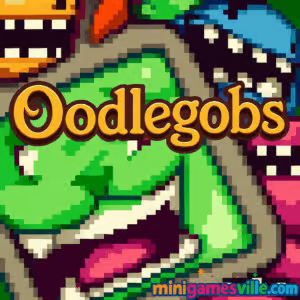
Play Oodlegobs now on minigamesville.com and watch a wiggly swarm of mini-creatures take over your screen. Oodlegobs is a clever puzzle platformer you can play online in your browser, perfect if you want a fast, unblocked pick-up-and-play challenge between classes or during a break. Split your blob, solve spatial puzzles, and merge back to power switches, squeeze through vents, and outsmart hazards. If you love physics-driven platforming with a quirky vibe, hit Play above and jump into Oodlegobs right away.
About Oodlegobs
Oodlegobs is a browser game that turns swarm control into a delightful brain teaser. You guide a colony of tiny organisms through tight corridors, laser traps, and moving platforms while deciding when to split into many and when to regroup as one. The result is a fun mix of puzzle solving, timing, and platforming that plays great online without a download. Whether you chase fast completion times or methodically clear every collectible, Oodlegobs rewards both styles.
History of Oodlegobs
Born in the golden age of web games, Oodlegobs earned a cult following for its playful art and smart level design. It embodies the spirit of classic browser platformers, updated to run smoothly in modern browsers so newcomers can experience its charm without plugins.
Style & Vibe
Expect bright colors, squishy animation, and cheeky sound effects. The look leans cartoony, but the puzzles sneak up with surprising depth, especially when you start juggling multiple blob groups across pressure plates and moving lifts.

Gameplay in Oodlegobs
The core loop revolves around splitting and merging. Break your blob into smaller pieces to slip through gaps or weigh down several switches at once, then rejoin to push heavier objects or jump farther. Levels introduce fresh twists such as directional fans, patrolling sentries, and color-coded doors that require synchronized actions. The physics feel light and responsive, which keeps retrying fast and enjoyable. Expect a steady curve from simple tutorial rooms to intricate multi-step challenges that require planning and crisp movement.
Game Modes
- Level-based campaign: progress through handcrafted stages with escalating mechanics.
- Star or collectible runs: revisit cleared stages to grab missed items.
- Speedrun goals: shave seconds by routing splits and merges more efficiently.
How to Play
- Start the level and move carefully, scouting hazards and switches.
- Split your blob when you need to press multiple plates or fit through vents.
- Use merged form for stronger pushes, bigger jumps, or to absorb light hits.
- Time movements to dodge lasers, crushers, and guards.
- Collect optional items if you want perfect clears, then reach the exit.
Controls
- Move: Arrow keys or WASD.
- Jump or action: Space or Z, depending on the in-game prompt.
- Split or merge: Look for on-screen buttons or a dedicated key shown in the tutorial overlay.
- Pause or settings: Esc or the gear icon to review controls anytime.
Tip: Browser ports can map inputs slightly differently. Open the in-game controls screen before your first run.
Device Compatibility & Browser Support
Oodlegobs plays great on desktop and laptops in Chrome, Edge, Firefox, and Safari. It can also run on many mobile browsers, though precise platforming usually feels best with keyboard.
Mobile vs. Desktop Gameplay
Desktop offers smoother precision and easier multi-key inputs. Mobile works for casual practice with touch buttons, but tight timing and split-second merges are more comfortable on a keyboard or gamepad.
Can I Play Offline?
No. Oodlegobs is an online browser game, so it needs an internet connection to load assets and save progress locally.
Can I Play Unblocked?
In most cases yes. Because it runs in a standard HTTPS tab, Oodlegobs often works on school or work networks. Your local policy may differ. If a page is restricted, try a modern browser, an incognito window, or another network.
- Play in your browser on minigamesville.com, no download required.
- No official Google Play or App Store version is available for Oodlegobs.
- Want a mobile game with a similar vibe of guiding multiple characters and tight physics? Try BADLAND:
Tips & Tricks
Beginner Tips
- Peek before you leap: pan your view with small steps to reveal hazards.
- Split early, merge late: distribute blobs to scout, then recombine for hard jumps.
- Use momentum: falling with a merged blob increases jump reach on the next hop.
- Retry fast: quick restarts help you learn timing patterns without frustration.
Advanced Strategies
- Switch cycling: leave one mini-blob on a plate, move others to set up the next trigger.
- Damage routing: if a hazard trims blob size, plan merges to preserve the right amount of mass.
- Two-lane splits: run parallel paths to activate doors in sequence, saving precious seconds for speedruns.
- Micro-merges: tap merge for a split second to gain weight, then split again to keep mobility.
Features
- 🧪 Smart split-and-merge puzzles with satisfying physics.
- 🎨 Colorful cartoon art and squishy animations.
- 🎵 Playful sound effects that react to blob size and movement.
- 🧩 Handcrafted levels with layered solutions for casual or expert routes.
- ⚡ Quick retries and minimal downtime between attempts.
- 🏆 Optional collectibles and time targets for 100 percenters.
- 🖥️ Runs in the browser, no download needed.
- 🔒 Often playable unblocked on standard networks.
Unlockables & Secrets
Keep an eye out for tucked-away side corridors and platforms off camera edges. Many stages hide optional collectibles or alternate exits. Mastering split sizes can open routes that look impossible at first glance.
Cheats & Mods
There are no built-in cheats. Third-party tools can break saves or hurt performance, so play fair. If you get stuck, practice sections or watch a quick level preview, then return to improve your line.
Walkthrough Summary
Early levels teach movement and jumping, then you learn to split for multi-switch puzzles. Midgame introduces moving hazards and doors that require synchronized actions. Late levels combine everything, asking for smooth routes that balance speed and safety. With repetition you will feel the rhythm and glide through formerly tricky sequences.
Scoring, Records & Progression
Progress is usually saved to your browser, which makes revisiting stages easy. Track personal best times, aim for clean collectible runs, and route optimizations to push your records lower. Small gains from better splits add up across a full set of levels.
Why Play Oodlegobs
If you enjoy creative platformers that make physics the star, Oodlegobs delivers. It is quick to learn, satisfying to master, and perfect for short sessions online. The blend of split-merge strategy and precise movement keeps each level fresh.
Pros & Cons of Oodlegobs
- Pros: inventive mechanics, responsive feel, fast retries, runs in any modern browser.
- Cons: touch controls are less precise, later puzzles can spike in difficulty for newcomers.
- Use a modern browser with hardware acceleration enabled.
- Close heavy tabs and pause background streams for steadier frame rates.
- If input feels sticky, clear cache or switch to another browser profile.
- On laptops, plug in power for better CPU and GPU headroom.
Similar games to Oodlegobs
- Parkour Block 6 — voxel-style precision jumping that tests your timing across tough obstacle rooms.
- Parkour Block 7 — more tight platforms and clutch landings for players who crave harder parkour challenges.
- Geometry Dash Lite — rhythm platforming where perfect taps carry you through trap-filled tracks.
- Short Life — ragdoll platformer packed with hilarious hazards and risky shortcuts.
- Poor Bunny — rapid-fire arena platforming with pickups and patterns to survive as long as possible.
- Bad Ice Cream 2 — arcade puzzle mazes where you shape the arena with breakable ice walls.
FAQ
What is Oodlegobs?
Oodlegobs is a puzzle platformer browser game where you split and merge a bloblike swarm to solve environmental challenges and reach each exit.
Is Oodlegobs free to play?
Yes, you can play Oodlegobs online for free on minigamesville.com.
Does Oodlegobs work on mobile?
It can run in many mobile browsers, but the best experience is on desktop with keyboard controls.
How long does it take to beat Oodlegobs?
That depends on skill. Expect a short learning curve, then a few hours to clear everything if you go for collectibles and cleaner times.
Where does Oodlegobs save my progress?
Progress typically saves locally in your browser storage so you can return to finish levels later on the same device.
Is Oodlegobs unblocked at school?
In many cases yes, since it plays in a standard HTTPS tab. Availability depends on your network rules.
Can I use a controller for Oodlegobs?
Some browsers map controllers to keyboard inputs. If yours does, basic movement may work, though the game is designed with keyboard in mind.
Conclusion
Few platformers feel as delightfully squishy as Oodlegobs. The split-and-merge mechanic turns every room into a tiny puzzle box, and quick restarts make improvement addictive. Whether you have five minutes or an hour, it is a great online time-killer.
Ready to guide your blob brigade to victory? Hit Play above and dive into Oodlegobs on minigamesville.com. Master the physics, perfect your routes, and enjoy a fresh spin on the classic browser game formula.

 Loading...
 English
 Shqip
Shqip
 বাংলা
বাংলা
 Български
 简体中文
简体中文
 Hrvatski
 Čeština
 Dansk
Dansk
 Nederlands
 Suomi
Suomi
 Ελληνικά
 हिन्दी
 Magyar
 Bahasa Indonesia
 日本語
日本語
 한국어
한국어
 Lietuvių
 Bahasa Melayu
 Norsk
Norsk
 Polski
 Português do Brasil
 Română
 Slovenčina
 Slovenščina
 Svenska
 ไทย
ไทย
 Türkçe
 Українська
 اردو
اردو
 Tiếng Việt
 isiZulu
 Español
 Français
 Deutsch
 العربية
 Italiano
 فارسی
فارسی
 Русский