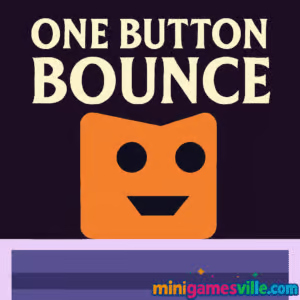
Play One Button Bounce on MinigamesVille now. Click into the iframe above and start jumping. One Button Bounce is a slick one-button puzzle platformer you can enjoy as an online, unblocked browser game right here on minigamesville.com. If you love timing-based challenges with tight physics and clever level design, this is your new coffee-break obsession. Ready to bounce to the exit portal? Hit play and try One Button Bounce today.
One Button Bounce distills platforming down to a single input. Your character paces automatically, and you tap or press once to jump, ricochet off walls, and thread through hazards toward a glowing portal. The beauty is in the rhythm. Precise timing turns every stage into a satisfying mini-puzzle. If you enjoy quick sessions with instant restarts, One Button Bounce delivers that classic just-one-more-try loop as an online browser game.
History of One Button Bounce
One-button games have a long legacy in web and mobile arcades, and One Button Bounce carries that spirit forward with modern, responsive physics and clean level goals. What started as a minimalist approach to controls now shines as a genre all its own. One Button Bounce leans into that heritage, focusing on clarity, readability, and fair, escalating challenge.
Style & Vibe
Expect bright, readable colors, crisp silhouettes, and a calming yet energetic soundtrack that keeps you in the timing flow. Levels present hazard contrasts at a glance, so you can learn by doing and improve quickly from attempt to attempt.

Each stage opens with a simple objective: reach the portal. Your runner paces back and forth automatically, reversing direction at edges and walls. Your single input acts as both jump and bounce. Time presses to clear gaps, ride moving platforms, and bank off walls to line up your approach. Hazards range from spikes and saws to laser gates and crumble tiles. The physics feel snappy, so small improvements in timing lead to big wins in consistency. Hints and quick restarts keep the flow moving, making One Button Bounce perfect for short sessions that build skill over time.
Game Modes
- Level Select: Core, hand-crafted stages with escalating tricks and hazards.
- Self-Timed Speedruns: Chase personal bests by replaying cleared stages for faster routes and cleaner bounces.
- No-Death Challenge: Try beating select levels without a single mistake for a true mastery test.
Note: The primary experience is level-based. Speedrun and no-death formats are community-style challenges you can apply to any stage.
How to Play
- Press the jump key or tap once to hop and bounce off walls.
- Use rebounds to change height and approach angles.
- Read the obstacle pattern, then commit to a clean rhythm.
- Reach the portal to finish. Restart instantly if you miss.
Controls
- Desktop: Space, W, or Up Arrow to jump.
- Mobile: Tap anywhere on the screen to jump.
- Pause/Restart: Use on-screen buttons or the pause icon in the game UI.
Device Compatibility & Browser Support
One Button Bounce runs smoothly in modern browsers, including Chrome, Edge, Firefox, and Safari. It loads fast, uses minimal data, and works with keyboard or touch. For best results, close heavy background tabs, keep your browser updated, and enable hardware acceleration in settings.
Mobile vs. Desktop Gameplay
On desktop, keyboard presses offer crisp timing windows that benefit speedrunning. On mobile, taps feel natural for casual play and quick retries. Either way, One Button Bounce maintains consistent physics and instant restarts.
Can I Play Offline?
This is an online browser game. You need an internet connection to load assets and save progress between sessions. Once a level is loaded, short hiccups usually do not interrupt play, but a stable connection is recommended.
Can I Play Unblocked?
Most networks that allow gaming sites will load One Button Bounce since it runs in-browser over HTTPS and requires no downloads. If your school or office blocks game domains, try a personal device on a different network or ask an administrator to whitelist minigamesville.com.
- Browser: Play One Button Bounce on minigamesville.com in your desktop or mobile browser.
- Official mobile apps: There are no verified App Store or Google Play pages for One Button Bounce as a standalone mobile app.
- Want a similar one-tap jump on mobile? Try Stack by Ketchapp:
Tips & Tricks
Beginner Tips
- Look one obstacle ahead. Plan your next two bounces, not just the next jump.
- Use wall bounces to manage height. A shallow rebound sets up safer landings.
- Memorize openings. Most hazards loop. Enter the cycle on its safest beat.
- Do not spam the button. Clean, deliberate timing beats rapid taps.
- Practice early in a level, then chain sections together for a full clear.
Advanced Strategies
- Stutter hops: feather the press to slightly adjust arcs without overcommitting.
- Edge tech: jump at platform edges for maximum horizontal carry into wall bounces.
- Cycle control: wait half a beat to desync moving hazards into a friendlier pattern.
- Route scouting: fail on purpose to test risky lines, then commit to the best path.
- Speed lines: string rebounds so you never fully stop your forward flow.
Features
- 🕹️ One-button jump with tight, responsive physics
- 🧩 Smart, readable puzzle-platform layouts
- ⚡ Instant restarts for zero downtime
- 🎯 Fair checkpoints on longer challenges
- 📈 Clear difficulty curve from warm-up to mastery
- 🔊 Clean audio cues that reinforce timing
- 📱 Seamless play on desktop and mobile browsers
- 🌐 Free to play online, no downloads required
Unlockables & Secrets
Keep an eye out for optional routes and safer lines that only appear with careful timing. Some stages reward creative rebounds that bypass tricky hazards. Mastery unlocks the most satisfying solutions.
Cheats & Mods
There are no official cheats or mods for One Button Bounce on minigamesville.com. Third-party tools can harm performance or violate site rules. Stick to skill-based progression for the best experience.
Walkthrough Summary
Start by reading moving platforms and laser gates. Use a short hop to align with the next wall, bank a controlled rebound, then ride a safe platform into the portal corridor. If you miss the window, reset quickly and adjust your entry timing. Treat each level like a short rhythm you can learn in under a minute.
Scoring, Records & Progression
Progress is stage-driven. Your personal records come from cleaner clears, fewer mistakes, and faster portal times. Replay favorite levels to refine muscle memory and shave seconds off your best runs.
Because it is pure timing fun. One Button Bounce hits that sweet spot between brainy route planning and reflex execution. The one-button design means anyone can start, while the ceiling for mastery stays sky high.
- Pros: Simple controls, sharp physics, instant retries, great for short sessions, playable on any device.
- Cons: One-mistake resets can feel punishing while learning, later stages demand precision.
- Keep your browser updated for smoother input latency.
- Enable hardware acceleration in browser settings.
- On laptops, plug in or switch to a high-performance power mode to reduce stutter.
- Close heavy tabs or streams in the background to free up memory.
- Trampoline Stickman — one-tap flips and rebounds on a springy trampoline.
- Wheelie Bike — balance a wheelie with precise timing and gentle taps.
- Free Rider Jumps — momentum-based jumps across sketchy tracks.
- Rolling Ball — steer a fast ball through tight lanes and traps.
- Color Tunnel — dodge obstacles in a hypnotic, high-speed tunnel.
- Swerve — tap to switch lanes at the perfect moment.
- Candy Jump — sugary one-tap leaps across moving platforms.
- Knife Jump — flip and stick the landing with precise arcs.
FAQ
What is One Button Bounce?
One Button Bounce is a one-button puzzle platformer where you jump and bounce off walls to reach a portal, playable online as a free browser game on minigamesville.com.
Is One Button Bounce unblocked at school?
Many networks allow it because it runs in-browser with no installs. If your network blocks game sites, use a different connection or request a whitelist.
Does One Button Bounce work on phones?
Yes, it runs in mobile browsers with simple tap controls and fast restarts.
Are there official mobile apps for One Button Bounce?
No, there are no verified App Store or Google Play listings for this game. You can still play it online on minigamesville.com.
How do I get better quickly?
Practice short sections, learn hazard cycles, and time rebounds off walls to control height and speed. Small timing tweaks make big differences.
Conclusion
One Button Bounce proves that a single input can unlock endless fun. Clever layouts, quick retries, and a fair difficulty curve create that addictive rhythm every great browser game needs. Whether you are on a laptop or phone, it is easy to jump in, learn a level, and feel your skills climb.
Ready to master the bounce? Scroll up, hit play, and clear your next portal now. One Button Bounce is waiting on minigamesville.com.

 Loading...
 English
 Shqip
Shqip
 বাংলা
বাংলা
 Български
 简体中文
简体中文
 Hrvatski
 Čeština
 Dansk
Dansk
 Nederlands
 Suomi
Suomi
 Ελληνικά
 हिन्दी
 Magyar
 Bahasa Indonesia
 日本語
日本語
 한국어
한국어
 Lietuvių
 Bahasa Melayu
 Norsk
Norsk
 Polski
 Português do Brasil
 Română
 Slovenčina
 Slovenščina
 Svenska
 ไทย
ไทย
 Türkçe
 Українська
 اردو
اردو
 Tiếng Việt
 isiZulu
 Español
 Français
 Deutsch
 العربية
 Italiano
 فارسی
فارسی
 Русский